
WebSocket vs HTTP: Which One Does Your Project Need?
HTTP works request by request. WebSocket keeps one two-way connection open. See when to use each and how to route WebSocket traffic through a proxy.
Valentin Ghita
Technical Writer, Marketing, Research
Mihalcea Romeo
Co-Founder, CTO
TL;DR: The short version
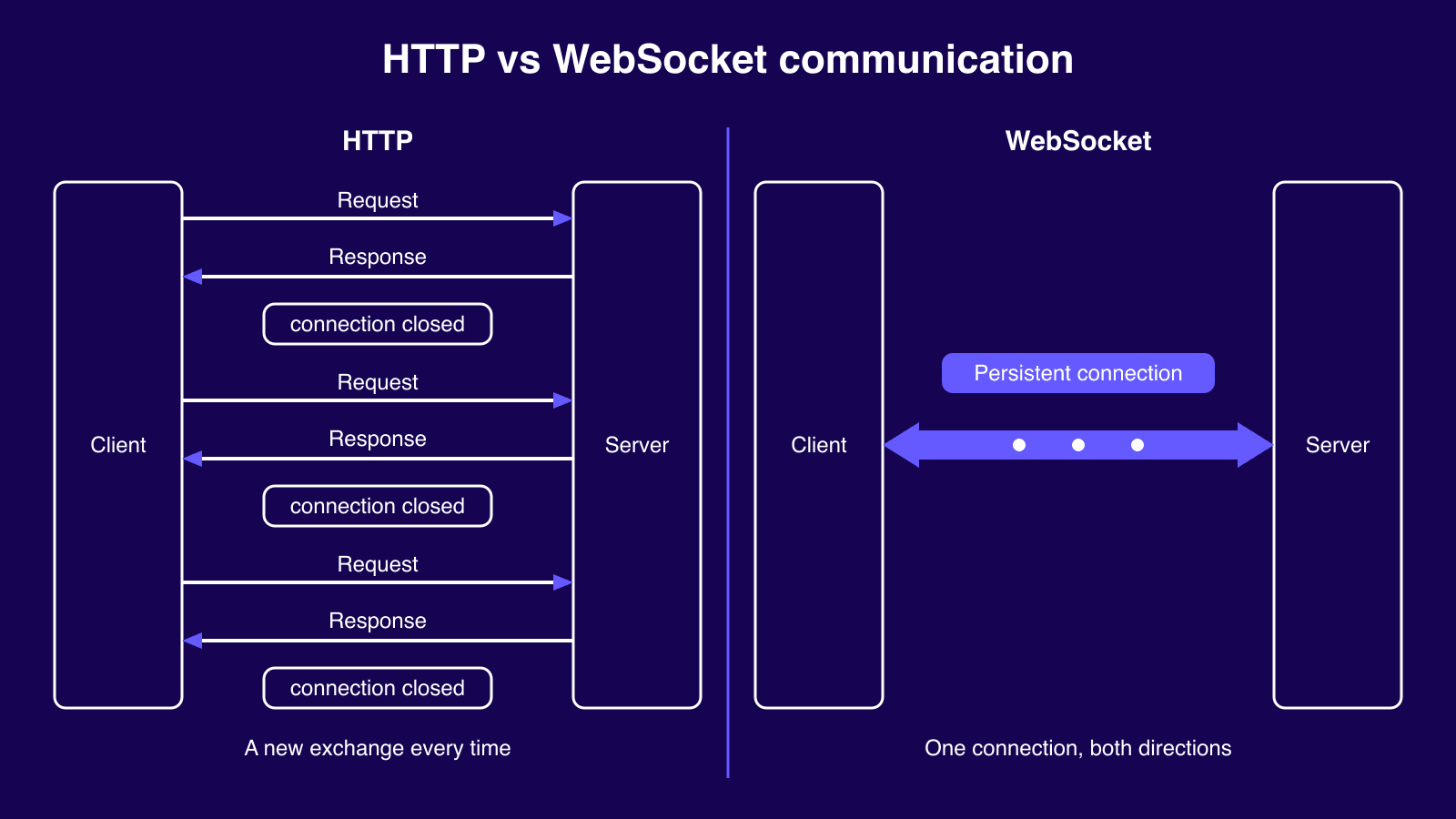
- HTTP follows the protocol of questions and answers. That is, your application makes a request, the server provides an answer and then the communication ends.
- WebSocket uses the standard HTTP request but keeps the connection open so data can move both directions anytime.
- For pages, APIs, and other stuff that Google wants to see, you should use HTTP. For live information like chats and price feeds, choose WebSocket.
- Almost all apps use both HTTP and WebSocket protocols. They are not competitors.
- If there is a proxy server standing between your application and WebSocket communication, then go for the SOCKS5 protocol. The WebSocket protocol recommends that.
How HTTP and WebSocket work
HTTP uses the internet to transfer information. It's like delivering a message by hand: the request goes from the browser to the server and back to the browser, and that is the end of the transaction. A new request can be initiated immediately. After the transaction is handled, the server has no information about the client anymore, which is why HTTP is called stateless.
WebSocket is more like using a telephone. Once the client and server are connected, the communication can go on freely in either direction without redialing. Both of them run on TCP, which is the layer of the internet responsible for delivering complete messages. So WebSocket is a layer on top of one TCP connection, not a replacement for it.
Almost everything else is based on this single connection.

Buy SOCKS5 Proxies
Dedicated IPs, any TCP traffic, unlimited bandwidth. Works with every app that supports SOCKS5.
How a WebSocket connection starts
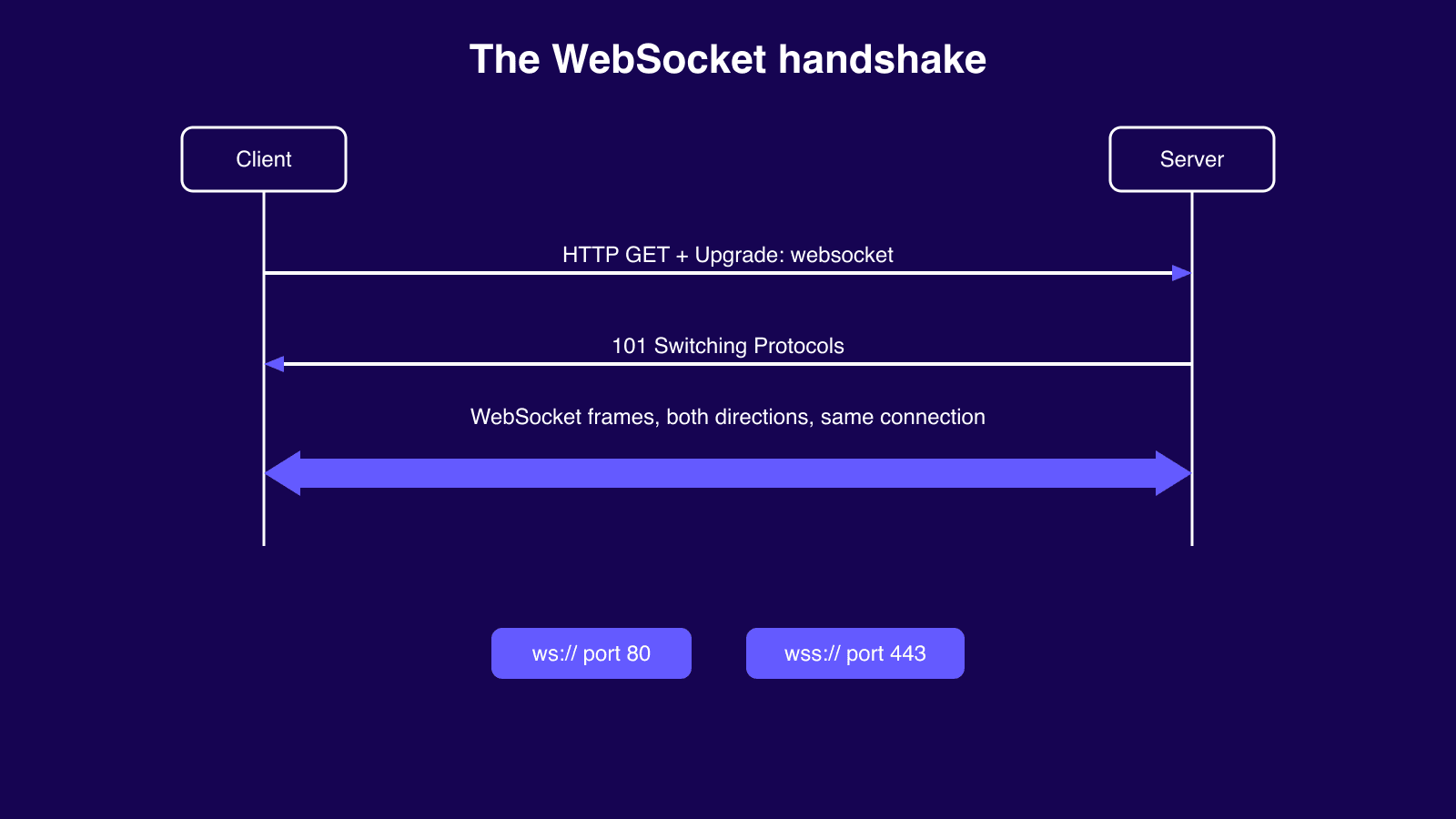
Every WebSocket begins as a plain HTTP request. This upgrade request includes a header named Upgrade, which asks the server to switch to WebSocket. Once the server accepts, it gives a small response named 101 Switching Protocols, and from that moment onward the connection carries WebSocket messages instead of webpages.
The protocol was standardized in 2011 in a document named RFC 6455. The protocol ws:// works on the port 80 while the protocol wss:// works on the port 443. Those are the same ports your browser already uses for ordinary websites. No additional software installation is required on either side.
WebSocket vs HTTP: the main differences
It is time to quantify the difference. Each HTTP request brings with itself a complete set of paperwork: headers, cookies, everything. It is around 500-2000 bytes prior to sending actual data. Whereas each WebSocket message bears a small label of 2 to 14 bytes only, as the channel is established and both parties know each other well.
The rest of the differences fit better in a table than in prose.
| Feature | HTTP | WebSocket |
|---|---|---|
| Connection model | Request-response, closes after each exchange | Persistent, stays open |
| Direction | Client starts every exchange | Full duplex, either side sends anytime |
| State | Stateless | Stateful |
| Overhead per message | Full headers, roughly 500-2,000 bytes | Frame header, 2-14 bytes |
| Default ports | 80 and 443 | 80 (ws) and 443 (wss) |
| Caching | Built in, CDN friendly | None |
| Best for | REST, static, crawlable content | Live, two-way, low-latency data |
When HTTP is the right choice
HTTP belongs anywhere the ask-and-answer pattern fits, and that turns out to be most of the internet.
Regular pages and search
Every normal website runs on HTTP. Your browser asks for a page, gets it, and moves on. Browsers and CDNs can also cache a copy of things that rarely change, so repeat visits cost your server nothing. File downloads work the same way: one request, one file, done. And if a page needs to show up on Google, it has to be HTTP, because search engines crawl pages and never read WebSocket messages.
Web scraping and data collection
Scraping is ask-and-answer at scale. A scraper requests a page, reads what comes back, then moves to the next URL, thousands of times over. Each request stands on its own, which is exactly the pattern HTTP was built for. It's also why most scraping jobs run on plain HTTP requests instead of anything fancier.
Apps, forms, and APIs
A lot of what an application does is just asking for and getting answers to questions like saving, loading and updating things. Logging in, posting a form, getting a profile. All of that can be done through HTTP, and since none of those requests rely on the others, any server can handle any of them and scaling becomes easy.
When you don't know which direction to choose, go with HTTP. WebSocket can always be added later.
When WebSocket is the right choice
WebSocket takes over the moment data can't wait, and you meet it in more places than you'd think.
Online gaming
A multiplayer game can't ask the server for updates every second and hope for the best. Positions, moves, and hits have to flow both ways the instant they happen, or the game feels broken. That constant two-way stream is what one open connection gives you.
Live chat and notifications
No one wishes to use a messaging service that shows updates only when refreshed. With an established connection, the message will be delivered instantly as soon as it is sent, with read receipts and typing notifications following in the same stream.
Trading and live prices
Price tickers, stock dashboards, and crypto charts live or die on speed. When a price moves, the new number has to land on your screen right away. One open connection streams every tick as it happens, which is why trading platforms run on WebSocket feeds.
Bots and browser automation
Automation tools use it behind the scenes too. When Puppeteer or Playwright drives a headless browser, every command travels over a WebSocket connection between the script and the browser. If you've ever run a browser bot, you've used WebSocket without noticing.
None of that comes free. There's no caching, so every message costs your server work. The protocol won't reconnect by itself either, so developers end up writing that logic themselves. Every user holds a connection open on your server, which makes spreading traffic across more machines harder than with ordinary HTTP. And plain ws:// can fail outright on some corporate networks, for reasons the proxy part below covers.
How proxies handle WebSocket traffic
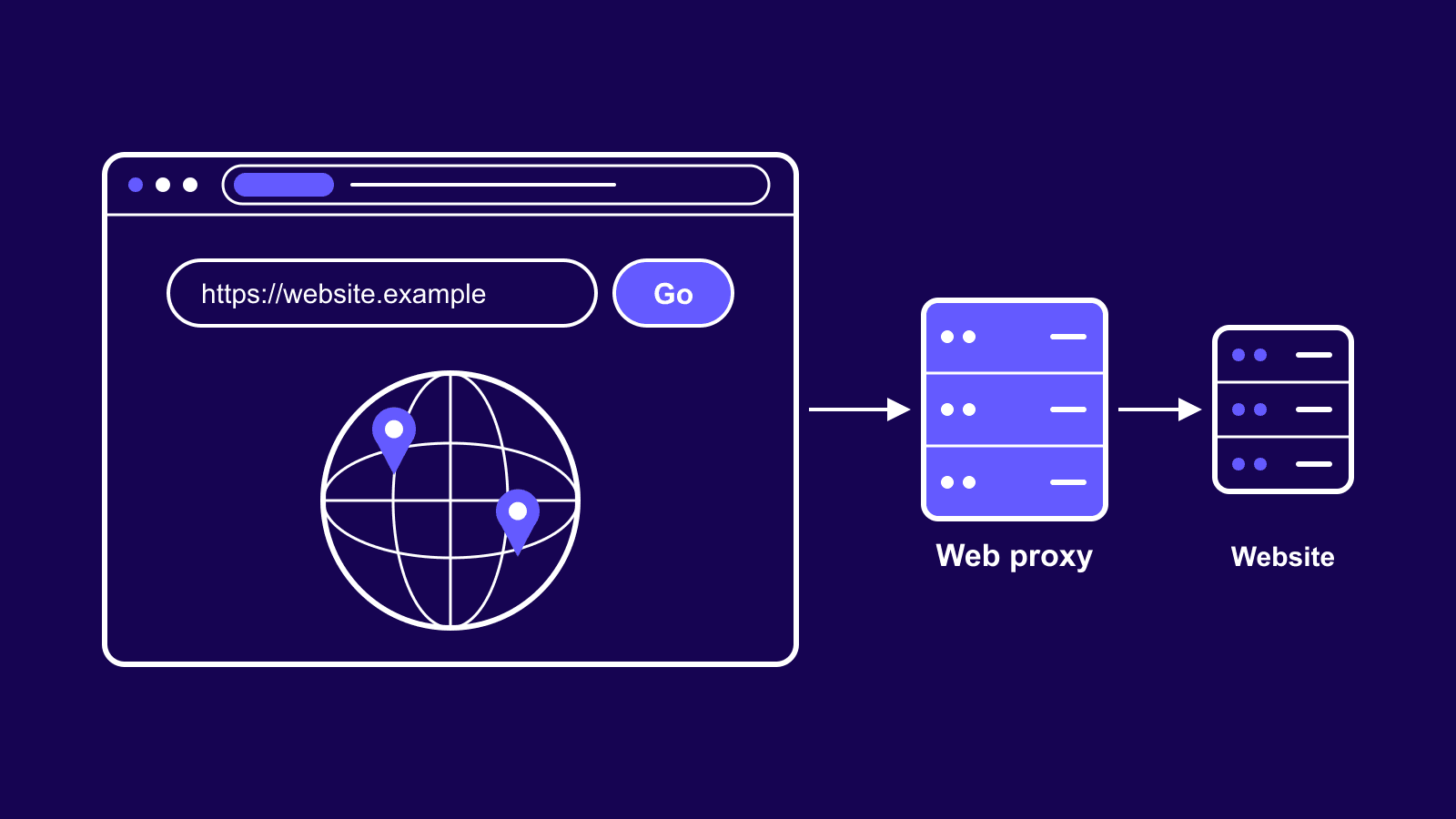
A connection that stays open changes what you need from a proxy. Two things decide whether it works: does the proxy let the upgrade through, and does your IP address stay the same for the whole connection.
HTTP proxies work, with one catch
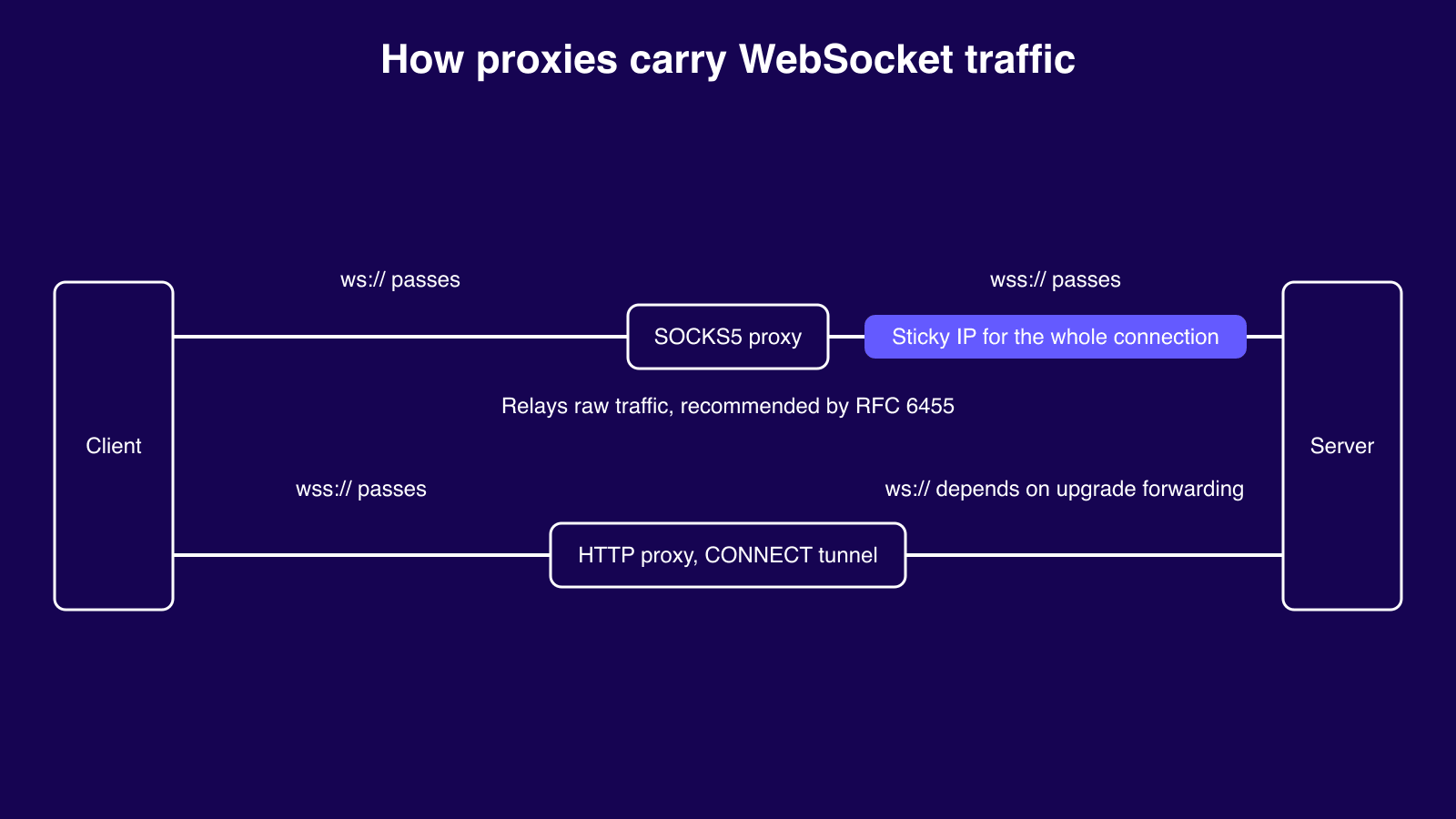
Encrypted wss:// traffic sails through an HTTP proxy. The proxy opens a CONNECT tunnel, which is a fancy name for a pass-through pipe: it shuttles the encrypted bytes between you and the destination without reading them, so the WebSocket inside comes out intact.
The catch is plain ws://. The proxy has to pass the upgrade request along unchanged, and plenty of them strip it out instead. When that happens the handshake never finishes and the connection just quietly dies.
Why SOCKS5 is the safe default
SOCKS5 proxies sit at a lower level, and that's exactly why they're reliable here. They move the connection along as raw data without ever looking at what's inside, so ws:// and wss:// both go through untouched. And that's not vendor talk either. RFC 6455, the WebSocket standard itself, encourages clients to use a SOCKS5 proxy for WebSocket connections when one is available. If you want the background first, here's how SOCKS proxies work.
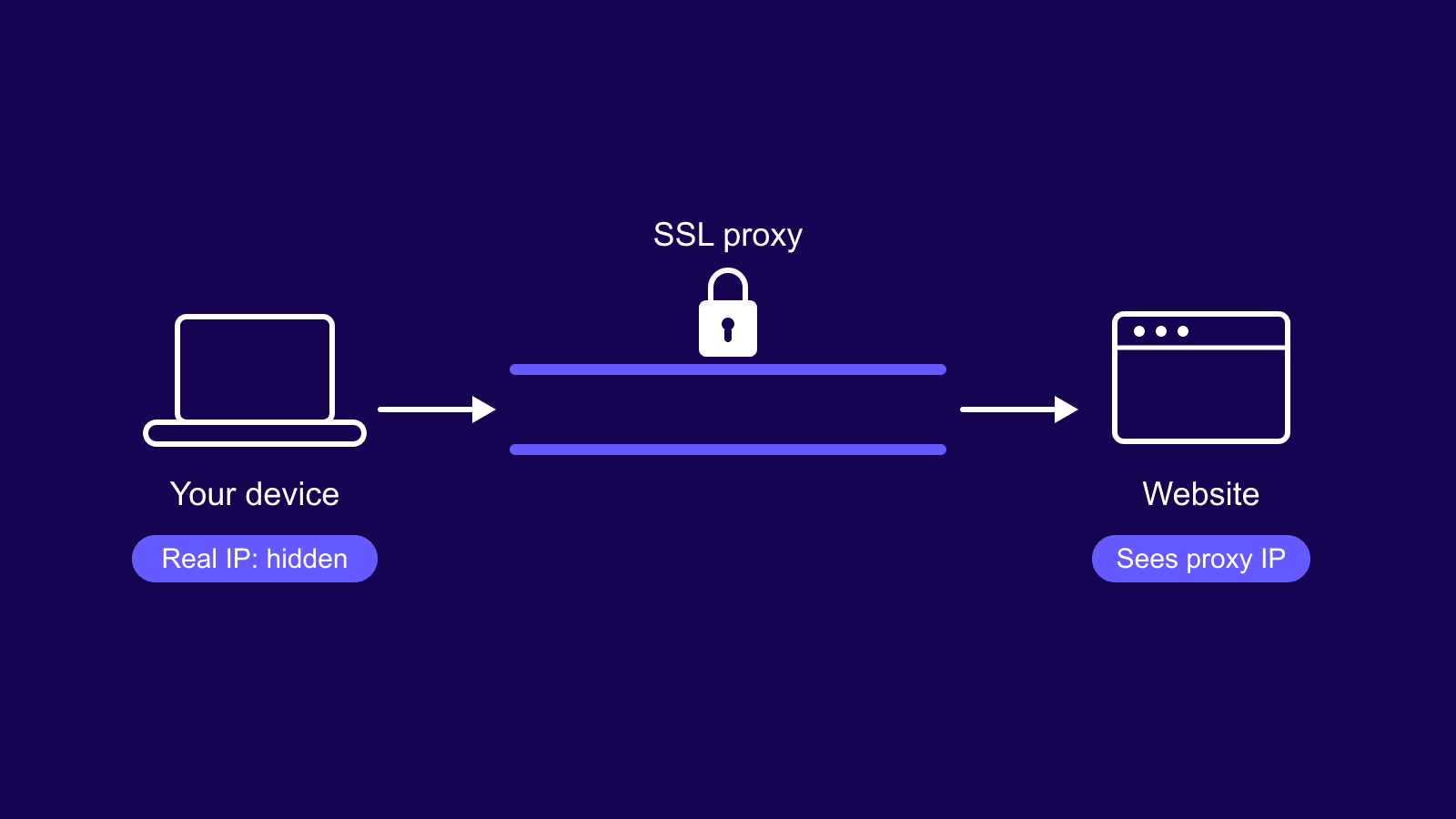
One more rule applies no matter which proxy you pick. A WebSocket needs the same IP address for its whole life, which is what sticky sessions give you. Rotate the IP mid-connection and the socket drops.
| Proxy type | ws:// | wss:// | Notes |
|---|---|---|---|
| SOCKS5 | Yes | Yes | Relays the raw connection, recommended by RFC 6455, use a sticky IP |
| HTTP proxy with CONNECT | Depends on upgrade forwarding | Yes, via tunnel | Most reliable with wss |
| Transparent proxy | Often fails | Usually passes | Can interfere with unencrypted traffic |
Which one should you choose?
Match the tool to the traffic. If the work is question and answer, easy to cache, or something Google needs to see, use HTTP. If the data is live and flows both ways, it's WebSocket. Most real projects don't choose at all: HTTP serves the pages and APIs while WebSocket runs the live parts.
The proxy question follows the same logic. Send WebSocket traffic through SOCKS5 or through an HTTP proxy that can open a CONNECT tunnel, and keep the IP steady. Our comparison of HTTP vs SOCKS proxies goes deeper on that choice. And while rotating residential proxies are the right call for most scraping jobs, a socket that stays open needs a sticky session instead.
| Your need | Use |
|---|---|
| REST API or CRUD | HTTP |
| Static or cacheable content | HTTP |
| Pages that must rank in search | HTTP |
| One-off or infrequent requests | HTTP |
| Live chat or messaging | WebSocket |
| Multiplayer gaming | WebSocket |
| Trading or live market data | WebSocket |
| Collaborative editing | WebSocket |
Wrapping up
In practice the choice settles itself fast. HTTP carries the everyday web: pages, APIs, anything that gets asked for and answered. WebSocket carries the live stuff HTTP was never built for, and a typical project ends up running both without thinking twice about it. When a proxy sits in the middle, SOCKS5 on one steady IP is what keeps a long-lived connection healthy.
Every project has its own wrinkles, though. A trading feed behind a proxy raises different questions than a scraper driving a headless browser. Still not sure which setup fits yours? Just contact our support team and we'll help you pick the right one.
Frequently asked questions
Frequently Asked Questions
Is WebSocket faster than HTTP?
Yes, for a continuous message flow. As the headers aren't re-sent, the delivery cost per update is basically zero. There is no noticeable difference for a single request, because both require the same cost for establishing a connection first. If you have an application sending frequent updates (once per second), you will notice the difference; if not, you won’t.
Can WebSocket and HTTP be used together?
Yes, and mixing them is the normal way to build. The page, images, and API calls load over HTTP first, then the app opens a WebSocket for anything that updates on its own. One tab, both protocols. You've used this combo every time a site loaded normally and then kept updating live.
What is the difference between ws:// and wss://?
The extra s stands for secure. A ws:// connection sends everything unencrypted, while wss:// wraps the same connection in TLS, the protection HTTPS gives a normal website. Always use wss:// in production. Browsers also block ws:// on HTTPS pages and flag it as mixed content.
Do WebSockets work through a firewall?
Most of the time, yes. Since a WebSocket connection starts as a regular HTTP request over the standard web ports, firewalls tend not to have a problem with it. The combination of wss:// over port 443 is the safest bet, while anything using non-standard ports will be less likely to pass the firewall.
How long can a WebSocket connection stay open?
Technically, until one of the parties decides to drop the connection. Practically, a server, proxy, or load balancer is going to kill the connection after some period of inactivity. To deal with this, applications exchange regular ping/pong messages, keeping the connection alive through periods of inactivity.
Can a WebSocket connection leak my real IP address?
Not on its own. WebSocket traffic follows your proxy settings, so sites see the proxy's IP, not yours. The usual leak comes from WebRTC, a different browser technology whose network checks skip proxy settings and go straight out from your device. If a site sees your real IP, test for WebRTC leaks first.
Can you scrape data that arrives over WebSocket?
Yes, but not via regular page requests. Once a website streams numbers through WebSocket, for instance live odds or prices, those numbers never sit in the HTML page for a scraper to grab. There are two options: connect to the feed itself with a script, or open a headless browser and extract the messages from it.