
What Is a SOCKS Proxy? How SOCKS5 Works and When to Use It
A SOCKS proxy routes any app's traffic through one IP. Learn how SOCKS5 works, how it differs from HTTP proxies and VPNs, and when to use it.
Valentin Ghita
Technical Writer, Marketing, Research
Mihalcea Romeo
Co-Founder, CTO
TL;DR: The short version
- A SOCKS proxy (short for Socket Secure) routes traffic from any app through a third-party IP and hides your own.
- It runs at Layer 5 of the OSI model and passes packets through untouched, so it handles almost any protocol.
- SOCKS5 adds UDP support, authentication, and remote DNS. SOCKS4 had none of those.
- By itself it encrypts nothing.
- Good for torrenting and P2P, gaming, streaming, voice and video calls, and web scraping.
What is a SOCKS proxy?
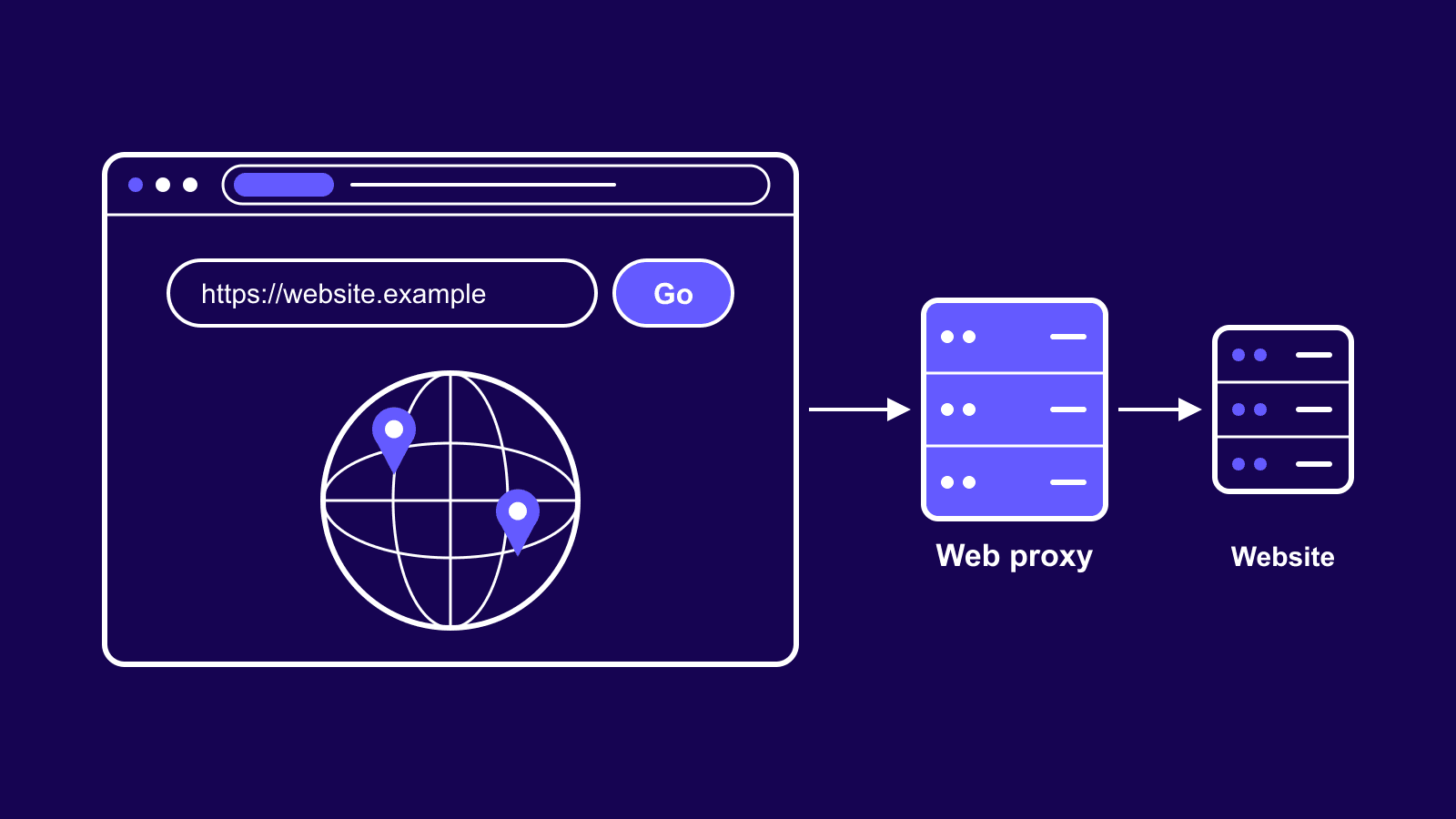
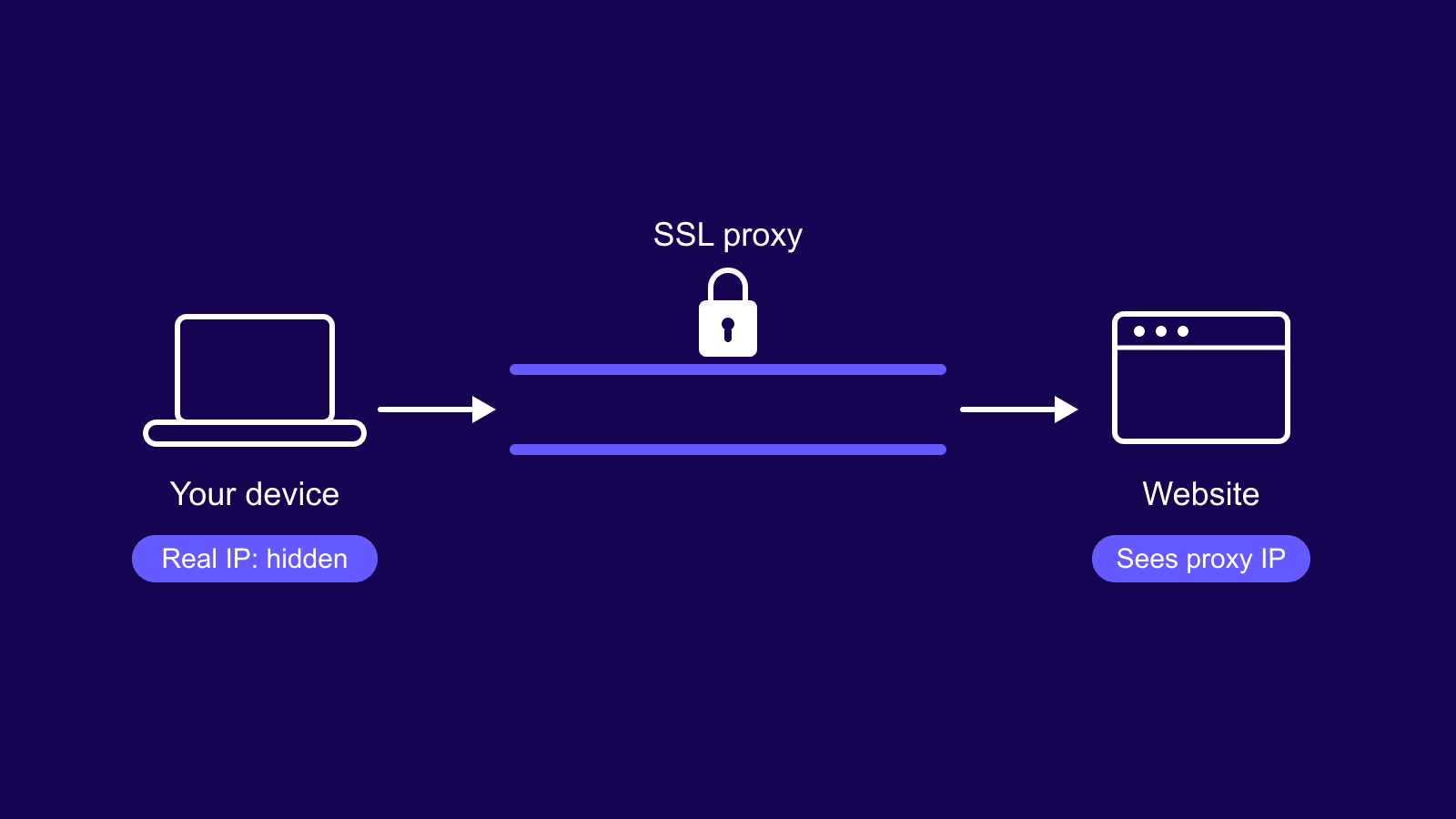
A SOCKS proxy is an intermediary server (the name is short for Socket Secure). Your traffic hits it first, and the proxy forwards each connection to wherever you're headed. The destination only ever sees the proxy, so your real IP never shows up.
Where SOCKS differs is the layer it works on. It sits at the session layer, Layer 5 of the OSI model, and carries the transport traffic beneath it: TCP, plus UDP if you're on SOCKS5. It doesn't read or rewrite the traffic; the packets pass through exactly as you sent them. That's how a single proxy can move web pages, email, file transfers, and game data with no special setup. By default, the SOCKS protocol listens on port 1080.

Buy SOCKS5 Proxies
Dedicated IPs, any TCP traffic, unlimited bandwidth. Works with every app that supports SOCKS5.
How does a SOCKS proxy work?
Your app opens a connection to the proxy and says where it wants to go. The proxy makes that connection for you and relays data both ways. The destination talks only to the proxy, so your IP never shows up.
It works like a mail forwarding address. You send your envelope to the forwarding office, the office passes the contents to the real recipient, and the reply comes back the same way. The recipient knows the office, not you.
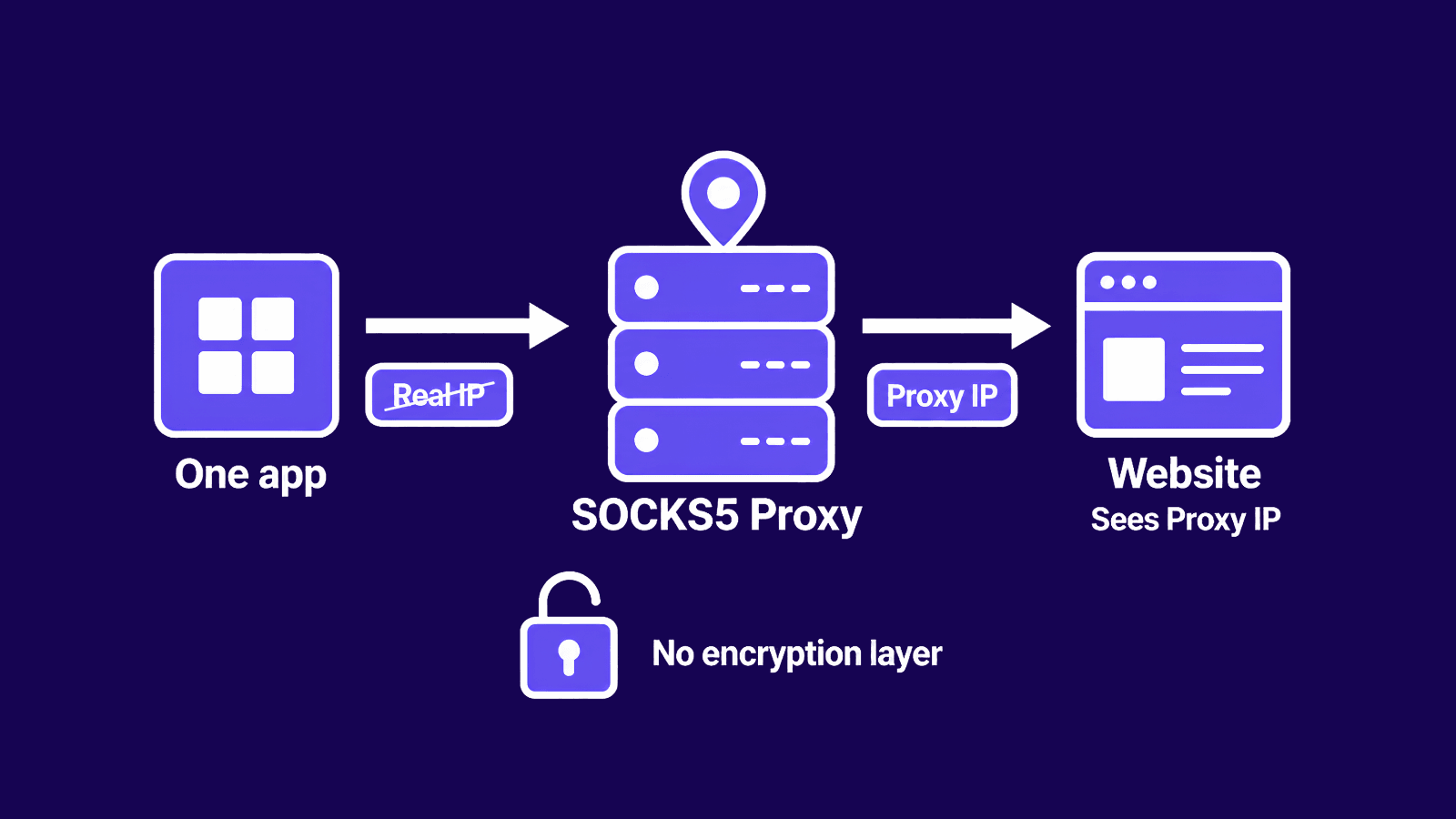
For standard connections, SOCKS opens a TCP stream and your data flows through it. SOCKS5 adds a second path, UDP ASSOCIATE, for connectionless traffic, and that's what carries real-time data like voice and video. For the deeper difference between the two, see our guide on TCP vs UDP.
SOCKS4 vs SOCKS5
Both versions are still in common use, and which one you have decides whether you get UDP, authentication, and remote DNS.
SOCKS4 and SOCKS4a
SOCKS4 is the older one. It handles TCP connections only and can't carry UDP. It has no authentication either, so anyone who can reach the proxy can use it. SOCKS4a is a small extension that lets the client hand a domain name to the proxy and have it resolved there, instead of resolving locally first.
SOCKS5
SOCKS5 is the version you want. It supports UDP alongside TCP, which opens it up to UDP-based traffic like streaming and voice. It adds real authentication, including username and password, so the proxy isn't left open to anyone. It supports IPv6. And it can resolve DNS remotely, at the proxy, using a convention called socks5h.
With plain socks5, your device looks up domain names locally, which can leak the sites you visit to your network or ISP even while the proxy hides everything else. With socks5h, the proxy does the lookup, so your request and its DNS query leave through the same IP. If privacy is the point, use socks5h. The protocol is defined in RFC 1928.
| Feature | SOCKS4 | SOCKS5 |
|---|---|---|
| TCP support | Yes | Yes |
| UDP support | No | Yes |
| Authentication | None | Username and password, and more |
| Remote DNS resolution | SOCKS4a only | Yes, via socks5h |
| IPv6 | No | Yes |
| Typical use | Basic TCP forwarding | Gaming, streaming, P2P, scraping |
SOCKS proxy vs HTTP proxy
An HTTP proxy works at Layer 7, the application layer, and understands web traffic. That means it can read, filter, cache, and modify the requests passing through it, which helps with content filtering or speeding up repeated page loads. The catch is that it only handles HTTP and HTTPS.
A SOCKS proxy works lower down and doesn't do any of that interpreting. It relays whatever you send without touching the headers. You lose the caching and filtering, but you gain two things: it works with any protocol, not just web traffic, and it adds no headers for a site to fingerprint. For anything beyond a browser, SOCKS is the more flexible pick. For the full side-by-side, see HTTP vs SOCKS proxies.
SOCKS proxy vs VPN
The difference comes down to encryption and scope. A VPN encrypts everything and routes your whole device through a secure tunnel. A SOCKS proxy does neither: it doesn't encrypt, and it works per app, so you point one torrent client or browser at it and leave the rest alone.
That makes it faster and lighter, with no encryption overhead, but weaker on security. Use a SOCKS proxy when you want speed and a fresh IP for a single app. Use a VPN when you need everything encrypted end to end. We cover the full breakdown in SOCKS5 proxy vs VPN.
What are SOCKS proxies used for?
A few jobs line up with what SOCKS5 does well.
Torrenting and P2P file sharing
Every peer in a swarm can see your IP. Run your client through SOCKS5 and they see the proxy instead, while UDP keeps peer discovery and transfers moving.
Online gaming
Route your game through an IP in another region to reach geo-locked servers or get past an IP ban, without the lag a full VPN adds.
Streaming and geo-restricted content
Connect through a proxy where the content lives and the service sees a local viewer. That unlocks region-locked catalogs, sports blackouts, and sites that block your country.
Voice and video calls
VoIP and video calls run on UDP, which most proxies can't carry. SOCKS5 can, so calls and meetings hold up through a different IP.
Web scraping and automation
Spread requests across a pool of SOCKS5 IPs and a site sees separate visitors, not one machine hammering it, which keeps a scraper unblocked. It also fronts accounts that would look risky from one address.
Non-web apps and locked-down networks
This is where SOCKS5 pulls ahead of an HTTP proxy. It routes email over SMTP, POP3, and IMAP, carries FTP and other non-web protocols, and reaches services from networks that block direct connections.
Benefits and limitations
Benefits
- It hides your real IP, which is the whole point of an anonymous proxy.
- One proxy isn't limited to a browser, so it can cover a game, a torrent client, and a mail app at once.
- It adds no proxy headers, so a site sees fewer signs you're using one.
Limitations
- SOCKS5 doesn't encrypt your traffic on its own. If a site uses HTTPS, that connection stays encrypted, but anything sent in the clear can be read in transit. For encryption built in, an SSH tunnel or an encrypted alternative like Shadowsocks does the job.
- A plain SOCKS5 IP is easier to flag than a residential one on well-defended sites. Running it on ISP proxies lowers that risk, while datacenter proxies trade some trust for raw speed.
- Dedicated SOCKS5 IPs are priced per IP, which adds up if you need a lot of them.
- Not every program speaks SOCKS natively, and some need extra configuration to route through it.
How to set up a SOCKS proxy
Once you have a proxy, the rest takes a few minutes.
- Get dedicated SOCKS5 proxies from a provider. Free public lists exist, but they're slow, crowded, and a privacy risk.
- Pick an authentication method. Most providers let you either whitelist your own IP or log in with a username and password.
- Enter the host, port, and credentials in your app's proxy settings, or in your system settings to route everything through it.
- Use the socks5h option, not plain socks5, so your DNS lookups go through the proxy instead of leaking locally.
- Test it. Compare your visible IP before and after to confirm the traffic is actually routing through the proxy.
For the exact clicks in Safari, Chrome, or Firefox, follow our browser setup guide.
Conclusion
For most jobs, SOCKS5 is the proxy to reach for. It moves any app's traffic through a fresh IP and handles the real-time, non-web protocols an HTTP proxy can't touch. Just plan around the one gap: it hides your IP but encrypts nothing, so pair it with HTTPS, an SSH tunnel, or Shadowsocks whenever the contents matter. From there it comes down to the IP behind it, datacenter for raw speed or ISP for trust. If you're not sure which setup fits your use case, our support team can help you sort it out before you spend anything.
Frequently asked questions
Frequently Asked Questions
Can I use a SOCKS5 proxy for my whole device?
Not directly. SOCKS5 is set per app, so you point it at one program at a time: your browser, torrent client, scraper, or game launcher. To cover several apps at once, route them through your system proxy settings or a proxy client that forces specific apps through the SOCKS5 server.
Why is my real IP still showing after setting up SOCKS5?
The app probably isn't routing through the proxy. Recheck the host, port, username, and password, then check your visible IP before and after enabling the proxy. A changed IP means traffic is going through it. The same IP means the app is still connecting directly.
Can SOCKS5 leak DNS?
Yes. With plain socks5, your device often resolves domain names through your local network, which can reveal the sites you visit even though the proxy hides your IP. If the app supports socks5h, use that instead, since it routes DNS requests through the proxy as well.
Can websites detect a SOCKS5 proxy?
Yes. SOCKS5 doesn't add the obvious proxy headers an HTTP proxy might, but the IP address itself can expose you. Sites judge its reputation, location, ASN, and abuse history, plus how the connection behaves once you're on. For well-defended sites, use clean ISP or residential SOCKS5 proxies rather than crowded public or datacenter IPs.
Are free SOCKS5 proxies safe?
No. Free SOCKS5 proxies tend to be slow, unstable, and packed with other users, and the operator can read any unencrypted traffic you send. Many of these IPs are also already blocked. For anything involving accounts, scraping, torrenting, or private work, pay for a proxy.
Should I choose datacenter or ISP SOCKS5 proxies?
Datacenter proxies are cheap, fast, and good at handling high volume, so they suit jobs where speed matters more than staying unnoticed. ISP proxies cost more but have a cleaner reputation and get blocked far less, which makes them the better choice for sensitive sites.