
What Is a Web Proxy? How It Works, Risks & When to Use One
A web proxy loads pages for you so sites see its IP, not yours. Learn how it works, what its operator can read, and when you need a real proxy.
Valentin Ghita
Technical Writer, Marketing, Research
Mihalcea Romeo
Co-Founder, CTO
TL;DR: The short version
- A web proxy loads pages for you, so the site sees the proxy's IP address instead of yours.
- Most people mean a proxy site, where you paste a URL and browse inside that one tab with nothing to install.
- A proxy site has to decrypt your HTTPS traffic to work, so its operator can read every page you open and every password you type.
- Free proxy sites are fine for one blocked page you don't log in to, and a poor fit for anything else.
- For daily use, accounts, or scraping, set a real proxy in your browser or tool. For whole-device encryption, use a VPN.
What Is a Web Proxy?
A web proxy is a server that requests web pages on your behalf and passes them back to you. The website deals with the proxy, so it records the proxy's IP address and location while yours stay out of its logs.
The term covers three different tools, which is why two guides on it can seem to describe unrelated things.
The three things people call a web proxy
| Meaning | How you use it | Who runs it | Typical job |
|---|---|---|---|
| Web-based proxy (proxy site, online proxy) | Open a website, paste a URL, browse in that tab | A free service or a VPN brand | Opening one blocked page |
| Configured web proxy | Enter a host and port in your browser, system, or tool | A proxy provider | Daily browsing from another IP, accounts, scraping |
| Corporate web proxy | Nothing, the network routes you through it | Your employer or school | Filtering, logging, caching |
This guide is mostly about the first one, since that's what most searches for the term are after. The second is an ordinary HTTP proxy pointed at web traffic, and it has a guide of its own. The third is a forward proxy run by a network admin, often sold as a secure web gateway, and its job is to control what people on that network can reach.

Buy ISP Proxies
Dedicated IPs from real ISPs. Residential trust, datacenter speed, unlimited bandwidth.
How Does a Web Proxy Work?
You open the proxy site and type a URL into its form. The proxy's server requests that page from its own IP, receives the response, and sends you a modified copy inside the proxy site's own page. Your browser never contacts the destination, and the address bar keeps showing the proxy's domain the whole time.
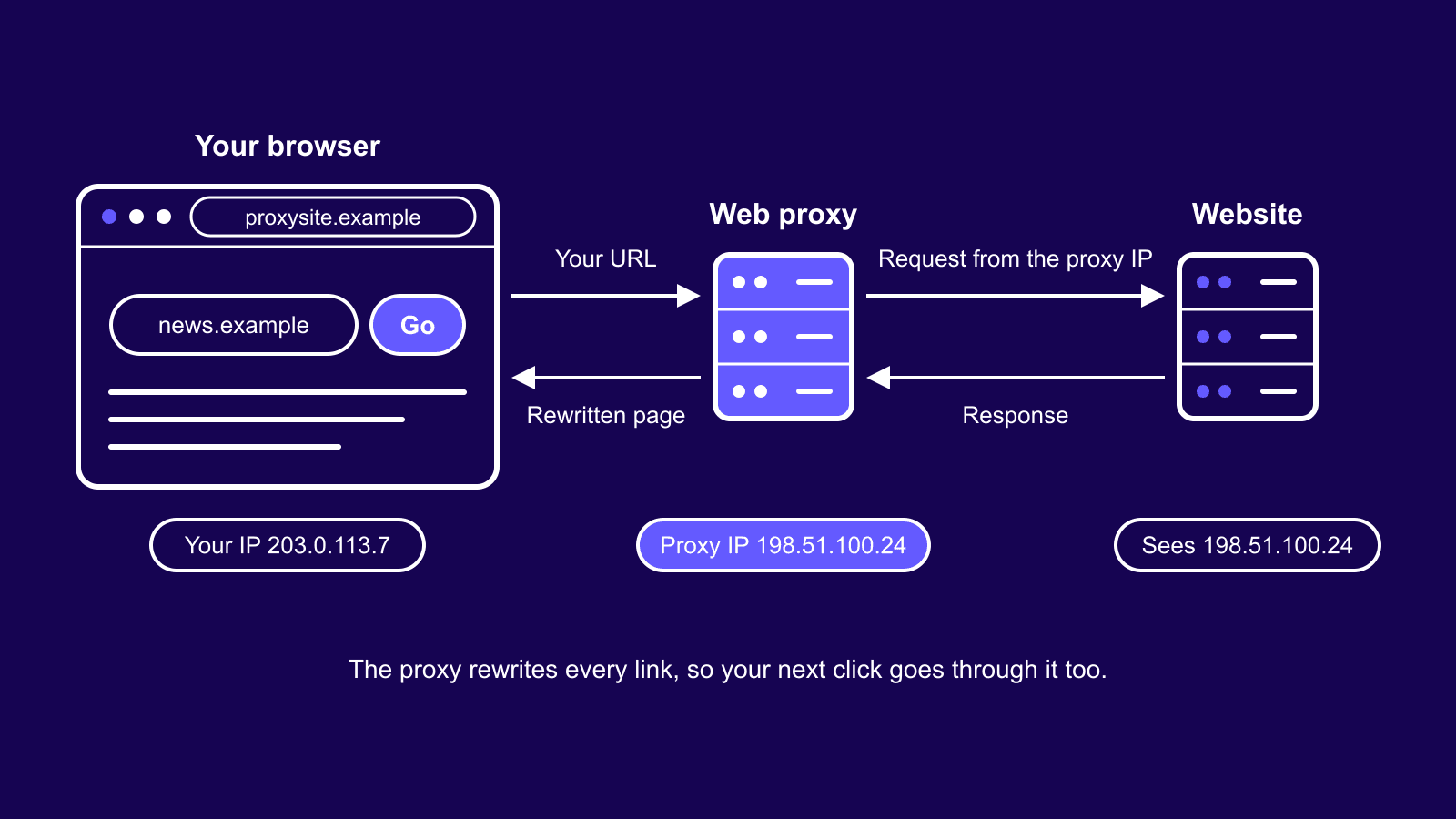
A web proxy produces that modified copy in one of two ways.
URL Rewriting on the Server
Classic web proxies are scripts on a web server. CGIProxy, Glype, and PHProxy are the well-known old ones, and the "CGI proxy" label you'll still run into comes from the Common Gateway Interface that the earliest of them ran on. Before the page reaches you, the script rewrites every link, image, stylesheet, and form inside it, so each one points back at the proxy with the real address tucked into the URL. A link to https://news.example/world turns into something like https://proxysite.example/browse?u=news.example%2Fworld. Click it and the cycle repeats. Cookies from the destination get stored under the proxy's domain or kept on its server, which is how the site still recognizes your session.
Service Worker Proxies
Newer proxy sites move the rewriting into your browser. The page installs a service worker, a script that sits between a tab and the network. That worker catches each request the page makes and reroutes it to the proxy's backend. Ultraviolet and its successor Scramjet work this way. Pages heavy on JavaScript hold up better under this method, because requests are caught as they happen. The traffic still leaves through the proxy's server and IP, so the privacy picture stays the same.
What a Web Proxy Can See
A proxy site can read everything that passes through it, HTTPS pages included. To rewrite a page, it has to read the page first.
A page loaded over HTTPS through a web proxy travels over two encrypted connections. One runs from your browser to the proxy, the other from the proxy to the website. In between, on the proxy's server, your traffic sits decrypted. That covers the pages you open, the forms you submit, your session cookies, and any password you type. The padlock in your address bar only vouches for the link between you and the proxy site.
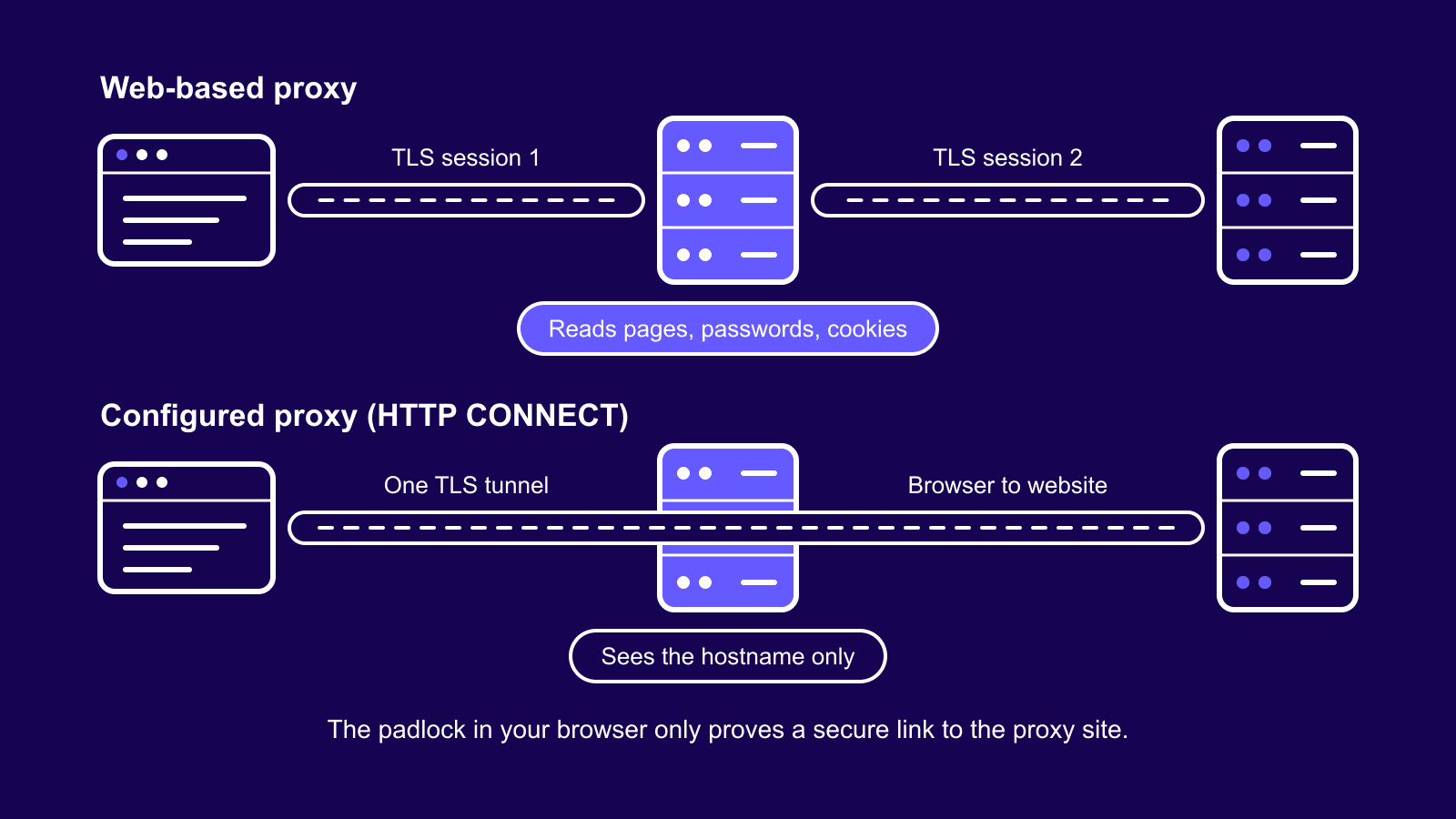
A proxy you configure in your browser handles HTTPS differently. The browser sends a CONNECT request, the proxy opens a tunnel to the site, and the encryption runs end to end between your browser and the website. The proxy passes along bytes it can't read. It learns the hostname and how much data moved.
In practice, a configured proxy can see where you go, and a proxy site can see what you do there.
What the operator sees when you visit an HTTPS site
| Tool | Your real IP | Where you go | Page content and passwords |
|---|---|---|---|
| Web-based proxy | Yes | Full URL of every page | Yes |
| Configured HTTP proxy | Yes | Hostname and port | No |
| SOCKS5 proxy | Yes | Hostname or IP, and port | No |
| VPN | Yes | IP addresses, often hostnames | No |
On a plain http:// page nothing is encrypted, so every tool in the table can read it.
Why Web Proxies Break on Modern Sites
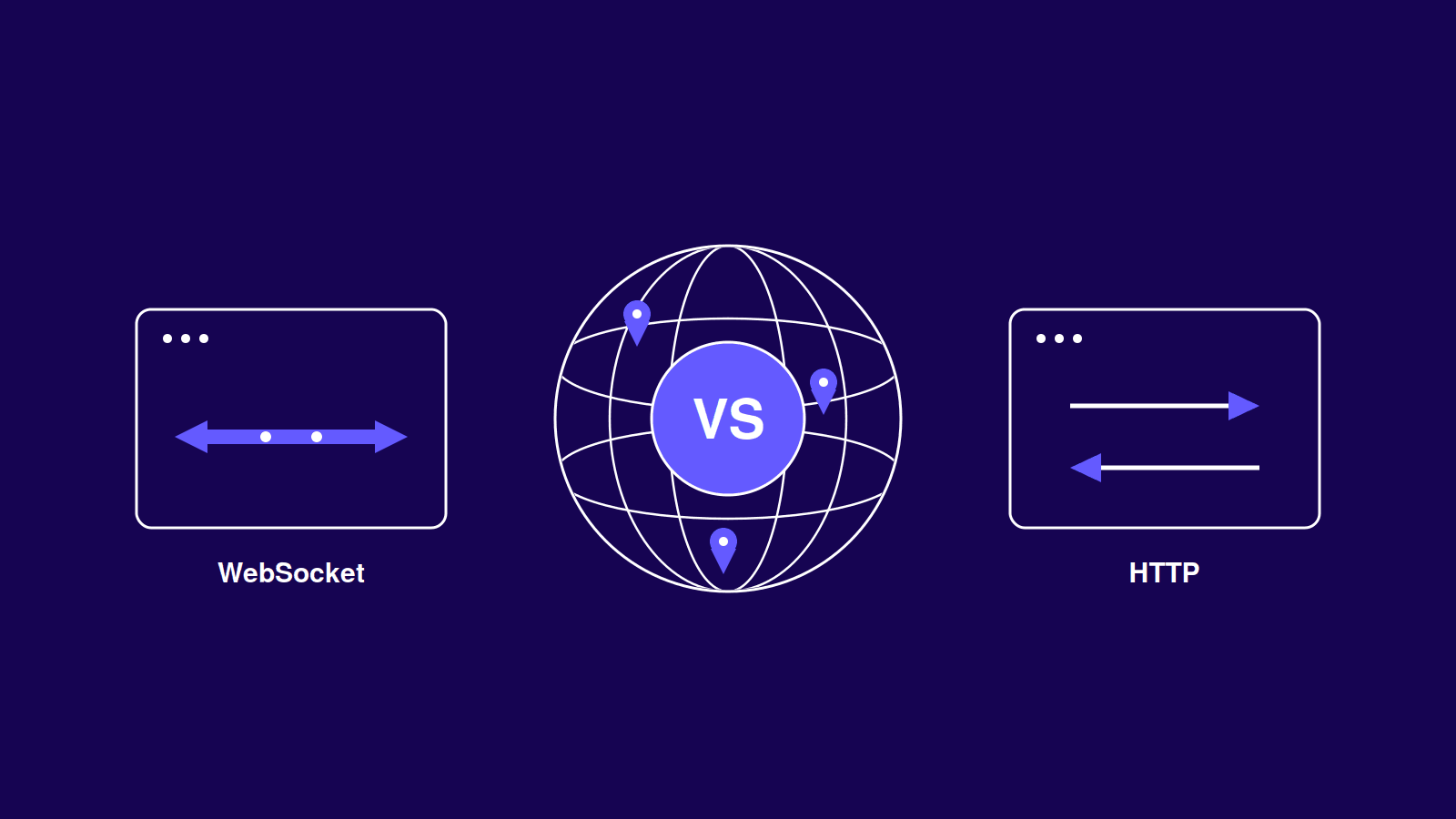
Rewriting worked well when pages were static HTML. Today a page assembles many of its URLs in JavaScript while it runs, and a server-side rewriter never gets to see those. The requests go out unproxied or fail, which is why feeds stop loading and buttons do nothing. Live features that hold WebSocket connections open tend to drop for the same reason.
Logins break for a related reason. Sign-in flows bounce between domains and set cookies bound to the original site, and the security checks on the page expect that site's address in the bar. Through a proxy domain they error out or loop.
The proxy's IP causes trouble of its own. A free proxy site pushes thousands of strangers through a handful of datacenter addresses. Large sites have watched those IPs misbehave before, so they greet them with CAPTCHAs or a block page.
Modern pages also see more of you than your IP. Their scripts still run in your own browser, so your browser fingerprint doesn't change. WebRTC traffic never passes through the proxy either, and it can expose your real IP unless the proxy strips it out.
Are Free Web Proxies Safe?
For reading a public page, mostly yes. For anything connected to an account, no, and the reason is the decryption described earlier.
A free web proxy costs money to run. Bandwidth and servers aren't free, and neither is replacing the domain every time a filter blocks it. Its operator recovers that cost somewhere. The mild version is ads injected into the pages you load. Worse versions log and sell your browsing history, or lift session cookies, which lets someone into your account without ever learning the password. You can't audit any of this from outside, and most of these sites name no owner you could hold to a privacy policy.
The rule we'd give a friend is to use a proxy site only for pages you'd be comfortable reading on a stranger's laptop. That rules out logins, payments, and anything that carries your name. Free proxy lists have their own version of this problem, and our guide to the risks of free proxies covers it.
Web Proxy vs Proxy Server vs VPN
All three change the IP a website sees. They differ in how much of your traffic they cover and in what they ask you to set up.
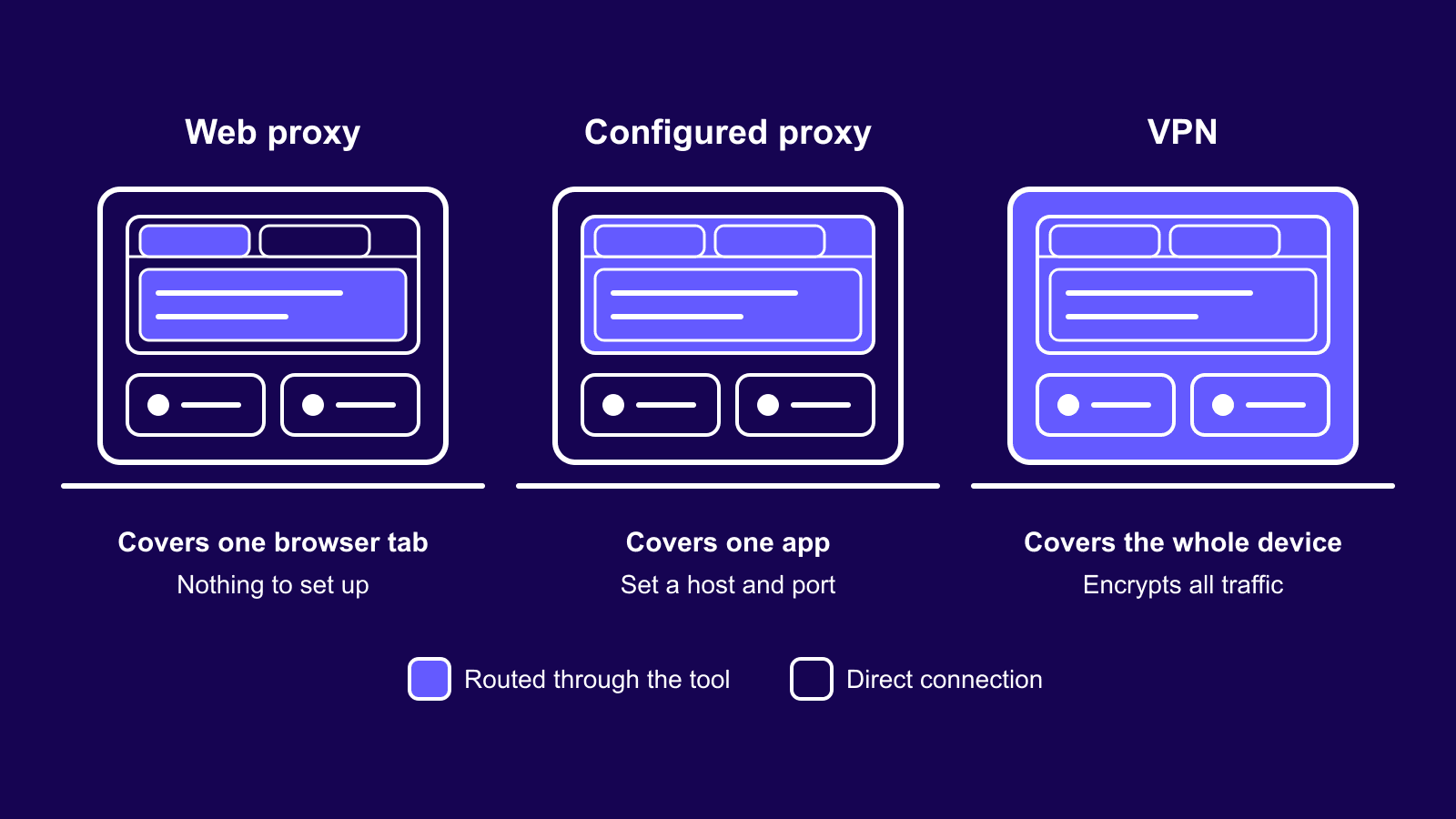
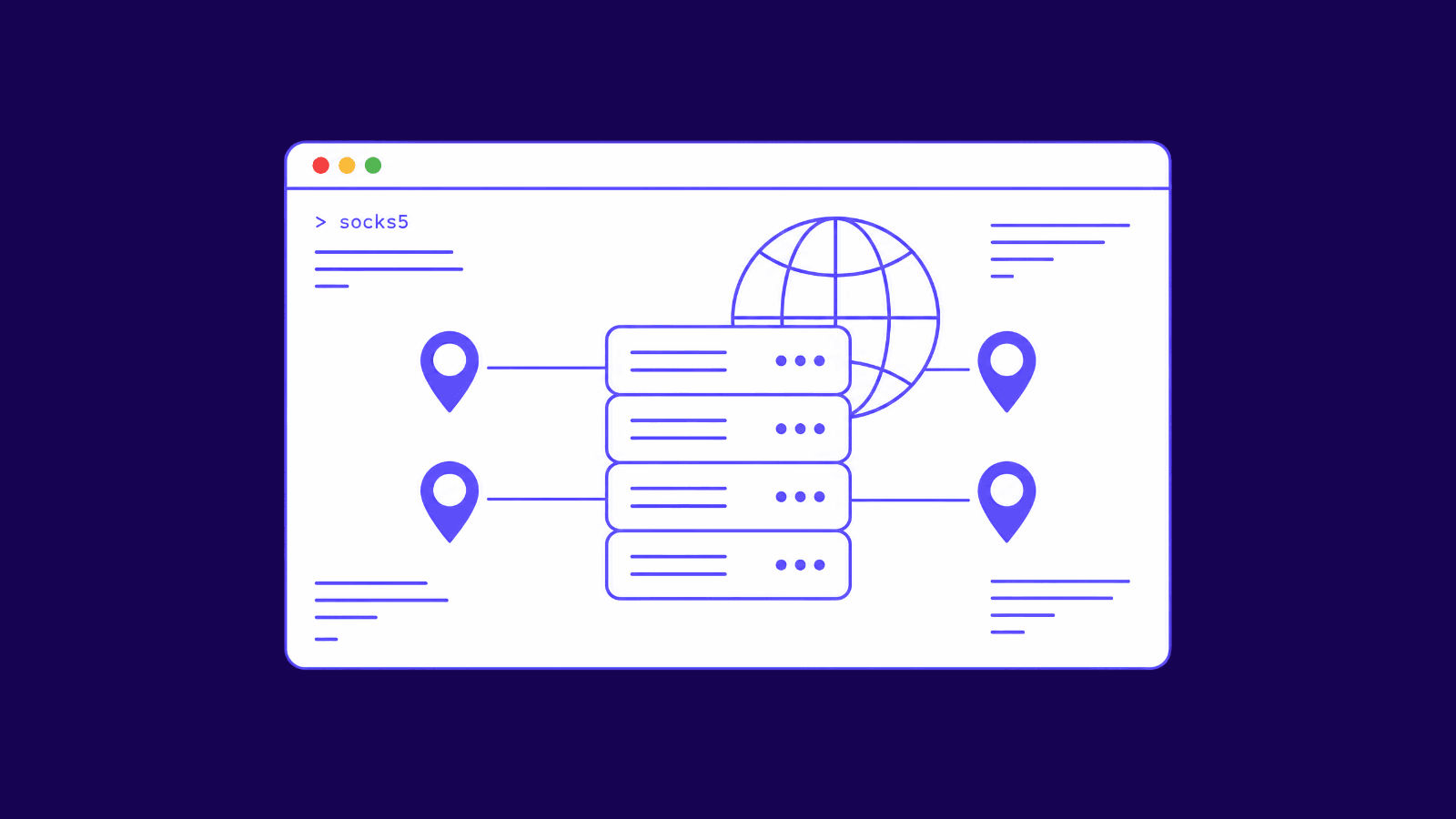
A web proxy covers a single tab. Anything outside it, other tabs in the same browser included, goes out over your normal connection. A configured proxy covers whichever app you point at it, usually a browser, a scraper, or an automation tool, and everything inside that app goes through it. When the app isn't a browser at all, say a game or a torrent client, you need SOCKS5 proxies, which carry any protocol. A VPN takes the whole device and encrypts the traffic between you and the VPN server. Our proxy vs VPN comparison goes through the edge cases.
A proxy encrypts, at most, the hop between you and itself. Proxy sites do that over HTTPS, and configured proxies do it only on HTTPS endpoints. Past the proxy, the site's own HTTPS is all the protection your traffic gets. A VPN wraps everything leaving the device, DNS lookups and apps that skip HTTPS included, which is why it's the pick for hotel and airport Wi-Fi.
Web proxy, configured proxy, and VPN side by side
| Web-based proxy | Configured proxy | VPN | |
|---|---|---|---|
| Setup | None, paste a URL | Host, port, and login in the app | Install an app |
| Coverage | One browser tab | One app or tool | Whole device |
| Encryption added | You to the proxy only | You to the proxy, HTTPS endpoints only | Yes, device to VPN server |
| Logins and web apps | Unreliable and unsafe | Work normally | Work normally |
| IP you get | Shared datacenter IP | Your pick of datacenter, ISP, or residential | Shared VPN server IP |
| Best for | One blocked page | Daily work, accounts, scraping | Privacy on untrusted networks |
When a Web Proxy Is Enough and When It Isn't
A web proxy does one job well, which is opening a public page you can't reach, once, without signing in. It's free and takes ten seconds, and paying for a proxy to do that would be overkill.
Repeat the task daily and the shared IP becomes the problem. Checking prices or search results from another country every morning means fighting CAPTCHAs every morning. Datacenter proxies fix that for a few dollars a month. The IP is yours alone and sits in the country you picked, so sites stop treating you like the crowd on a free proxy.
Accounts raise the bar again. A platform that sees your login arrive from a different shared address each day will lock the account sooner or later, and the stricter sites put datacenter ranges through extra checks. Static ISP proxies give you one fixed address registered to a consumer internet provider, which is what a home connection looks like to the site.
Scraping and automation need many addresses at once. Rotating residential proxies spread your requests across a pool of household IPs, so no single address absorbs the rate limits.
Which tool fits which task
| Task | Right tool |
|---|---|
| Read one blocked public page | Web-based proxy |
| Check prices, ads, or search results from another country | Datacenter proxy set in your browser |
| Stay logged in to accounts on a steady IP | Static ISP proxy |
| Scrape or automate at volume | Rotating residential proxies |
| Route a game, torrent client, or mail app | SOCKS5 proxy |
| Protect every app on public Wi-Fi | VPN |
How to Switch From a Web Proxy to a Real Proxy
The switch takes a few minutes. Your provider gives you a host, a port, a username, and a password. With us you can skip the last two by authorizing your own IP address, and the proxy then accepts your connection without a login. Enter the details in your browser's or operating system's proxy settings, or in the tool you're automating with. Our knowledgebase walks through how to set up a proxy in your browser on macOS, and other platforms follow the same pattern.
Then test it. Load any "what is my IP" page before and after, and confirm that the address and the country both changed. If your real IP still shows, the app isn't routing through the proxy yet, so recheck where you entered the settings.
Conclusion
A web proxy is the quickest way to open one page from another IP, and that's about where its usefulness ends. It has to read everything you send through it, and it breaks on most modern sites, so keep it for public pages you don't sign in to. For repeat work, a dedicated proxy set in your browser costs little and behaves like a normal connection. If you're not sure which type fits your task, contact our support team and we'll point you to it.
Frequently asked questions
Frequently Asked Questions
Is it legal to use a web proxy?
In most countries, yes. A proxy is a networking tool, and the law cares about what you do through it. Breaking a site's terms, getting around a workplace policy, or reaching content you have no right to can still have consequences. A few countries restrict proxy and VPN use, so check local rules before you travel. This isn't legal advice.
Can my school or employer see that I use a web proxy?
They can see that your device connected to the proxy site's domain, and for how long. The pages you open behind it stay hidden when the proxy site uses HTTPS. On a managed work device with HTTPS inspection, those are visible too. Most network filters also keep lists of known proxy domains and block them.
Do web proxies work for Netflix or YouTube?
YouTube often plays through proxy sites that were built with video in mind, though quality and speed suffer. Netflix and other paid streaming services don't. Their players depend on DRM and tightly scripted pages that don't survive rewriting, and they block datacenter IP ranges on top of that.
Does incognito mode make a web proxy private?
Incognito only stops your own browser from saving history and cookies once you close the window. The proxy operator sees the same traffic either way, and so does any logging on their server. It helps in one small way, because whatever the proxy stored in your browser for that session disappears with the window.
Can a website tell I am using a web proxy?
Usually. The visit arrives from a hosting company's IP range, and a quick lookup shows the address belongs to a datacenter. Many proxy IPs also sit on public blocklists. Some sites compare the IP's country with your browser's time zone and language, and a mismatch is enough to trigger extra checks.
Is a proxy browser extension the same as a web proxy?
It's closer to a configured proxy. An extension changes your browser's proxy settings for you, so every tab goes through the proxy and pages load unmodified. Encrypted sites stay encrypted between you and the website. You're handing the extension's publisher broad browser permissions, so install one only from a provider you already have reason to trust.