

Discounts always applied to volume sales
Backconnect proxies
Datacenter, ISP, Mobile and residential IPs rotated through a single gateway. The gateway picks the pool that fits the target. Per-request or sticky sessions. Unlimited bandwidth, dual auth.
- Residential IP pools
- Datacenter IP pools
- Millions of rotating IPs
- New IP on every request
- Sticky sessions
When one pool isn't enough
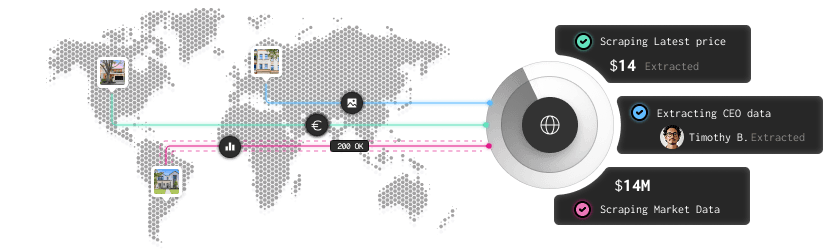
DC blocked? Residential ships.
Hard target rejects datacenter IPs. The next request comes from residential. Your scraper stops failing on the targets that single-pool products choke on, and you don't write the failover.
Burst-rotate or hold an IP
Configurable session control: rotate every request for maximum diversity, or hold a sticky session for paginated flows and login state. The rotation knob is set per request via a header or username suffix, not via a control panel.
Drops in to anything.
No SDK, no proxy manager. Point your client at one host:port, paste credentials or whitelist your IP. You're scraping websites and rotating IPs in under a minute at lower prices than rotating residential.
Backconnect Proxies
Rotating residential proxies
Real residential IPs that rotate automatically. Bypass anti-bot systems, crush CAPTCHAs, and scrape any target - without getting blocked.
- Millions of exit IPs
- Trial available
- Global coverage
- Bypass strong CAPTCHAs
- Rotate per Request or Session
Rotating Mobile Proxies
Millions of valid 4G and 5G mobile IPs across more than 150 countries. Gets through even the strictest proxy defense mechanisms.
- Real 4G/5G devices
- More than 150 countries
- Hardest to detect
- High success rate
- Sticky session available
Rotating Datacenter Proxies
Rotating residential proxies that offer top-grade performance and super-speeds capable of handling massive traffic and bandwidth.
- Fast Tier-1 network
- Best price-per-GB
- HTTP and HTTPS support
- Dual authentication
- 50+ locations
What is a backconnect proxy?
A backconnect proxy is a type of proxy setup where all your traffic flows into a single gateway server, and that gateway automatically assigns a different IP address from its pool for each outbound request - or on a schedule you configure.
The term "backconnect" refers to the architecture: the proxy server connects back into a managed pool of IPs on your behalf. You never see the pool directly. You only see the one endpoint you configured.
Why backconnect proxies exist
Before backconnect architecture became standard, proxy users managed lists - sometimes thousands of IPs - manually. They'd write rotation logic into their scrapers, deal with dead IPs mid-job, and spend more time maintaining infrastructure than actually scraping. Backconnect proxies moved that complexity server-side. One connection string replaces the entire list.
How they differ from standard proxies
A standard proxy gives you one IP. When that IP gets blocked, you're done until you switch manually. A backconnect proxy gives you an entire rotating pool through one address. Getting blocked on a single IP doesn't matter — the next request uses a different one automatically.
Backconnect vs rotating proxies - are they the same?
Often used interchangeably. The technical distinction: "rotating proxy" describes the behavior (IP changes per request). "Backconnect" describes the architecture (a gateway sitting in front of the pool). All backconnect proxies rotate. Not all rotating proxies use backconnect architecture - some providers just give you a list and let you rotate client-side. Backconnect is the managed, server-side version.
Backconnect proxies are residential, mobile or datacenter
The backconnect architecture works with any IP pool - datacenter, residential, ISP, or mobile. The term "backconnect" describes how traffic is routed (single gateway → rotating pool), not what kind of IPs are in the pool. We offer backconnect access across rotating datacenter, rotating residential, and rotating mobile pools - each suited to different workloads.
What teams use backconnect proxies for
Three biggest jobs. Your use case might live elsewhere
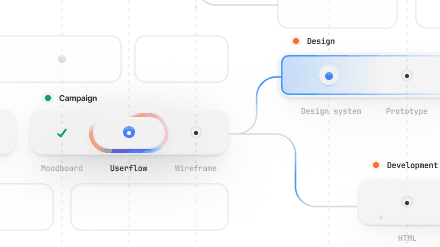
High-volume scraping
1k–100k+ requests/day. Automatic rotation handles the IP cycling. Sticky-session option for paginated flows that need cookie persistence.
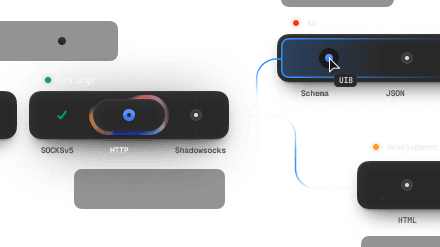
Ad verification across geos
Cross-region ad-creative testing. Per-request rotation gives a fresh IP each test. No manual pool management. Global coverage built in
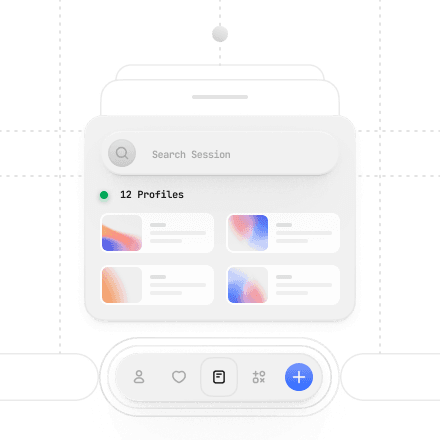
Price monitoring at schedule
Scheduled ecommerce price pulls. Sticky session option for cart and SKU-detail flows. Automatic rotation between targets to avoid rate-limit blocks. Supports concurrent connections
Drop in and rotate in just two lines.
How Backconnect Proxies Work
- You connect to our backconnect gateway, a single proxy host:port endpoint you configure once in your scraper, bot, or browser.
- Each request is routed through a different IP from our datacenter pool automatically.
- Rotation happens either per-request (every request gets a new IP) or on a configurable time interval, your choice.
- The target website sees a different IP every time, preventing rate limits, CAPTCHAs, and IP bans.
You never touch the IP list. You never rotate manually. The backconnect layer handles it all behind a single connection point.
Rotation options
- Per-request rotation: new IP on every request (ideal for scrapers)
- Session-based: same IP for a fixed session duration (useful for login-dependent workflows)
- Time-based: rotate on a custom interval (e.g., every 10 minutes)
The gateway layer
The backconnect gateway does more than just forward traffic. It manages the IP pool, monitors IP health, handles failover when an IP goes down, and enforces your rotation settings. When you hit a rate limit on one IP, the gateway automatically routes the next request through a clean one - no interruption on your end.
Enterprise-grade infrastructure, independently verified
Our backconnect gateway runs on redundant infrastructure with 99.9% uptime. Every IP pool is monitored for health, and our proxy sourcing practices are audited and certified by industry-leading third-party standards.
Integrates perfectly with your existing tools
With dual auth (user/pass or IP whitelist) our Backconnect Proxies are compatible with every browser and HTTP library works without SDK or proxy manager software. Setup is 3 lines. Paste credentials or whitelist your IP.
Types of Backconnect Proxies
Backconnect architecture works with any IP source. The IP type you choose determines your success rate on different targets.
Datacenter backconnect proxies
IPs come from server ranges in datacenters. Fast, cheap, high-volume. Best for targets that don't employ aggressive bot detection. Our default backconnect pool is datacenter-based — optimized for speed and throughput.
Residential backconnect proxies
IPs are assigned by ISPs to real consumer devices. They pass legitimacy checks that datacenter IPs fail. Higher success rate on difficult targets (retail, social, sneaker sites). Higher cost per GB because the IP source is more expensive to operate.
ISP backconnect proxies
A hybrid: IPs registered to ISPs but hosted in datacenters. Near-datacenter speed with residential-grade trust scores. Best balance of speed and success rate for most commercial targets.
Mobile backconnect proxies
4G/5G IPs from real mobile carrier ranges. The most trusted IP type — websites almost never block mobile carrier IPs. Highest cost. Reserved for high-security targets that block everything else.
Which type should you use?
Use Case | Recommended Type |
|---|---|
General web scraping, price monitoring | Datacenter backconnect |
Social media, retail sites, sneaker bots | Residential backconnect |
Ad verification, brand monitoring | ISP or residential backconnect |
Financial data, high-security targets | Mobile backconnect |
Frequently asked questions
Frequently Asked Questions
What is a backconnect proxy?
A backconnect proxy is a gateway server that routes your requests through a rotating pool of IP addresses automatically. You connect to a single host:port endpoint; the gateway handles IP assignment and rotation on the backend. Every request can come from a different IP without any manual switching.
What is the difference between a backconnect proxy and a rotating proxy?
They describe the same concept from two angles. "Rotating proxy" describes the behavior - IPs change per request. "Backconnect" describes the architecture - a gateway sits between you and the IP pool. All backconnect proxies rotate; the backconnect term specifically means the rotation is server-managed through a single endpoint.
Are backconnect proxies residential or datacenter?
Both types exist. Datacenter backconnect proxies are faster and cheaper - best for general scraping. Residential backconnect proxies use IPs from real consumer devices — higher success rate on sites with aggressive bot detection. Anonymous Proxies offers both, with ISP proxy options as a speed/trust hybrid.
How do I set up a backconnect proxy?
You receive a single proxy endpoint (host:port) plus credentials after purchase. Paste those into your scraper, browser extension, or automation tool — the same way you'd configure any proxy. No special setup is required. Our knowledgebase covers configuration for Python requests, Scrapy, Puppeteer, Selenium, and most popular tools.
What is a sticky session in backconnect proxies?
A sticky session keeps the same IP assigned to your connection for a set duration — typically 1 to 30 minutes. Useful when your workflow requires session continuity: logging into an account, completing a checkout, or maintaining a cookie-based session. Per-request rotation would break these flows.
What is backconnect proxy pool size and why does it matter?
Pool size is the number of IP addresses the gateway can rotate through. A larger pool means lower probability of hitting a previously blocked IP, better geographic diversity, and more concurrent requests before the same IP appears twice. Our datacenter pool covers hundreds of subnets across 20+ countries.
Can backconnect proxies be detected?
Datacenter backconnect proxies can be detected by sites that block datacenter IP ranges entirely. Residential and ISP backconnect proxies are much harder to detect because those IPs look like real consumer traffic. For the most detection-resistant setup, use residential or ISP backconnect proxies on high-security targets.
Backconnect Proxies locations
Backconnect Proxies locations are available in a wide range of countries and regions. We're constantly expanding our network to bring you the best possible service.


Buy Backconnect Proxies
Rotating IPs on every request. Scale scraping and automation without manual IP management.

