SOCKS5 Proxy vs VPN: Key Differences and Which to Use
SOCKS5 proxy vs VPN compared: how each works, speed vs encryption, when to use which, and whether you can run them together.
Valentin Ghita
Technical Writer, Marketing, Research
Mihalcea Romeo
Co-Founder, CTO
TL;DR: The short version
- A SOCKS5 proxy handles traffic for one app you point it at. A VPN covers the whole device.
- The split between them is encryption. A VPN encrypts everything you send. A SOCKS5 proxy encrypts nothing on its own unless you add a layer yourself.
- That missing encryption is the main reason a proxy is faster, and it's why people lean on SOCKS5 for torrenting, gaming, and big downloads.
- A VPN does more on the privacy side. It hides the activity itself, so your ISP can't see what you're doing and you stay covered on public Wi-Fi.
- You can run both together: push one app through a SOCKS5 proxy inside the VPN tunnel when you want that app leaving from a different IP.
SOCKS5 proxy vs VPN: the main differences
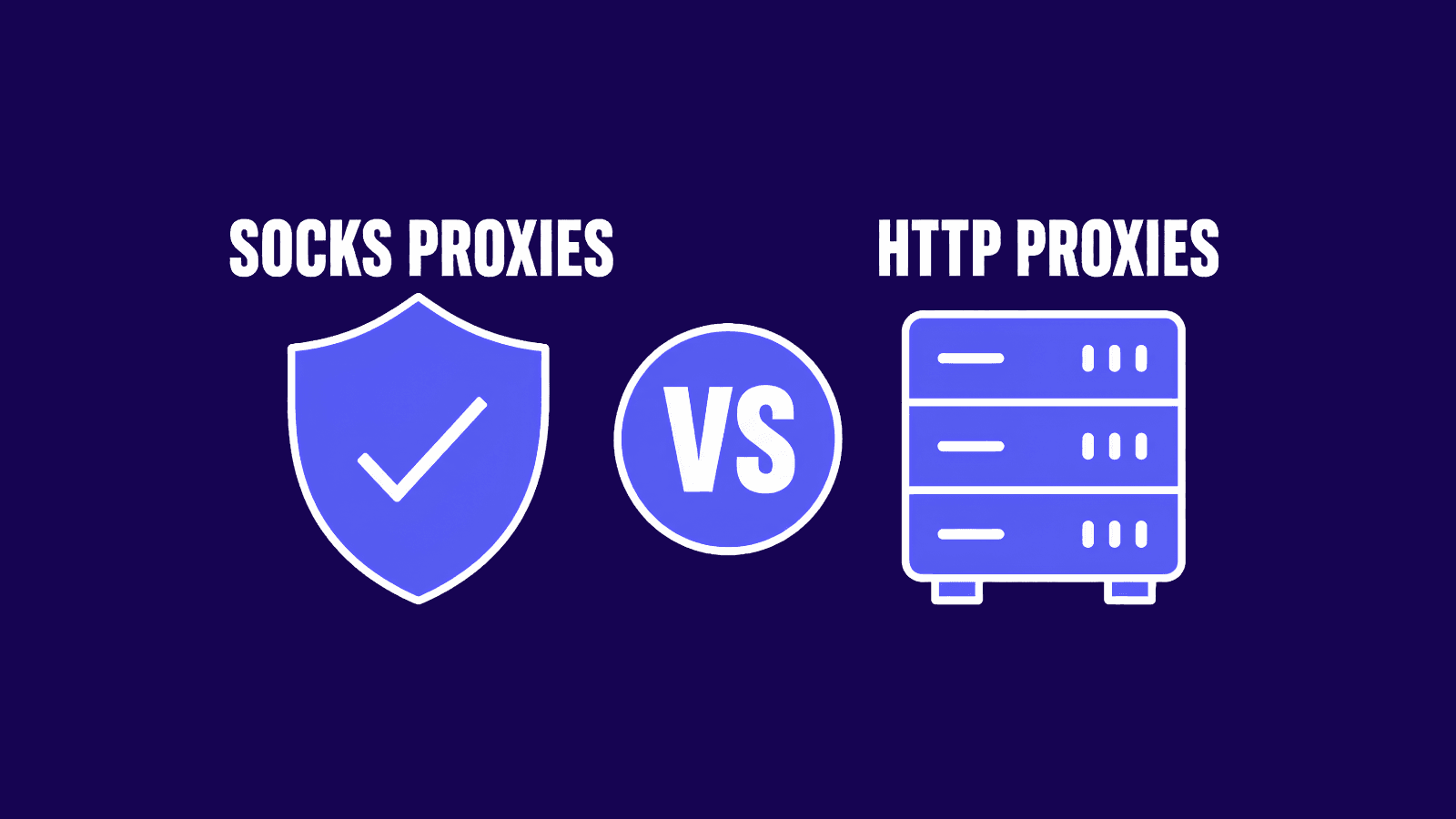
Both change the IP a website sees, and both can get you past a geo-block. The similarity stops there. A SOCKS5 proxy is a lightweight relay for a single app. A VPN is an encrypted tunnel for everything your device sends. That one difference sets your speed and how private your traffic really is, and it's the reason some sites block a VPN while letting a proxy through.
| Factor | SOCKS5 proxy | VPN | What it means for you |
|---|---|---|---|
| Encryption | None, unless you add a layer yourself | Encrypts everything | A VPN hides what you're actually doing. A proxy just changes where you look like you are. |
| Coverage | Only the app you set up | Every app on the device | Reach for a proxy when you want one app routed and nothing else touched. A VPN is all or nothing. |
| Speed | Faster, barely any overhead | Slightly slower, that's the encryption tax | If lag is the enemy, online gaming say, the proxy is usually the way to go. |
| IP masking | Yes, sites see the proxy's IP | Yes, sites see the VPN server's IP | Both swap out the location you appear to be in. |
| Detectability | Low; nothing extra gets added to your requests | Higher; whole VPN IP ranges get blocked | A proxy will often walk past a block that stops a VPN cold. |
| Best for | Torrenting, gaming, scraping, routing one app | Day-to-day privacy, public Wi-Fi, locking down everything | Depends entirely on what you're trying to do. |
| Setup | Per app, you enter a host and port | Install once, hit connect | If you just want the whole machine covered, a VPN is far less fuss. |

Buy SOCKS5 Proxies
Dedicated IPs, any TCP traffic, unlimited bandwidth. Works with every app that supports SOCKS5.
What is a SOCKS5 proxy?
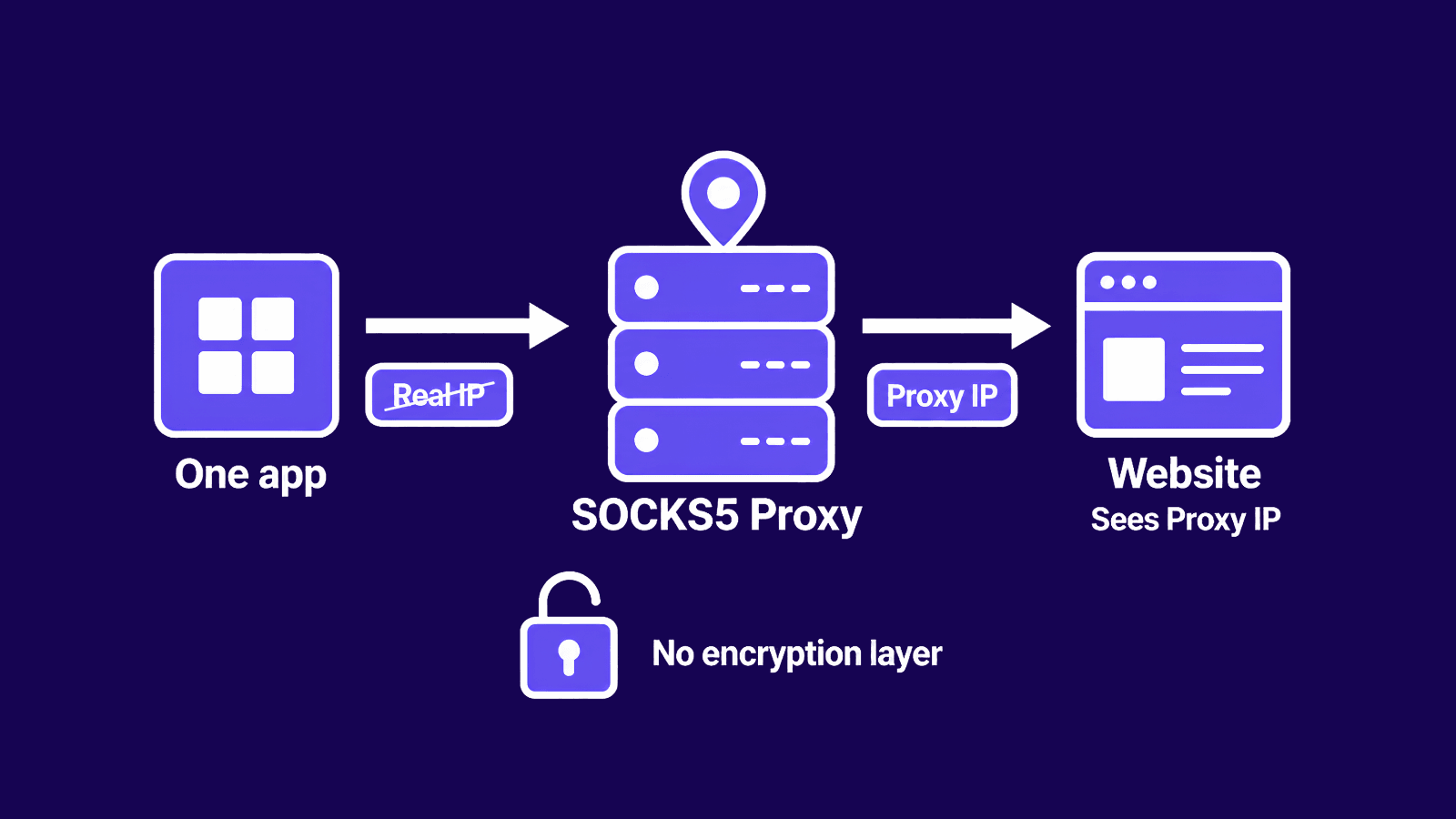
A SOCKS5 proxy is a relay that sits between one app and the internet. You point a program at it, a browser or a torrent client, say, and that program sends its traffic to the proxy first. From there it forwards everything under its own IP, so the website or peer on the far end sees the proxy's address instead of yours.
The name stands for Socket Secure, and version 5 runs below the application layer. An HTTP proxy reads and rewrites what passes through it. SOCKS5 leaves it alone, which is part of why it can carry almost any kind of connection. It also works over both TCP and UDP, so torrents, voice chat, and game traffic that trip up a plain web proxy run through it fine.
The thing it doesn't do is encrypt. Your IP changes, but the data behind it stays exactly as it was, so anyone watching the link between you and the proxy can still read anything you haven't already encrypted yourself. That's why a good SOCKS5 proxy is locked to you with a username and password, and it's a big part of why these beat the free open ones. For a closer look at what SOCKS proxies are, see our guide.
What is a VPN?
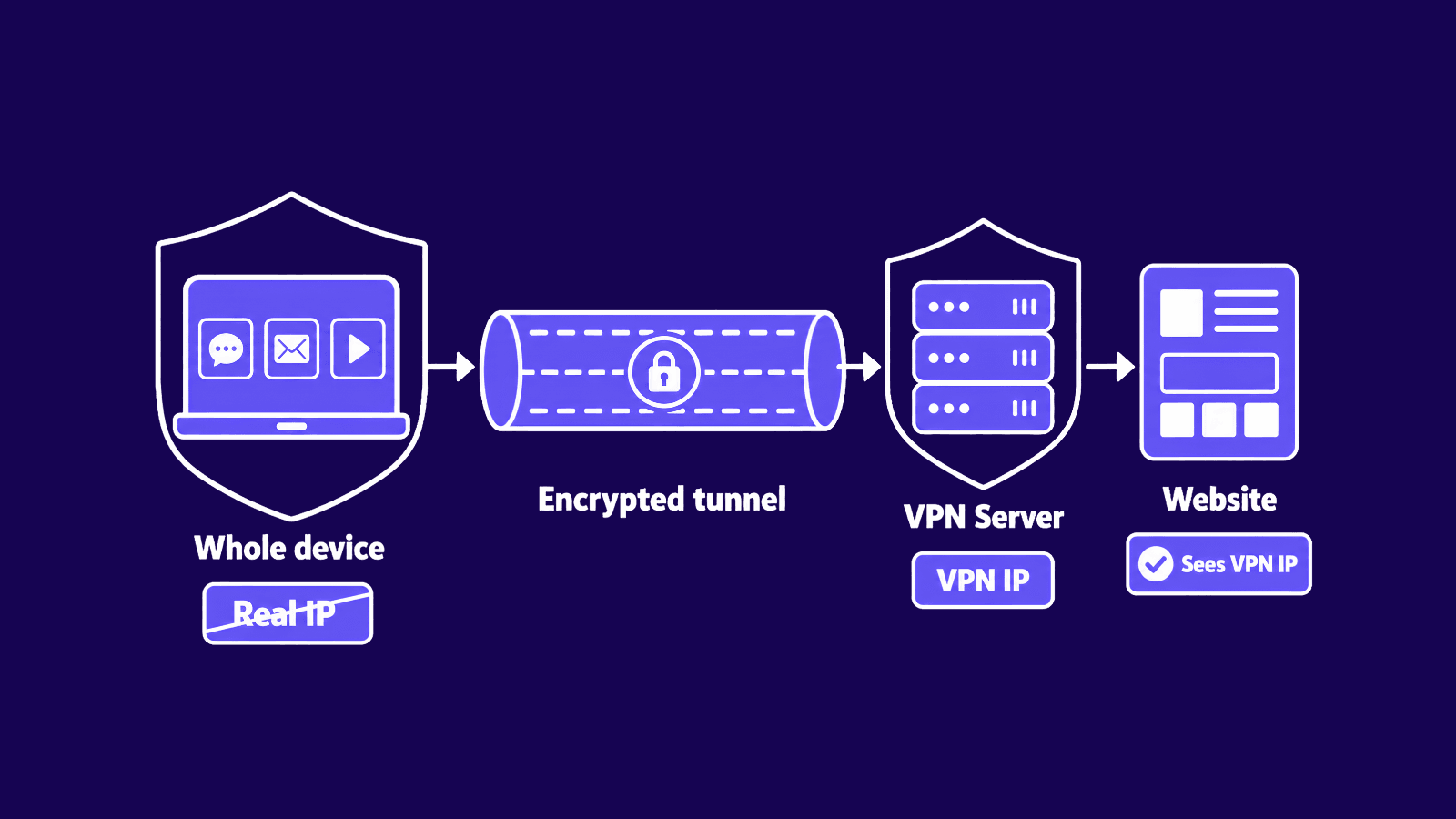
A VPN, or virtual private network, opens an encrypted tunnel between your device and a server it runs. Once you connect, every app and background process on the device routes its traffic through that tunnel. The server decrypts it, sends it on to wherever it's headed, and passes the response back the same way, so the site sees the VPN server's IP, not yours.
The encryption is the whole point. Since the tunnel scrambles your traffic before it leaves the device, your internet provider and anyone else on the network can tell you're using a VPN, but not which sites you open or what you send. Public Wi-Fi is where that earns its keep, because an open network would otherwise leave everything readable. A modern protocol like WireGuard VPN keeps the speed cost of all that encryption low, and if you want the mechanics, our guide on what WireGuard VPN is goes deeper.
What a VPN does and doesn't cover
A VPN protects the network layer. It keeps your ISP from seeing where you go and stops people on the same Wi-Fi from snooping on you, and it swaps your real IP for the server's before any site loads. What it can't touch is the stuff that happens at your end: a phishing link you click, malware you install yourself, tracking that follows an account you're already signed into. For a fuller look at where that line falls, read what a VPN protects you from.
SOCKS5 vs VPN: how they compare
Encryption and security
Start here, because it's the deciding factor. A VPN encrypts everything you send, so the contents stay protected the whole way across. A SOCKS5 proxy skips encryption, which means it changes your IP but leaves the data itself readable. If you're sending anything sensitive over a network you don't trust, that's the gap that should make up your mind.
Speed and performance
Skipping encryption is what makes SOCKS5 faster. There's simply less for it to process, so latency stays low and speeds hold up, which is what you want when you're downloading or in the middle of a match. A VPN has to encrypt every packet, and that costs you a little. WireGuard keeps the cost small, but when raw speed on a single task is all that matters, the proxy still comes out ahead.
Coverage: app-level vs device-wide
A SOCKS5 proxy only moves the traffic of the app you point at it, and everything else uses your normal connection. A VPN is the opposite, covering the whole machine at once. One is precise, the other is complete, and which you want depends on whether you are routing a single program or protecting the device.
Anonymity and detection
Both hide your IP, but they get caught differently. SOCKS5 adds no headers that flag a proxy, so a basic check struggles to spot it, especially on a residential or ISP address. VPN IP ranges are widely known and often sit on blocklists, so streaming sites and banks challenge them more. Neither makes you anonymous on its own, since cookies and fingerprints still identify you.
Ease of setup
A VPN is usually one app: install it, log in, connect. A SOCKS5 proxy gets set up per program. You enter a host, a port, and your credentials in each app you want routed. It's a bit more work, but you get finer control in return.
Can you use a SOCKS5 proxy and a VPN together?
Yes. The usual approach is to connect the VPN first, then route a single app through a SOCKS5 proxy. Traffic leaves your device already encrypted and runs through the VPN tunnel to the VPN server. From there it exits through the proxy to wherever it's going, so the site sees the proxy's IP. The encryption covers the leg between you and the VPN server.
There are two times this actually pays off. The first is when a service blocks known VPN addresses. A clean residential or ISP SOCKS5 IP can get through there, since that's the IP the service sees, not the VPN's. The second is when you want one program leaving from a specific IP while the rest of the device stays on the VPN.
The rest of the time it isn't worth it. You're now making two hops instead of one, and that extra latency is the price of the second layer. Say you don't need a different exit IP, or the VPN and the proxy are both on datacenter IPs that get flagged anyway. Then the proxy isn't buying you anything, it's just slowing you down. Stack the two only when something specifically calls for it. On a normal day, one or the other is enough.
What about an encrypted SOCKS5 proxy?
There's a middle ground if you want a proxy's speed and per-app control but still need the traffic itself hidden. An encrypted proxy protocol like Shadowsocks wraps your traffic in encryption and dresses it up to look like ordinary HTTPS. A plain SOCKS5 proxy can't do either of those: here your data is protected on the way, and the connection slips past deep packet inspection, which is how restrictive networks spot proxies and VPNs by their traffic patterns.
This is what it was made for. It came out of efforts to get around national firewalls, and it gives you encryption and stealth without routing your whole device through a full VPN, so you hold onto the lighter footprint of a proxy. When a normal SOCKS5 proxy gets blocked and a regular VPN gets blocked along with it, an encrypted proxy is often the one thing that still gets through.
SOCKS5 proxy vs VPN: which should you choose?
It depends on what you're doing.
- Torrenting: a SOCKS5 proxy. It hides your IP from peers in the swarm, supports the TCP and UDP traffic torrent clients rely on, and keeps speeds high. Many people still run a VPN alongside it for encryption.
- Gaming: a SOCKS5 proxy for low latency and UDP support, useful for reaching servers in another region without the ping cost a VPN adds.
- Streaming: either works, though residential IPs unblock the most services. A proxy is lighter for a single app, a VPN is simpler if you want every device covered.
- Web scraping or running multiple accounts: proxies, not a VPN. You need many IPs and per-request control, which one VPN connection cannot give you.
- Public Wi-Fi: a VPN. Encryption is the point here, and a SOCKS5 proxy leaves your traffic readable on an open network.
- Online banking and anything sensitive: a VPN, for the same reason.
- Beating censorship: an encrypted proxy, or an obfuscated VPN. The plain versions of both get caught by traffic filtering more often than not.
Need raw speed and the ability to route just one app? A SOCKS5 proxy is the better call. If what you want instead is everything encrypted from a single switch, that's a VPN.
Conclusion
The two solve different problems. A SOCKS5 proxy is fast and lets you route a single app's traffic, but it encrypts nothing. A VPN does encrypt, and it covers the whole device, at the cost of a little speed. Use whichever one suits the task, and only run both together when something specifically calls for it. For the wider proxy vs VPN picture beyond SOCKS5, we've got a separate piece, and if you're stuck, our support team can help you work out which one fits.
Frequently asked questions
Frequently Asked Questions
Is a SOCKS5 proxy better than a VPN?
Neither, really. They're built for different jobs. A SOCKS5 proxy is faster and lets you route one app on its own, while a VPN's whole point is encrypting everything on the device. Chasing speed and control points you to the proxy. Wanting privacy and security points you to the VPN.
Is SOCKS5 faster than a VPN?
Usually it is. A SOCKS5 proxy doesn't run your traffic through encryption, so there's less work happening and your latency stays lower. Put it up against something modern like WireGuard and the gap gets small, but for one task where speed is all that counts, the proxy generally wins.
Does a SOCKS5 proxy encrypt your traffic?
No. It changes your IP, but the data behind it goes out exactly as it left your machine. So if a site you're using is on plain HTTP, someone watching the line between you and the proxy can read it. Want the traffic itself protected? You need a VPN or an encrypted proxy protocol for that.
Is SOCKS5 or a VPN better for torrenting?
A SOCKS5 proxy should be sufficient for torrent downloading as it does not require much of system resources, and it will help you hide your IP from other peers within the swarm, works with UDP protocol that is used by torrent applications. There will be no performance losses. The first thing that is missing from the SOCKS5 proxy is encryption. Therefore, the majority of privacy-focused users continue keeping their VPN on top of the connection.
Can my ISP see my activity when I use a SOCKS5 proxy?
In most situations, the answer would be affirmative. Your Internet Service Provider would be able to track the websites you visit and even read non-HTTPS sites because there is no encryption in SOCKS5 proxies.
What is a SOCKS5 VPN?
It's a label some VPN providers use when they bundle a SOCKS5 proxy into the service. You get the encrypted tunnel, and on top of it the option to push a particular app through the proxy when speed is what you're after. Not every provider includes it, so check before you sign up.
Is it safe to use a free SOCKS5 proxy?
Usually not. Free ones tend to be overloaded and already sitting on blocklists, and some operators log what you do or slip malware through the connection. There's no encryption to cushion any of that, so a paid proxy from a provider that owns its IPs is the safer bet.