ISP Proxies vs Residential Proxies: Key Differences & When to Use Each
Compare ISP vs residential proxies on speed, rotation, pricing, and detection risk, and learn exactly which proxy type fits your task.
Valentin Ghita
Technical Writer, Marketing, Research
Mihalcea Romeo
Co-Founder, CTO
TL;DR: The short version
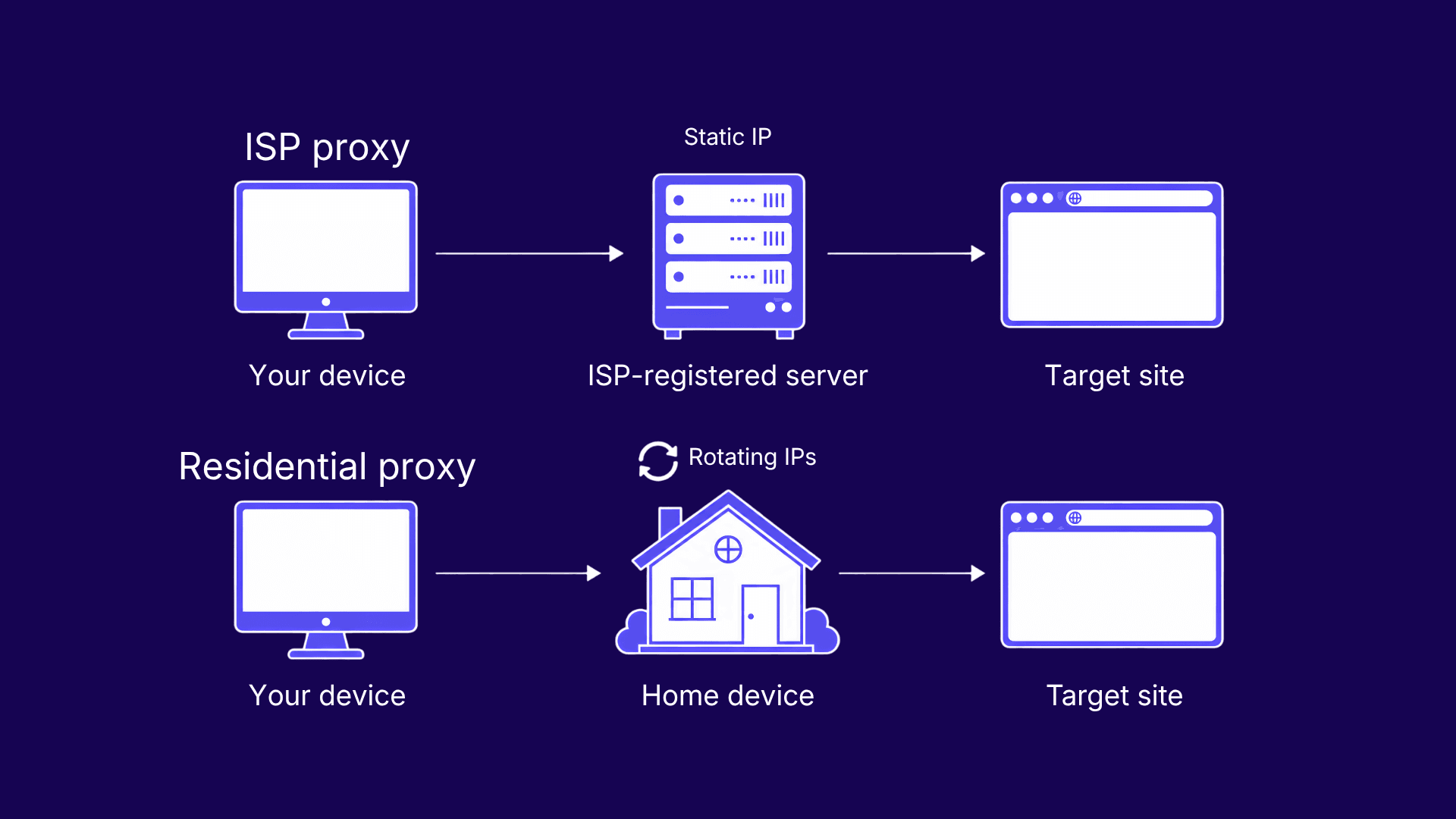
- An ISP proxy is an IP registered to a real internet service provider but hosted on datacenter hardware. It stays static by default.
- A residential proxy routes traffic through real user devices and rotates IPs.
- ISP proxies and static residential proxies are the same product under two names.
- ISP proxies sell per IP with unlimited bandwidth. Residential proxies bill per GB.
- Pick residential for scraping protected targets at scale. Pick ISP for stable identities and long sessions.
What Are ISP Proxies?
How ISP Proxies Work
ISP proxies are IP addresses registered to a consumer internet service provider but hosted on servers in a datacenter. The registration happens at the ASN level: on paper, the block belongs to a carrier like Comcast or Deutsche Telekom, so reputation databases read it as home broadband. Underneath, it's the same hardware that runs datacenter proxies, and that's where the speed comes from. Requests take fewer hops than they would through a real household connection, and the IP stays put until you swap it yourself.
That residential label is worth more every year. Bad bots reached 37% of all web traffic in 2024, up from 32% the year before (Imperva 2025 Bad Bot Report), and sites responded by treating datacenter ranges as guilty until proven otherwise. An ISP proxy walks past that filter with server-grade speed intact. Our ISP proxy statistics report has the full numbers.
ISP Proxy Pros and Cons
Pros:
- Datacenter speed and uptime, since the IP lives on server hardware instead of someone's home router.
- Unlimited bandwidth on most plans, so a heavy month costs the same as a quiet one.
- Sessions hold for as long as you need. The IP is yours until you release it.
- Residential trust score, because the ASN belongs to a real carrier.
Cons:
- Low subnet diversity. IPs ship in ranges, and one aggressive ban can burn the whole block.
- Some IPs trace back to small regional ISPs that strict filters treat like datacenter ranges.
- Country coverage is thin next to residential pools.
For the other half of the hybrid, see how ISP proxies compare to datacenter proxies.

Buy Rotating Residential Proxies
Real homeowner IPs that rotate on every request. Near-zero block rates for scraping and automation.
What Are Residential Proxies?
How Residential Proxies Work
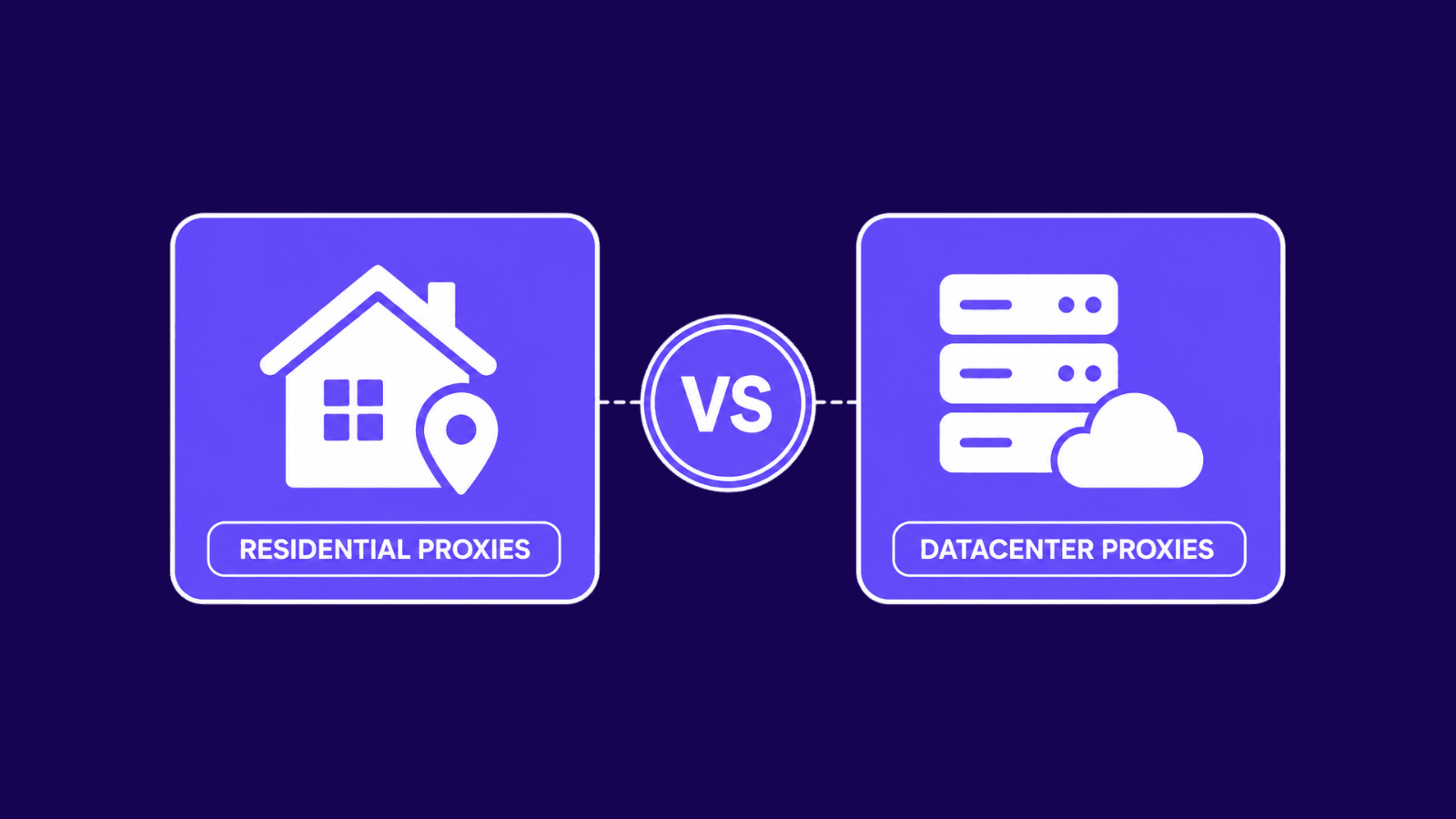
Residential proxies route your traffic through real consumer devices: laptops, phones, and routers sitting on ordinary home connections. The IP a website sees belongs to an actual household, which is why nothing else passes detection checks as reliably. We covered what residential proxies are in depth before, so here's the short version: you connect to a gateway, the gateway assigns you a peer device, and your request exits through that device's IP.
With rotating residential proxies, the exit IP changes on every request or holds for a set window through a sticky session, usually 1 to 30 minutes. Pools span millions of IPs across 190+ countries, so you can narrow targeting down to a city or a single carrier and still get a fresh address.
You trade control for authenticity. You're borrowing someone's connection, so you inherit its quality, whatever that happens to be. Reputable networks recruit those devices with the owner's consent and pay for the bandwidth, which is worth verifying before you buy.
Residential Proxy Pros and Cons
Pros:
- Hardest proxy type to detect, since every IP belongs to a real device.
- Massive IP diversity. Pool addresses almost never share subnets, so blocks stay isolated.
- Geo-targeting down to city or carrier level in most networks.
Cons:
- Speed depends on the end user's connection, which you can't see or fix.
- Sessions drop when the host device disconnects, sometimes mid-task.
- Per-GB billing climbs fast once scraping volume gets serious.
- IPs are shared. Another customer may have used yours an hour ago.
Are ISP Proxies the Same as Static Residential Proxies?
Yes. ISP proxies and static residential proxies are two names for one product. The naming reflects what each half of the build contributes. The IP is registered under a residential ASN, so detection systems classify it as residential. The hosting is datacenter, so the address never moves, which makes it static. Providers picked whichever label sold better. True residential IPs cannot be made reliably static, because they depend on a stranger's device staying online and keeping the same address. Home connections reboot, change IPs on reconnect, and go dark at night. If a provider promises a residential IP that never changes, you are reading an ISP proxy listing.
ISP vs Residential Proxies: Full Comparison
Both types hide your real IP. Everything else differs. Read the last row first if you only need the verdict, then check the rows that match your workload. Trust and rotation are the deciding rows: between them, they explain almost every block you will ever hit.
| Feature | ISP proxies | Residential proxies |
|---|---|---|
| Source | ISP-registered IPs on datacenter servers | Real user devices on home connections |
| Speed | High and consistent | Medium, varies per device |
| Stability | Very high, no third device in the path | Low to medium, peers disconnect |
| Trust and anonymity | High, residential ASN | Highest, real household IP |
| IP rotation | Static by default, manual swaps | Per request or sticky sessions |
| Bandwidth model | Unlimited on most plans | Metered per GB |
| Geo-targeting precision | Country level, fewer locations | Country, city, or carrier, 190+ countries |
| Subnet and detection risk | Ranged subnets, one ban can spread | Isolated IPs, blocks stay contained |
| Concurrent sessions | Limited by the IPs you bought | Practically unlimited through the pool |
| Pricing model | Per IP per month | Per GB of traffic |
| Best for | Stable identities, long sessions | High-volume scraping, protected targets |
The Differences That Matter in Practice
Pricing: Per IP vs Per GB
ISP proxies sell per IP per month with unlimited traffic. You know the exact cost of running ten identities for a year before you start, and bandwidth never enters the math. Residential proxies bill per GB, so the meter runs with your traffic. Light, targeted jobs stay cheap. High-volume scraping does not. The break-even logic is simple: if your workload pushes serious bandwidth through a handful of stable IPs, ISP wins on cost. If it needs thousands of different IPs but only touches each one briefly, paying per GB beats buying addresses you would use once.
Rotation and Session Control
ISP proxies hold one IP until you change it. Some providers offer rotating ISP pools, but static is the default and the point. Residential proxies invert that: rotation per request is the default, and sticky sessions are the exception you enable when a login or checkout needs continuity. We broke down when each behavior helps in our sticky vs rotating proxies guide. Residential pools also churn on their own. In a 2026 analysis of 4 billion attack sessions, 89.7% of flagged residential IPs stayed active for under a month before cycling out of their pool (GreyNoise/IPInfo). The address you used last week probably belongs to someone else now.
Detection Risk and Subnet Diversity
Residential IPs almost never share subnets, so when a target blocks one address, the damage stops there. Retry through the pool and you are back in. ISP proxies ship in ranges. A site that bans aggressively can flag the whole block, and every IP you bought in it dies together. Spread purchases across subnets and providers to contain that risk. The reputation layer tells the same story: 78% of residential-IP sessions in that same GreyNoise/IPInfo dataset slipped past conventional IP reputation feeds entirely. Static blocklists no longer catch residential-class traffic. If a stray ban does land on you, here is how to bypass an IP ban without burning the rest of your setup.
When to Use Each
Both types overlap on plenty of jobs. These are the workloads where one clearly outperforms the other.
Use ISP proxies for:
- Account management. Platforms flag accounts that hop IPs, and a static residential-looking address keeps each identity boring, which is what you want.
- Multi-login access for teams. Everyone reaches the same accounts through the same fixed IPs, so the platform sees one consistent office instead of five suspicious cities.
- SEO and SERP monitoring. Rank trackers need repeatable, clean queries from a known location, and unlimited bandwidth keeps daily pulls free.
- Limited-edition purchases. Checkout flows span multiple steps, and an IP change mid-cart is how carts die.
Use residential proxies for:
- Scraping heavily protected sites. Per-request rotation across millions of household IPs is the only approach that survives modern anti-bot stacks at volume.
- Ad verification. You have to see campaigns the way a real user in the right city sees them, and fraudulent ad stacks cloak for anything that is not one.
- Price and travel-fare aggregation. Retailers and booking engines serve poisoned or limited data to suspicious IPs, so rotating household addresses keep results honest.
- Review monitoring. Wide geo coverage shows you what each market actually reads without tripping rate limits.
How to Choose
Five rules cover most decisions:
- If the task needs one identity that never changes, buy ISP.
- If the task needs thousands of IPs that each make a few requests, buy residential.
- If bandwidth is heavy and the target list is short, unlimited ISP traffic beats per-GB billing.
- If the target runs serious bot protection and blocks early, residential rotation is the only sustainable answer.
- If you need a city or carrier that ISP catalogs do not carry, residential pools will have it.
When a project needs both, run both. Static ISP IPs handle the logged-in layer while residential rotation handles collection. They are complements, not rivals.
Conclusion
The decision comes down to one question: does your task need a fixed identity or a fresh one? Stable logins, long sessions, and predictable costs point to ISP. Scale, rotation, and hostile targets point to residential. Match the proxy to the workload and the block rate takes care of itself.
If you have any questions about which proxy type is better for you, please contact our support team which will help you take the best decision.
Frequently asked questions
Frequently Asked Questions
What is the main difference between ISP and residential proxies?
The source of the IP. An ISP proxy is registered to an internet service provider but hosted on a datacenter server, so it stays fast and static. A residential proxy exits through a real user's device, so it looks fully organic but rotates and depends on that device's connection.
Are ISP proxies the same as static residential proxies?
Yes, they are the same product under two names. The IP carries a residential ASN, which earns the residential label, while datacenter hosting keeps it static. Providers use whichever term fits their catalog. A true residential IP cannot be made reliably static because the host device controls it.
Which is better for web scraping: ISP or residential proxies?
Residential proxies, for most scraping jobs. Per-request rotation across a large pool absorbs blocks that would kill a small set of static IPs. ISP proxies still win for scraping that requires a logged-in session or a consistent identity, like account-based SERP tracking or authenticated marketplace data.
Are ISP proxies faster than residential proxies?
Yes, consistently. ISP proxies run on datacenter hardware with direct routing, so latency stays low and stable. Residential requests pass through a consumer device on home broadband, which adds a hop and inherits whatever speed that household has at the moment. For raw throughput, ISP wins every time.
Why are residential proxies priced per GB and ISP proxies per IP?
Because of what each provider actually pays for. Residential networks compensate device owners for bandwidth, so cost scales with traffic and gets billed per GB. ISP providers lease fixed IP blocks from carriers at a flat rate, so they resell each address per month with traffic included.
Can ISP proxies rotate like residential proxies?
Some can, but it defeats their main advantage. A few providers sell rotating ISP pools that switch addresses on request. Pool sizes stay small next to residential networks, though, so rotation repeats IPs quickly. If rotation is the requirement, residential is built for it. ISP is built for staying put.
Can websites detect ISP proxies?
Sometimes. The ASN reads as residential, which clears most IP reputation checks, but ISP ranges sit in predictable subnets, and some addresses belong to small carriers that strict filters distrust. A site that bans aggressively can flag a whole range at once. Detection risk is low, not zero.
Which proxy type is better for managing multiple accounts?
ISP proxies. Each account gets its own static, residential-looking IP that never changes between logins, which is exactly the pattern platforms expect from a real user. Residential rotation works against you here, since IP changes mid-session are a common trigger for verification checks and bans.