
What Is an HTTP Proxy? How It Works and When to Use It
An HTTP proxy routes your web traffic through another IP. Learn how it works, how it handles HTTPS, and when SOCKS5 or a VPN fits better.
Valentin Ghita
Technical Writer, Marketing, Research
Mihalcea Romeo
Co-Founder, CTO
TL;DR: The short version
- An HTTP proxy is a middleman server for web traffic. Your request goes to it first, it forwards the request, and the website sees the proxy's IP instead of yours.
- HTTP proxy names the protocol your app uses to talk to the proxy. The same proxy can run on datacenter, ISP, or residential IPs.
- It handles HTTPS sites too, through a CONNECT tunnel. It adds no encryption of its own.
- Use it for scraping, filtering, caching, geo checks, and hiding your IP from the sites you visit.
- For non-web apps or whole-device coverage, use SOCKS5 or a VPN.
What Is an HTTP Proxy?
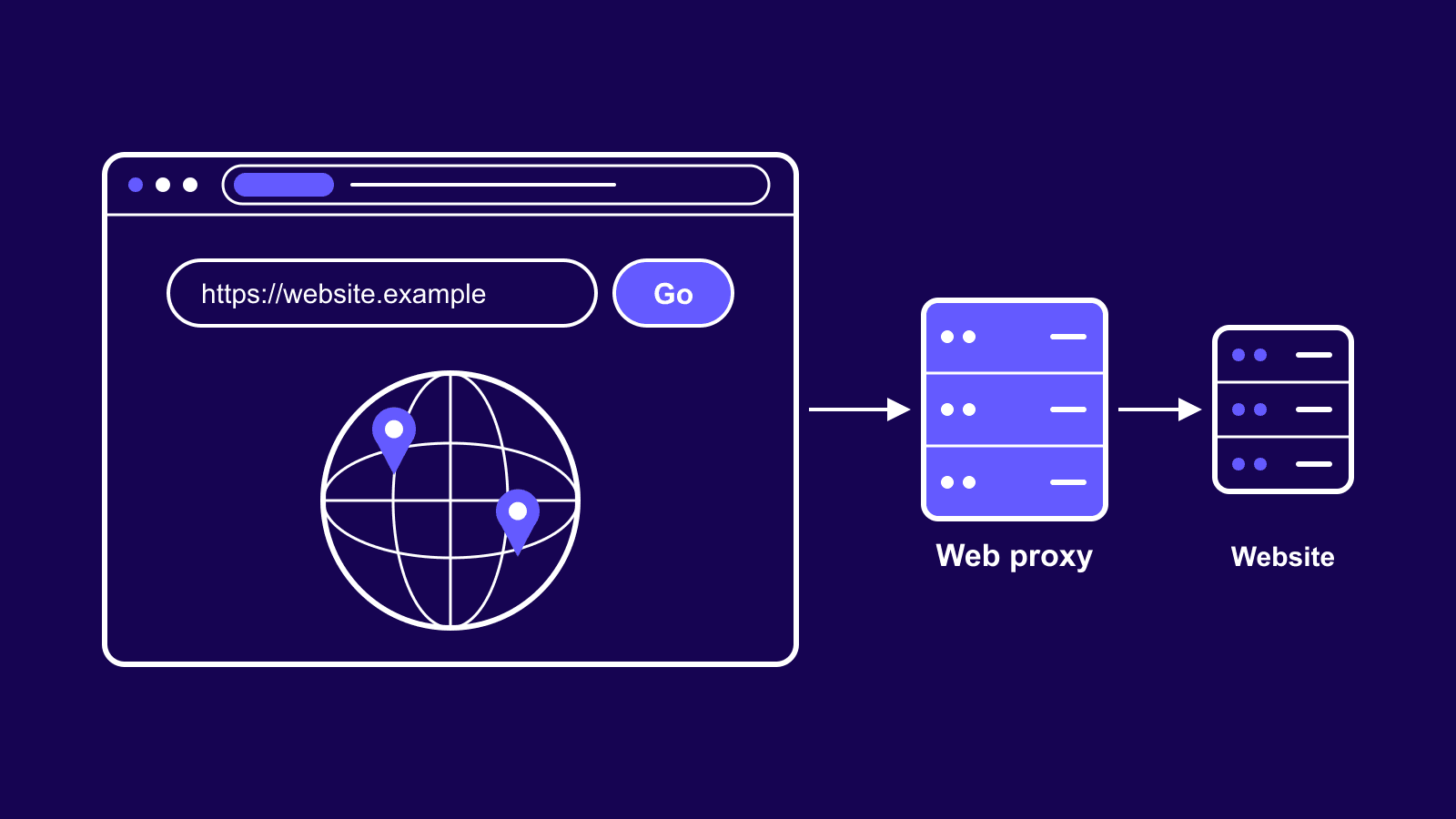
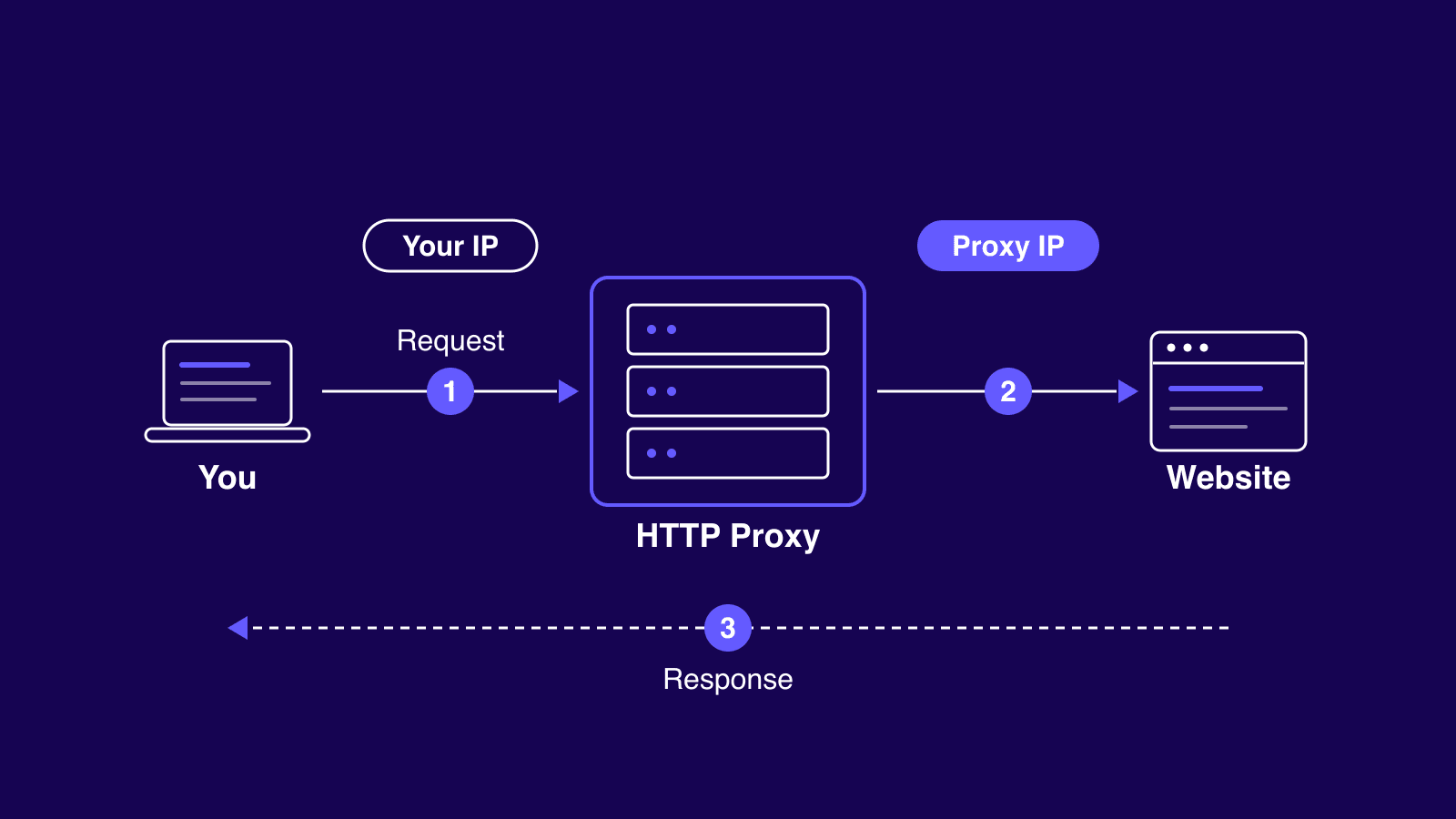
An HTTP proxy is a server that sits between your device and the websites you visit. It receives your web requests, forwards them under its own IP address, and passes the responses back to you. The site you're browsing gets the proxy's address, not yours.
One thing trips people up: the HTTP part describes how your app talks to the proxy, nothing more. It doesn't tell you what kind of IP answers on the other end, and it doesn't mean the proxy only works on unencrypted pages. The datacenter HTTP proxies crawling public sites all day speak the same protocol as a residential setup. Protocol and IP type are two separate choices, and you'll make both.

Buy Datacenter Proxies
Dedicated IPs, 1Gbps speeds, unlimited bandwidth. Instant activation, 100+ locations.
How Does an HTTP Proxy Work?
The flow has three steps. Your browser or tool sends its request to the proxy instead of the website. The proxy opens its own connection to the site and forwards that request from its IP. The site answers the proxy, and the proxy hands the response back to you. To the website, the visitor was the proxy.
Forward vs Reverse Proxies
Everything above describes a forward proxy. It sits in front of you, the client, and works the web on your behalf. That's the kind you rent for scraping or privacy work.
A reverse proxy points the other way. It sits in front of a web server and manages incoming traffic. It can spread load across several machines and cache popular pages, and plenty of sites also use it as a shield against attacks. Visitors never see the servers behind it.
Anonymity Levels
Not every proxy hides you equally well. The industry sorts them into three tiers. It's a convention rather than an official standard, but providers and detection tools both use it. The tell is in the request headers: X-Forwarded-For can carry your real address, and Via can admit a proxy is involved. Each tier is defined by what it does with those headers. Headers are only half the story. Sites also score the address itself, and that reputation decides how anonymous a proxy really is once real traffic starts flowing.
| Level | Sends your real IP | Reveals a proxy is in use | How |
|---|---|---|---|
| Transparent | Yes | Yes | Passes your IP in X-Forwarded-For |
| Anonymous | No | Yes | Strips your IP, keeps Via or similar headers |
| Elite | No | No | Strips both, request looks direct |
HTTP Proxy vs HTTPS Proxy
Picture your traffic as two hops. Your device to the proxy is the first, the proxy to the website is the second. The difference between HTTP and HTTPS proxies comes down to what happens on that first hop.
With a plain HTTP proxy, the first hop has no encryption. Load an old http:// page through it and the proxy operator, or anyone snooping on your network, can read the whole request.
HTTPS websites work differently. Your browser sends the proxy a CONNECT request, which asks it to open a tunnel to the site. Once the tunnel is up, your browser encrypts everything directly with the website. The proxy just shovels bytes back and forth and can't read any of it.
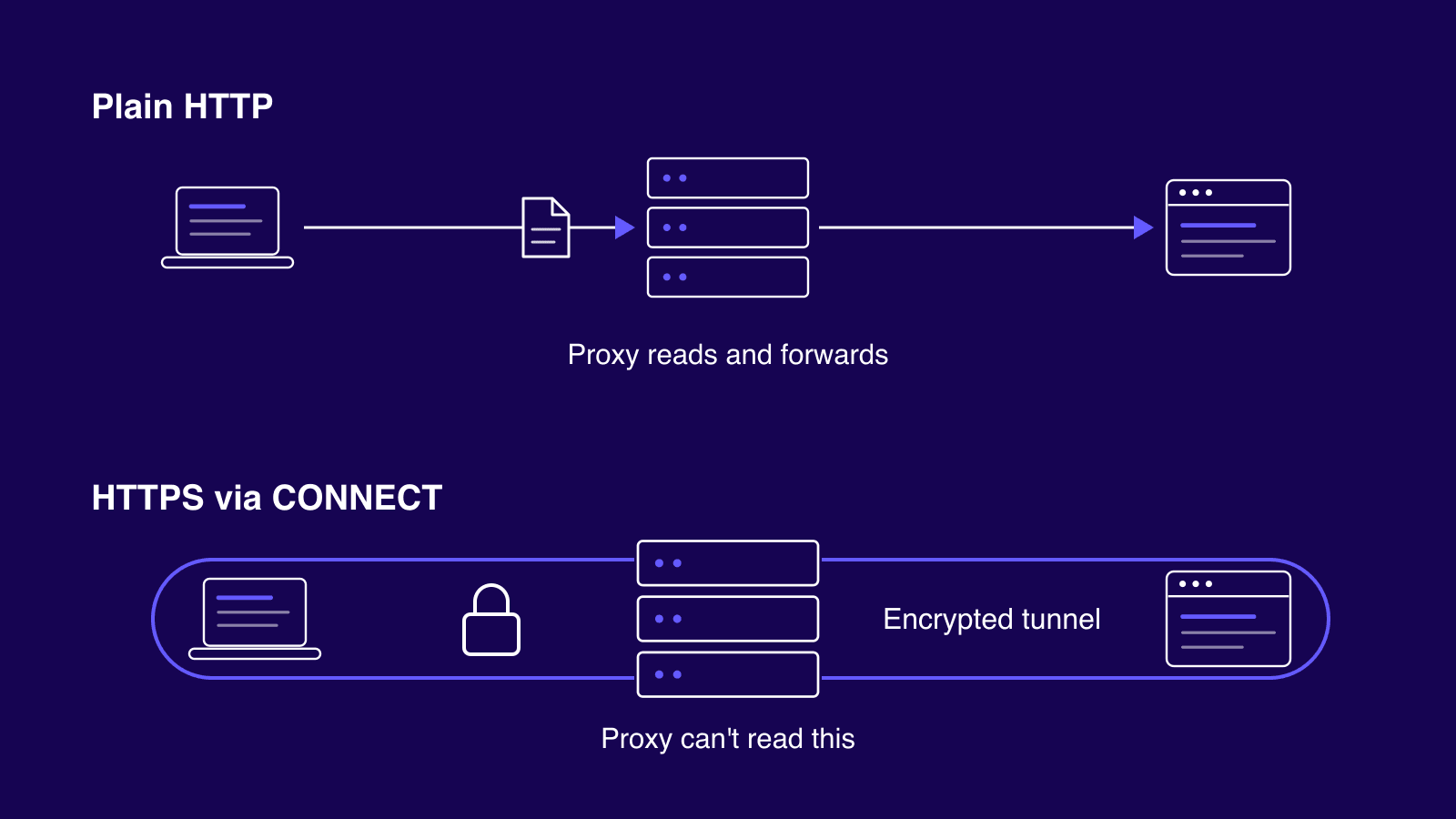
An HTTPS proxy encrypts the first hop as well, which keeps your proxy username and password safe on networks you don't trust.
The rule is simple. For public data at volume, plain HTTP endpoints are fine. For logins, accounts, or coffee shop wifi, use HTTPS endpoints.
HTTP Proxy vs SOCKS Proxy vs VPN
HTTP vs SOCKS
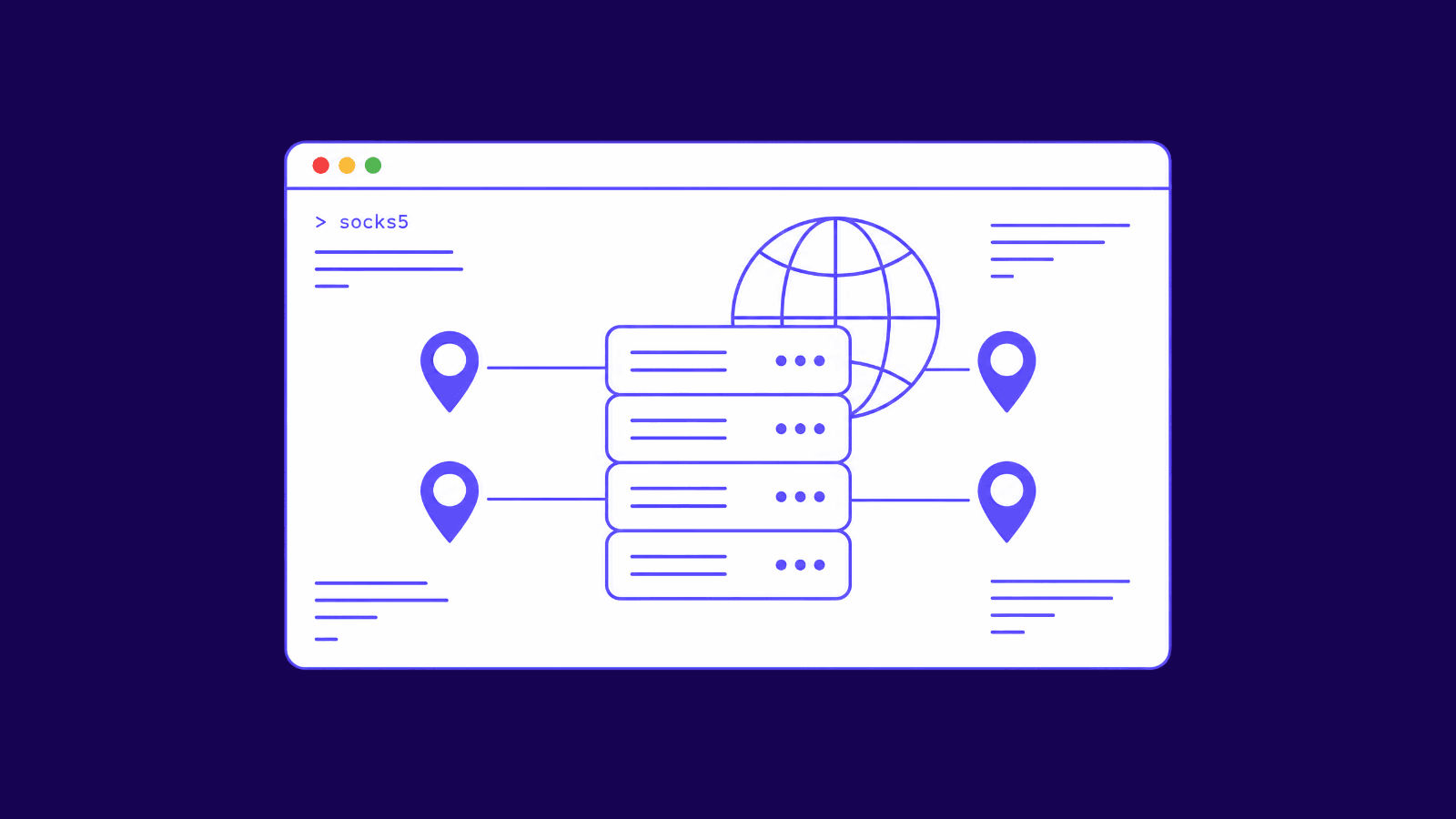
An HTTP proxy understands the traffic passing through it. That's its edge: it can cache pages and filter URLs, and it can rewrite headers before they reach the site. The tradeoff is that it only speaks HTTP and HTTPS. SOCKS5 lives a level lower and works as a dumb pipe that carries any protocol over TCP or UDP without caring what's inside. Email clients and torrents fit through it as easily as browsers do. Our HTTP vs SOCKS proxies comparison digs into the details, but the short rule holds up: web traffic, HTTP proxy. Everything else, SOCKS5 proxies.
Proxy vs VPN
People mix these up because both change your visible IP. A proxy covers one app or tool at a time and doesn't encrypt anything itself. A VPN wraps the entire device in an encrypted tunnel, every app included. The practical split: running fifty scraper threads, each on its own address, is proxy territory. Whole-device privacy on sketchy wifi is VPN territory. The proxy vs VPN breakdown covers the gray areas between them.
Side by side:
| HTTP proxy | SOCKS5 proxy | VPN | |
|---|---|---|---|
| Works at | Application layer (understands HTTP) | Shim between app and transport (Layer 5) | OS network layer |
| Traffic | HTTP and HTTPS only | Any TCP, plus UDP | All device traffic |
| Encryption added | None | None | Yes, full tunnel |
| Coverage | Per app or tool | Per app or tool | Whole device |
| Best for | Scraping, filtering, caching, geo checks | Torrents, gaming, email, non-web apps | Privacy on untrusted networks |
What HTTP Proxies Are Used For
Most demand comes from work that needs many IPs or another location. Web scraping is the obvious one: spreading requests across addresses so no single IP eats every block. Price monitoring and ad verification check what a page really shows in another country, and SEO teams run their SERP checks from the regions they rank in. App teams geo-test region-locked content before launch. Multi-account operators give each account its own address so platforms can't link them. Offices and schools point proxies the other direction, filtering what people can reach while caching repeat traffic to save bandwidth. And reverse proxies do the jobs covered earlier for the websites themselves, CDN duty included.
Datacenter, ISP, or Residential: Pick the IP Behind It
The protocol question is settled. What's left is the kind of IP that answers for you, because the same proxy with the same settings gets very different treatment depending on the address behind it. A protected sneaker shop will block a datacenter range in minutes yet wave through a household connection, which is exactly what residential proxies provide. ISP proxies split the difference: residential-grade trust at server speed, on a static address. Match the type to how hard your target fights automated traffic.
| Datacenter | ISP | Residential | |
|---|---|---|---|
| IP source | Cloud and server ranges | ISP-registered, hosted in datacenters | Real household connections |
| Speed | Fastest | Fast | Varies by peer |
| Pricing | Per IP, cheapest | Per IP, mid | Per GB |
| Block resistance | Lowest | High | Highest |
| Best for | Volume on easy targets | Static identity on protected sites | Toughest targets, geo precision |
How to Set Up an HTTP Proxy
Setup is the same everywhere, only the menus differ. Your provider gives you a host, the port to use, and either a username and password or an IP whitelist that authorizes your own address. Drop those details into your browser's proxy settings, your operating system's network panel, or whatever tool you're automating with. Then test it: check your visible IP before and after, and confirm the site reports the proxy's address rather than yours.
For a quick command line check, one line does it:
We keep step-by-step setup tutorials for every device. If you're on a Mac, the guide to configure a browser proxy on macOS walks through every click.
One warning before you go looking for shortcuts: skip the free public proxy lists. Most of them drop HTTPS, log or inject your traffic, and are already blocked on the sites worth reaching. Here's why free proxies aren't worth it.
Conclusion
An HTTP proxy earns its keep anywhere web traffic needs to come from a different IP, scraping and geo checks included. Pick the protocol for the job first, then pick the IP type by how defended your target is, from cheap datacenter addresses on easy sites up to residential on hostile ones. And once logins or untrusted networks enter the picture, insist on HTTPS endpoints so the first hop stays private. If you need any help picking or setting one up, contact our support team.
Frequently asked questions
Frequently Asked Questions
Is it legal to use an HTTP proxy?
Yes, the tool itself is legal in most places. What you do through it is what counts: the target site's terms of service and your local laws still apply, so scraping a site that forbids it can get your access cut off even though the proxy is lawful. This isn't legal advice.
What port does an HTTP proxy use?
There's no single fixed port. 3128 is the default for Squid, the most common proxy software, 8080 is the usual alternate, and some run straight on port 80. For SOCKS, 1080 is the convention. In practice, use whatever port your provider assigns you.
Why does my real IP still show after I set up an HTTP proxy?
Almost always a configuration miss. Either the app isn't routing through the proxy at all, or your DNS lookups and WebRTC connections are leaking around it. Recheck the settings and test in a clean browser profile. If it still leaks, disable or mask WebRTC before assuming the proxy itself is broken.
What's the difference between shared and dedicated HTTP proxies?
Shared means several customers use the same IP. It's cheaper, but someone else's abuse can burn its reputation, and you inherit the damage. Dedicated means the IP is yours alone. It costs more, and in exchange you get a clean history and predictable performance, since nobody else is loading it.
How many requests can I push through one HTTP proxy before it gets blocked?
Anyone quoting you a fixed number is guessing. It depends on the target site's rate limits and the reputation your IP already carries. The same proxy can last all day on one site and die in minutes on another. Rotating across a pool and pacing your requests beats hammering a single address.