
What Is an SSL Proxy? How It Works & When to Use One
An SSL proxy (or HTTPS proxy) routes your traffic through an encrypted tunnel and hides your IP. Learn how it works, why 'SSL' means TLS, and when to use one.
Valentin Ghita
Technical Writer, Marketing, Research
Mihalcea Romeo
Co-Founder, CTO
TL;DR: The short version
- An SSL proxy, also called an HTTPS proxy, is a middle server that carries your web traffic and hides your real IP.
- It moves that traffic through a sealed tunnel and cannot read what is inside.
- "SSL" is the old protocol name. Modern connections run TLS, the label just stuck.
- The term covers two tools: a consumer tunnel that never opens your data and an enterprise inspection proxy that does.
- The proxy does not encrypt anything itself. The website's HTTPS handles that job.
What is an SSL proxy?
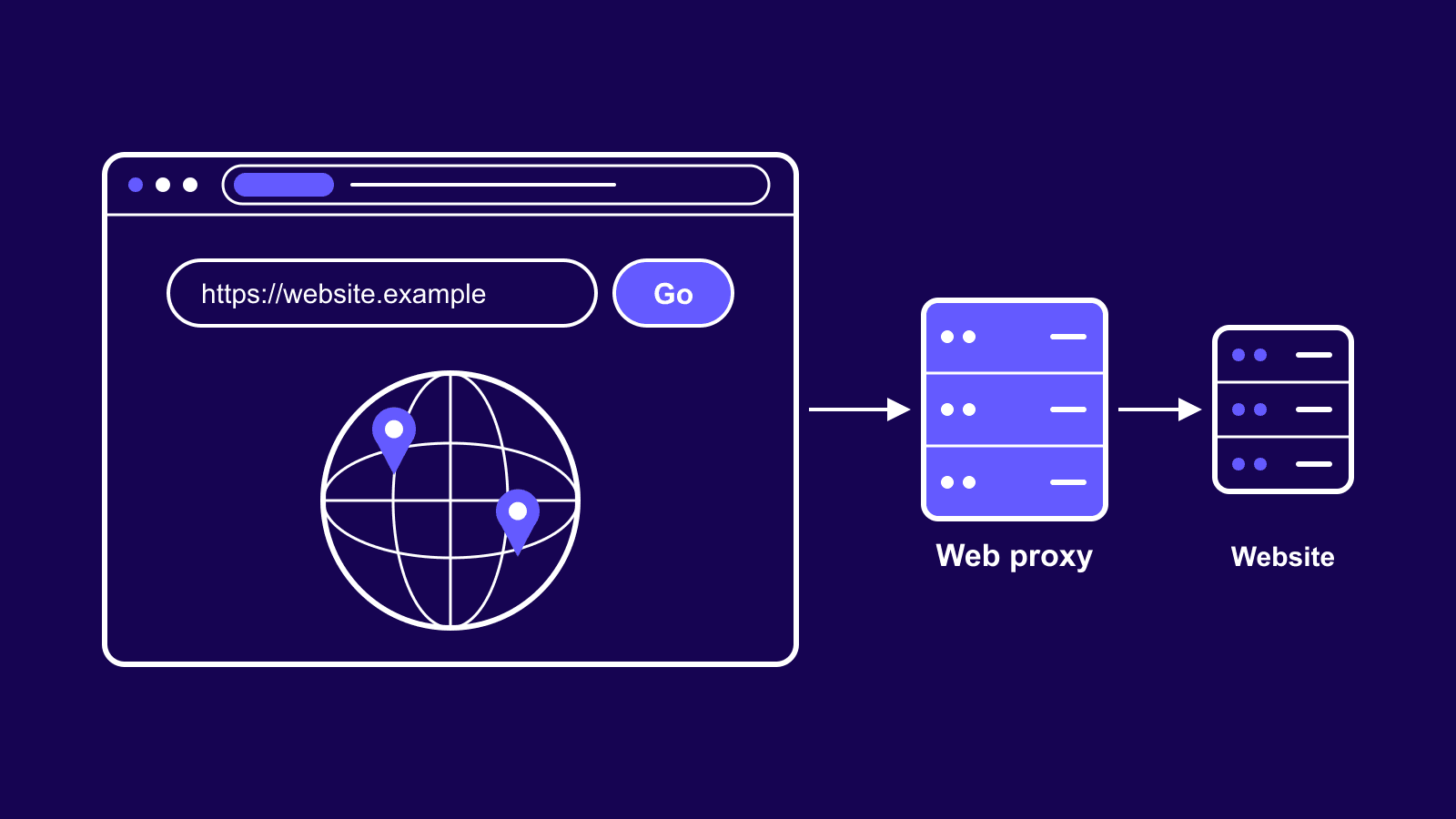
An SSL proxy is a server that sits between your device and the websites you visit. It forwards your HTTPS traffic and hides your real IP address while doing it, so the website sees the proxy's address instead of yours. Most providers call the same product an HTTPS proxy. Treat the two names as interchangeable.
One catch trips people up. The term describes two different tools: the privacy proxy you rent from a provider, and enterprise equipment that inspects traffic inside company networks. The two work in opposite ways, and mixing them up leads to bad buying decisions. This guide covers both, starting with the version you would actually rent.

Buy SOCKS5 Proxies
Dedicated IPs, any TCP traffic, unlimited bandwidth. Works with every app that supports SOCKS5.
SSL vs TLS: why the name is misleading
SSL stands for Secure Sockets Layer, the encryption protocol that protected web traffic in the 1990s. It had security holes, so the industry replaced it with TLS, short for Transport Layer Security. Every secure site you open today runs TLS, and most of the web has moved to TLS 1.3. SSL itself has been retired for years.
The old name refuses to die, though. People still say SSL certificate, SSL connection, and SSL proxy the same way they still say hang up the phone. So a provider selling you an SSL proxy is really selling a proxy that handles TLS traffic. The product is current, only the label aged.
How does an SSL proxy work?
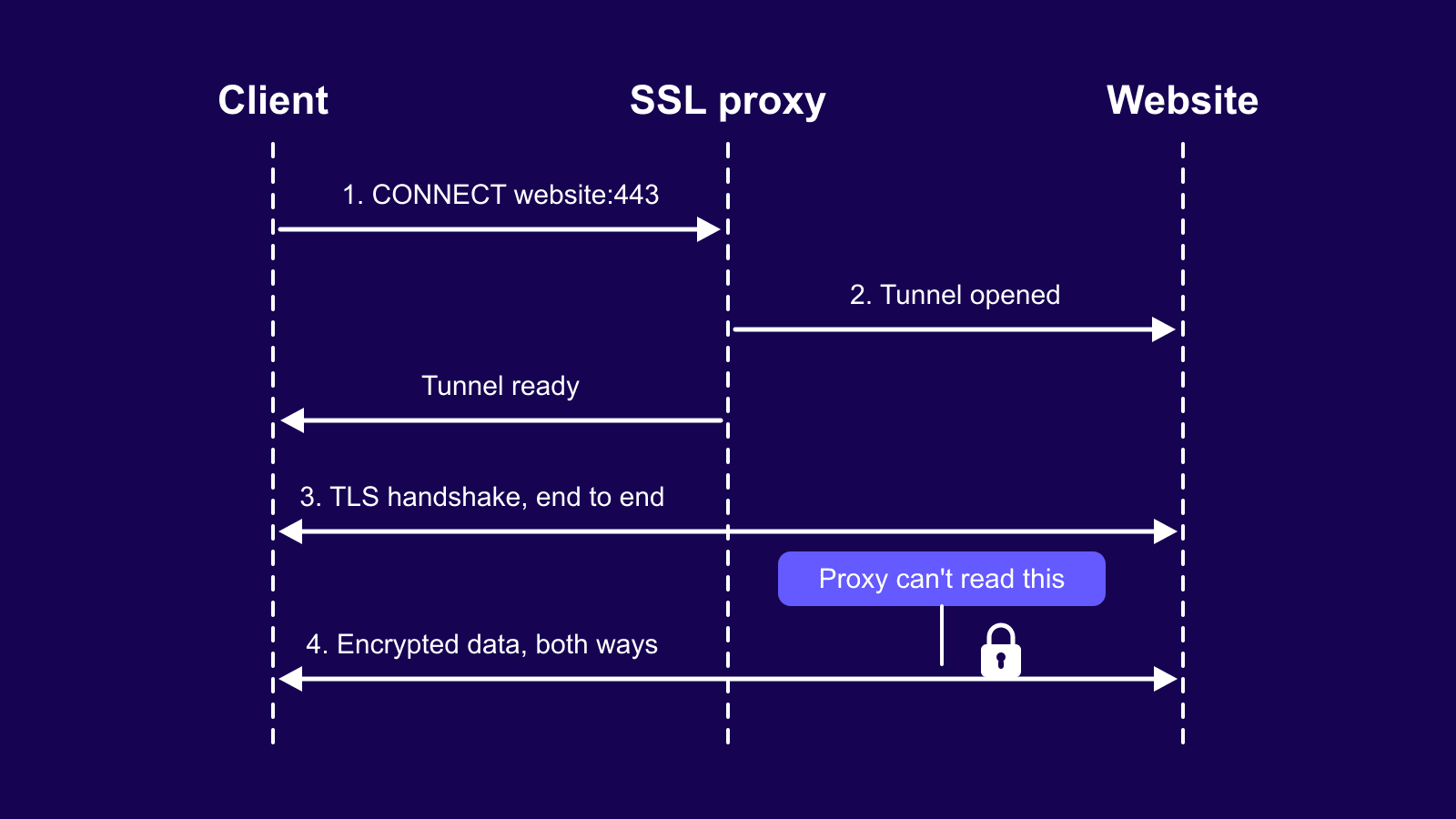
The whole trick relies on a tunnel. When your browser or bot wants a secure site, it sends the proxy a short request using the HTTP CONNECT method, naming the site and port 443. The proxy opens a direct pipe to that site and reports back that the pipe is ready. From that moment it becomes a courier. Your device and the website perform their secure handshake through the pipe, agree on encryption keys the proxy never sees, and exchange sealed data in both directions.
This clears up the biggest misconception around these tools. The proxy does not encrypt your traffic. The encryption comes from the HTTPS connection between you and the website, and it stays intact from end to end. What the proxy adds is the middle hop: your address stays out of the picture, and nobody along that hop can peek inside the stream, the proxy included.
SSL proxy vs HTTPS proxy vs HTTP proxy
SSL proxy and HTTPS proxy mean the same thing. Two labels, one product, pick whichever your provider uses. The real difference sits between that product and a plain HTTP proxy. A plain HTTP proxy handles unsecured web traffic, which means it can read and even change everything passing through it. Fine for harmless jobs, a bad idea for logins or payments. Most modern HTTP proxies also support the CONNECT tunnel, which blurs the line, but the SSL label signals the product was built for secure traffic first.
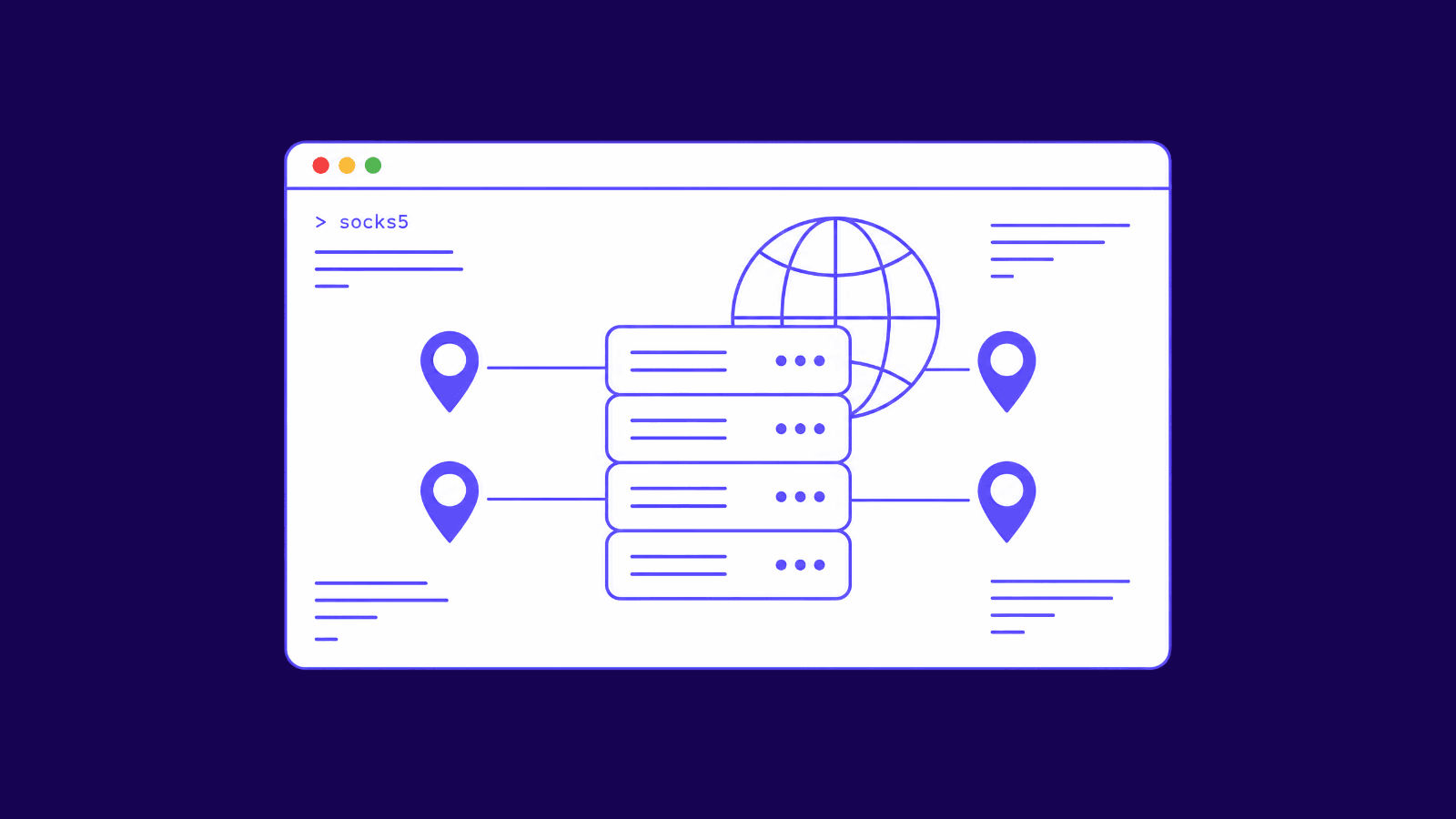
A SOCKS5 proxy plays a different game. It does not care what protocol you push through it, so it covers apps that go beyond the web. Here is how the options stack up, with VPNs added since people weigh them against proxies constantly:
| Feature | HTTP proxy | HTTPS/SSL proxy | SOCKS5 proxy | VPN |
|---|---|---|---|---|
| Encrypts your data itself | No | No, it relays the site's HTTPS encryption | No | Yes, device-wide |
| Traffic it handles | Plain web traffic | Secure web traffic | Any protocol | Everything on the device |
| Hides your IP | Yes | Yes | Yes | Yes |
| Can it read your content | Yes | No, traffic stays sealed | Only unencrypted traffic | Only unencrypted traffic |
| Typical port | 80 (destination) | 443 (destination) | 1080 | Varies by protocol |
| Best for | Basic tasks on non-sensitive sites | Scraping and secure browsing | Any app or protocol | Whole-device privacy |
The two meanings of "SSL proxy"
Everything above describes the consumer version: a forward proxy, meaning it sits on your side of the connection and works for you. It tunnels your traffic and never opens it.
The enterprise version flips that promise on purpose. Companies and security appliances run SSL interception, sometimes sold as SSL bridging or inspection. The proxy receives your traffic, decrypts it, scans the contents for malware or policy violations, then re-encrypts everything with its own certificate before sending it on. It only works because the company installs that certificate on every employee device first, which tells the device to trust the proxy. Without that step, browsers would scream about a broken connection.
There is also a reverse proxy, which sits in front of a website instead of a user and often handles the site's TLS for it. Different job, same family name. The table below keeps the two main meanings straight:
| Question | Consumer SSL/HTTPS proxy | Enterprise SSL proxy (interception) |
|---|---|---|
| Who runs it | You, through a proxy provider | Your employer or a security appliance |
| Does it decrypt your traffic | No | Yes, then re-encrypts it |
| Needs a certificate installed on your device | No | Yes, its own root certificate |
| Main purpose | Hide your IP and route traffic | Inspect traffic for threats and policy |
| Where you meet it | Scraping, browsing, marketing tools | Office networks, schools, security software |
What can you use an SSL proxy for?
Anything where you need HTTPS access from an IP that is not yours qualifies. Four uses come up most. Web scraping tops the list, since sites track and block repeat visitors, and scrapers route requests through rotating residential proxies to spread traffic across many addresses and keep collecting data. Ad verification is a close second: agencies load their campaigns through proxy IPs in other cities and countries to confirm the right ads show up there.
Then there is multi-account management. Marketplaces and social platforms tie accounts to IP addresses, so giving each account its own proxy keeps them from being linked. Price and SEO monitoring closes the list, because checking a competitor's prices or your own search rankings from your office IP returns results filtered for you rather than for a normal visitor.
SSL proxy vs VPN
A proxy works at the app level. You point one tool at it, your scraper or browser, and only that tool's traffic goes through. That keeps things fast and lets you run hundreds of IPs at once. A VPN wraps your entire device instead: every app, every connection, one encrypted pipe to one server. Better for personal privacy, clumsy for data work. Pick based on the job, not the marketing. The proxy vs VPN comparison goes deeper, and the comparison table above shows the differences side by side.
Which proxy type works best for SSL connections?
Any proxy type can carry HTTPS traffic. The question is which IP source fits your target sites. Datacenter proxies win on speed and price, which makes them right for high-volume work on sites that tolerate them. ISP proxies combine datacenter speed with addresses registered to real internet providers, so they look trustworthy while staying quick. Residential proxies borrow IPs from real home connections and get through where strict sites shut everything else out. Match the tier to the site you are working on and to your budget, then move up a level when your success rate drops.
How to set up an SSL proxy
Setup takes about five minutes with any provider:
- Grab your proxy list from your provider's dashboard.
- Pick an authentication method, either whitelisting your own IP or using a username and password.
- Enter the host, port, and credentials in your app, browser, or system network settings. Most scraping tools and antidetect browsers have a dedicated proxy field for this.
- Choose the HTTPS endpoint if the tool offers a protocol choice.
- Open an IP-checking site before and after connecting to confirm the proxy's address shows instead of yours. If the old address still appears, the traffic is bypassing the proxy.
Wrapping up
So what is an SSL proxy in practice? A sealed courier for your web traffic. It hides your IP on any HTTPS site while leaving the encryption between you and that site untouched. Reach for one whenever a web task needs a different address, from scraping to ad checks. For apps that speak protocols other than HTTP, SOCKS5 proxies handle the job better, and for whole-device privacy a VPN makes more sense. If you get stuck picking a type or wiring one into your tools, our support team is one message away.
Frequently asked questions
Frequently Asked Questions
Are free SSL proxies safe?
Mostly no. Free proxies get shared by thousands of strangers, land on blocklists fast, and give the operator a perfect spot to watch whatever unencrypted traffic passes through. The hard red flag is any service asking you to install its root certificate. That request turns a simple relay into an interception tool that can read everything.
What port does an SSL proxy use?
Two ports matter here. Websites receive secure traffic on port 443, which is fixed. The proxy endpoint you connect to uses whatever port your provider assigns, often 8080 or a custom number listed in your dashboard. That second number is the one you type into your proxy settings.
Can websites detect an SSL proxy?
They can. Sites score visitors by IP reputation, ownership, and behavior, and addresses registered to hosting companies stand out immediately. That is why datacenter IPs get flagged and banned far more often than ISP or residential ones, which blend in with regular home traffic. The proxy protocol itself is not what gives you away.
Does an SSL proxy hide my browsing from my internet provider?
Partly. Your provider stops seeing page content once traffic is encrypted, but the domain you visit can still leak through DNS lookups and the early stage of the connection setup. Treat a proxy as an IP-masking tool aimed at websites, not as full invisibility from whoever runs your network.
Is an SSL proxy the same as an SSL certificate?
No, they only share a name. A proxy is a server standing in the middle of your connection and relaying traffic. A certificate is the digital ID card a website presents to prove it is the real site, which your browser checks before opening a secure session. One moves traffic, the other proves identity.
Can I use an SSL proxy for streaming or torrenting?
It is built for websites, so streaming through a browser generally works if the IP is clean. Torrent clients are a different story. They rely on connections that an HTTPS tunnel handles poorly, so a SOCKS5 setup suits torrenting far better. Match the proxy protocol to the app you plan to run.