What Are Nebula Proxies and How Can You Use Them?
If you keep bumping into the term “Nebula proxy” while researching privacy tools, you are not alone. Nebula is not a formal networking standard. It is a practical way some providers describe a hardened proxy layer designed for reliability, scale, and fewer blocks. In this guide, we will see exactly what a Nebula proxy is, how to set it up, and why Anonymous Proxies are better than Nebula Proxies.
Valentin Ghita
Technical Writer, Marketing, Research
Mihalcea Romeo
Co-Founder, CTO
What is a Nebula Proxy?
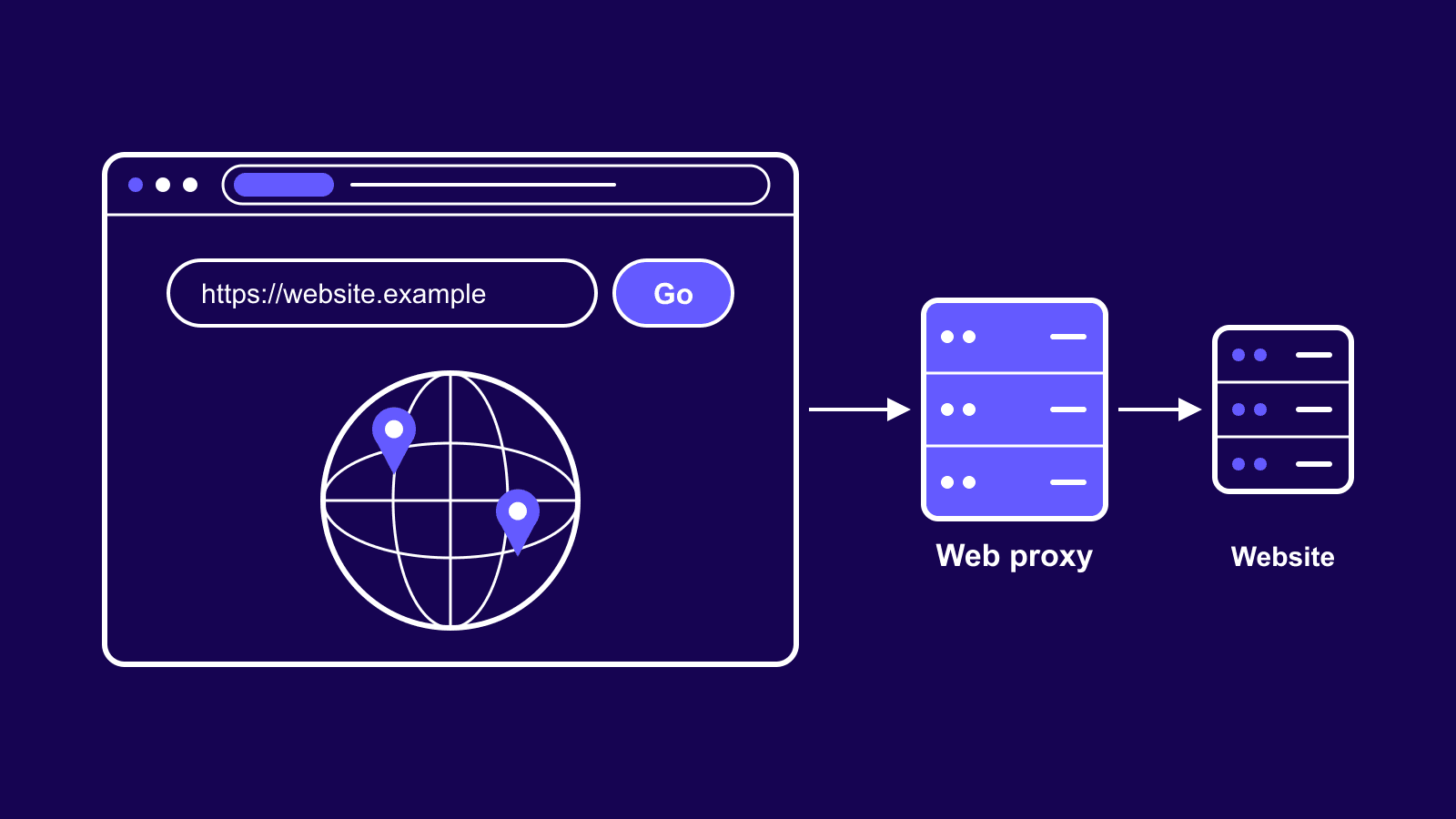
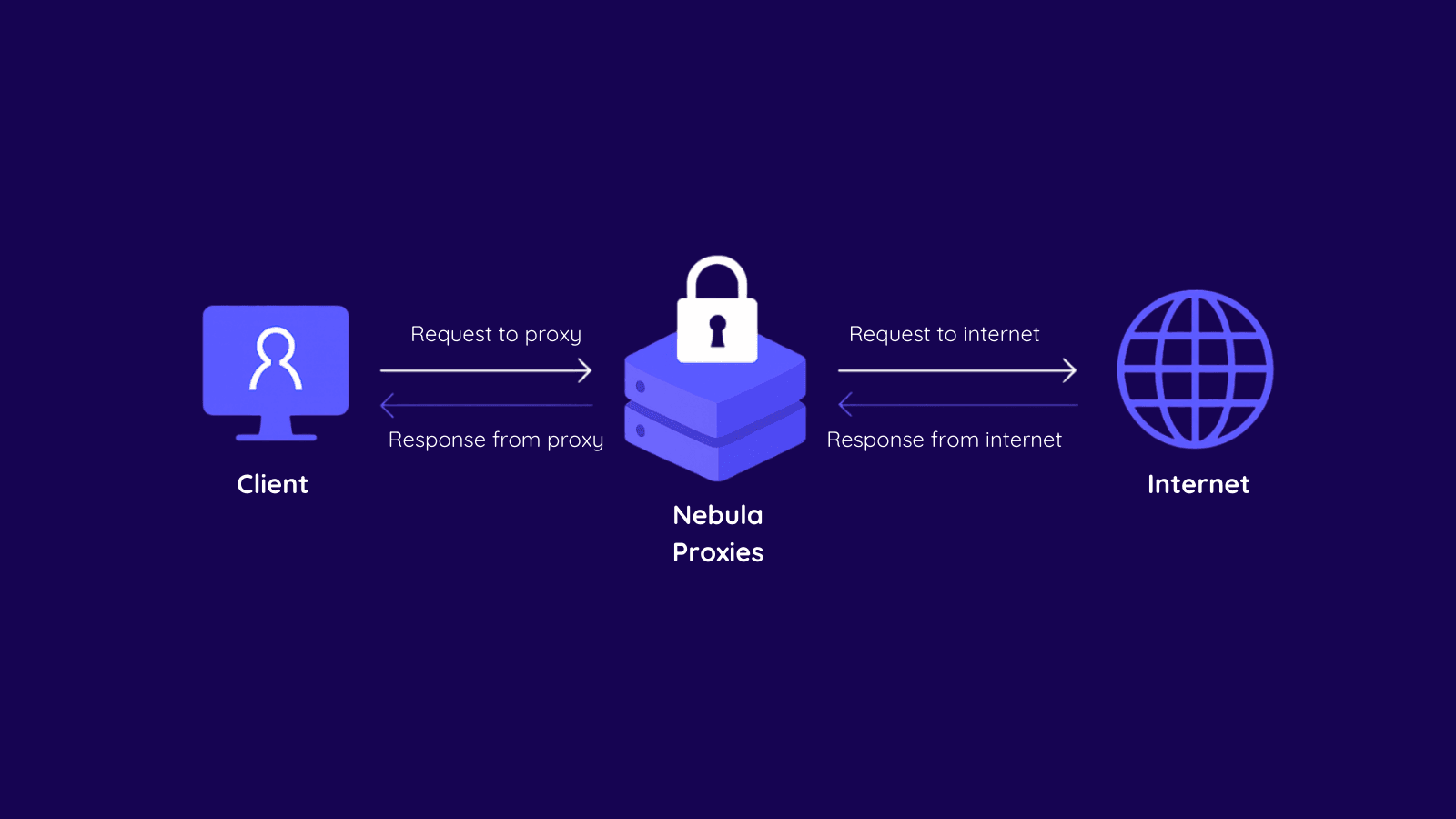
A Nebula proxy is a proxy setup focused on three things that everyday users actually care about: privacy, stability, and access. Like any proxy, it sits between your device and the destination site so your real IP stays private. What makes the Nebula approach different is the way it balances consistency with agility.
Think of it as a flexible toolkit rather than a single product. Some Nebula deployments lean on stable, sticky sessions that hold the same IP for long periods. Others emphasize rotation so your requests move across many IPs. Many implementations also include geo-targeting, session management, and smart retry logic to reduce friction with sensitive websites. The goal is simple: browse, automate, or collect data with fewer interruptions, lower block rates, and cleaner footprints.
How To Set Up a Nebula Proxy
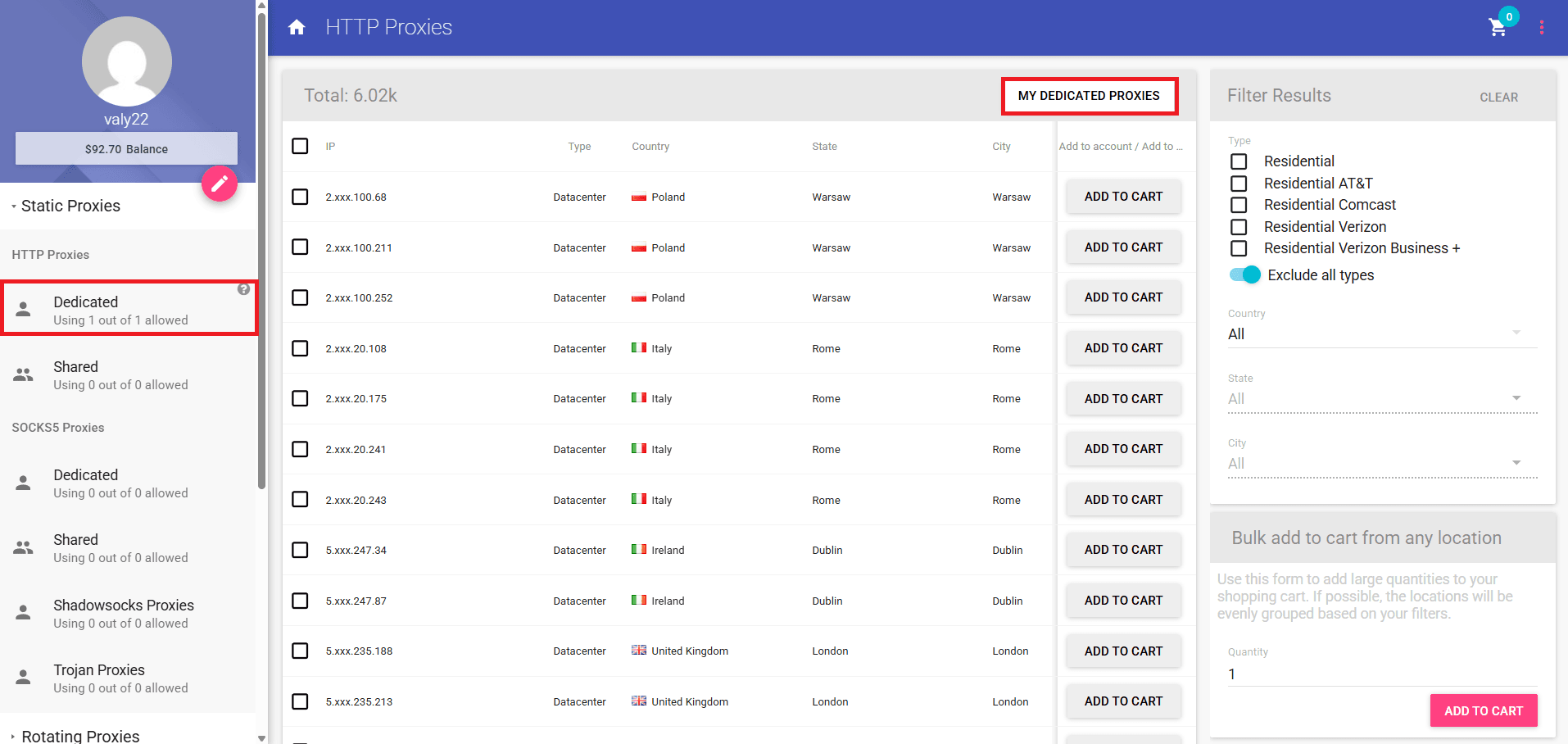
At Anonymous Proxies, a true Nebula setup is done with our residential proxies. Now, before we start, make sure you are logged in Anonymous Proxies Dashboard. You will need to click on HTTP Proxies → Dedicated and click My Dedicated Proxies to view your purchased IPs and ports.
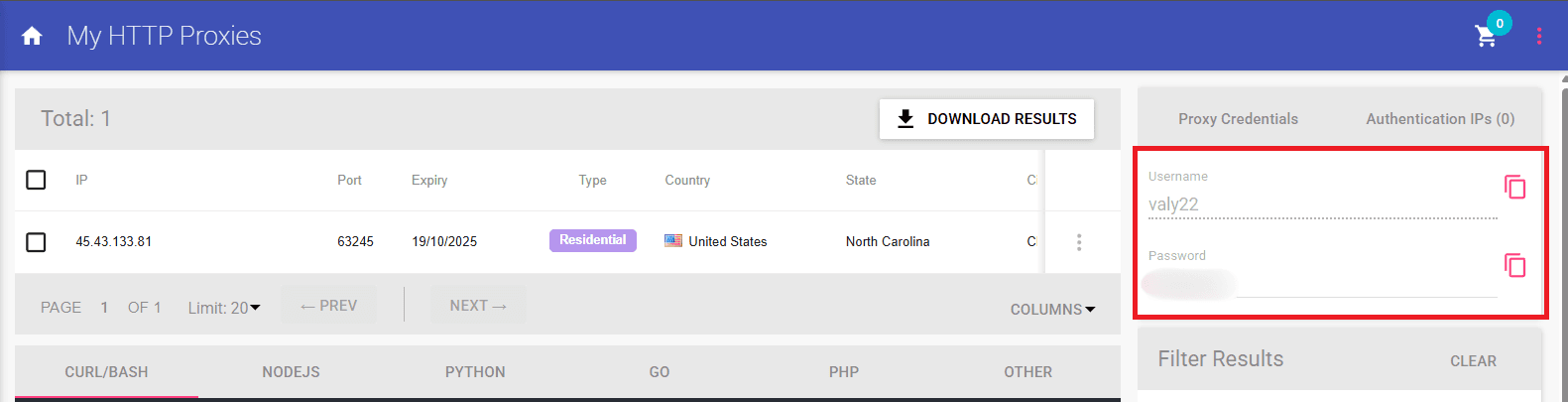
Once you are there, if look to the right panel labeled Proxy Credentials, you can see your Username and Proxy Password which can be copied. Also, here, you will see Authentication IPs if you ever want to use whitelist your IP, but for this guide we will remain to username and password authentication.
Chrome Setup
Since you are now ready to set up your Nebula proxy, let's see how to set it up on Chrome which follows the Windows system proxy, so let's set it once at the OS level.
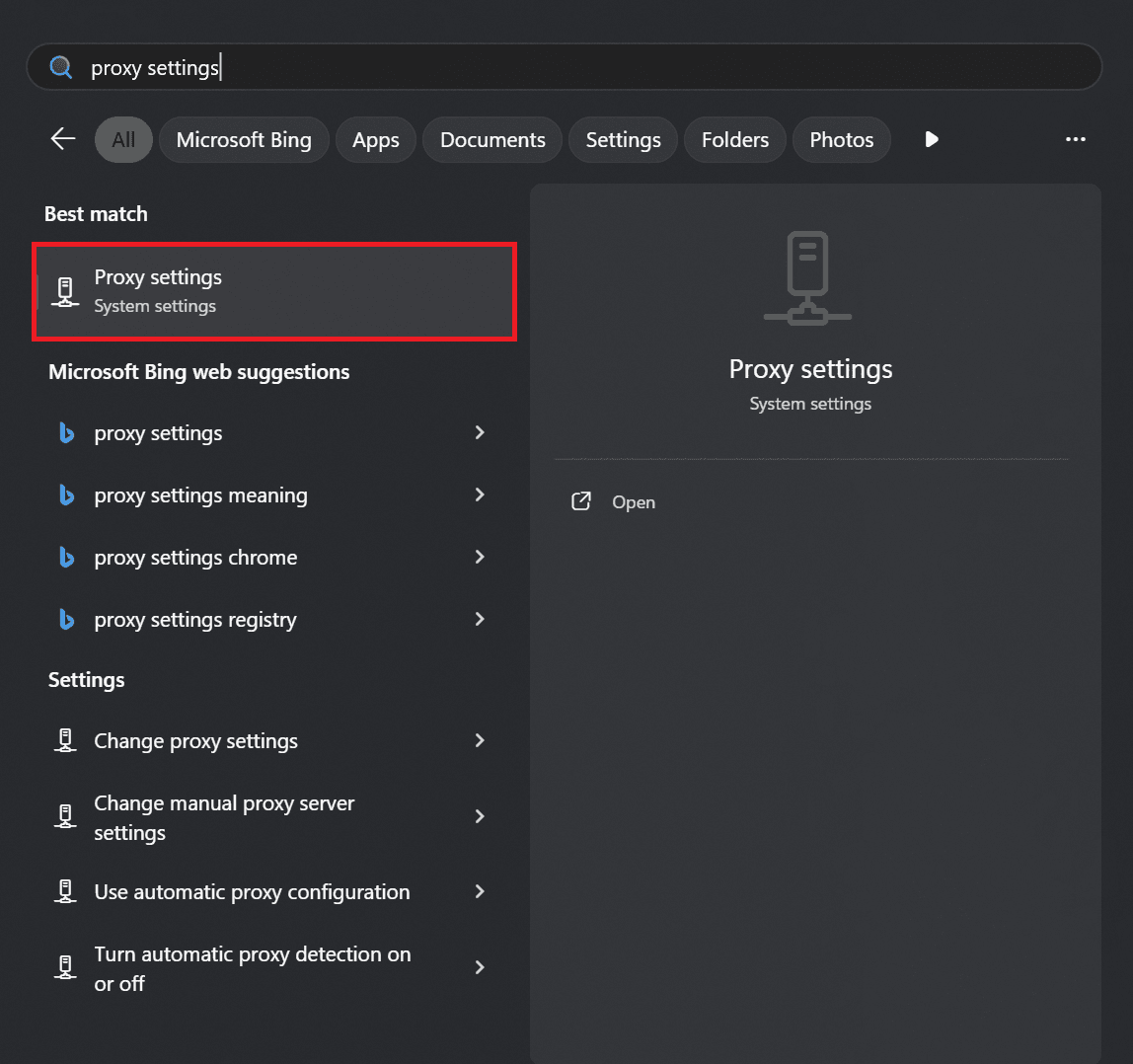
Step 1: Open Proxy Settings in Windows
Press the Windows key, search for Proxy, and open Proxy Settings.
Step 2: Set Up Your Proxy
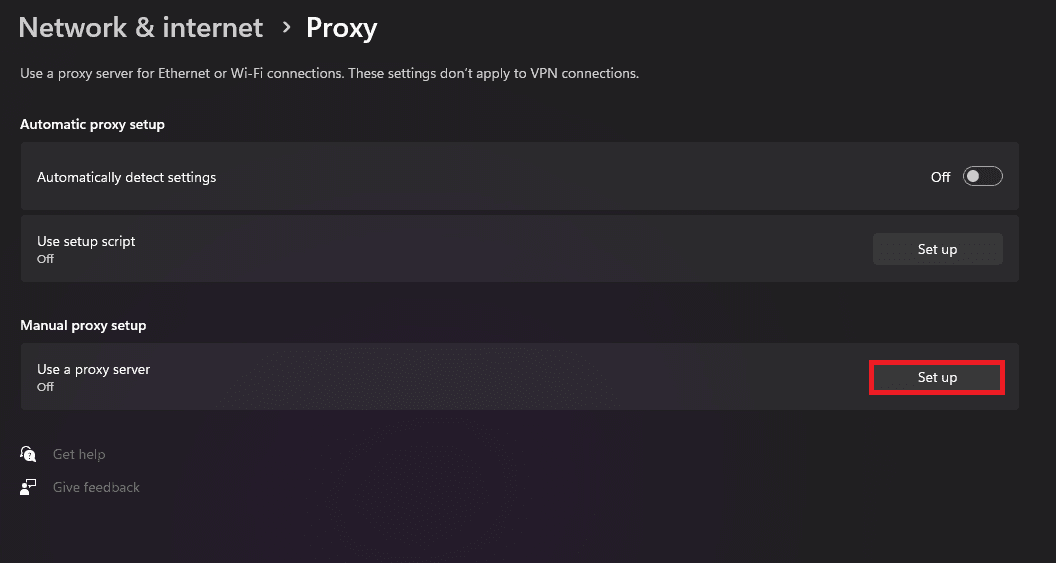
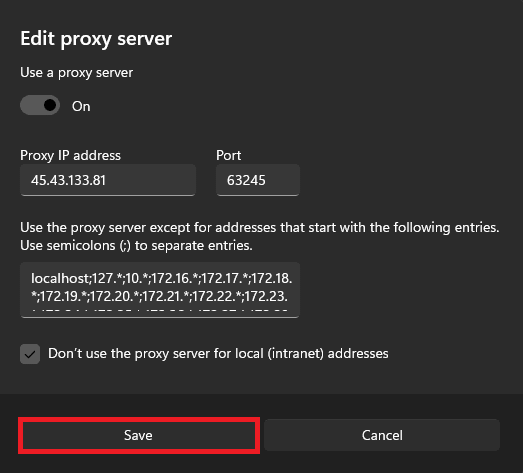
When the proxy settings windows open, you will need to click on Set up under Manual proxy setup. toggle Use a proxy server to On.
Step 3: Enter Proxy Details
Now, toggle Use a proxy server and then simply paste your Proxy IP and Port, then click Save.
Step 4: Authenticate
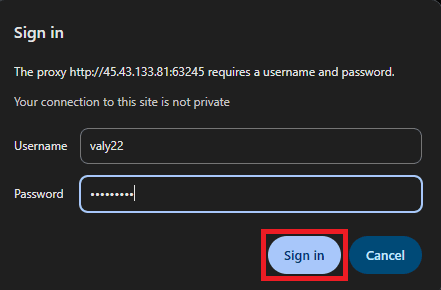
Go to Google Chrome now and open a new tab, and when you'll be prompted, just enter your Username and Proxy Password.
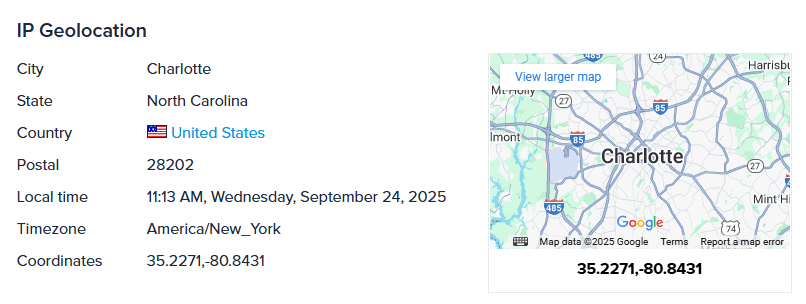
Now, to confirm that your proxy connection works, visit an IP check page.
Firefox Setup
For Firefox, we can set up our Nebula proxies directly in the browser, thanks to Firefox's own network settings.
Step 1: Open Firefox Settings
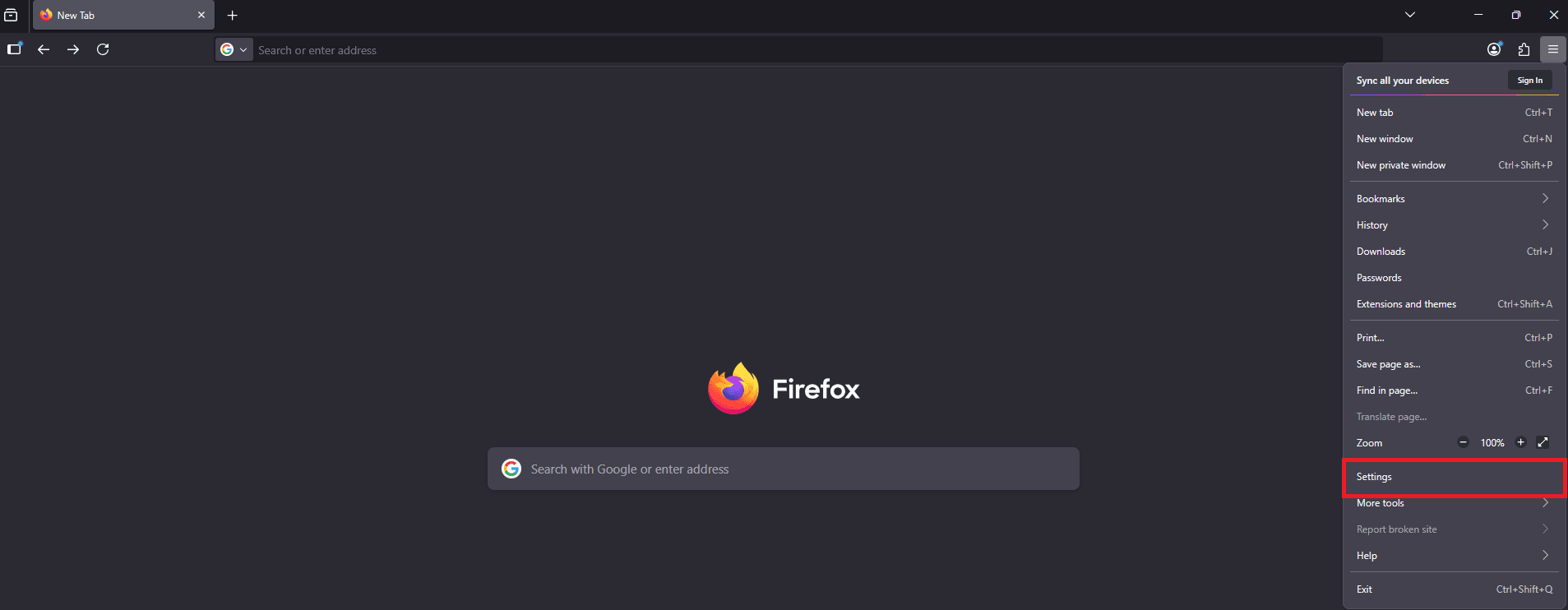
Click the menu button in the top right, then select Settings.
Step 2: Open Network Settings
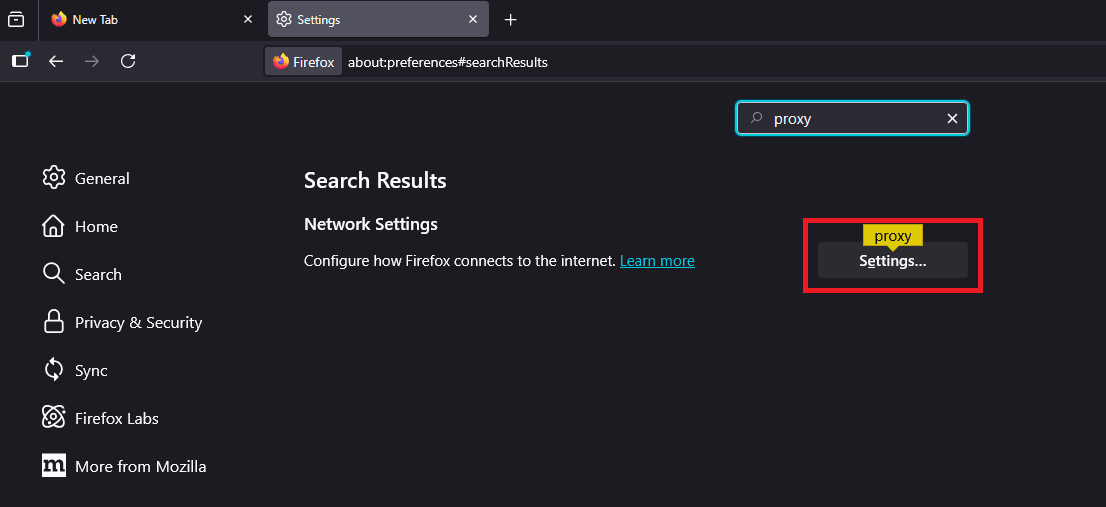
On the Settings page, search for proxy, then click Settings under Network Settings.
Step 3: Enter Your Proxy Details
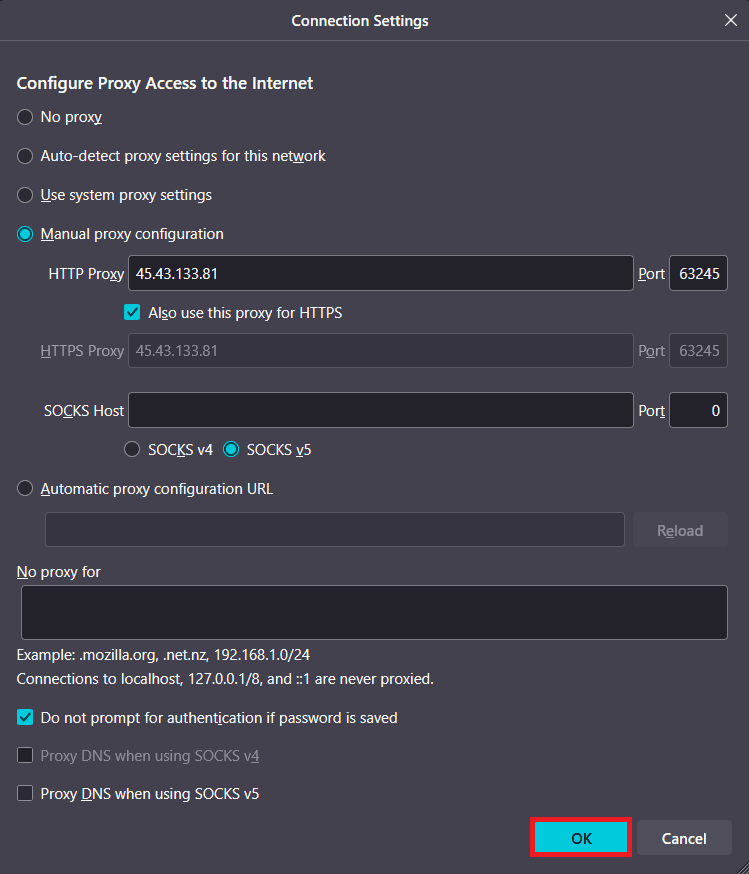
Now, you'll need to select Manual proxy configuration and copy your proxy IP and port from the Anonymous Proxies Dashboard. Select Also use this proxy for HTTPS and if you want Firefox to remember the proxy password once you authenticate, select Do not prompt for authentication if password is saved, and hit Ok.
Step 4: Authenticate
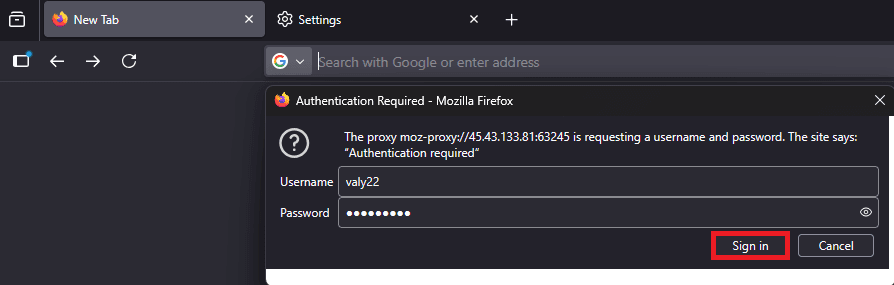
Once everything is configured, open a new tab and when the Authentication Required window shows up, simply enter your Username and Proxy Password, and click Sign In.
Step 5: Check Proxy Connection
Go to an IP check web page to confirm that Firefox is routing through your dedicated residential proxy.
Anonymous Proxies vs. Nebula Proxies: Pick The Right Type
When people talk about Nebula proxies, they usually mean a hardened setup that stays private, stable, and hard to block. With Anonymous Proxies you can hit the same outcome by choosing the proxy type that matches your goal. Think in outcomes first: do you need one trusted identity that never wobbles, agile access that stays under the radar, or raw speed for friendlier targets? Once you answer that, the choice is easy.
Static Residential Proxies
Static residential proxies are your steady online identity. You get a single ISP-grade IP that behaves like a real household connection, so logins, checkouts, and dashboards feel natural. Cookies stick, sessions stay intact, and nothing flips mid-task. It is the right pick when trust and continuity matter more than sheer volume. With Anonymous Proxies you can anchor that identity to the country or region you need, and you decide exactly when to switch.
Rotating Residential Proxies
Rotating residential proxies are built for agility on stricter sites. Your requests move across a large pool of real residential IPs, which helps avoid rate limits and repetitive fingerprints that trigger blocks. You control how sticky each session should be, so you can complete flows that need a bit of stability while still refreshing identities on schedule. This is the go-to for SEO tracking, price and inventory checks, and large web scraping tasks that need authenticity.
Datacenter Proxies
Datacenter proxies are the performance play. These IPs are fast, cost efficient, and easy to scale when your targets are proxy friendly. They are perfect for internal tools, ad verification, and gaming sessions that do not demand residential reputation. Some sites scrutinize datacenter ranges more closely, so for sensitive flows, you should stick with residential IPs.
Why Use Anonymous Proxies?
- Global Targeting. Select the country or city you require and view the web as if you were a user there locally. Great for localization, price comparisons and researching a region without using different accounts or tools.
- Flexible Proxy Types. Static Residential for a steady, trusted identity, Rotating Residential for resilient access at scale, and Datacenter for cost-efficient performance on friendlier targets. Switch types as your workflow changes without reworking your stack.
- Incredible Speeds. Low-latency networks and optimized routing keep pages loading fast and APIs responsive. Whether you are browsing, scraping, or automating, you get smooth throughput with HTTP and SOCKS5 support.
- 24/7 Human Support. Whenever you've got a problem, our team is available around the clock to help you.
Wrap Up
Now, you should know what Nebula Proxies are and how can you set them up using Anonymous Proxies' residential proxies. We also clarified when to use each proxy type from Anonymous Proxies.
If you need help to set up Nebula Proxies or have any questions about proxies, do not hesitate to contact our support team which is always there to help you.

Buy Backconnect Proxies
Rotating IPs on every request. Scale scraping and automation without manual IP management.