

Proxy Integration With WebHarvy
This integration tutorial will show you how to set up Anonymous Proxies' residential proxies in WebHarvy and scrape data smoothly with fewer blocks.
What Is WebHarvy?
WebHarvy is a visual web scraping tool that works through point-and-click selection. You load a website inside its built-in browser, click the fields you want to collect, and WebHarvy learns the structure. It can follow pagination and export your results into common formats like CSV and Excel.
How To Configure Anonymous Proxies With WebHarvy?
Before you touch anything in WebHarvy, sign in to the Anonymous Proxies dashboard and copy your proxy details. If you plan to use login-based access, keep your proxy username and password handy. If you would rather not enter credentials in WebHarvy, you can whitelist your current IP in the dashboard instead. I recommend you to use rotating residential proxies for web scraping, since they are a must for reliability and not get blocked.
Step 1: Download WebHarvy
For the first step, you'll need to download WebHarvy from its official website and install the version made for your operating system.
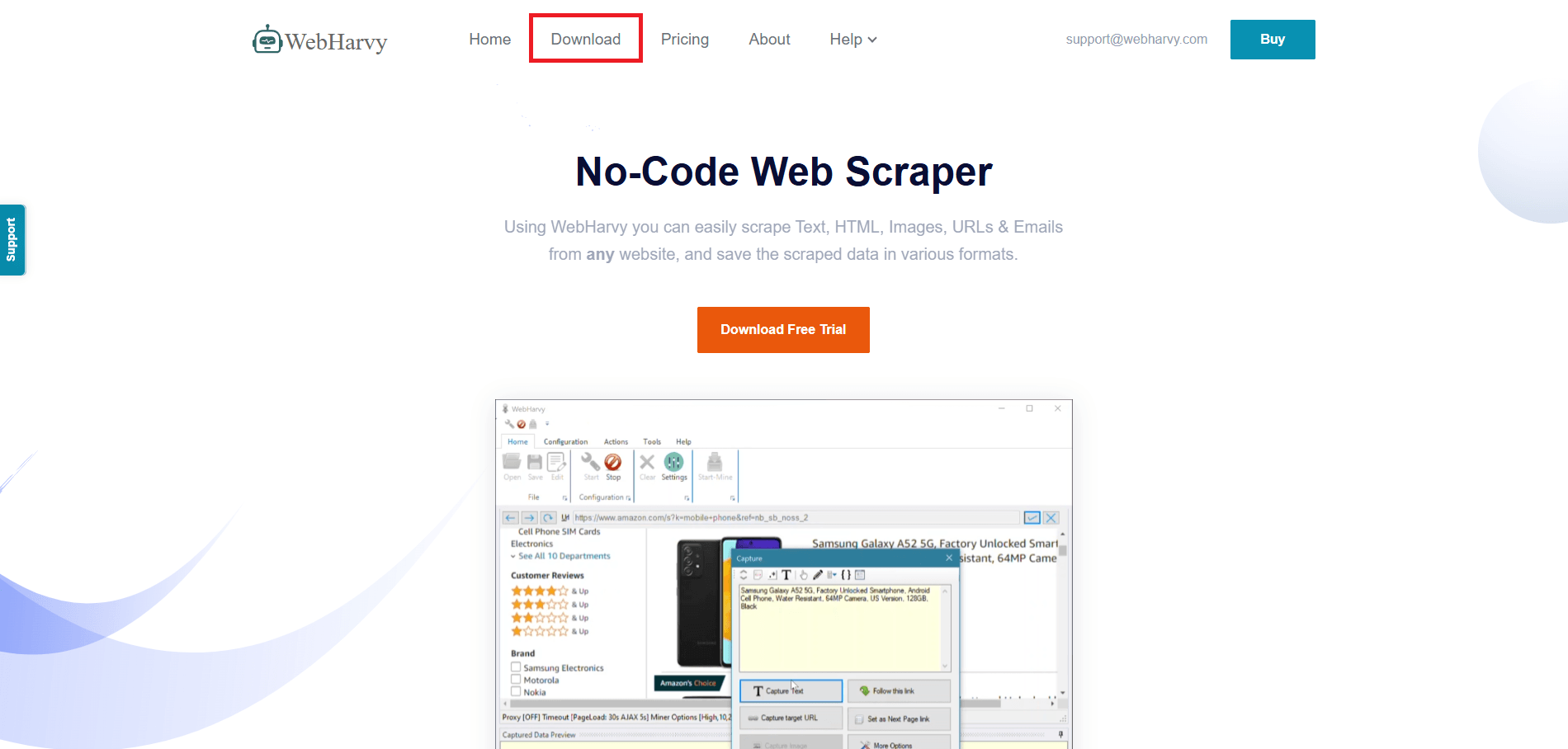
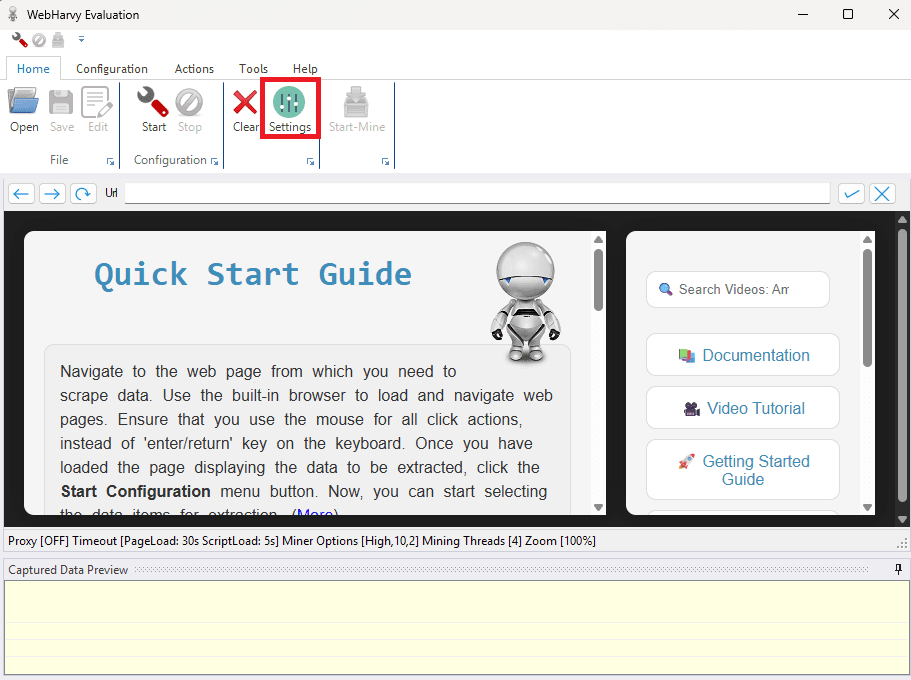
Step 2: Open WebHarvy And Go To Settings
Once you do this, open it and click on the Settings button.
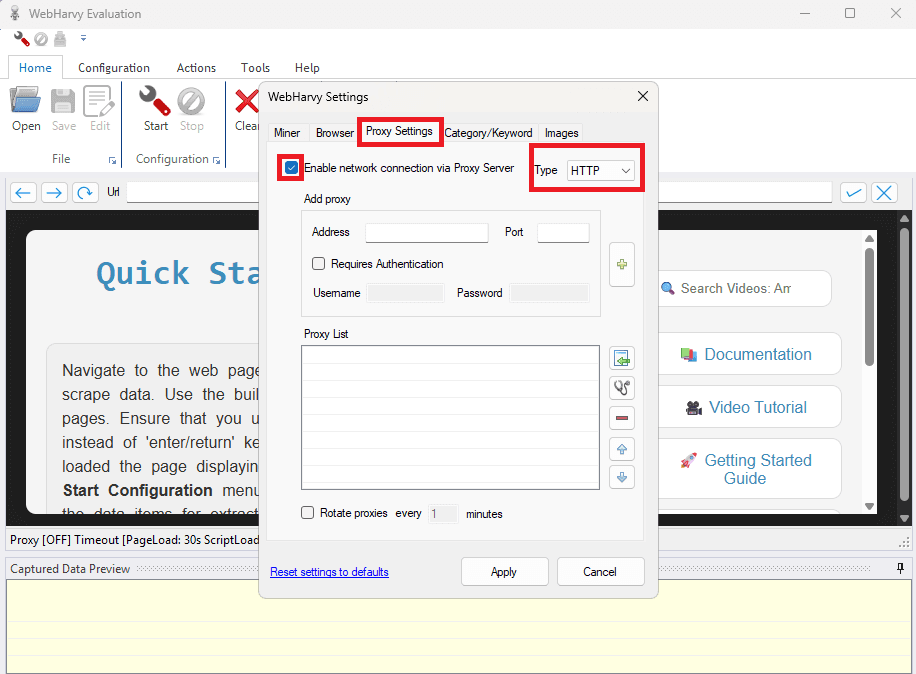
Step 3: Open The Proxy Settings
Inside the Settings window, switch to the Proxy Settings tab. Tick Enable network connection via Proxy Server, then choose the right proxy Type from the dropdown (for many proxy setups, HTTP is the correct choice, as shown).
Step 4: Add Proxy
In the Add proxy area, enter your proxy Address and Port. If your proxy requires login, tick Requires Authentication and fill in the Username and Password. When everything is in place, click Apply to save and turn the proxy on.
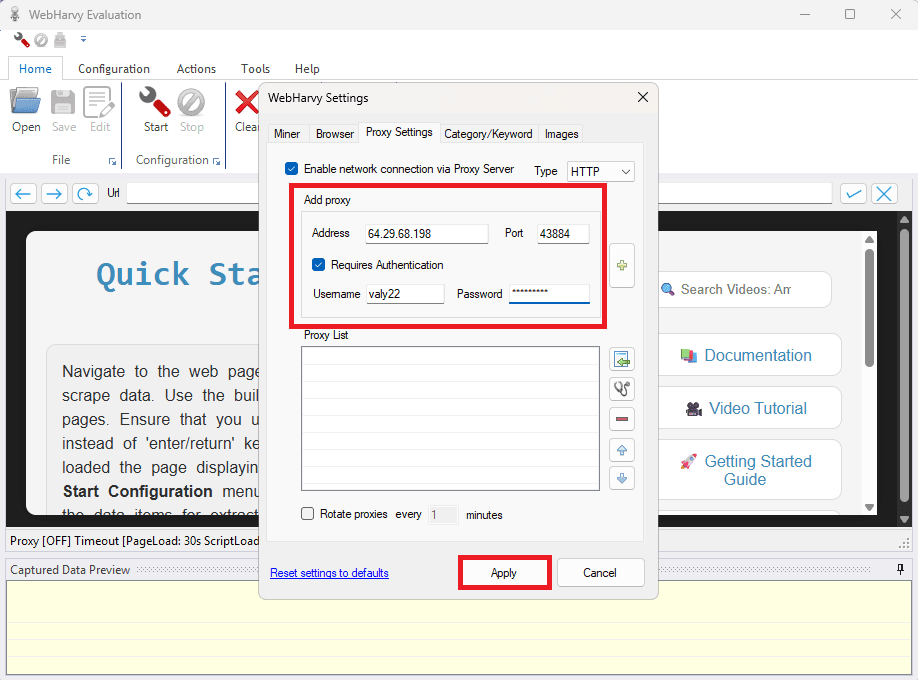
Now your scraping project will be routed through your proxy and you'll experience way less blocks.
How To Scrape Data With WebHarvy Step By Step
To get the best results with WebHarvy web scraping, start with a website that is easy to test on. A good demo site is https://webscraper.io/test-sites/e-commerce/allinone because it has clear, repeating product blocks and loads consistently.
Next, open the demo website inside WebHarvy’s browser. When the page is fully loaded, click Start to begin the WebHarvy data selection process.
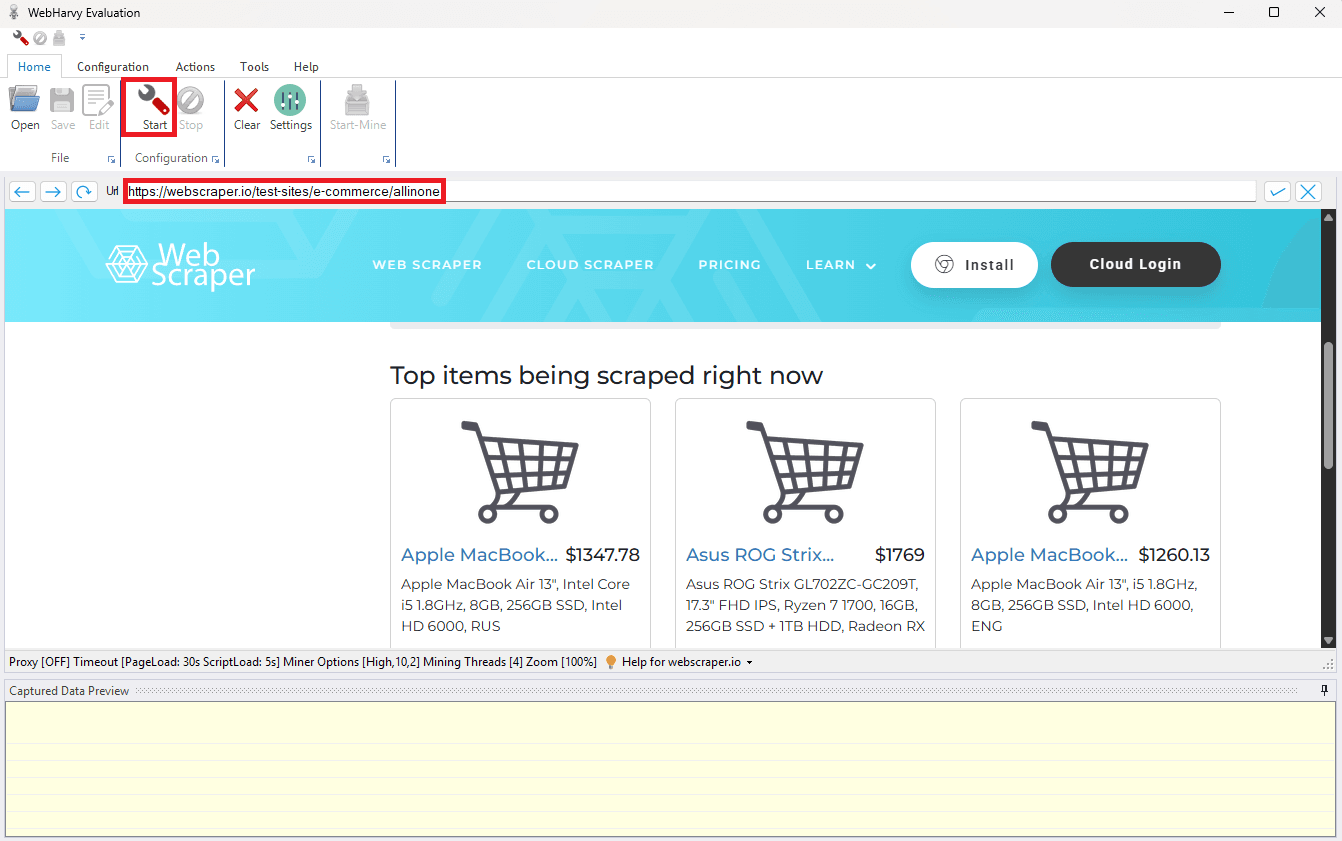
Once you did this, click on a product title.
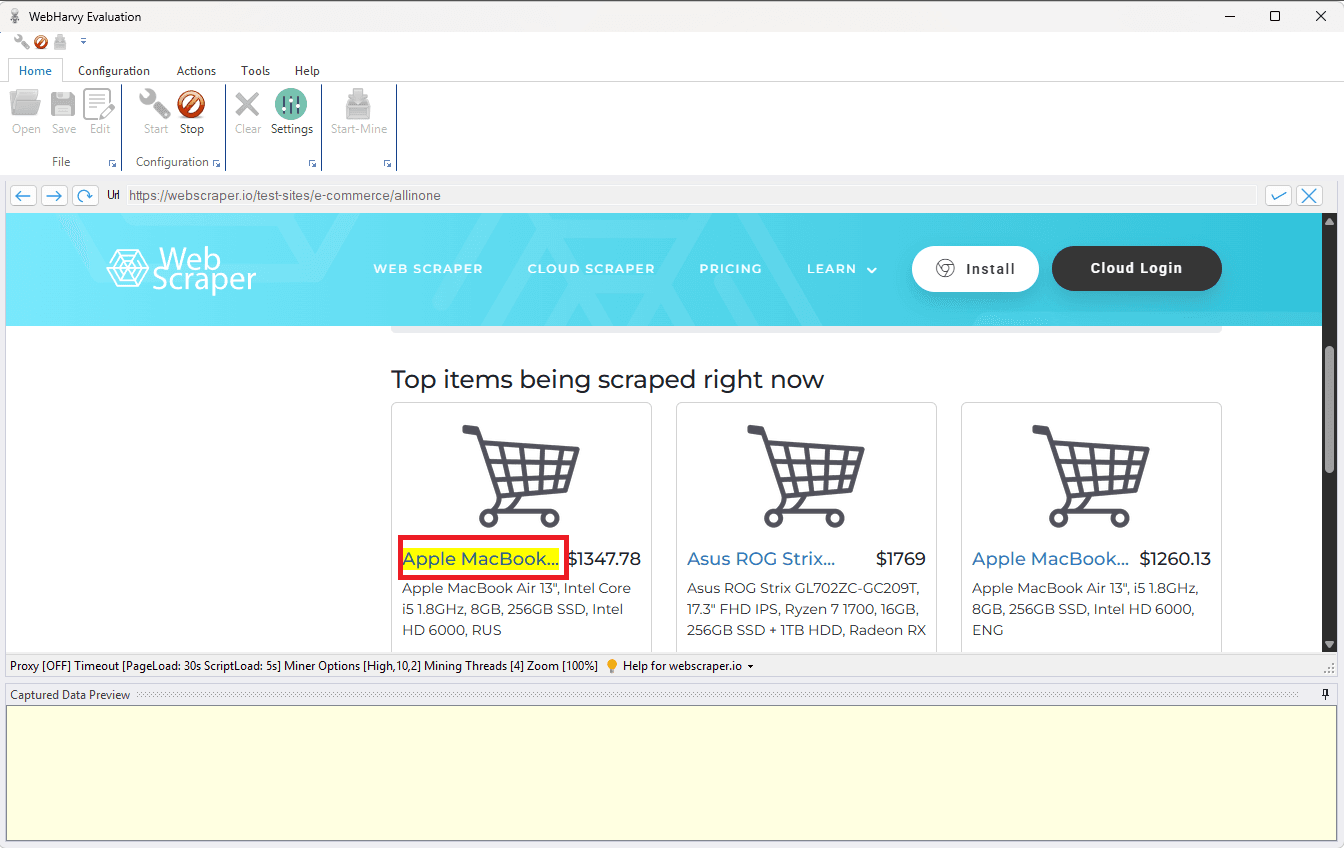
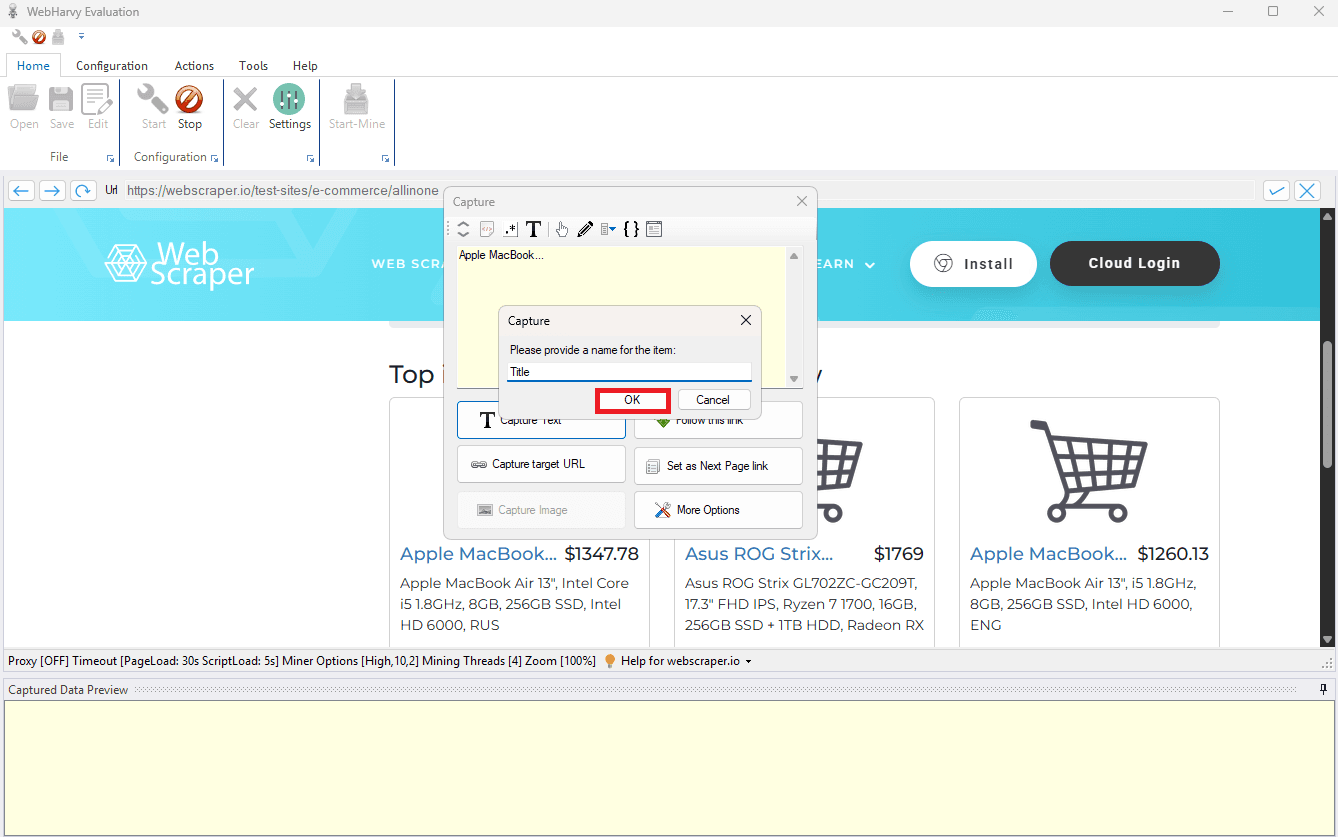
Then choose Capture Text, and name the field Title. WebHarvy will usually spot the repeating pattern and ask if you want to capture similar items. Say yes, because that is how you grab the full list instead of just one product.
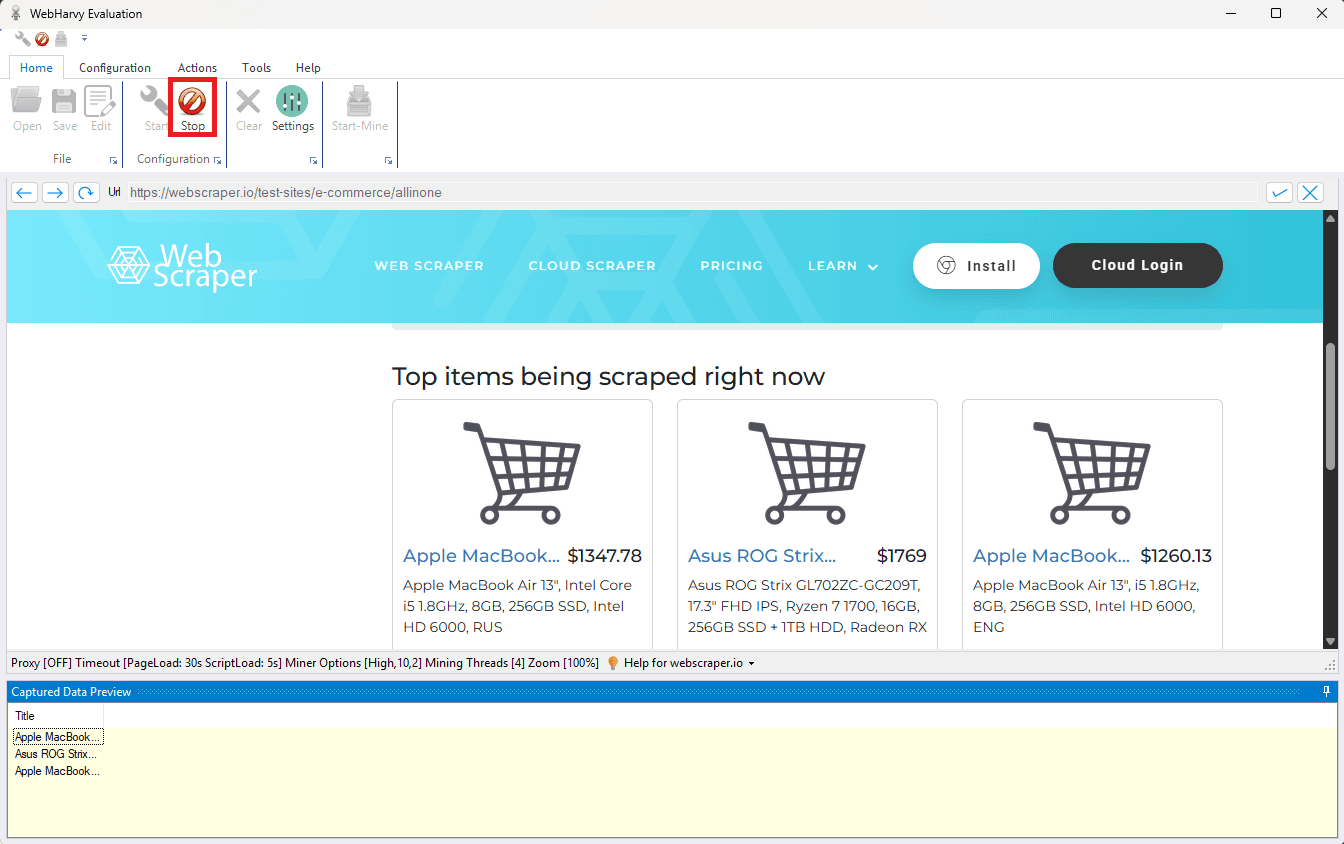
Once WebHarvy highlights the repeating product names and prices, click Stop to finish the setup. At this point, your WebHarvy scraping template is ready.
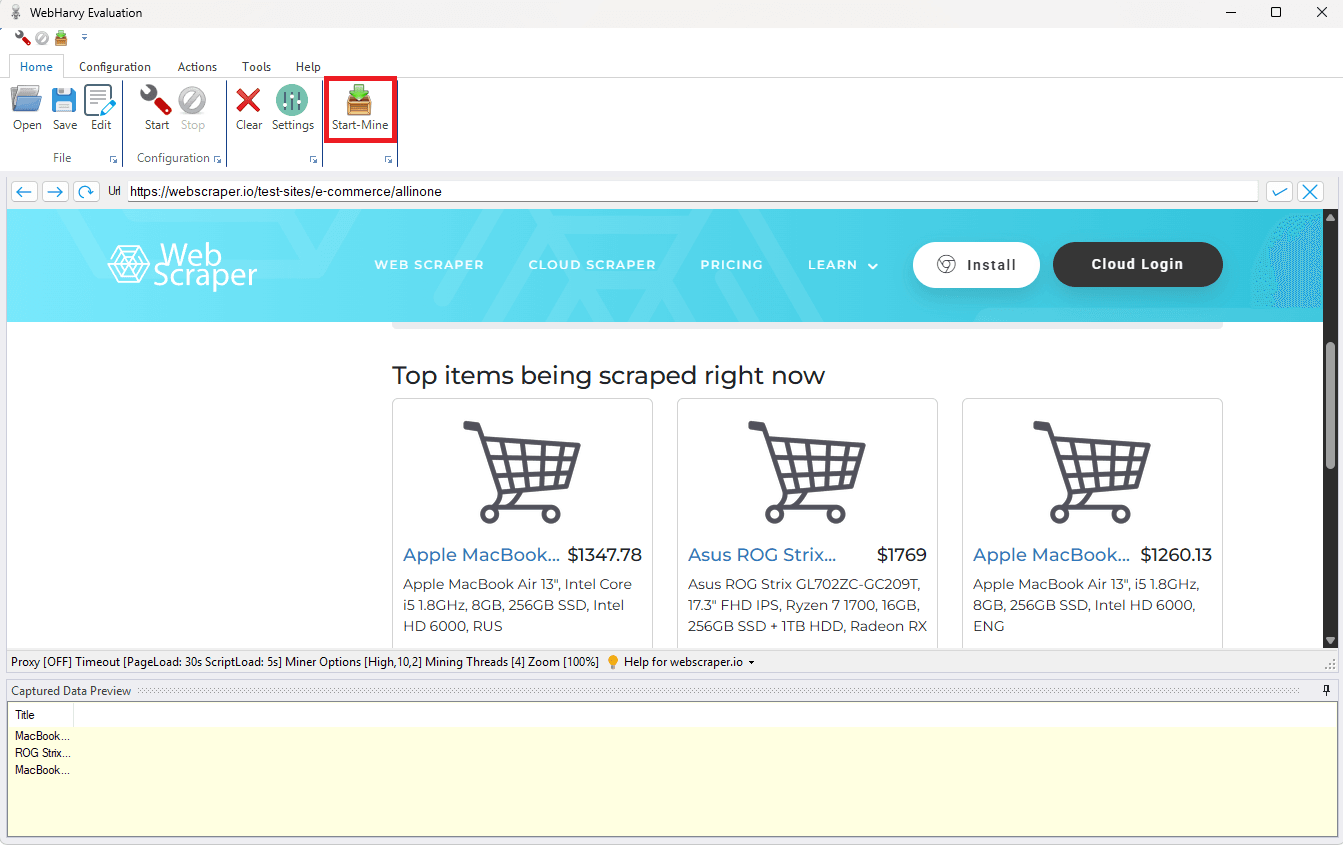
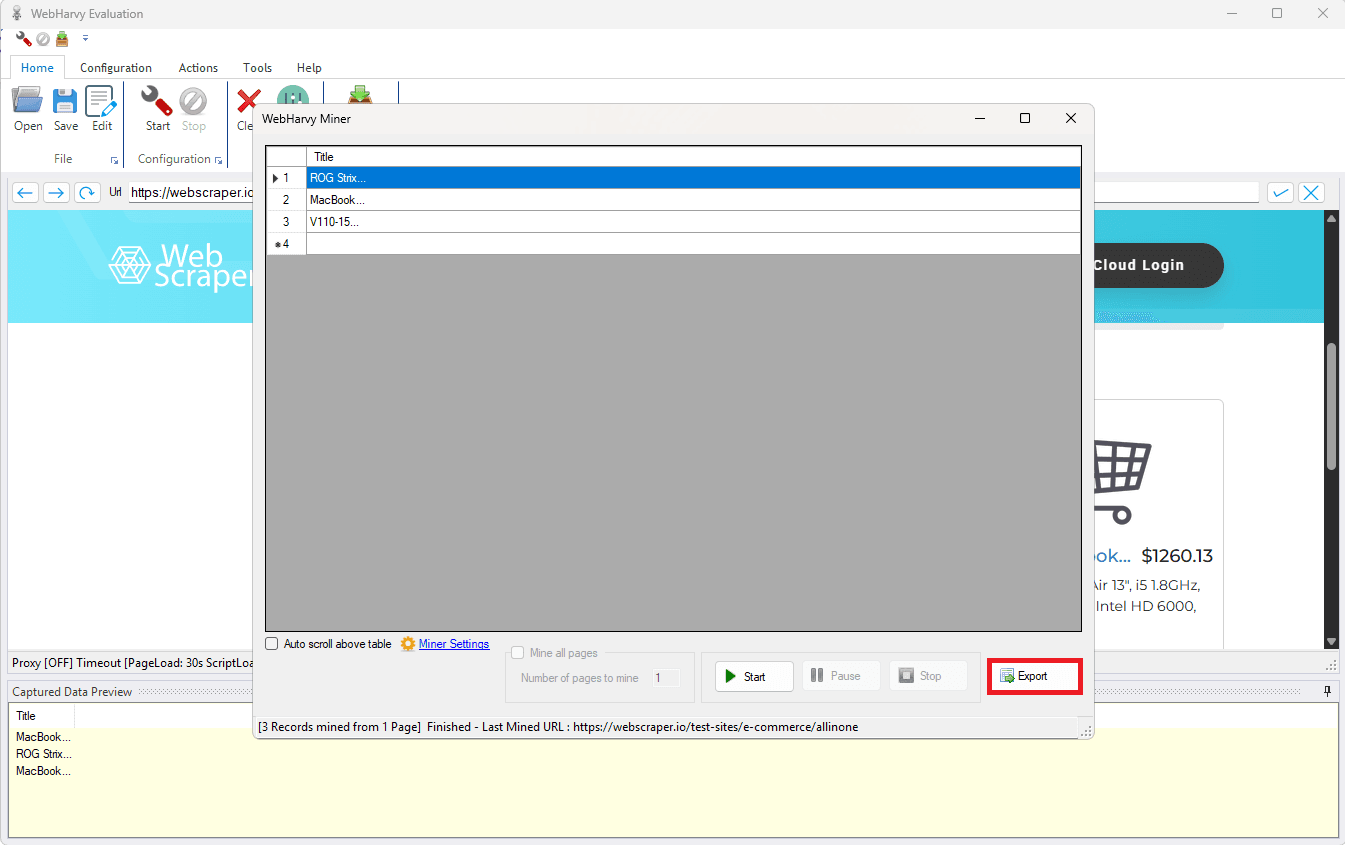
Now click Start-Mine, then press the Start play button to run the extraction. WebHarvy will crawl the page and fill the results table as it collects data.
When the run completes, click Export and choose your preferred format.
That's all what you need to do.
Conclusion
Web scraping is one of the fastest ways to keep your data fresh, and WebHarvy makes it approachable because you can build scrapers without writing code. Once you have your extraction set up, the next step is making sure it runs smoothly when you scale, and that's exactly why you must combine it with our reliable residential proxies.
If you need help configuring your proxies in WebHarvy, or you have any proxy related questions, don't hesitate to contact us and we will help you happily. Also, if you want to see more integration guides, visit our integrations page.

Buy Backconnect Proxies
Rotating IPs on every request. Scale scraping and automation without manual IP management.
More web-scraping-tool Proxy Integrations
See more web-scraping-tool integrations that work seamlessly with Anonymous Proxies.

Proxy Integration With Helium Scraper
This guide will show you how to connect Helium Scraper with Anonymous Proxies' residential proxies to scrape safely and avoid blocks.

Proxy Integration With Apify
Learn how to integrate Anonymous Proxies with Apify for secure and seamless web scraping. Protect your IP and overcome anti-scraping measures with ease.

Proxy Integration With Octoparse
In this guide, you'll learn how you can enhance your web scraping efficiency by integrating Anonymous Proxies with Octoparse. Forget about IP bans and secure every data extraction process.