

Proxy Integration With Undetectable
Learn how to integrate Anonymous Proxies with Undetectable Browser to run multiple accounts safely and browse anonymously.
What is Undetectable?
Undetectable is a modern anti detect browser built for people who need to run many accounts safely on the same machine. Instead of juggling lots of tabs in a normal browser, you create separate browser profiles, each with its own unique fingerprint and proxy settings.
Every profile has its own IP address, device characteristics, and browser details, so it looks like a completely different real user. For agencies, growth hackers, and data driven teams, this means fewer mass bans, fewer security flags, and a much more stable environment for long term projects across social networks, e commerce platforms, ad accounts, and more.
Undetectable Browser Features
- Profile based setup. You work with individual browser profiles instead of generic tabs. Each profile has its own cookies, local storage, and browsing history.
- Fingerprint control. Undetectable randomizes and fine tunes key browser parameters such as user agent, screen resolution, timezone, fonts, and more.
- Proxy per profile. Every profile can use its own proxy. With Anonymous Proxies, you can plug in residential, datacenter, or mobile IPs and match each profile to what it needs, whether that is higher trust, more speed, or mobile like behavior.
- Team collaboration. You can share profiles with your team so everyone works on the same accounts without losing sessions or changing fingerprints.
How to Set Up Anonymous Proxies with Undetectable
Before we dive into the setup, make sure you are logged in to your Anonymous Proxies Dashboard and have your proxy credentials ready. For this example, we will use residential proxies, but you can follow the same steps for datacenter or mobile proxies too.
Step 1: Download Undetectable
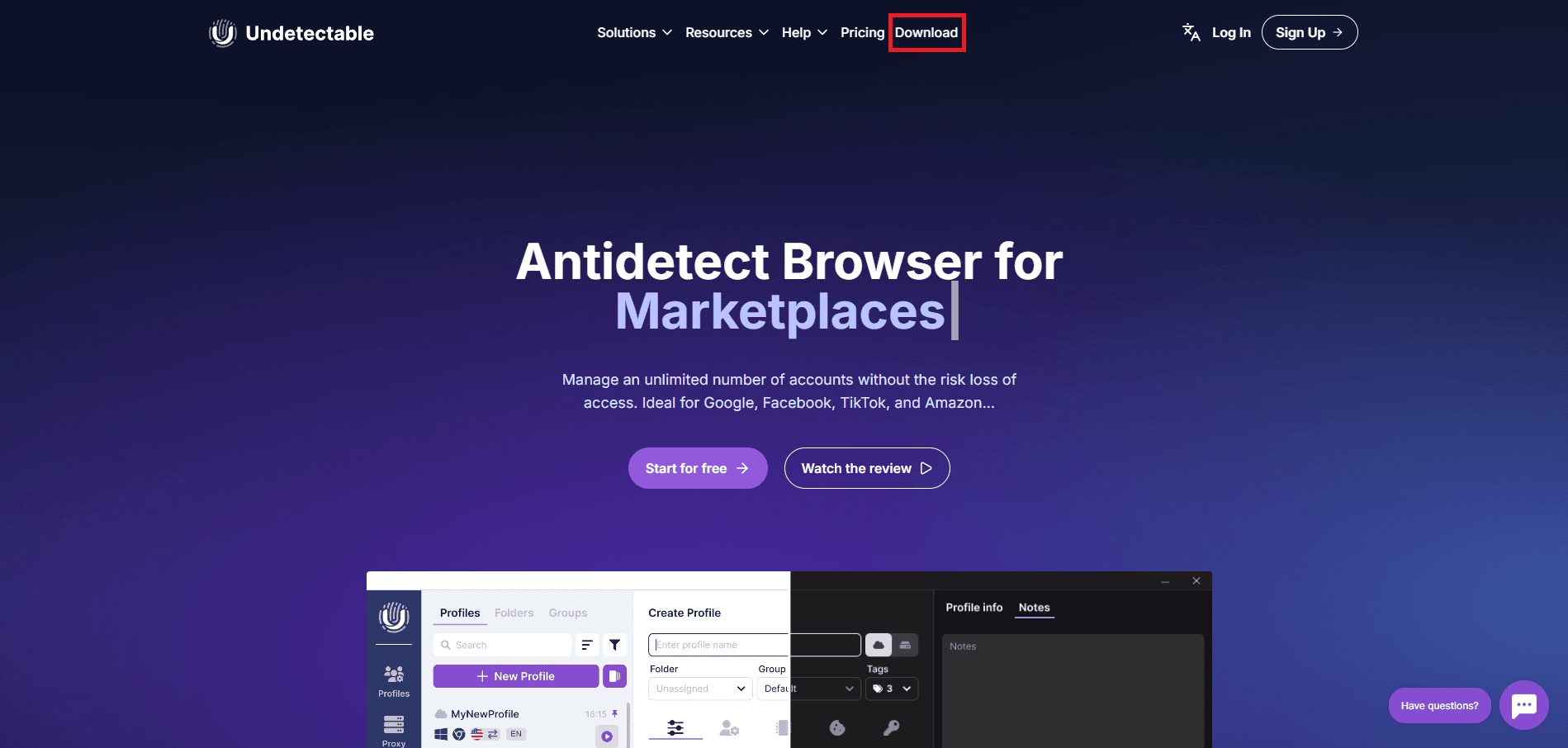
First, we'll need to go to the Undetectable website and click on Download button.
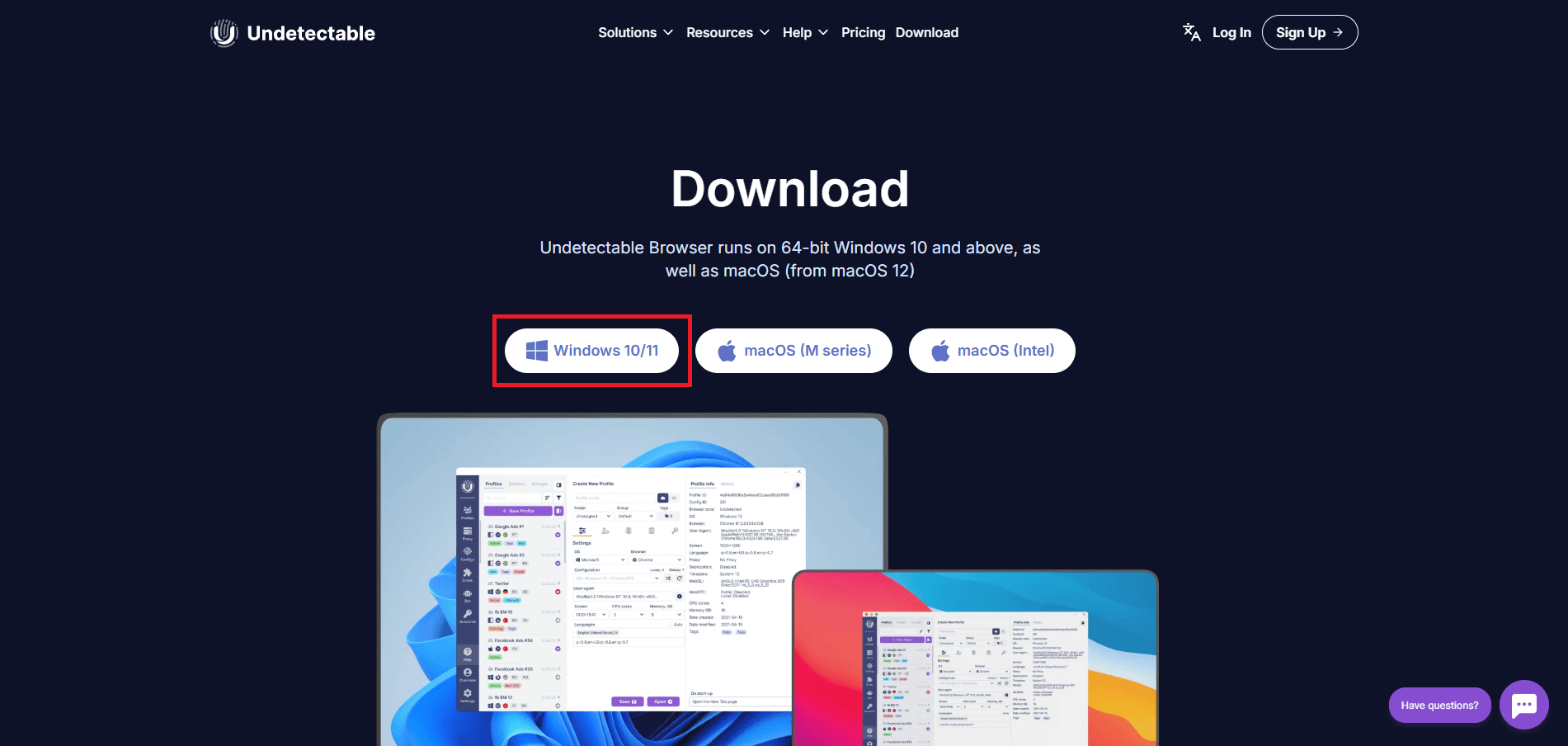
Once you did this, you'll need to download the version for your OS. In this example, I will use the Windows version.
Step 2: Log In to Your Account
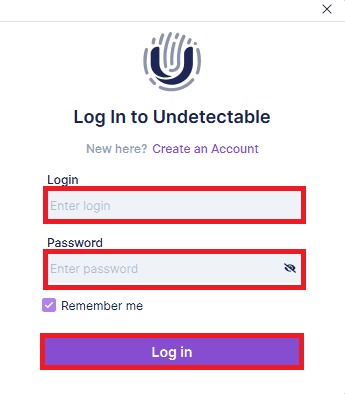
Once the download if finished, you'll need to open Undetectable and enter your login and password details, then click on Log In. If you don't have an account, don't worry, just press on the Create an account button to make a new one in just a few minutes.
Step 3: Create a New Profile
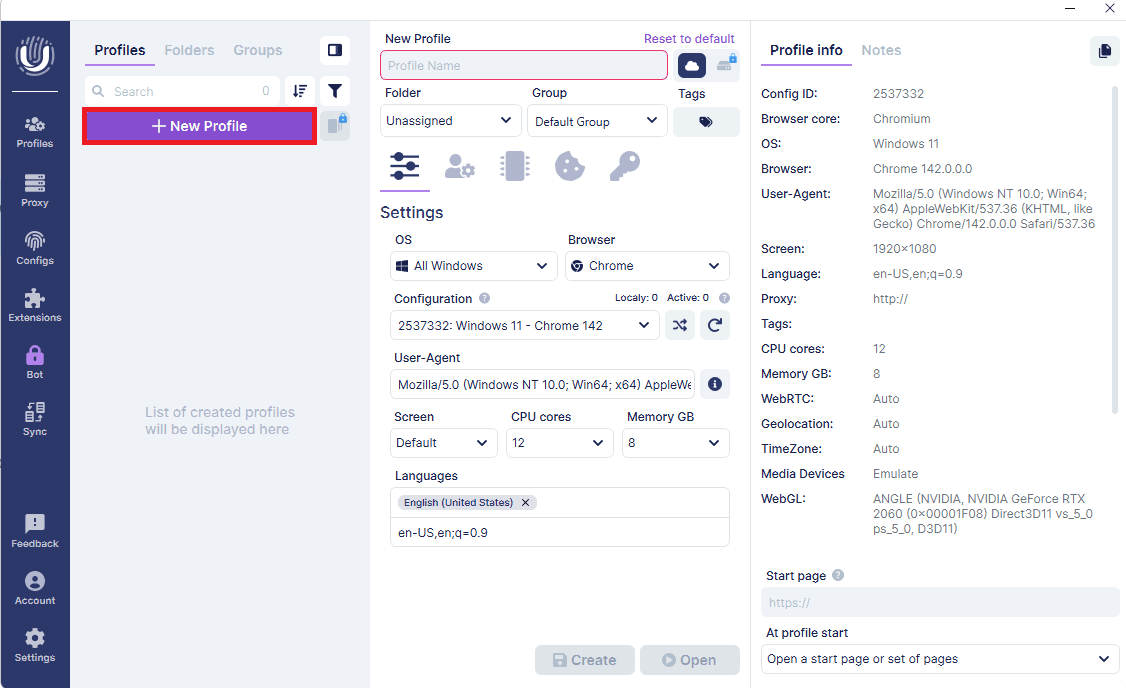
After you log in, click on New Profile to create a fresh browser profile.
Step 4: Configure New Profile Settings
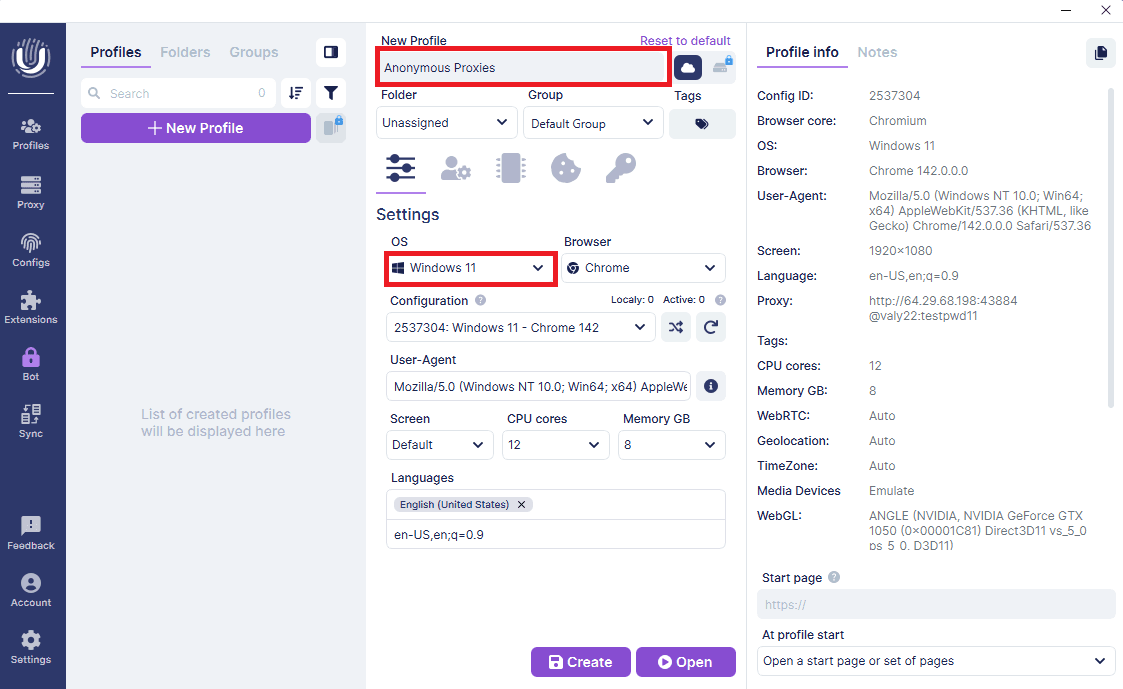
Here, you'll need to name your profile, choose the OS and browser type you'll use, and also adjust any basic settings you need.
Step 5: Add Proxy
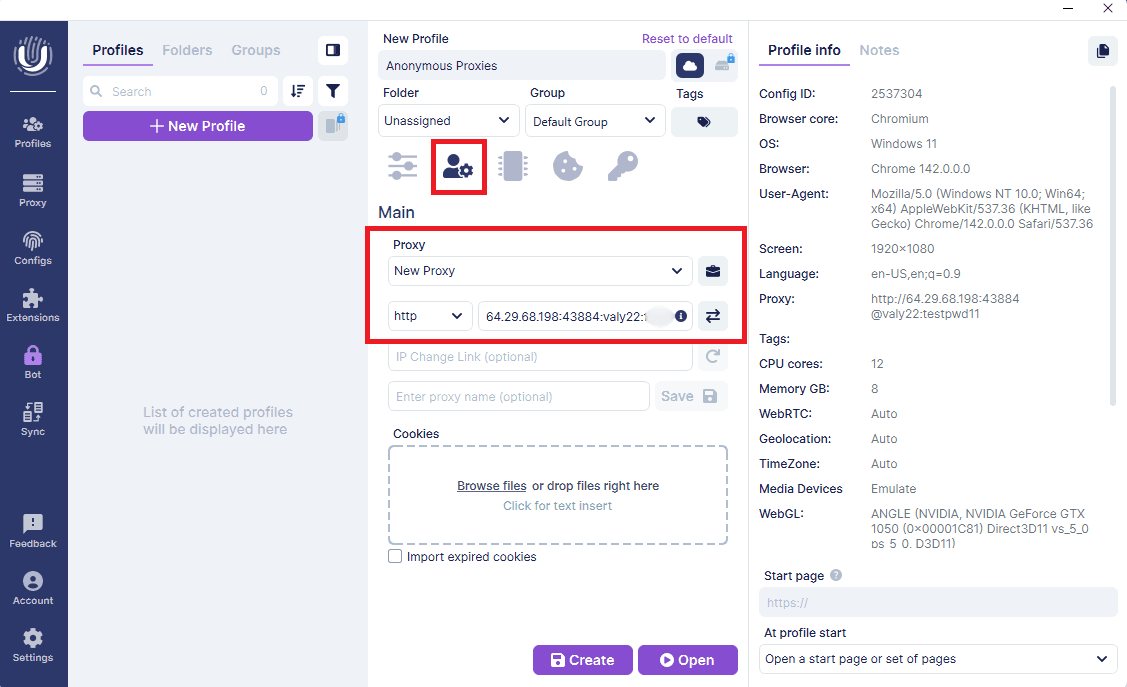
Once you finish this step, open the Proxy tab, click New Proxy, choose the protocol you want and paste your proxy details in this format: Host:Port:Username:Password. If you have already whitelisted your username and password in your Anonymous Proxies dashboard, you can skip filling in the username and password fields here.
Step 6: Test Proxy Connection
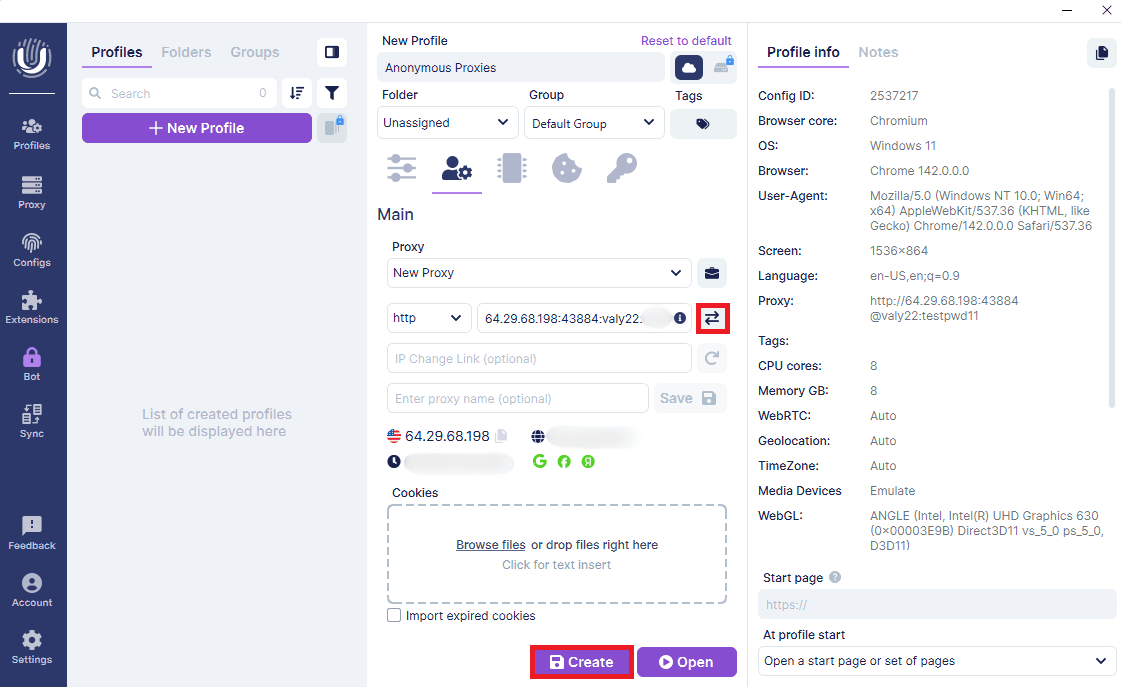
To ensure your proxy is working, you need to click on Test Proxy. If everything is working fine, you will be able to see your proxy information posted below. Once everything looks correct, simply click Create to save the profile.
Step 7: Start Profile
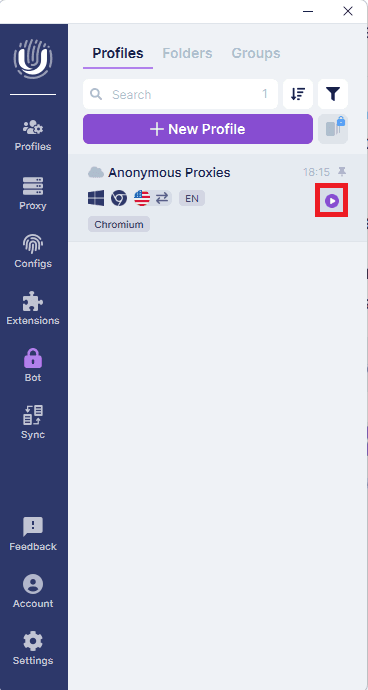
Once you created your profile, start it.
Step 8: Browse Anonymously
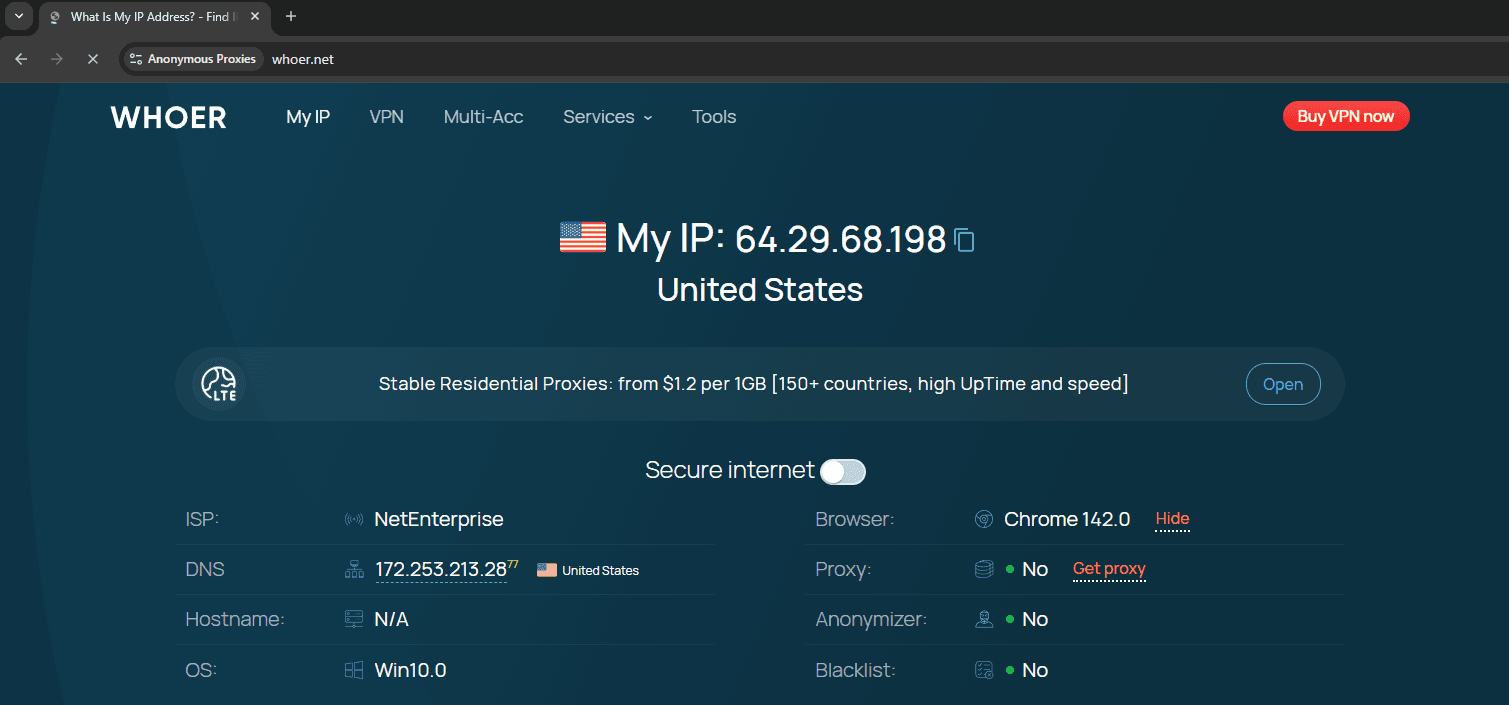
A new Chromium browser will open which has the traffic routed through your proxy. To confirm it, just visit an IP check site.
Conclusion
As you've seen, Undetectable already gives you a safer way to run many accounts, but pairing it with a solid proxy provider takes things to another level. That's exactly why when you combine it with our premium residential, datacenter or mobile proxies, you'll face fewer bans, captchas, and suspicious login warnings.
If you need help with the setup or have any questions, contact our support team which is there for you at any hour, and if you want to see more integration guides, feel free to visit our integrations page.

Buy Backconnect Proxies
Rotating IPs on every request. Scale scraping and automation without manual IP management.
More antidetect-browser Proxy Integrations
See more antidetect-browser integrations that work seamlessly with Anonymous Proxies.

Proxy Integration With Kameleo
Learn how to set up Anonymous Proxies' residential proxies with Kameleo for automation, web scraping, and easier multi-account management.

Proxy Integration With Lalicat
Learn how to integrate Anonymous Proxies' residential proxies with Lalicat to manage multiple accounts with ease and browse in anonymous way.

Proxy Integration With ClonBrowser
Learn how to set up Anonymous Proxies’ residential proxies in ClonBrowser to manage multiple social media accounts smoothly and browse more privately.

Proxy Integration With Octo Browser
This integration tutorial will show you how to connect Anonymous Proxies in Octo Browser for safer multi-accounting and scraping in just a few minutes