

Proxy Integration With MulitiloginPro
This tutorial will show you exactly how to plug our residential proxies into MultiloginPro, giving each profile a unique home-IP fingerprint.
What is MultiloginPro?
MultiloginPro is a free, anti-detection browser built to make every profile look and behave like a separate physical device. Instead of spitting out random fingerprints, the engine maps each virtual profile to real-world hardware samples, then isolates cookies, storage, and system variables so platforms can’t cross-link your accounts. In practice that means you can scale ad campaigns, e-commerce stores, or social profiles without the usual bans that come from shared fingerprints or cookie bleed.
MultiloginPro Features
- Real-device fingerprint mapping for undetectable profiles
- OS-level isolation that prevents cache and cookie crossover between accounts
- “Tri-binding” of fingerprint, proxy, and account, so each identity stays locked to its own environment
- Unlimited browser profiles at zero cost, ideal for agencies and power users
- Built-in API for headless automation and scheduled tasks
- Native proxy management—HTTP, SOCKS5, and rotating residential endpoints are all supported
How to Integrate Anonymous Proxies with MultiloginPro Browser
Log in to your Anonymous Proxies dashboard account before you open MultiloginPro, so you can have your residential proxy IP, port, username, and password ready to drop straight into the Proxy fields. Also, if you prefer no credentials, just whitelist your IP in the dashboard instead.
Step 1: Download MultiloginPro
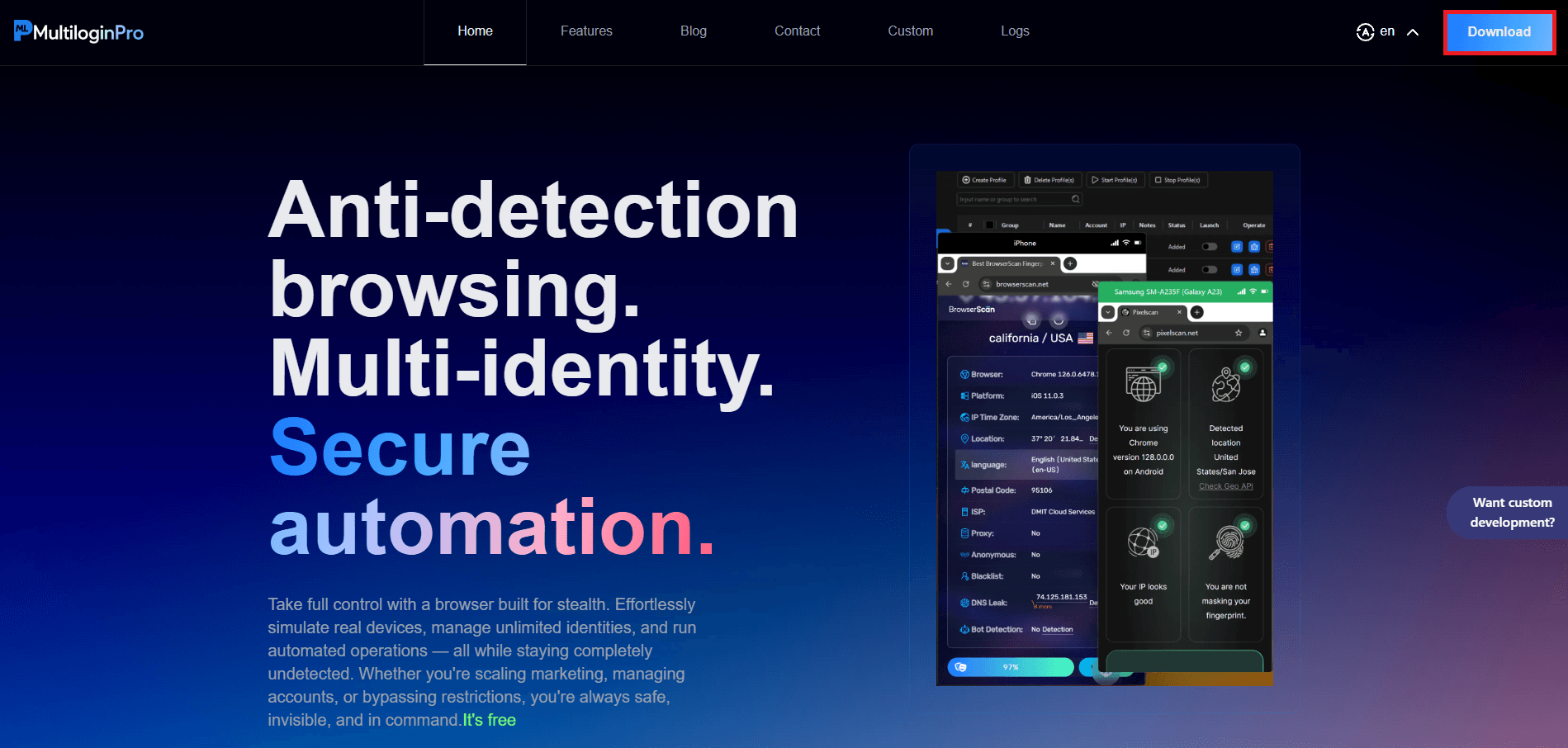
First, go to the MultiloginPro’s home page and hit the blue Download button.
Step 2: Create a new profile
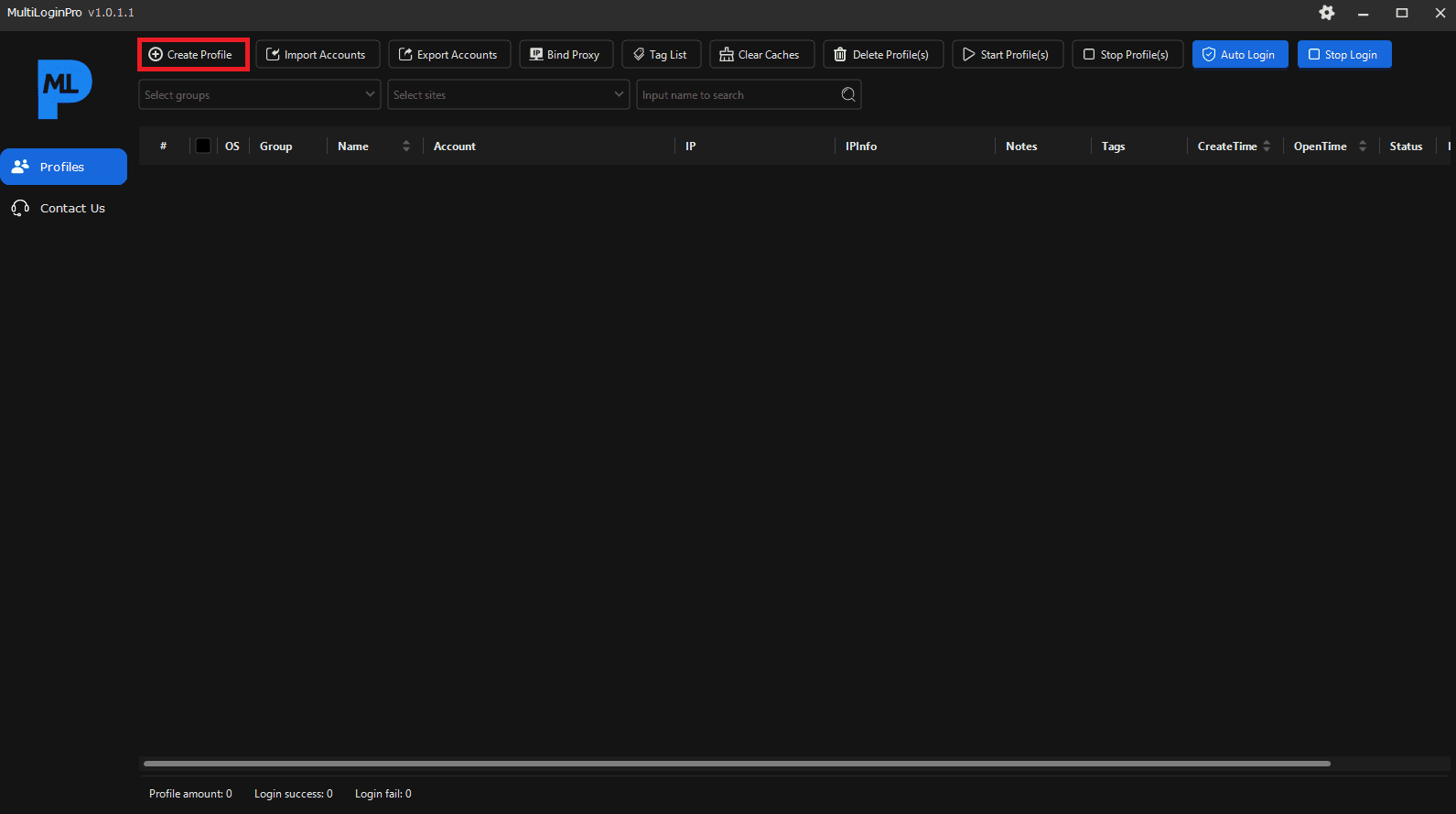
Once the installation is complete, launch the app and click on the Create Profile button.
Step 3: Input your proxy credentials and test the connection
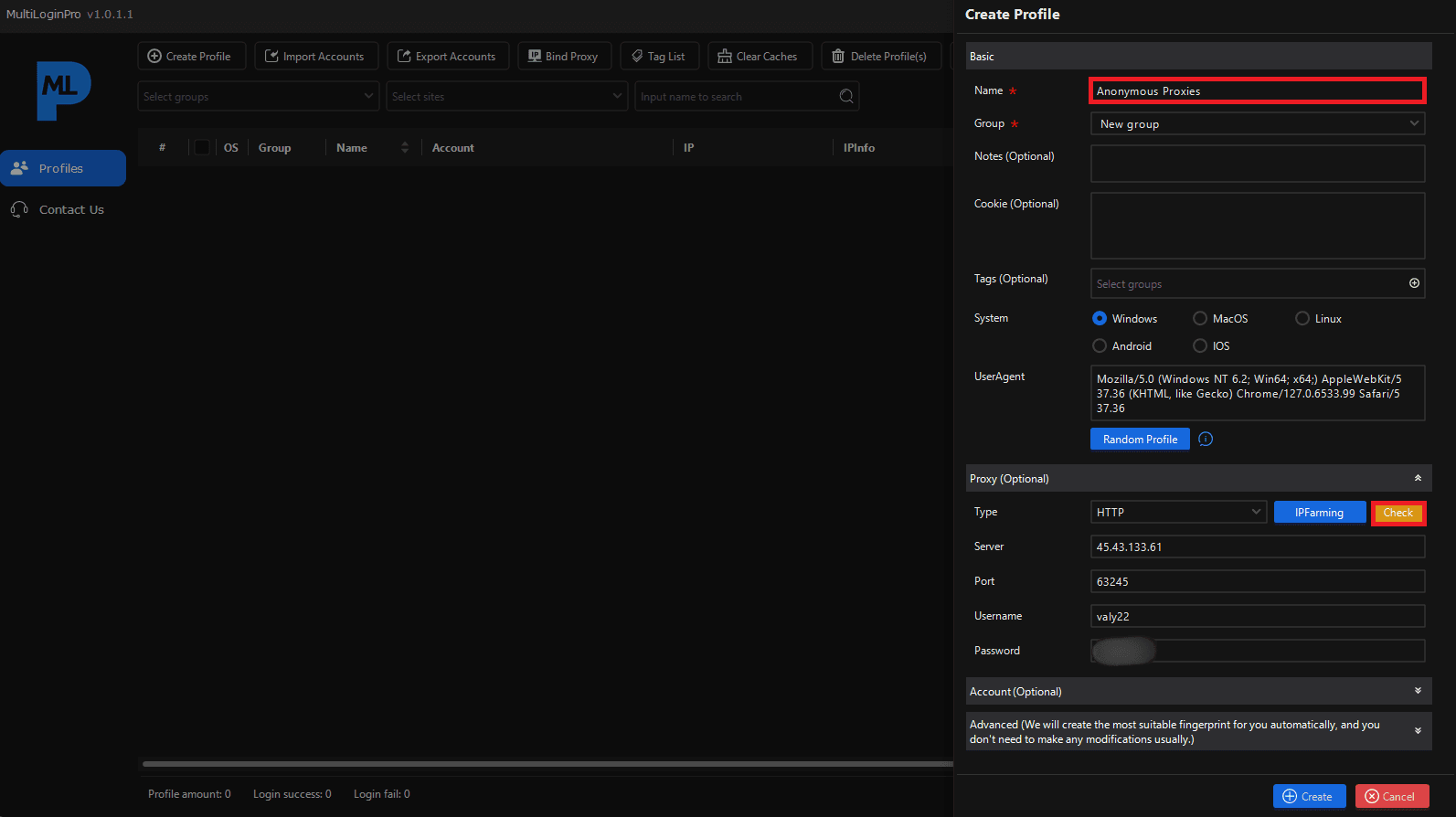
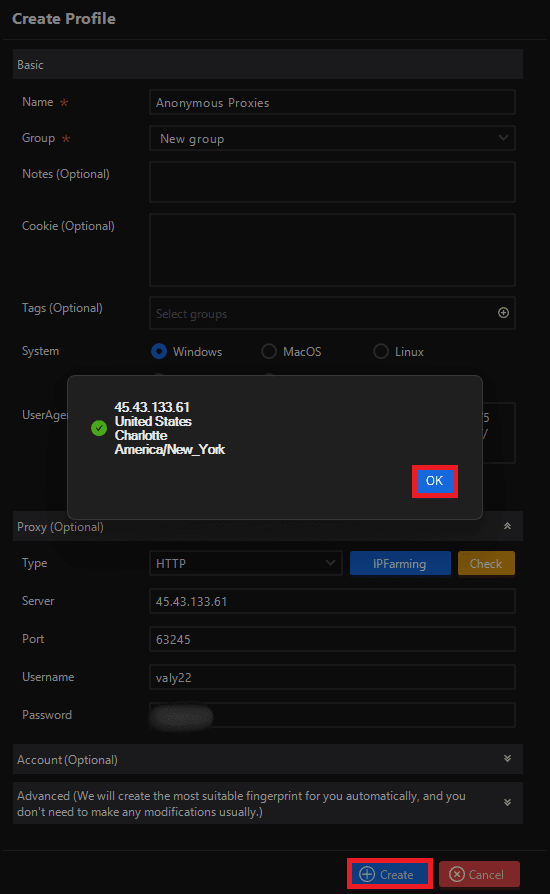
Name the profile something clear like “Anonymous Proxies.” Leave Windows selected unless you need another OS. Expand Proxy (Optional), choose HTTP (or SOCKS5 if that’s what your plan provides), then paste the server, port, username, and password from your Anonymous Proxies dashboard. Once you filled all the details, you need to click Check and when the green success tick appears, press Create.
Step 4: Start the profile
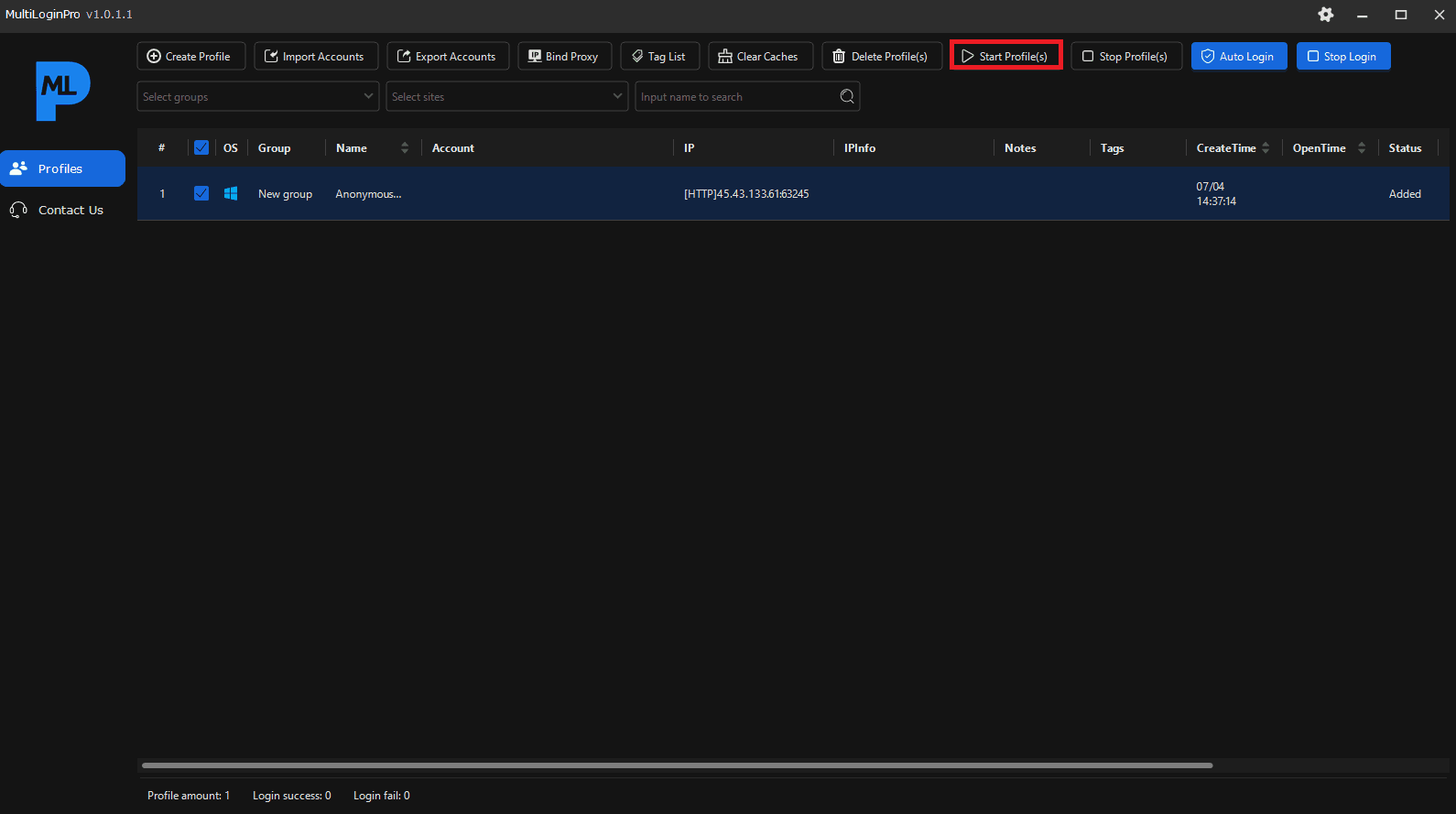
Back on the main list, select the new entry and click Start Profile(s). MultiloginPro opens an isolated Chromium window routed through your residential IP, so every header, timezone, and geolocation detail looks like a genuine home user.
Step 5: Confirm the residential proxy fingerprint
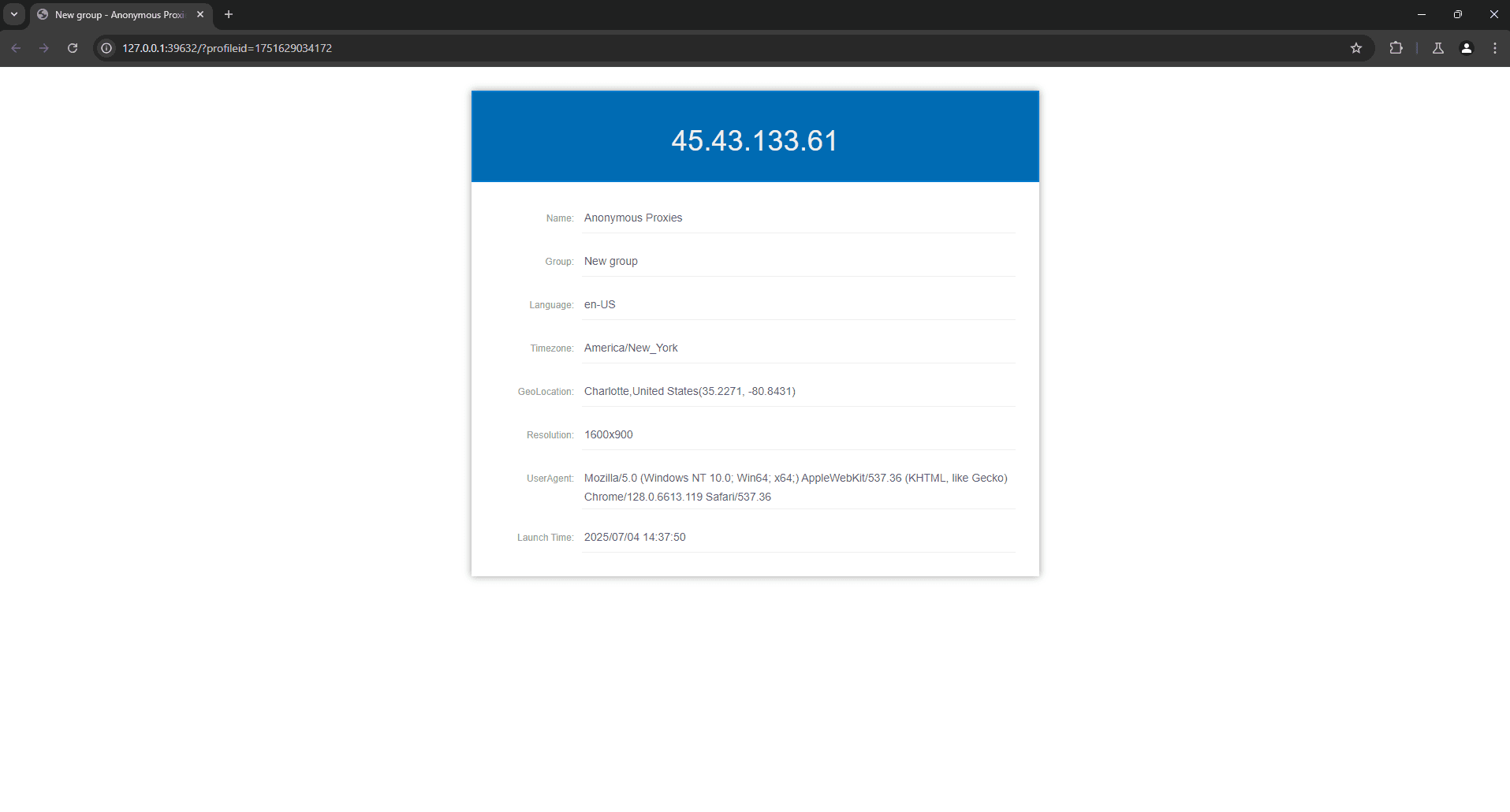
Once you started the profile, the browser window will show a local status page. A bold blue banner will show your proxy’s public IP up top, while the readout just below confirms en-US language, an America/New_York timezone, and the proxy’s city. And since no mismatched headers, duplicate canvas hashes, or “transparent proxy” flags show up, your residential proxy is now perfectly fused to MultiloginPro’s device fingerprint.
Conclusion
As you've seen in this guide, if you blend MultiloginPro’s real-device fingerprints with Anonymous Proxies' high-quality residential proxies, you get the best of both worlds: a browser that looks like real hardware and a genuine home-network IP. Every profile lives in its own sealed sandbox, so you can juggle hundreds of accounts without tripping fraud filters. From ad arbitrage to global e-commerce or geo-targeted social media, the whole setup takes about five minutes and keeps you a step ahead of the fingerprinting game.
If you need help or have any proxy questions, feel free to reach our support team. For more step-by-step tutorials, visit our integrations page and see what else you can streamline.

Buy Backconnect Proxies
Rotating IPs on every request. Scale scraping and automation without manual IP management.
More antidetect-browser Proxy Integrations
See more antidetect-browser integrations that work seamlessly with Anonymous Proxies.

Proxy Integration With Kameleo
Learn how to set up Anonymous Proxies' residential proxies with Kameleo for automation, web scraping, and easier multi-account management.

Proxy Integration With Lalicat
Learn how to integrate Anonymous Proxies' residential proxies with Lalicat to manage multiple accounts with ease and browse in anonymous way.

Proxy Integration With ClonBrowser
Learn how to set up Anonymous Proxies’ residential proxies in ClonBrowser to manage multiple social media accounts smoothly and browse more privately.

Proxy Integration With Octo Browser
This integration tutorial will show you how to connect Anonymous Proxies in Octo Browser for safer multi-accounting and scraping in just a few minutes