

Proxy Integration With MostLogin
Learn how to connect Anonymous Proxies' residential proxies with MostLogin for private browsing and multi-account management.
What is MostLogin?
MostLogin is an antidetect browser built for teams that run many identities across platforms. It helps you create separate browser profiles, each with its own fingerprint, cookies, local storage, and proxy.
Mostlogin Features
- Profile isolation with real fingerprint control. Spin up truly separate browser profiles that keep cookies, storage, and device fingerprints from ever crossing paths. Each identity stays clean so platforms cannot connect the dots.
- Extension integration. Install and sync the Chrome and local extensions your team relies on, directly inside each profile. Tooling stays consistent without weird compatibility hiccups.
- API automation. Use the official API to script repetitive tasks like logins, form fills, navigation, and data collection. Your workflows get faster while keeping data handling secure.
- Team workspaces and permissions. Share profiles safely, invite teammates, and assign roles with the right access for each project. Collaboration gets easier without sacrificing control.
MostLogin is strong on its own, but it is the most effective when it is combined with our residential proxies. With our residential service, every profile is routed through its own household IP, which looks like a real, human user and not through a data center. You get fewer blocks, fewer CAPTCHAs, and smoother sessions from login to checkout, so you can focus on growth instead of roadblocks.
How To Integrate Anonymous Proxies With MostLogin
Before we dive into the steps, make sure you’re logged in Anonymous Proxies Dashboard and have your residential proxies credentials ready to paste.
Step 1: Download MostLogin
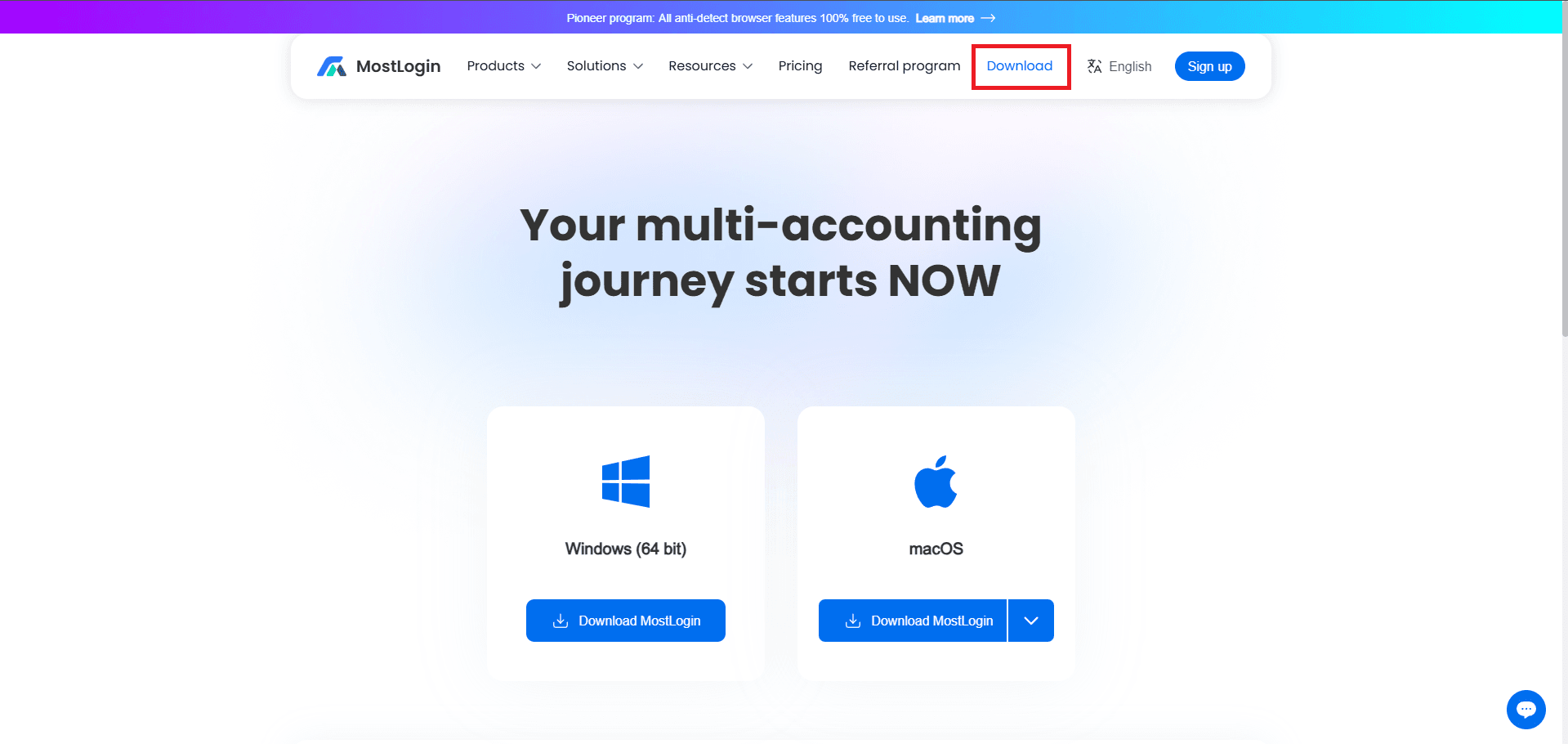
Go to the official MostLogin site, click Download, then choose the OS you are using. I will use the Windows version for this example.
Step 2: Log In
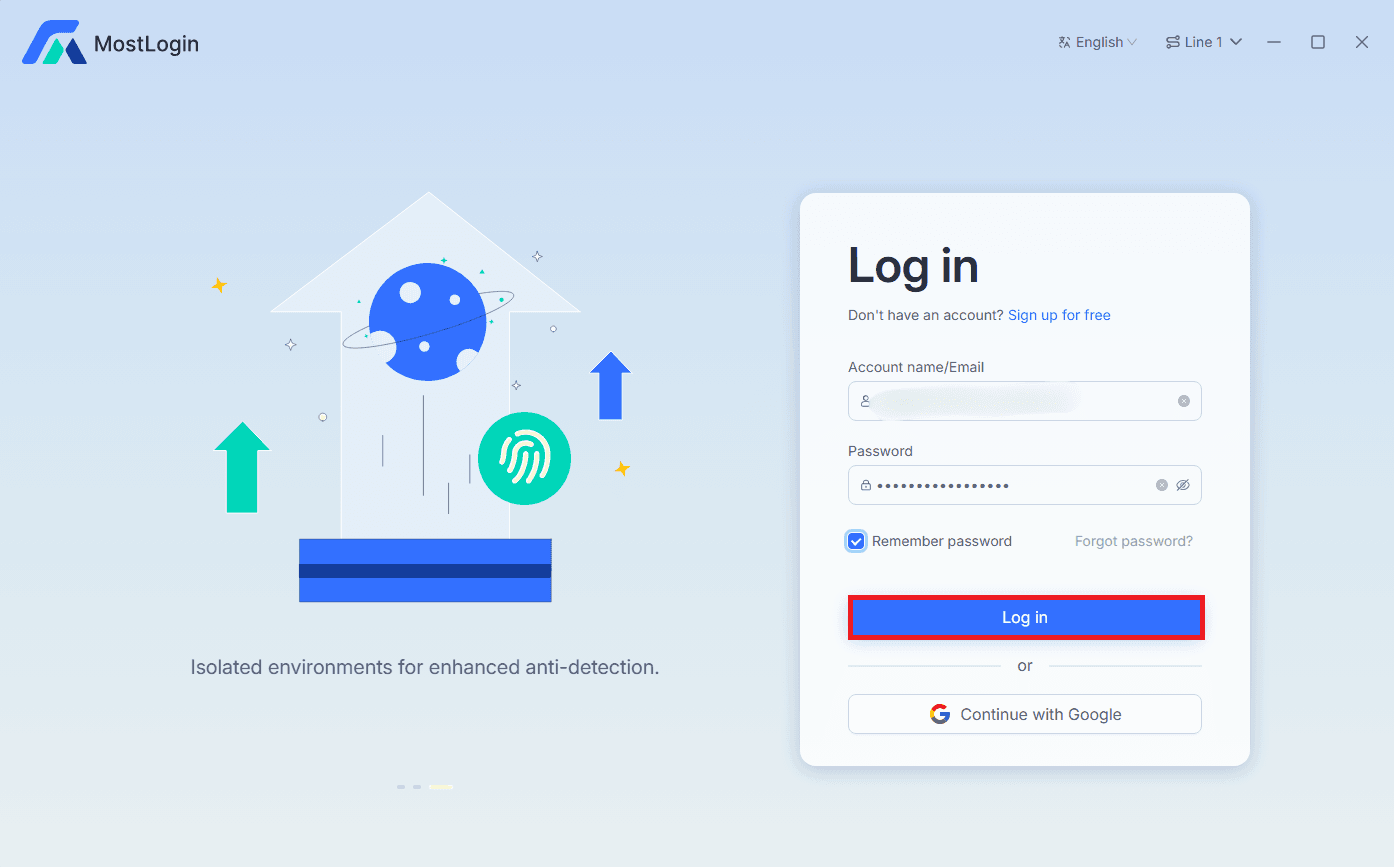
Once the download is finished, open the app and log in to your account, and if you don't have an account click on Sign Up For Free to create a new one in a minute.
Step 3: Quick Create A Profile
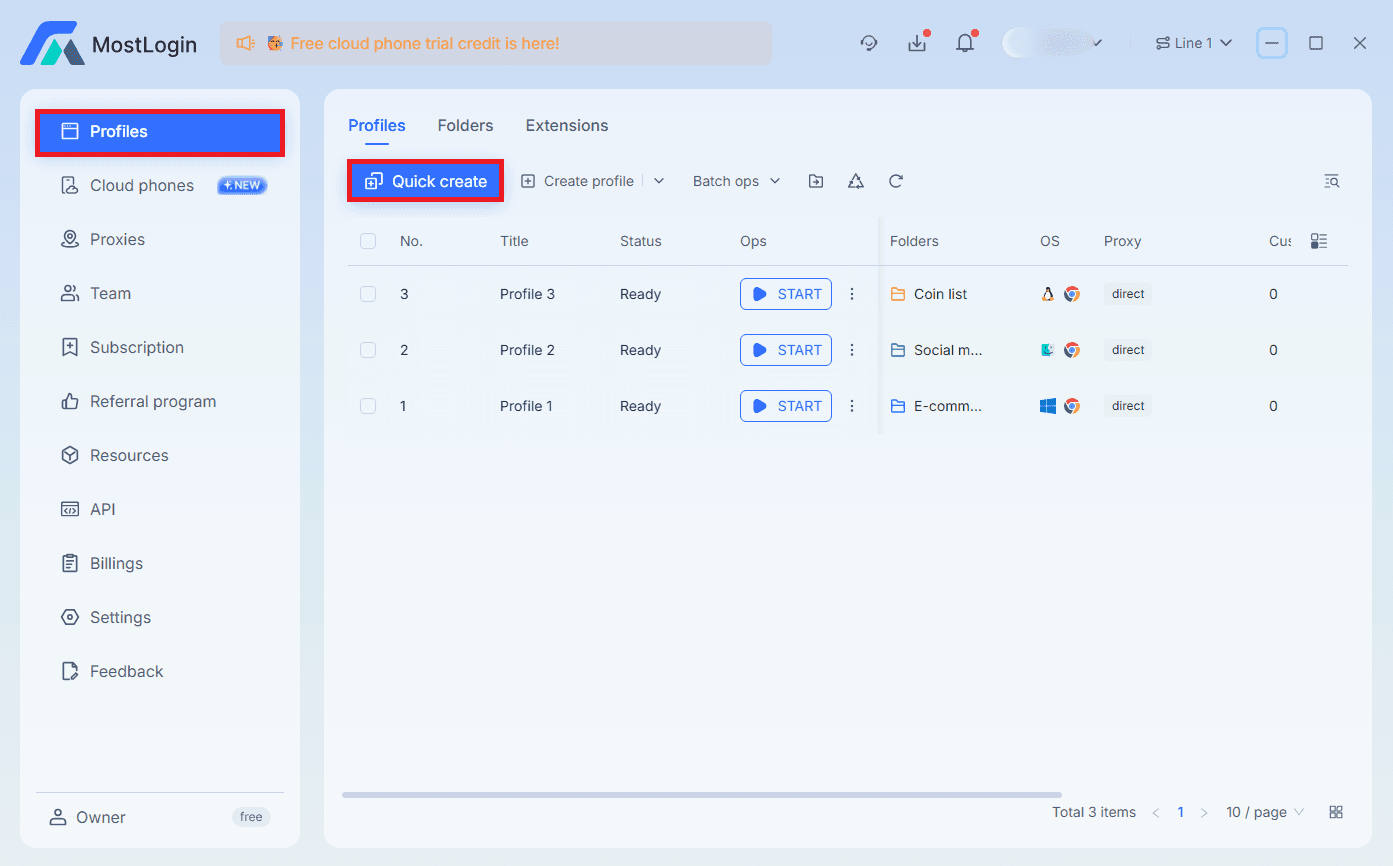
After you log in, in the left sidebar, select Profiles and hit Quick Create.
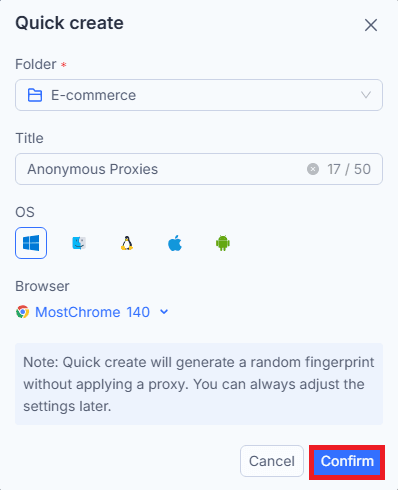
Give your profile a clear name like that helps you to recognnize it and click on Confirm.
Step 4: Edit The Profile
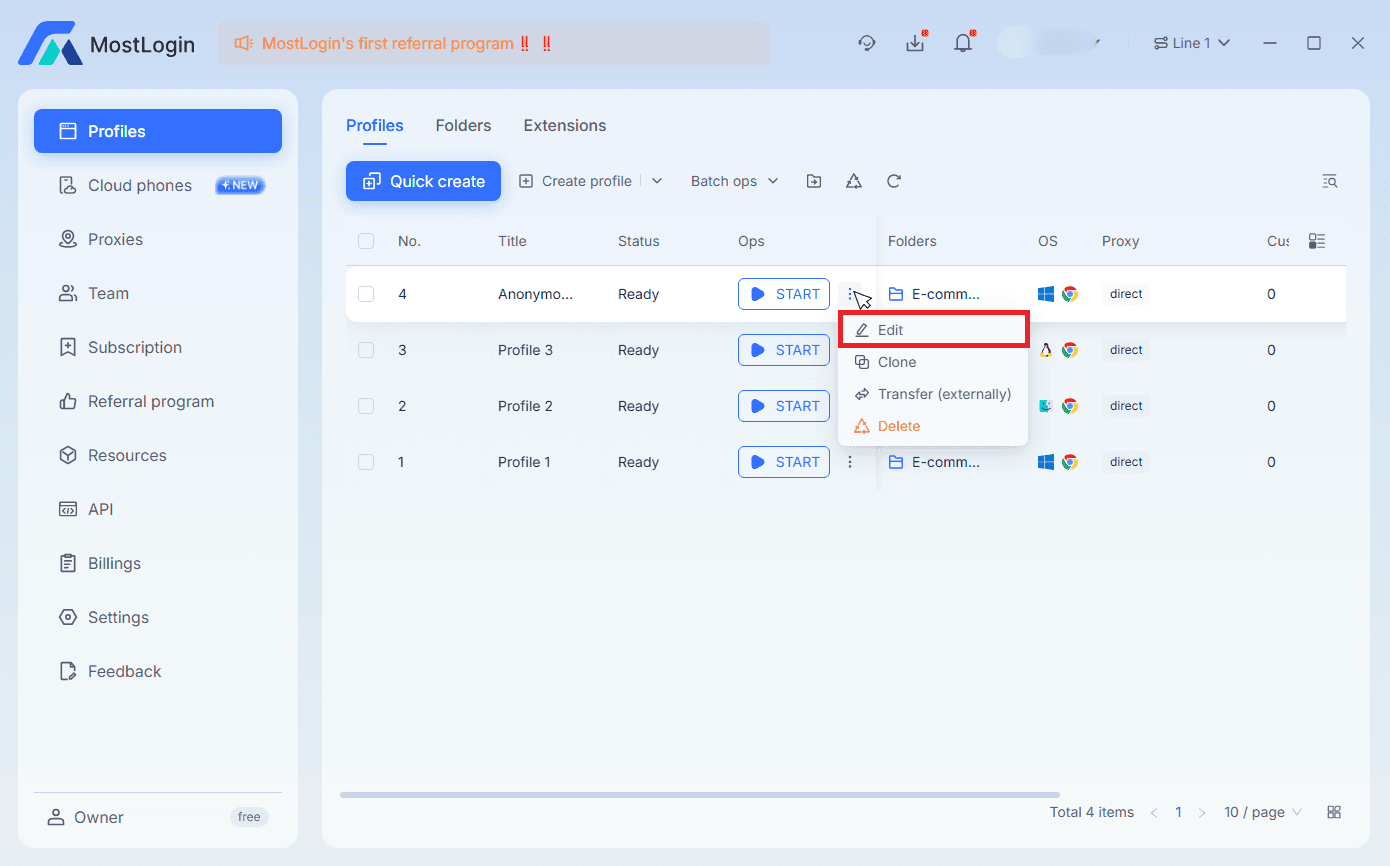
Once you finished to create your profile, from the profile list, open the three-dots menu and choose Edit.
Step 5: Fill Proxy Details
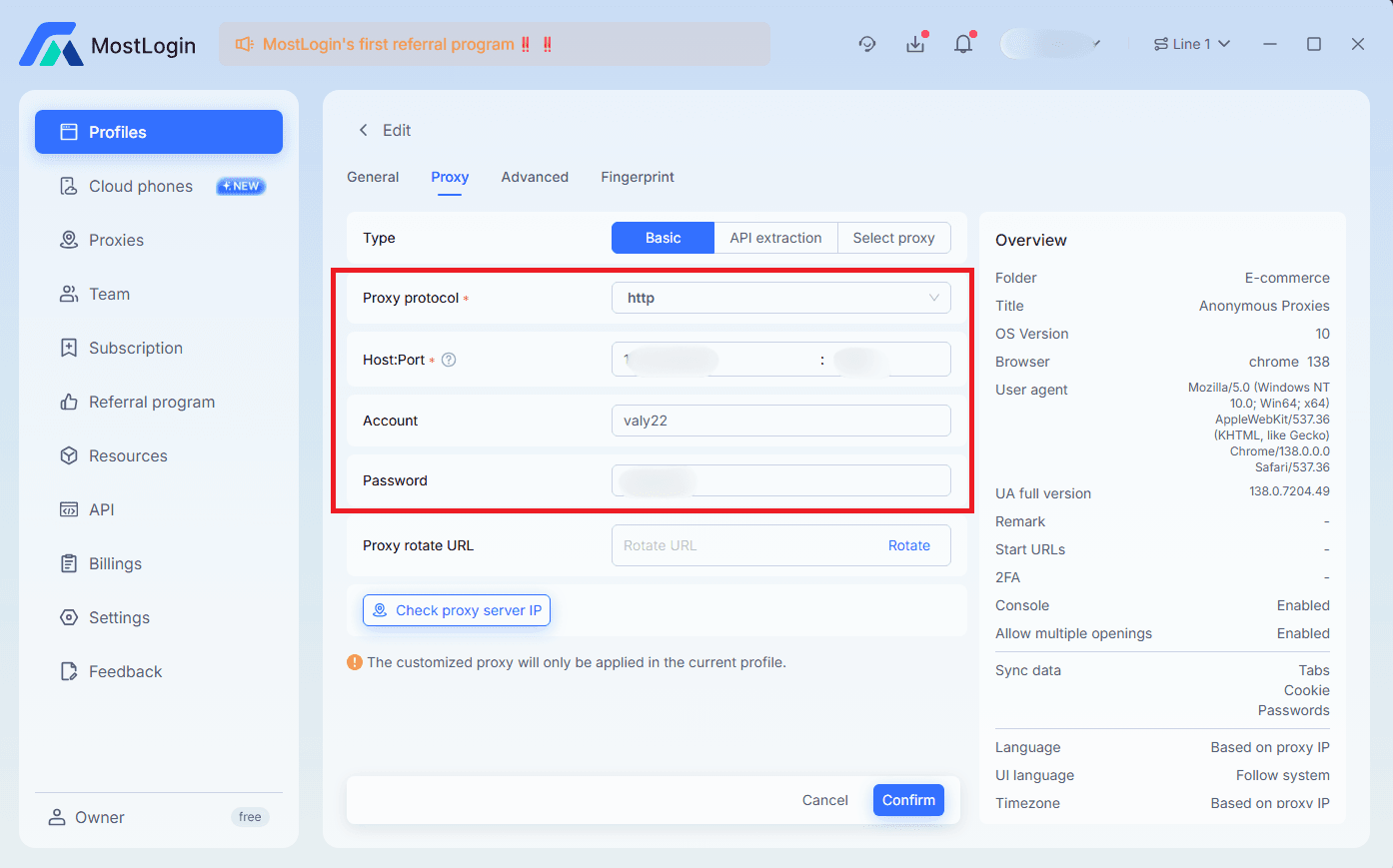
Now, you'll need to click the Proxy tab fill the proxy fields with the credentials from Anonymous Proxies Dashboard.
Step 6: Check Proxy
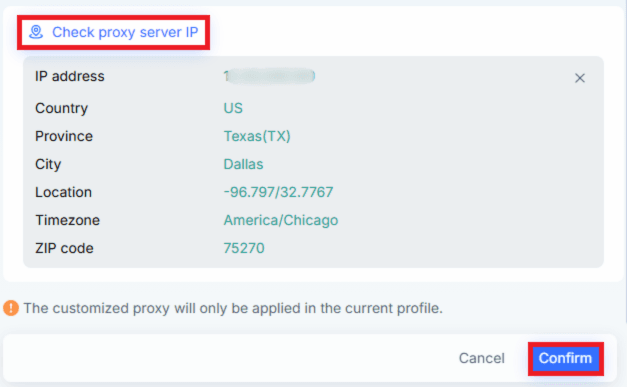
Once you filled all fields, click Check Proxy Server IP to see that the proxy connection works, then click Confirm to save.
Step 7: Start The Profile
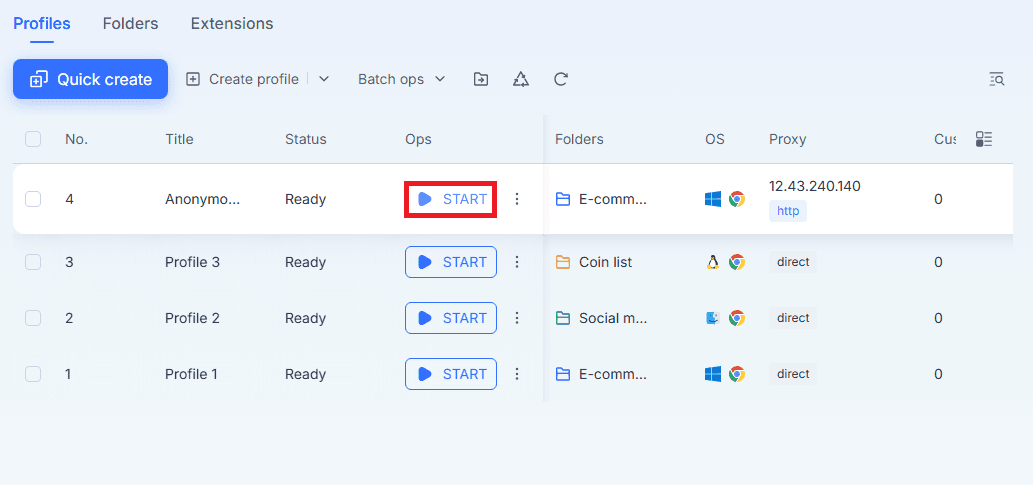
Return to Profiles and press START on your configured profile.
Step 8: Verify In The Browser
MostLogin will launch an isolated browser which is routed through your residential proxies. Inside the browser, you will be able to see the proxy's details, like its IP, OS, Timezone, User Agent, and Location.
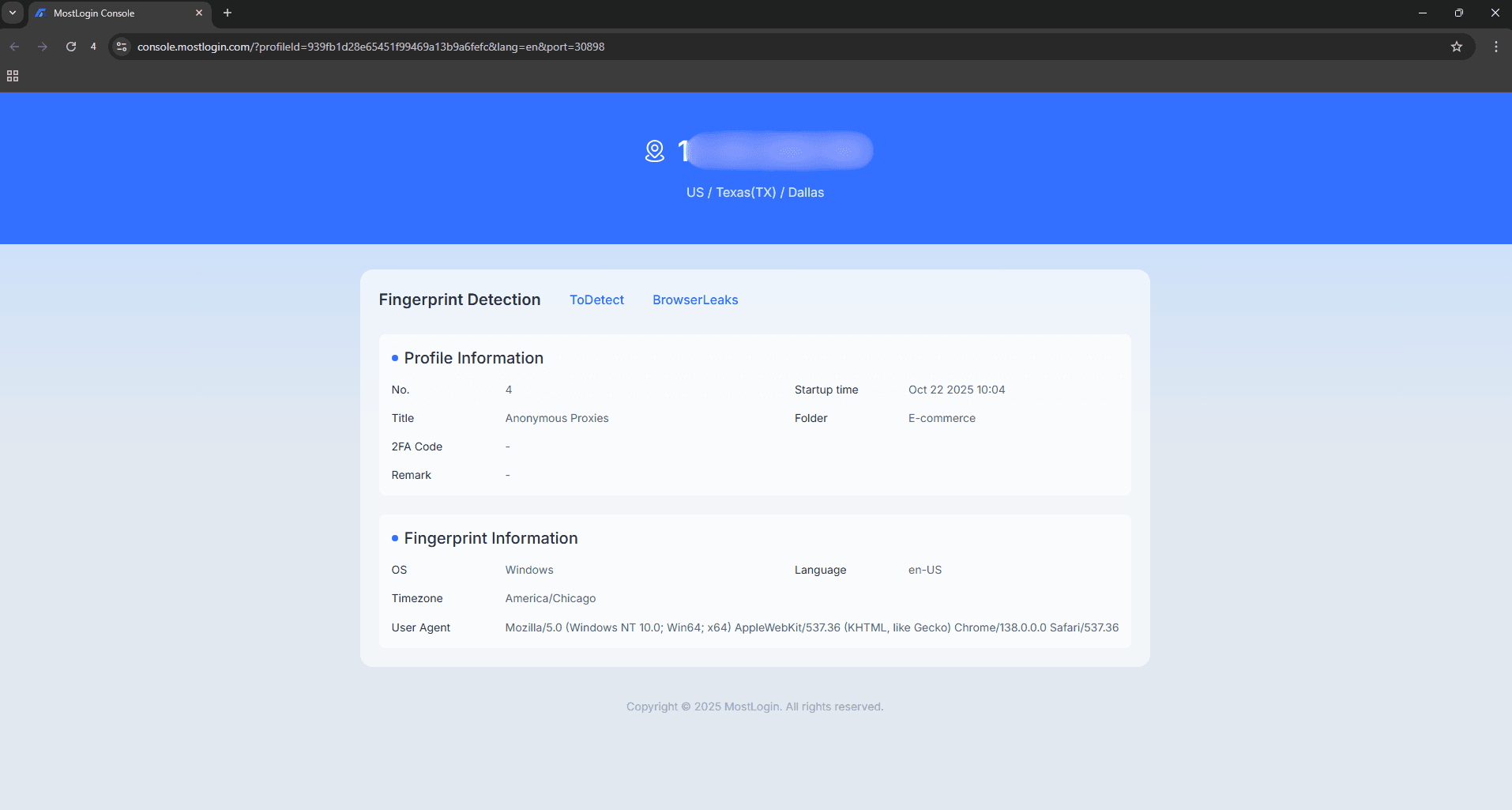
And that’s it. You’ve successfully integrated Anonymous Proxies' residential proxies with MostLogin. From here you’ll enjoy smoother logins, fewer CAPTCHAs, and consistent multi-account management across your workflows.
Conclusion
As you’ve seen above, integrating our residential proxies with MostLogin is pretty straightforward. You'll have your anti-detect browser running with the residential IP in minutes.
If you need help with the setup, please contact our support team and we’ll walk you through it. For more step-by-step guides, you can check our integration page.

Buy Backconnect Proxies
Rotating IPs on every request. Scale scraping and automation without manual IP management.
More antidetect-browser Proxy Integrations
See more antidetect-browser integrations that work seamlessly with Anonymous Proxies.

Proxy Integration With Kameleo
Learn how to set up Anonymous Proxies' residential proxies with Kameleo for automation, web scraping, and easier multi-account management.

Proxy Integration With Lalicat
Learn how to integrate Anonymous Proxies' residential proxies with Lalicat to manage multiple accounts with ease and browse in anonymous way.

Proxy Integration With ClonBrowser
Learn how to set up Anonymous Proxies’ residential proxies in ClonBrowser to manage multiple social media accounts smoothly and browse more privately.

Proxy Integration With Octo Browser
This integration tutorial will show you how to connect Anonymous Proxies in Octo Browser for safer multi-accounting and scraping in just a few minutes