

Proxy Integration With Mbbrowser
Learn how to integrate Mbbrowser with Anonymous Proxies' residential proxies to manage multiple accounts safely and avoid bans or detection.
What Is Mbbrowser?
Mbbrowser is a multi account, anti association browser that lets you create separate, fully isolated browsing environments instead of juggling everything in one regular browser. Each profile looks and behaves like its own real device, with its own fingerprint, cookies, local storage, timezone, language, screen size, and proxy IP. When you open a profile, Mbbrowser launches a dedicated browser window tied only to that setup, so all activity stays contained. This separation makes it much harder for platforms to link your accounts through shared fingerprints or repeated IP patterns, for safe multi account work.
Mbbrowser Features
Some of the key features that work perfectly with Anonymous Proxies include:
- Profile based browsing. Each account lives in its own profile, with separate cookies and histories, so your sessions do not overlap.
- Flexible fingerprint settings. You can randomize or fine tune user agents, operating systems, screen resolutions, and more to better mimic natural user behavior.
- Proxy integration for each profile. Each environment can utilize a different proxy, which is exactly where our residential and datacenter proxies enter the picture, to provide each account with its own IP.
- Team and workflow friendly. You can manage many projects from a single dashboard while keeping everything else organized.
How To Integrate Anonymous Proxies With Mbbrowser?
Before we dive into the Mbbrowser settings, take a moment to log in to your Anonymous Proxies dashboard and get your proxy credentials ready. In this example, we will use static residential proxies, since they look like real household connections and give us the level of authenticity we need to create multiple accounts without having them linked to each other.
Step 1: Download Mbbrowser
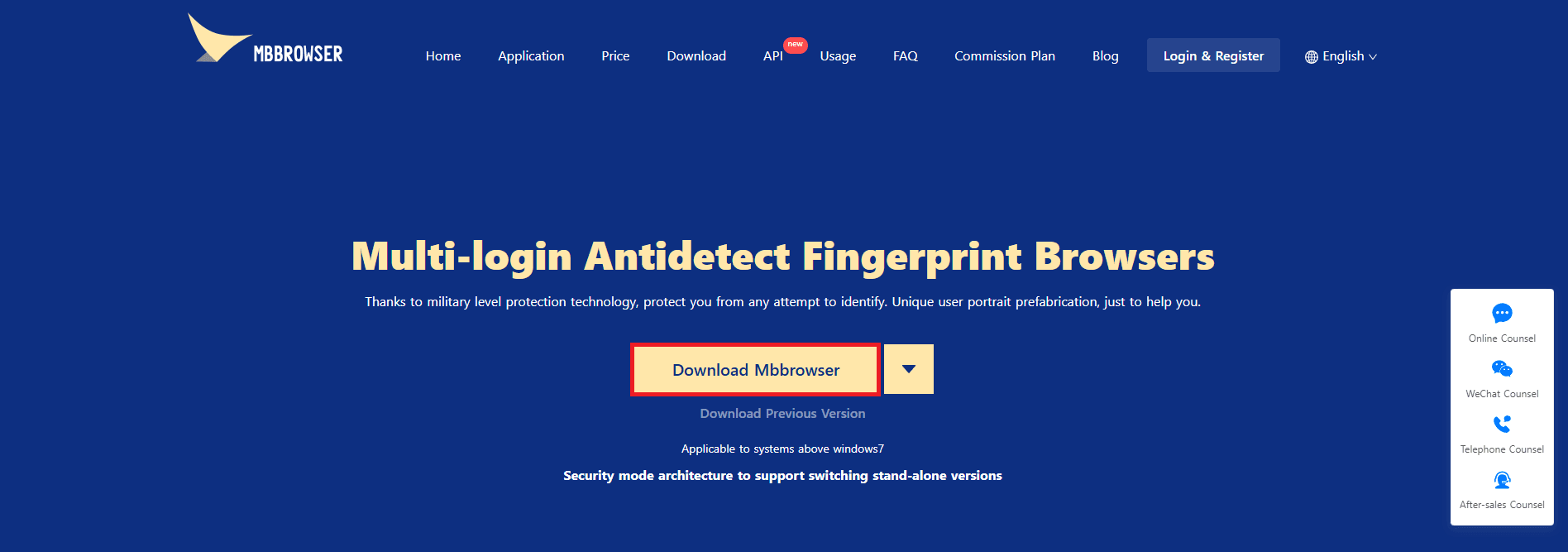
Firstly, we'll need to go to the official Mbbrowser website and click on the Download Mbbrowser button.
Step 2: Create A New Session
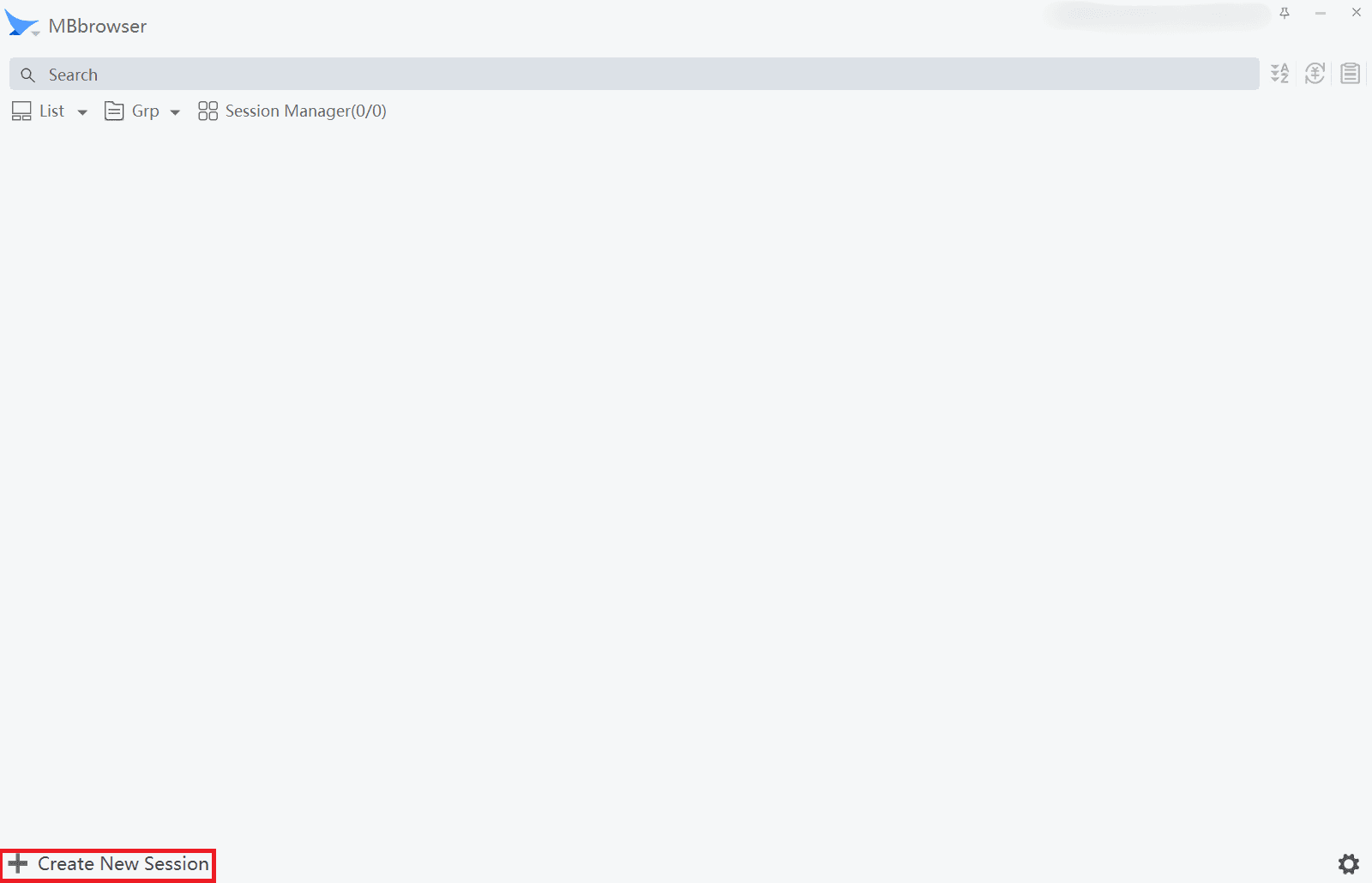
Once you installed Mbbrowser, open it, and in the bottom left corner, click on Create New Session.
Step 3: Add Your Anonymous Proxies Details
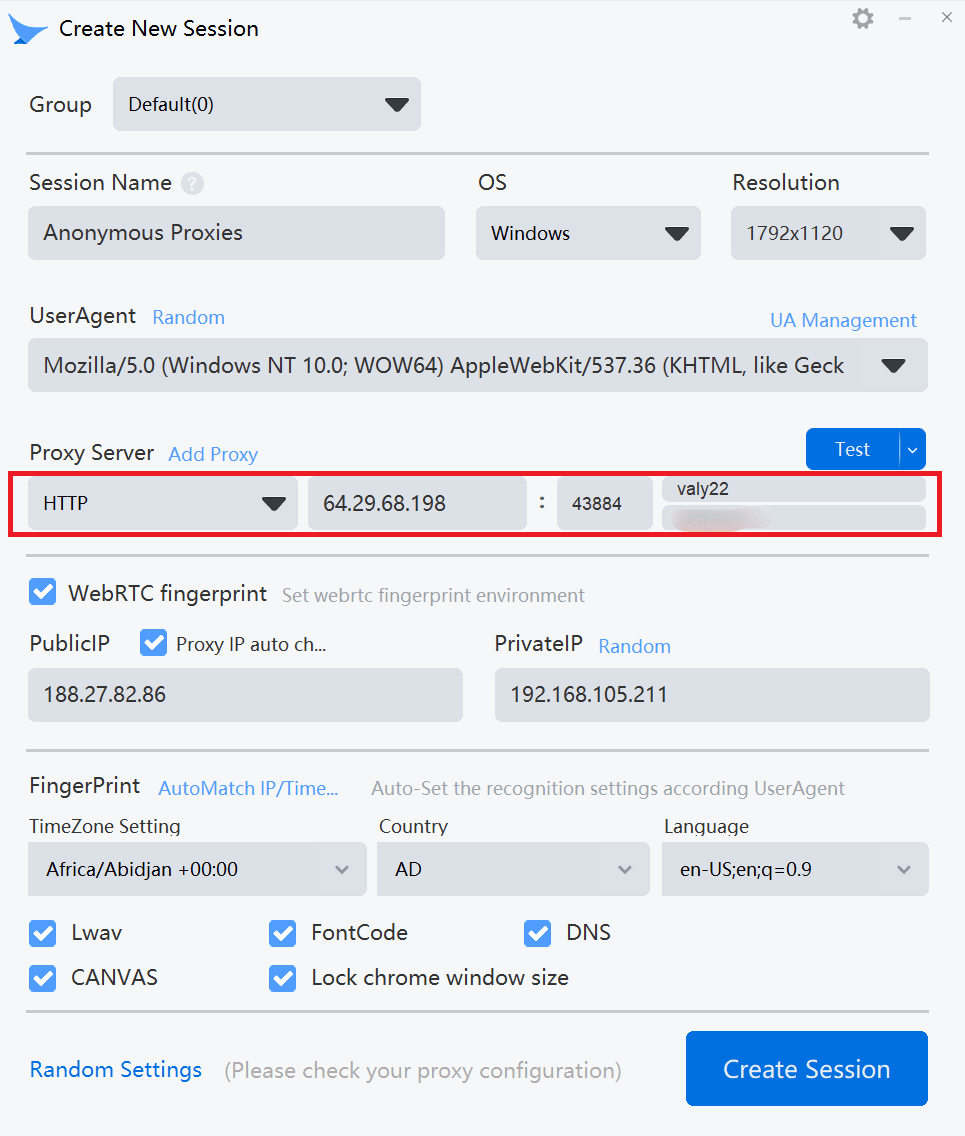
After you clicked on Create New Session a new window will pop up where you can configure everything for this profile, including device settings, fingerprint, and of course your proxy details. Here, be sure that you give your profile a name such as “Anonymous Proxies”, keep the OS and resolution as you like, then look for the Proxy Server section. Now, just paste your proxy details from the Anonymous Proxies Dashboard along with the credentials if you enabled authentication. If not, just skip entering username and password.
Step 4: Test And Create The Session
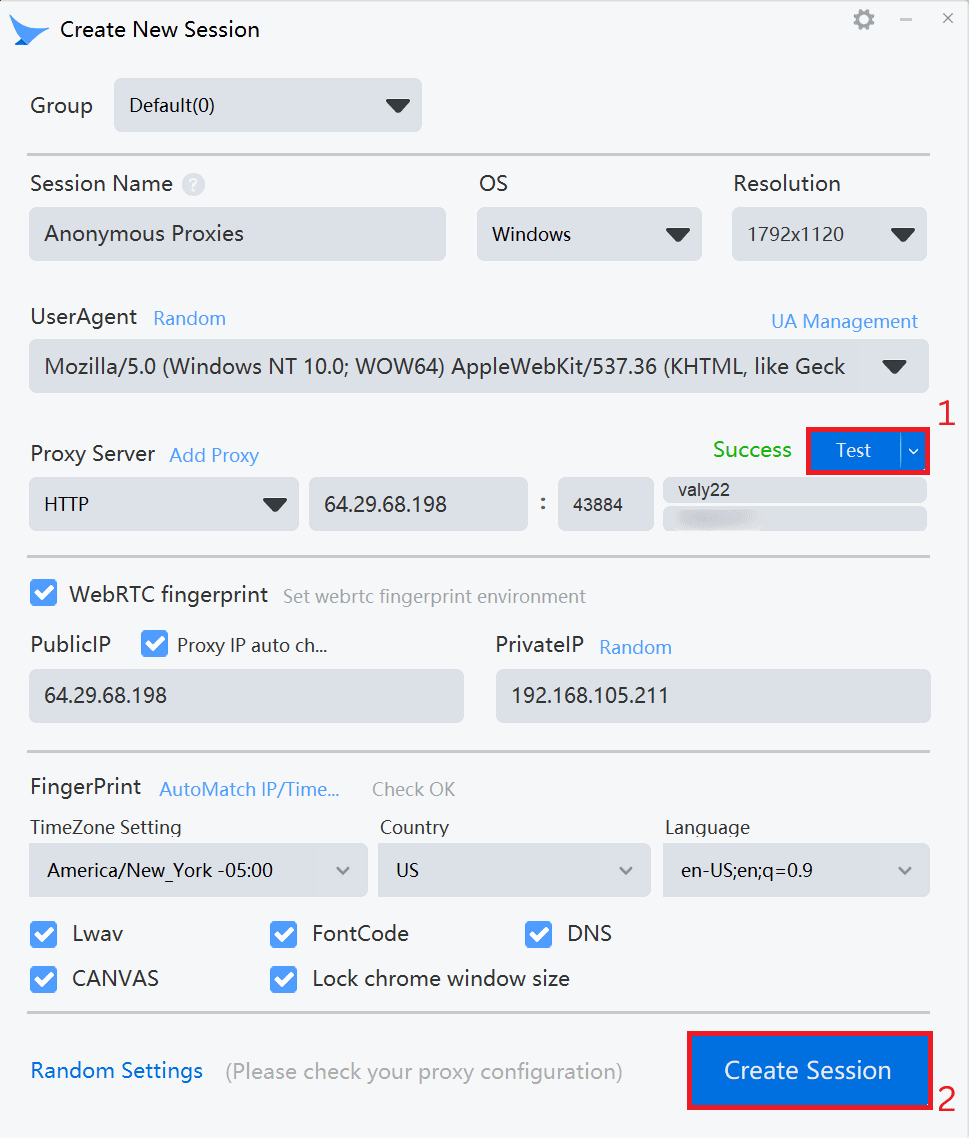
Once you filled all required proxy fields, you'll need to click on the Test button to see if the connection works. If the status shows Success, it means that it works. Then, just be sure that you click on Create Session to save everything.
Step 5: Start Profile
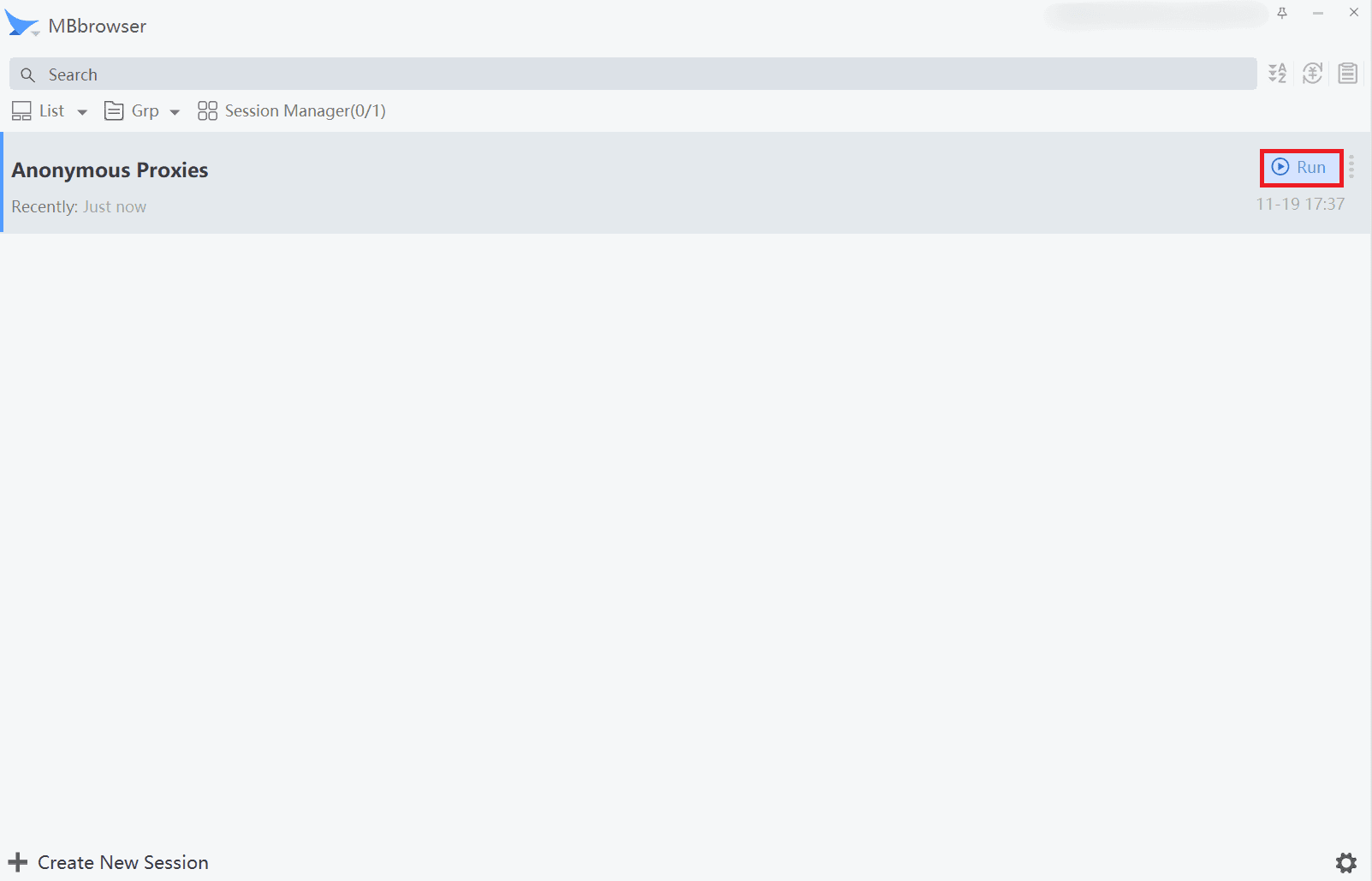
Now that you have saved your session, you should find yourself right back on the main dashboard page. You simply have to click Run to begin your new profile now.
Step 6: Verify Your IP Address
When your browser window pops up, all your traffic should now go through your proxy server. To verify if everything is right, simply visit any IP checking website.
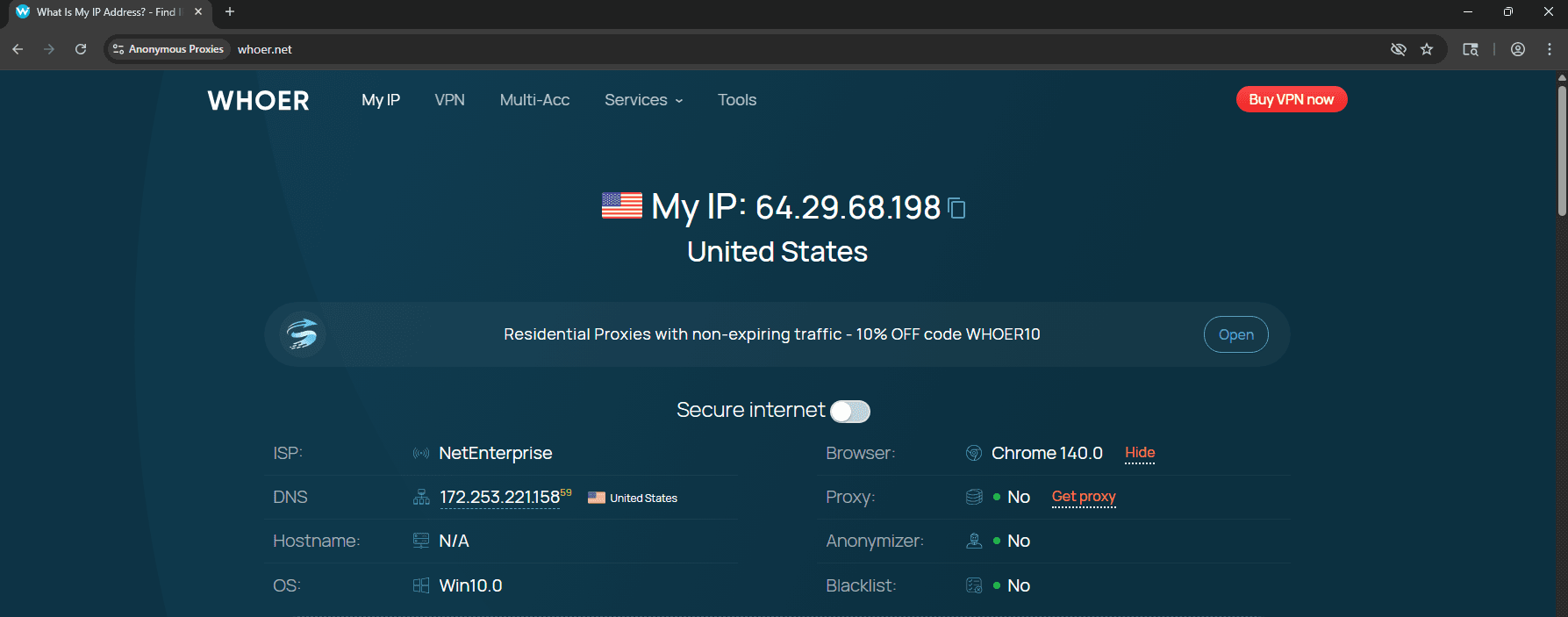
If you see that there are no errors and that the proxy's IP shows up, it means that you can enjoy browsing in an anonymous way with your new identity.
Wrap Up
By now you can probably see why Mbbrowser is a big step up from a regular browser. It gives you far more control over fingerprints and sessions, and when you pair it with our high quality proxies, your setup becomes both safer and more stable. It might not be as famous as some other anti detect browsers, but it delivers a lot of value for the price.
In case you have any questions regarding this setup, our support team is available for you 24/7 and is eager to help you out. And if you want to see more integration guides, feel free to visit our integration page.

Buy Backconnect Proxies
Rotating IPs on every request. Scale scraping and automation without manual IP management.
More antidetect-browser Proxy Integrations
See more antidetect-browser integrations that work seamlessly with Anonymous Proxies.

Proxy Integration With Kameleo
Learn how to set up Anonymous Proxies' residential proxies with Kameleo for automation, web scraping, and easier multi-account management.

Proxy Integration With Lalicat
Learn how to integrate Anonymous Proxies' residential proxies with Lalicat to manage multiple accounts with ease and browse in anonymous way.

Proxy Integration With ClonBrowser
Learn how to set up Anonymous Proxies’ residential proxies in ClonBrowser to manage multiple social media accounts smoothly and browse more privately.

Proxy Integration With Octo Browser
This integration tutorial will show you how to connect Anonymous Proxies in Octo Browser for safer multi-accounting and scraping in just a few minutes