

Proxy Integration With Linken Sphere 2 Browser
This tutorial will show you how to integrate Anonymous Proxies with Linken Sphere 2 for stealthy web scraping, ad verification, and hands-free automation.
What Is Linken Sphere 2?
Linken Sphere 2 (often shortened to LS2) is an anti-detect browser built for people who run many accounts, automate web tasks, or scrape data at scale. The app rewrites your browser fingerprint on the fly, lets you spin up isolated profiles in seconds, and now ships with a refreshed interface and hybrid fingerprint engine introduced in its 2024 relaunch.
Linken Sphere 2 Features
- Hybrid 2.0 fingerprint engine: creates realistic, one-click fingerprints pulled from a pool of real devices.
- Smart Windowing & Quick Sessions: open any resolution in a tab and launch fully configured profiles instantly.
- Built-in proxy quality checker: tests speed, geo and cleanliness before a session even starts.
- Bulk actions & presets: update hundreds of profiles in one go—bookmarks, extensions, cookies, the lot—so you never waste time on repeat clicks.
- Mobile and desktop emulation: fire up browsers that look exactly like real Android phones, iPhones, Windows PCs, Macs, or Linux rigs and see how your pages behave on each device.
- Encrypted local profile storage: every profile sits in its own locked vault on your computer, keeping prying eyes out for good.
How to Integrate Anonymous Proxies with Linken Sphere 2 Browser
Before You Start
1. Download Linken Sphere 2 browser
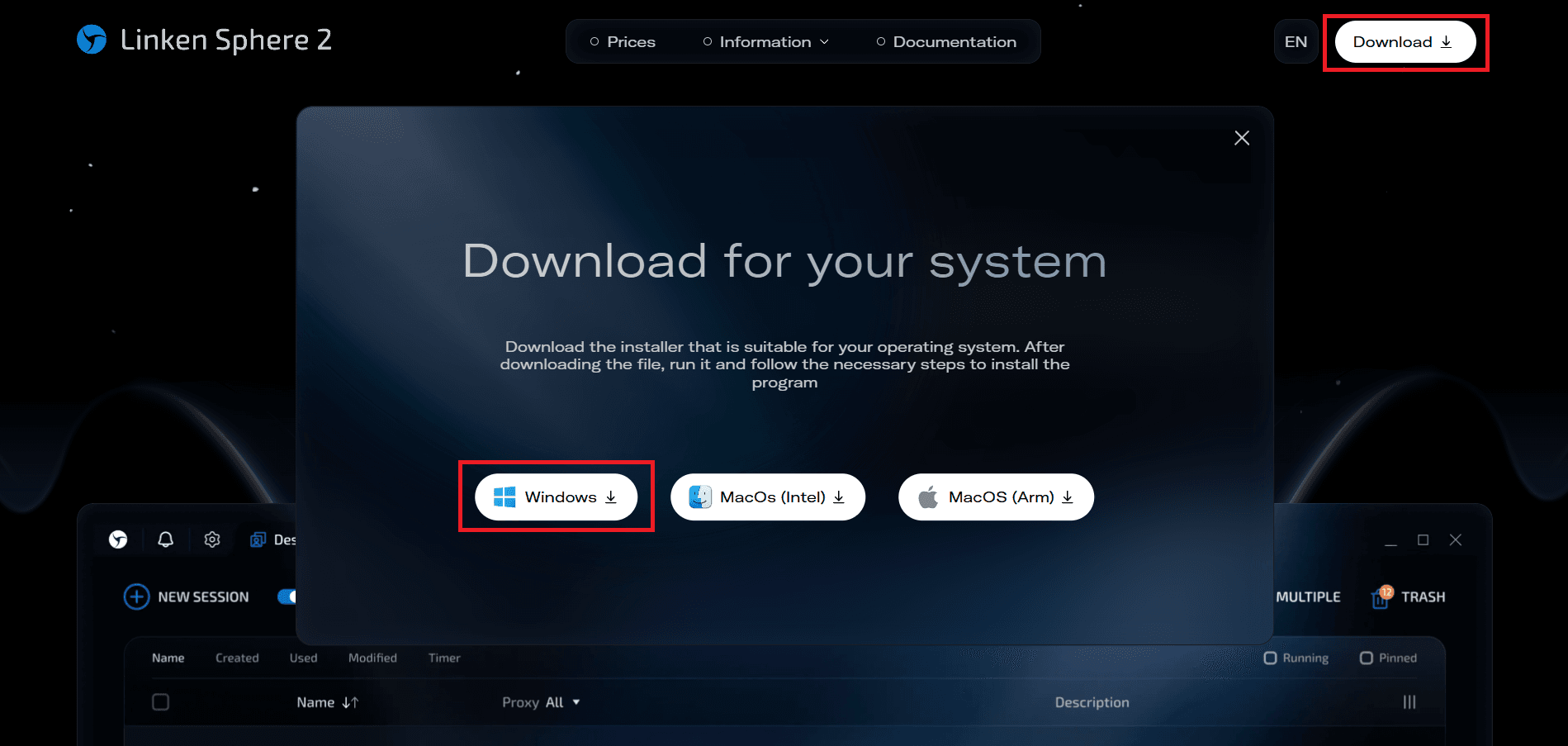
Firstly, you'll need to go to the official Linken Sphere 2 website, click Download, and pick the build for your OS. In this example I'll use the Windows version.
2. Log In
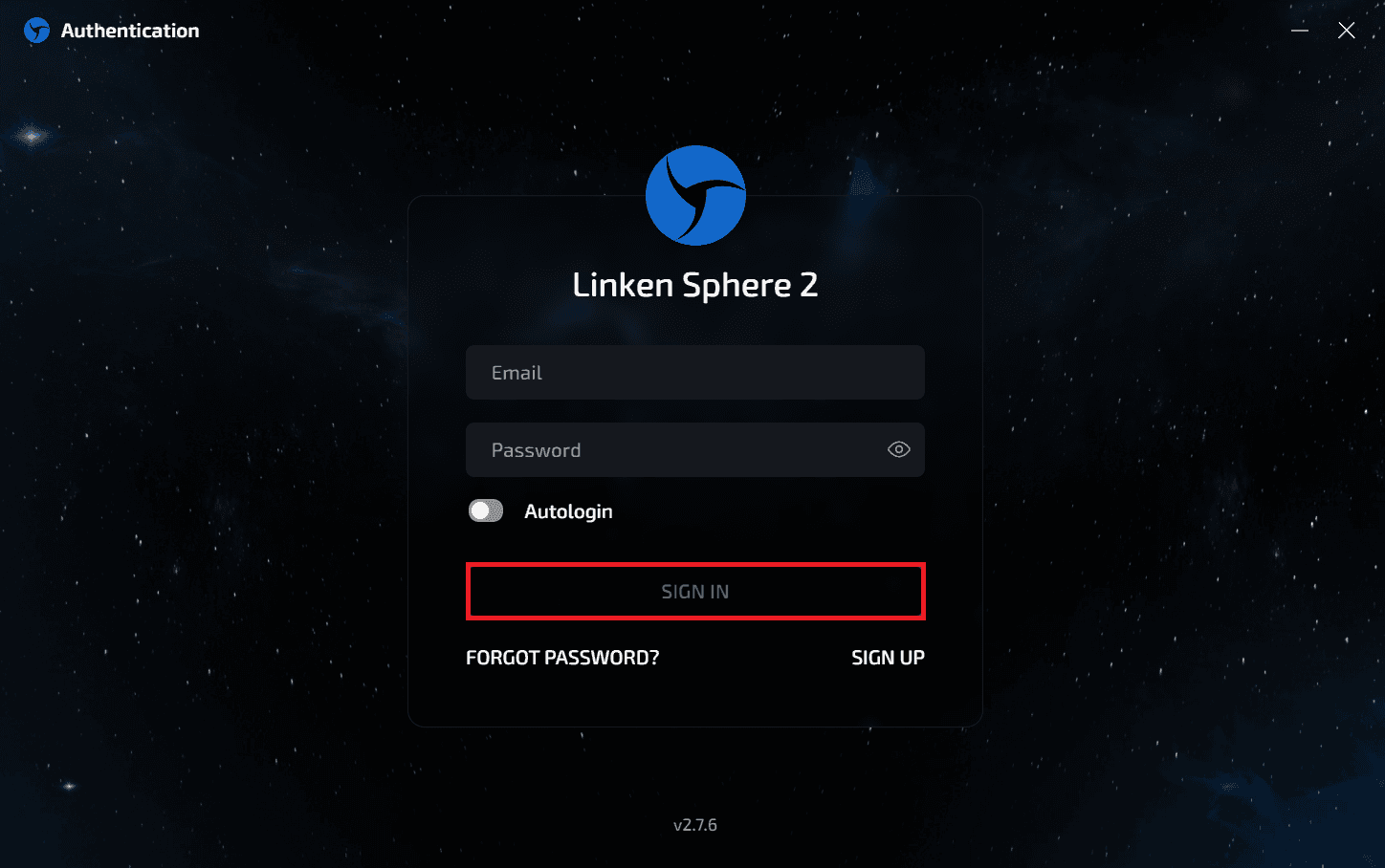
Once you downloaded the app, enter your account credentials, then click SIGN IN. If you don't have an account yet, click on SIGN UP to create a new one.
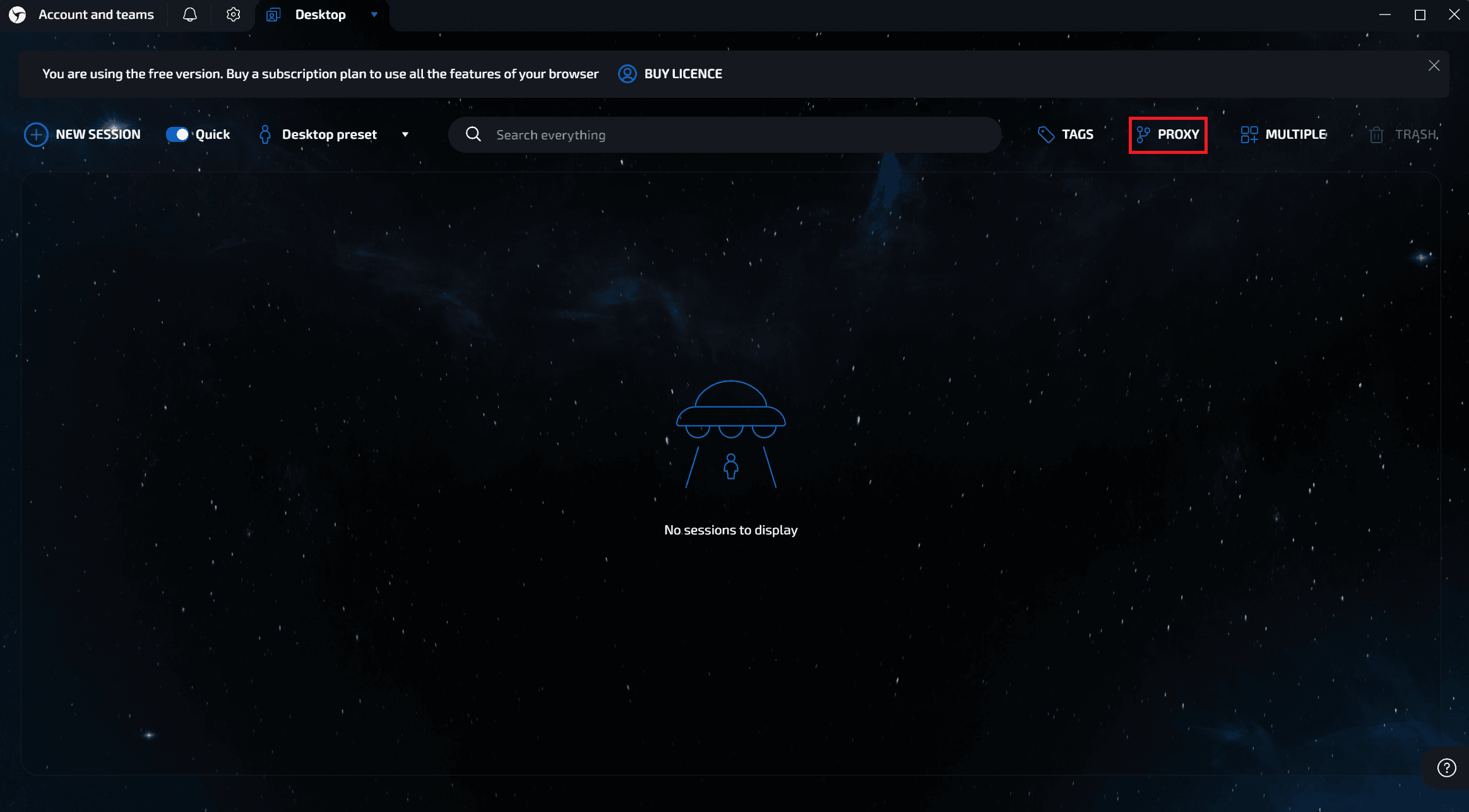
Once you see the desktop-style workspace, choose the method that best suits your workflow.
Method 1 - Add a Single Proxy via the Proxy Manager
Step 1: Open Proxy Manager
Click PROXY in the top toolbar.
Step 2: Input proxy credentials and save
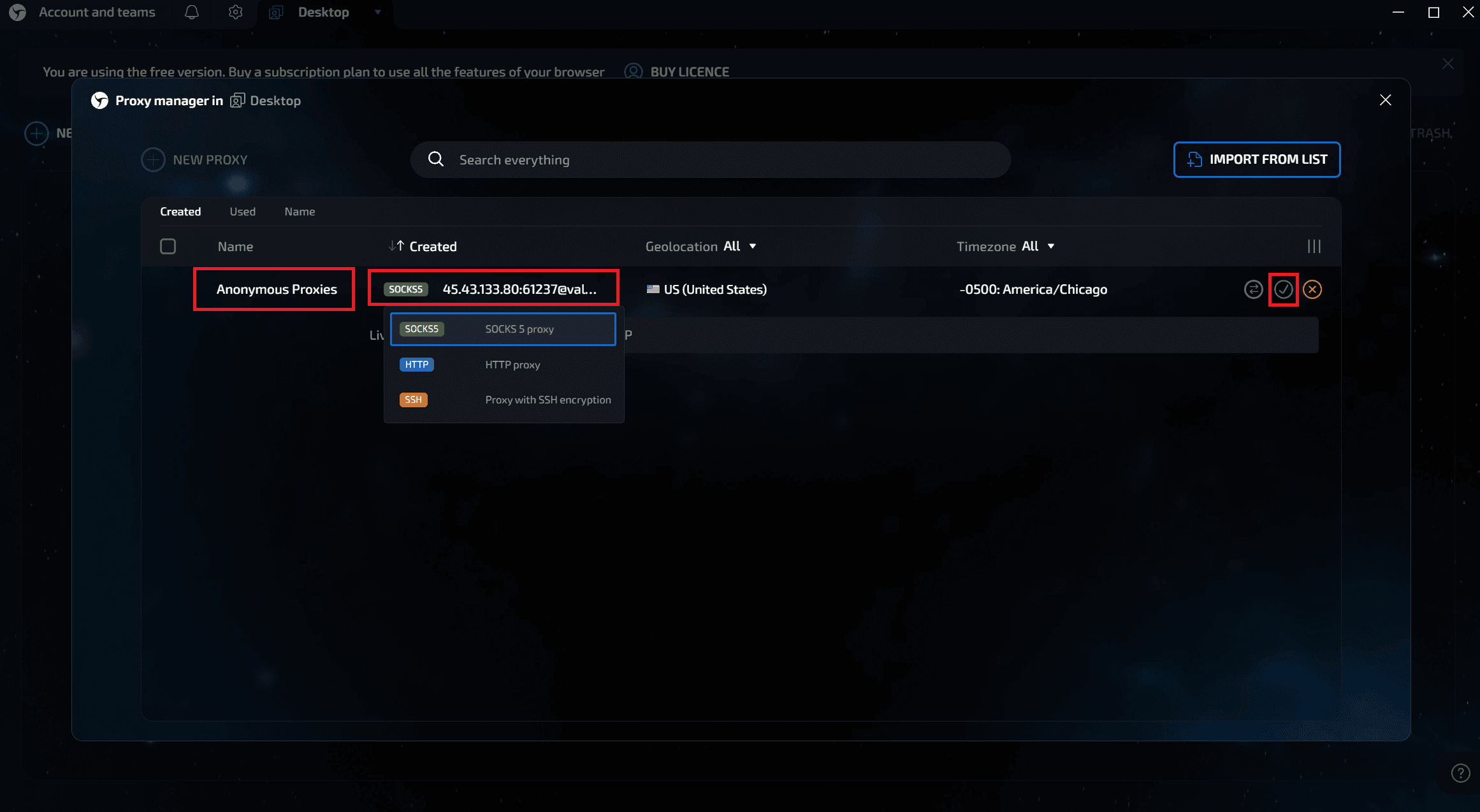
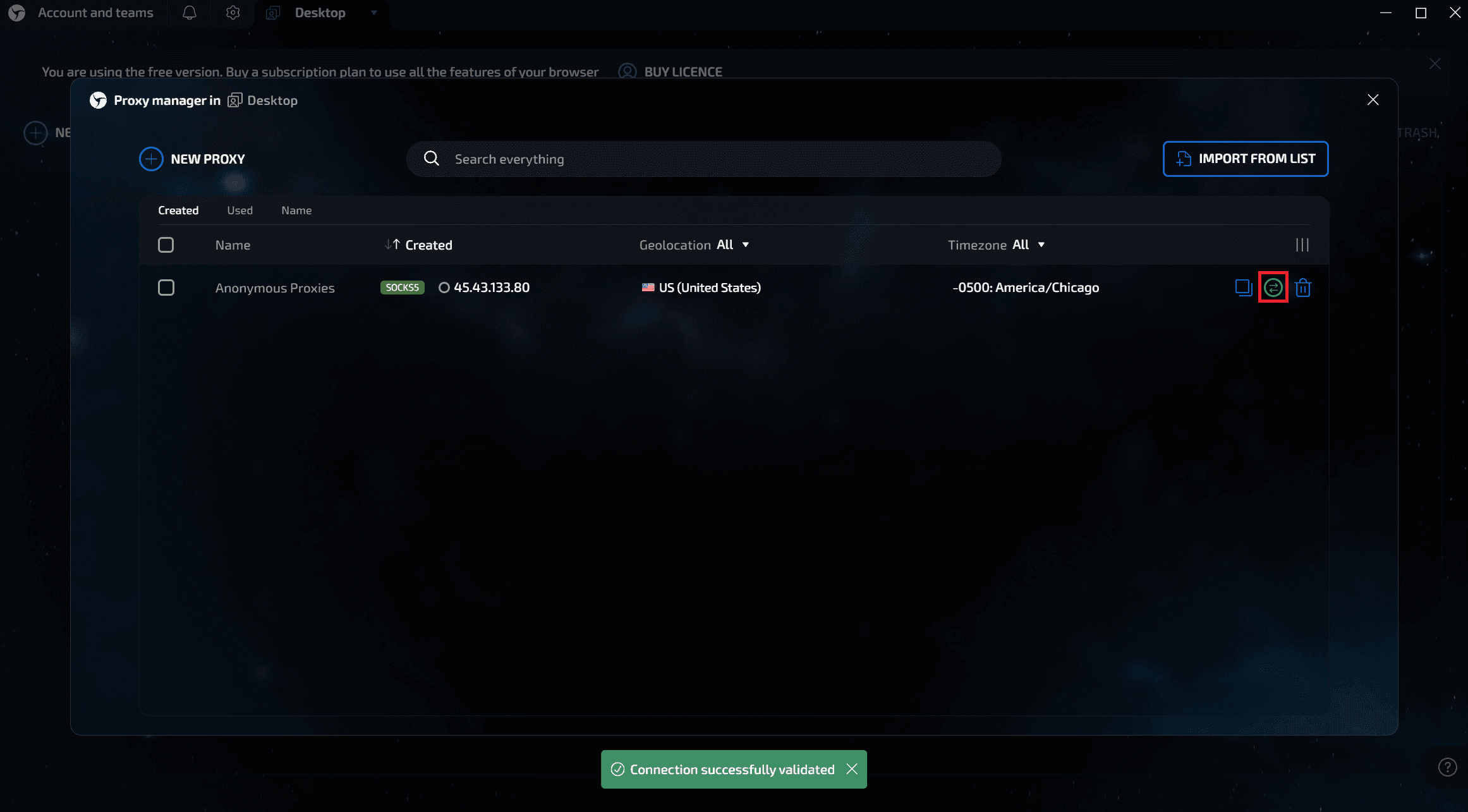
Click NEW PROXY, give the entry a name, select the protocol (SOCKS5 or HTTP), and paste your proxy's credentials from the Anonymous Proxies Dashboard in the host:port@user:pass format. Now, you just need to press the green check‑mark to save.
Step 3: Test the connection
Now, to see if your proxy connection is working, you need to click the circular arrow icon. A green toast that says “Connection successfully validated” confirms it works.
Method 2 – Add a Proxy Directly to a Profile
Step 1: Create a new session
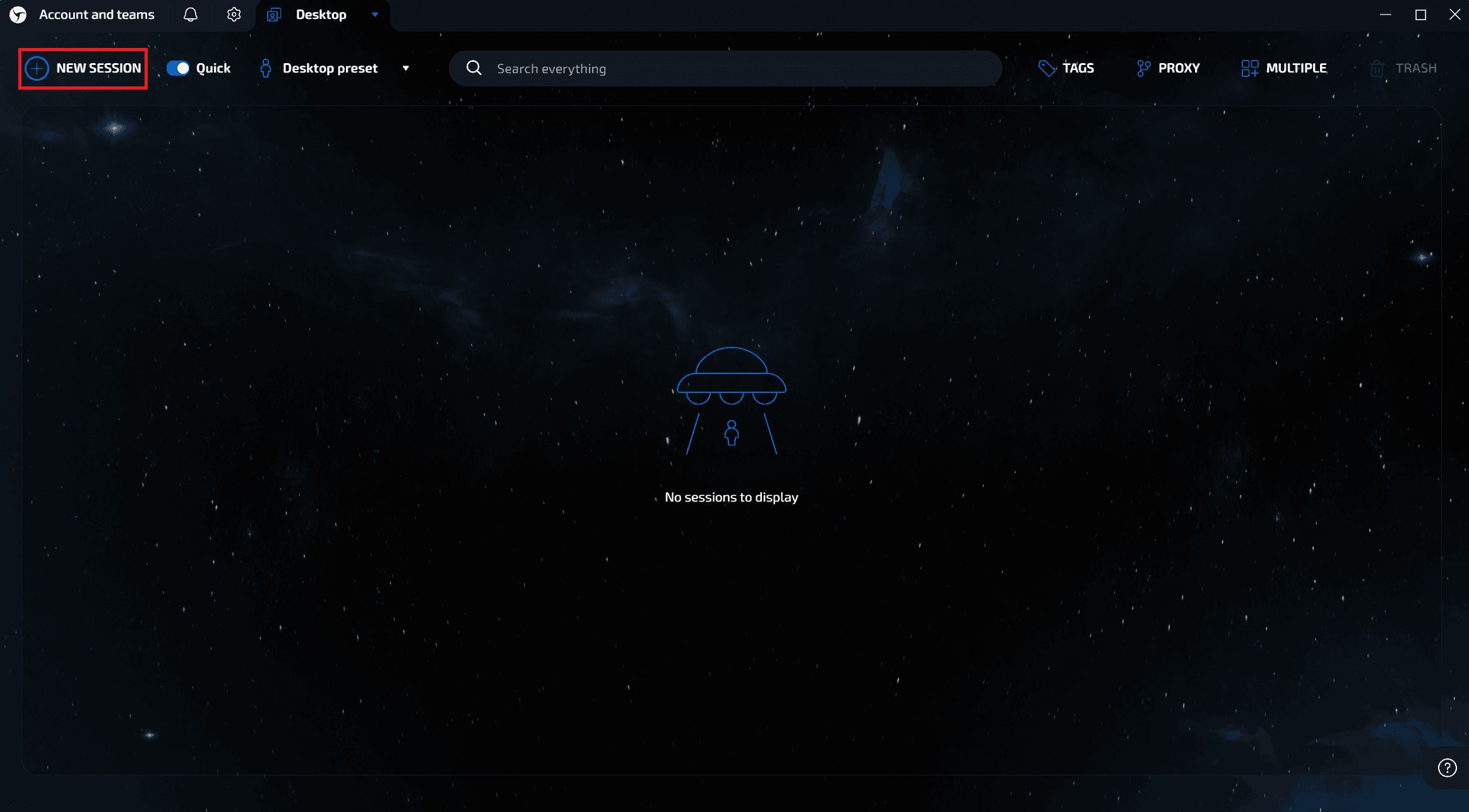
Now, for the second method, click on NEW SESSION firstly.
Step 2: Open the proxy selector
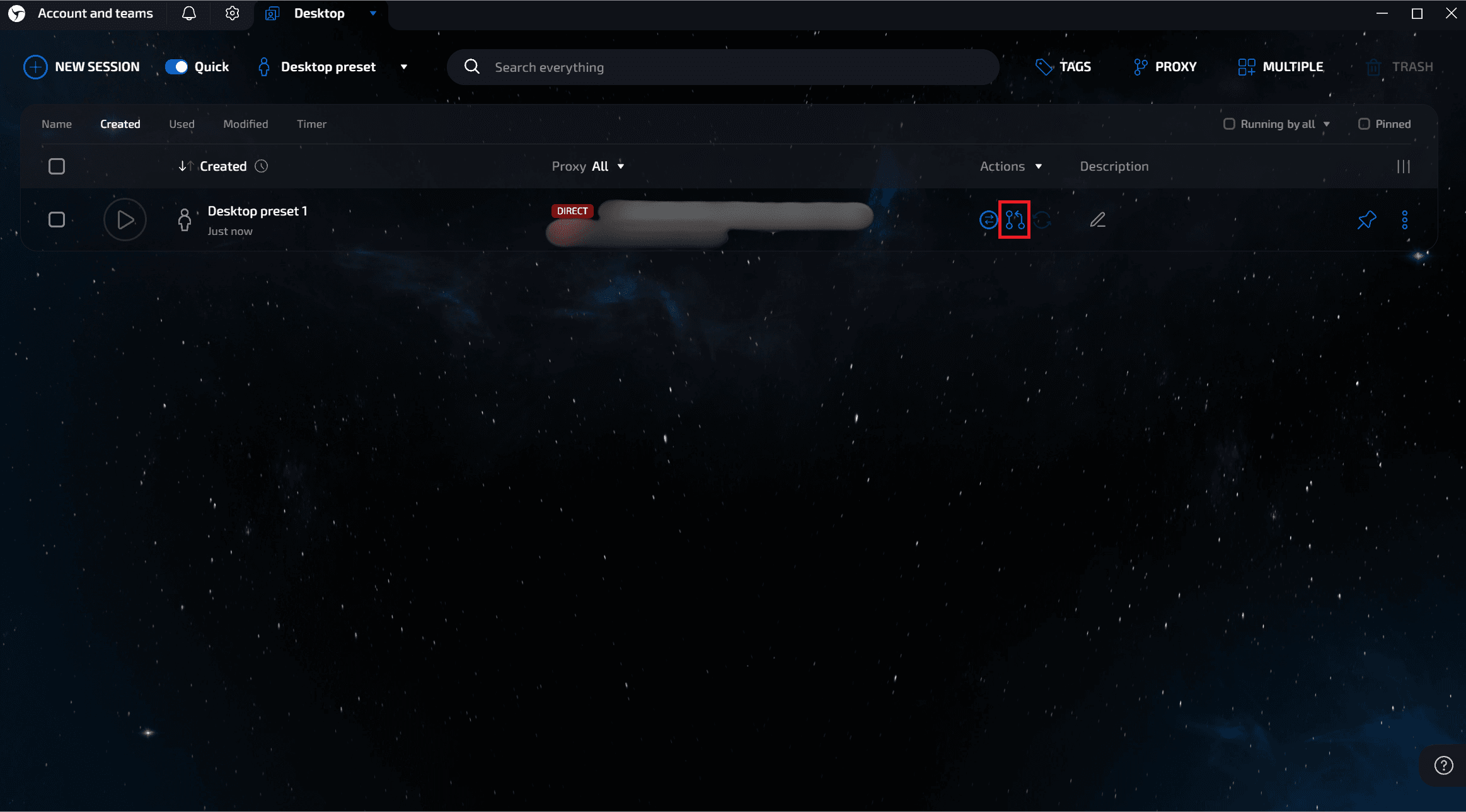
In the row’s Actions column, click the linked-silhouette icon.
Step 3: Choose or add a proxy
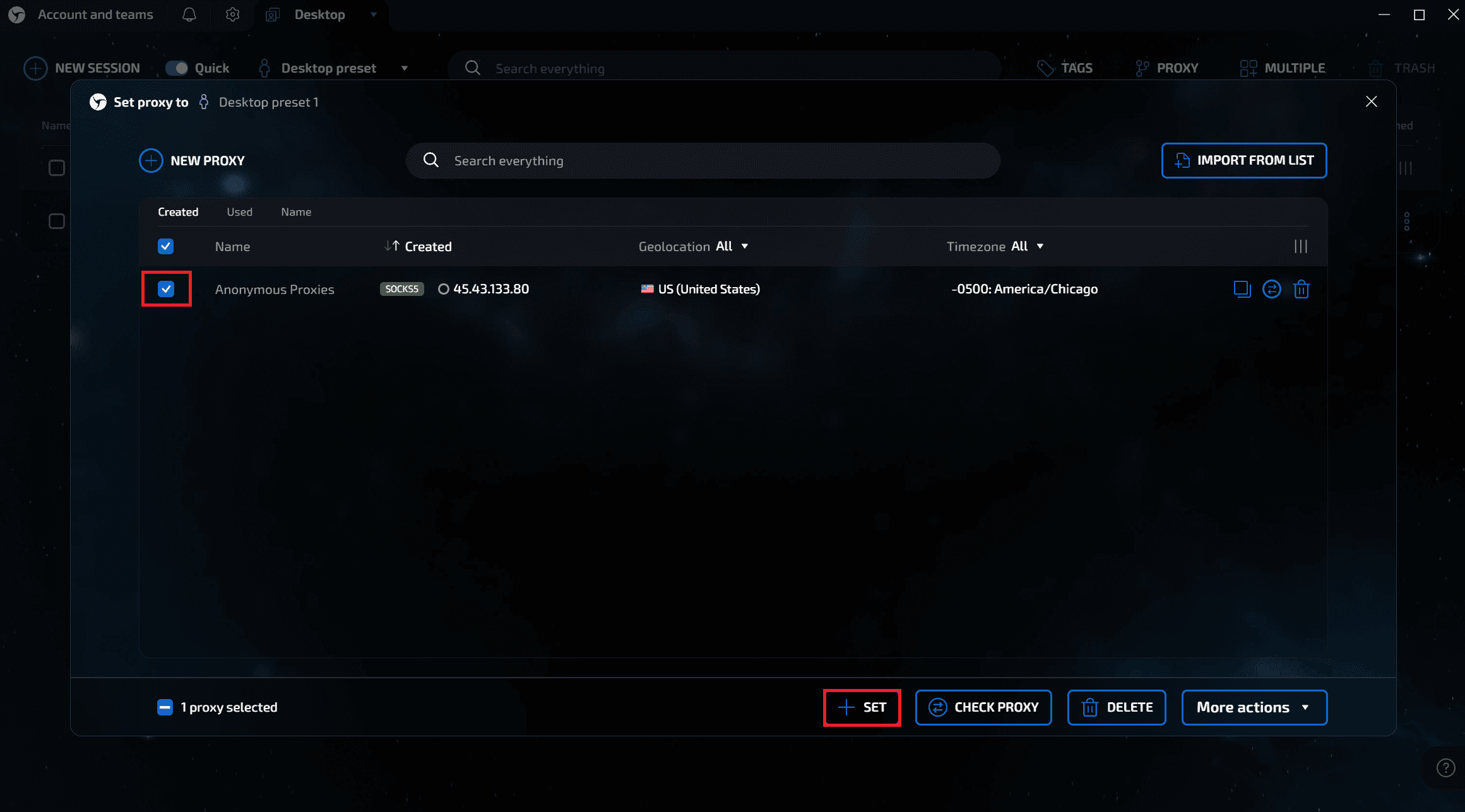
Select an existing proxy or repeat the “NEW PROXY → save → test” flow from Method 1.
Step 4: Launch the profile
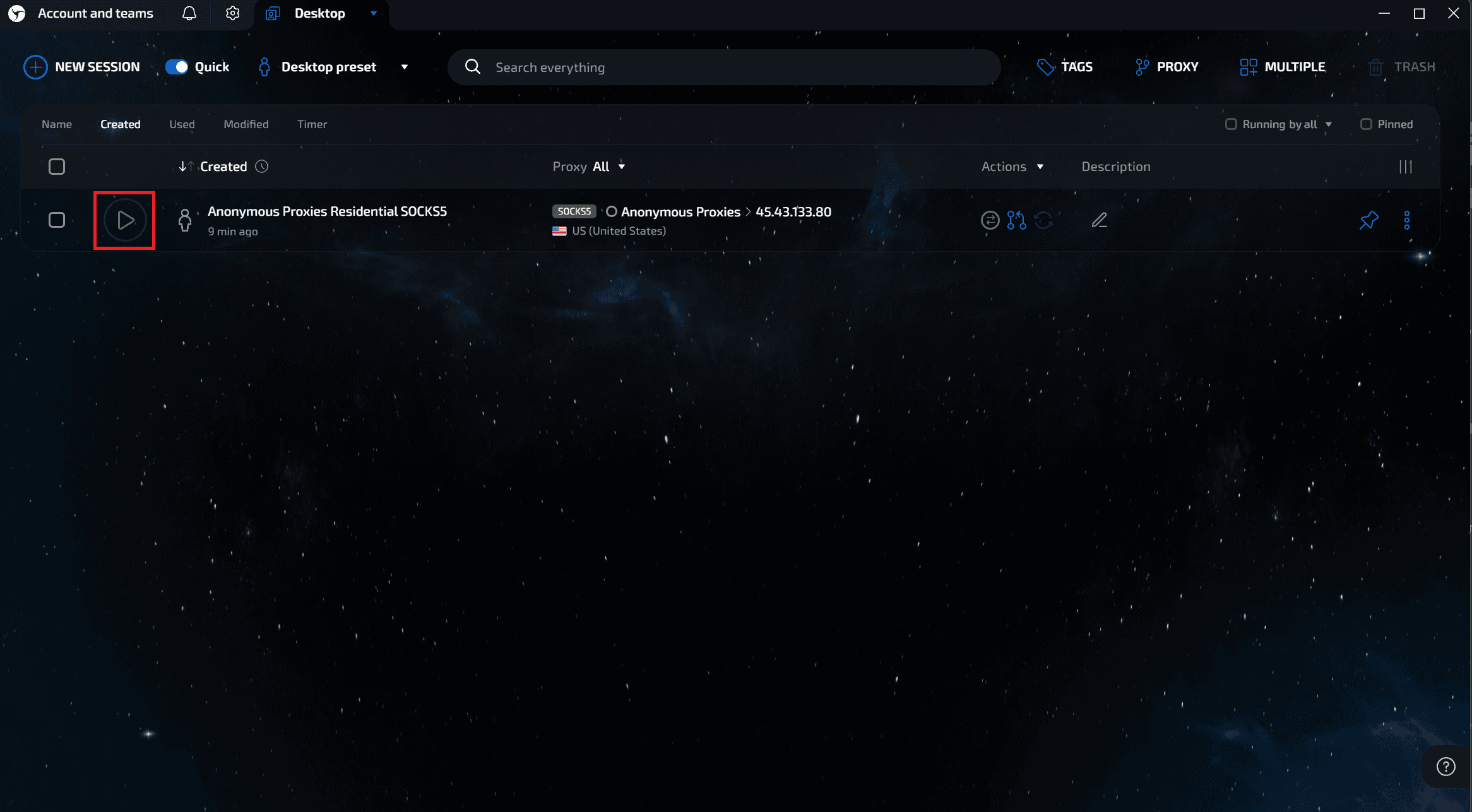
The row now shows a green SOCKS5/HTTP tag based on the proxy you've added. Click the green Play button to start the session.
Step 5: Confirm the proxy is active
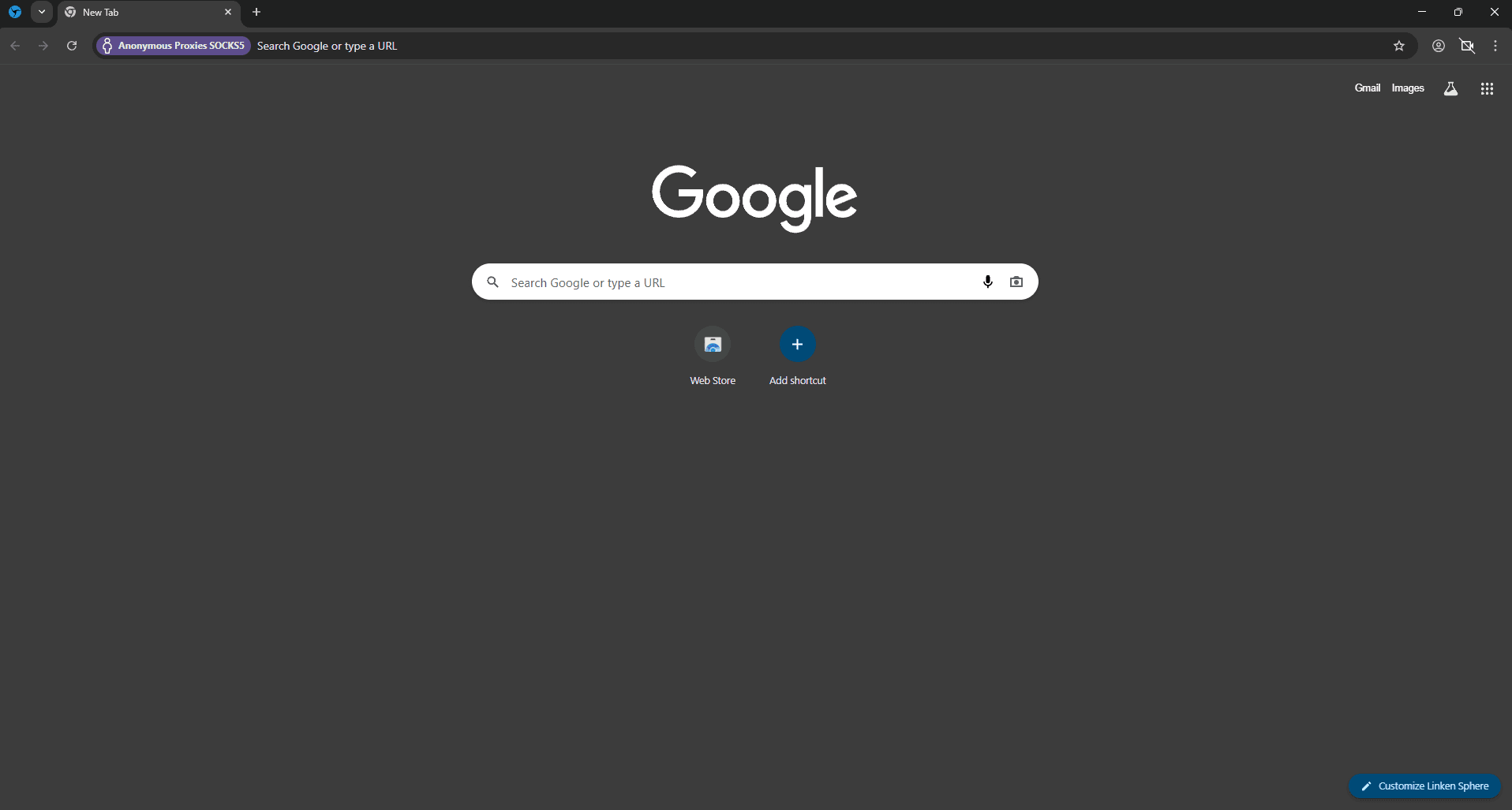
A new browser window will be opened which will have a colored label next to the address bar. It should display your proxy name and protocol.
Conclusion
Pairing Anonymous Proxies' residential proxies with Linken Sphere 2 turns each browsing profile into a separate, untraceable identity. Follow the steps above, save your proxy lists, and you’ll be able to launch geo-specific, fingerprint-clean sessions on demand, which are perfect for multi-account management, web scraping, ad verification, and any workflow where privacy and scale matter.
If you have any questions or encounter any problems setting up your proxies with Linken Sphere 2 browser, be sure to contact our support team which is there for you 24/7. Also, if you want to see more integration tutorials with other antidetect browsers, you can check our integrations page.

Buy Backconnect Proxies
Rotating IPs on every request. Scale scraping and automation without manual IP management.
More antidetect-browser Proxy Integrations
See more antidetect-browser integrations that work seamlessly with Anonymous Proxies.

Proxy Integration With Kameleo
Learn how to set up Anonymous Proxies' residential proxies with Kameleo for automation, web scraping, and easier multi-account management.

Proxy Integration With Lalicat
Learn how to integrate Anonymous Proxies' residential proxies with Lalicat to manage multiple accounts with ease and browse in anonymous way.

Proxy Integration With ClonBrowser
Learn how to set up Anonymous Proxies’ residential proxies in ClonBrowser to manage multiple social media accounts smoothly and browse more privately.

Proxy Integration With Octo Browser
This integration tutorial will show you how to connect Anonymous Proxies in Octo Browser for safer multi-accounting and scraping in just a few minutes