

Proxy Integration With Hidemyacc
Learn how to set up Anonymous Proxies' residential proxies and datacenter proxies in Hidemyacc for ad verification and scraping with fewer blocks.
What is Hidemyacc?
Hidemyacc is an anti-detect browser made for anyone who needs to run more than one online identity without creating a mess. Instead of using a single browser profile for everything, you build separate profiles that each keep their own cookies, local storage, and fingerprint settings. So if you manage multiple accounts, jump between client logins, or test websites in fresh sessions, you can do it without constantly logging in and out or mixing sessions by accident.
Hidemyacc Features
- Fingerprint customization: Every profile can run with its own fingerprint setup, including things like OS, browser, language, screen resolution and device specs, so it stays consistent across logins.
- Unlimited browser profiles (separate identities): You can spin up as many profiles as you need, and each one behaves like its own clean browser environment.
- Proxy per profile (plus Proxy Manager): You can attach a proxy directly to a profile, or save proxies in the built-in Proxy Manager and apply them when creating profiles or updating in bulk.
- Synchronizer for repetitive work: If you’re doing the same actions across multiple profiles, the Synchronizer helps you mirror clicks and inputs across selected profiles and save a lot of time.
- Automation that fits your style: You can build automations by recording actions, using drag-and-drop commands, or importing your own scripts (including Puppeteer-based ones).
- Team and sharing options: You can share or transfer profiles and folders with other users and set permissions, which is useful when you work with a team.
- Backup and restore: Profiles are protected with automatic backups so you can recover data if something gets deleted.
- Open API: If you want deeper control, Hidemyacc also offers an API for custom workflows.
Hidemyacc handles the browser identity (profiles, fingerprints, automation), while our premium residential proxies provide realistic home-style IPs. Together, each profile runs as a clean, stable setup with its own IP, which helps reduce overlaps, repeated verifications, and unnecessary blocks as you scale.
How to Integrate Anonymous Proxies With Hidemyacc
Before beginning, please ensure that you are logged into Anonymous Proxy Dashboard and have your residential proxy information ready for use in Hidemyacc browser. Once everything's ready, follow this simple setup below.
Step 1: Download Hidemyacc
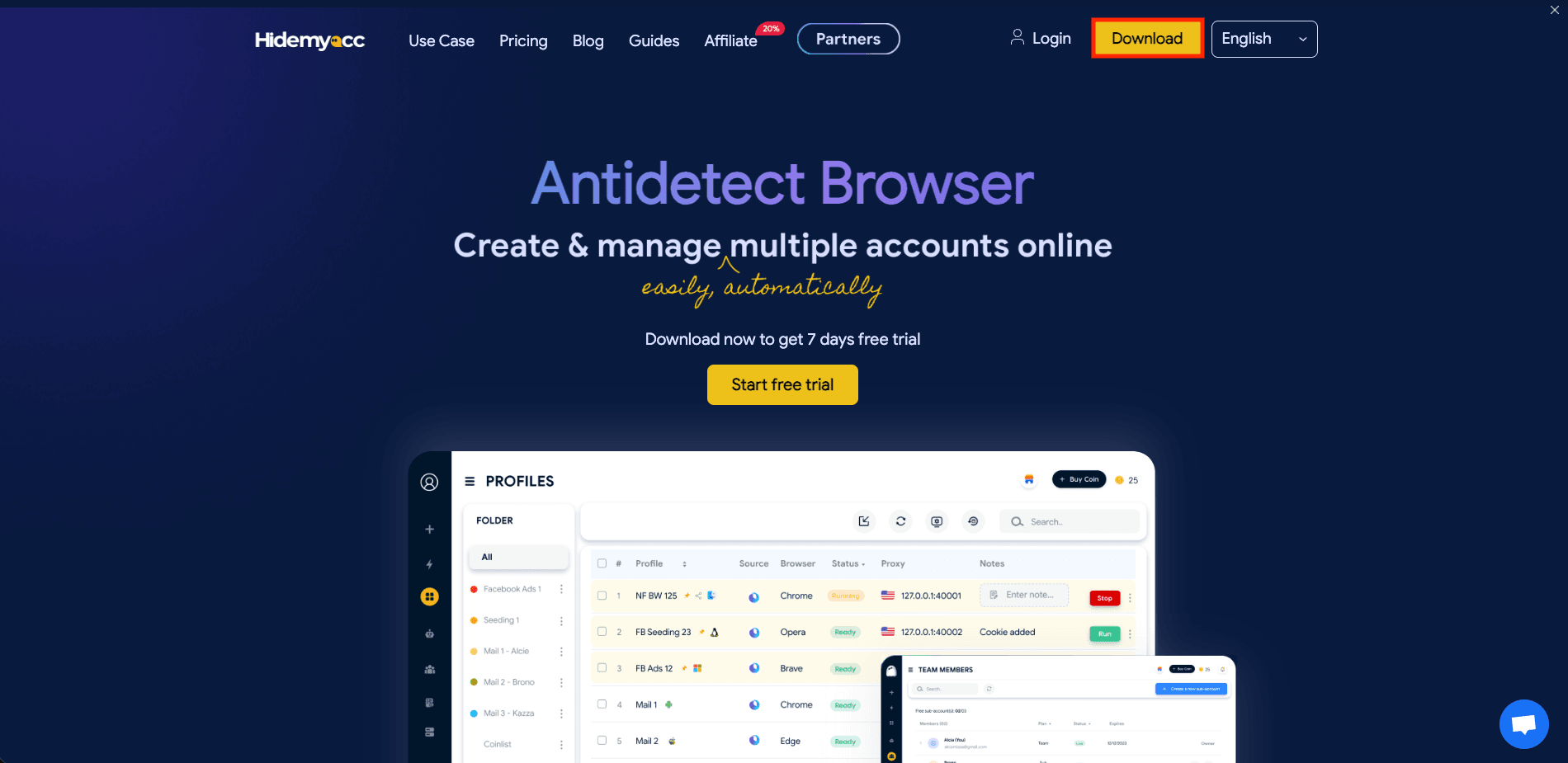
For the first step, go to Hidemyacc website and click on the Download button and select your version for your OS.
Step 2: Create a new profile
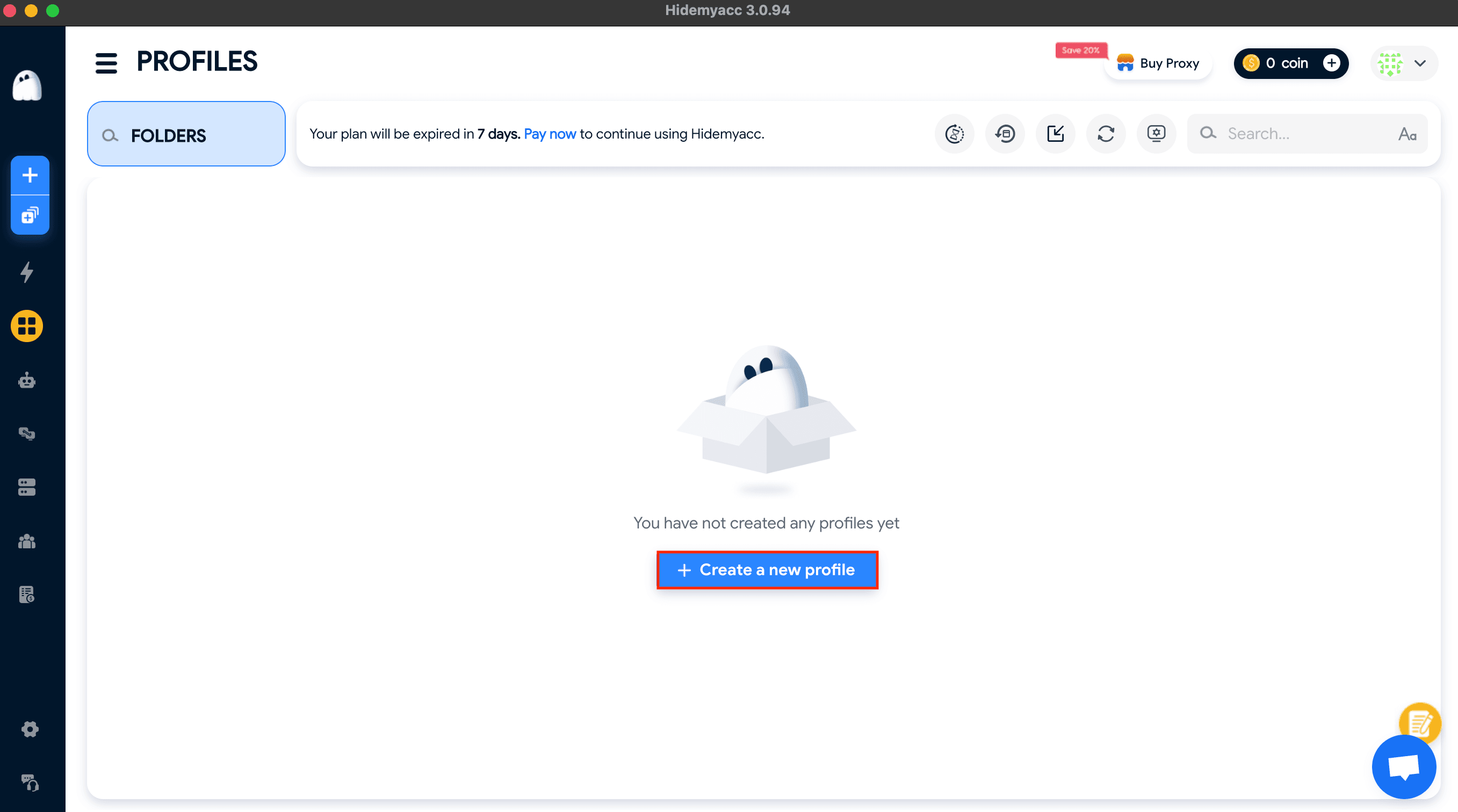
Once your download is finished, open Hidemyacc, click on Profiles, then click Create a new profile.
Step 3: Add proxy server
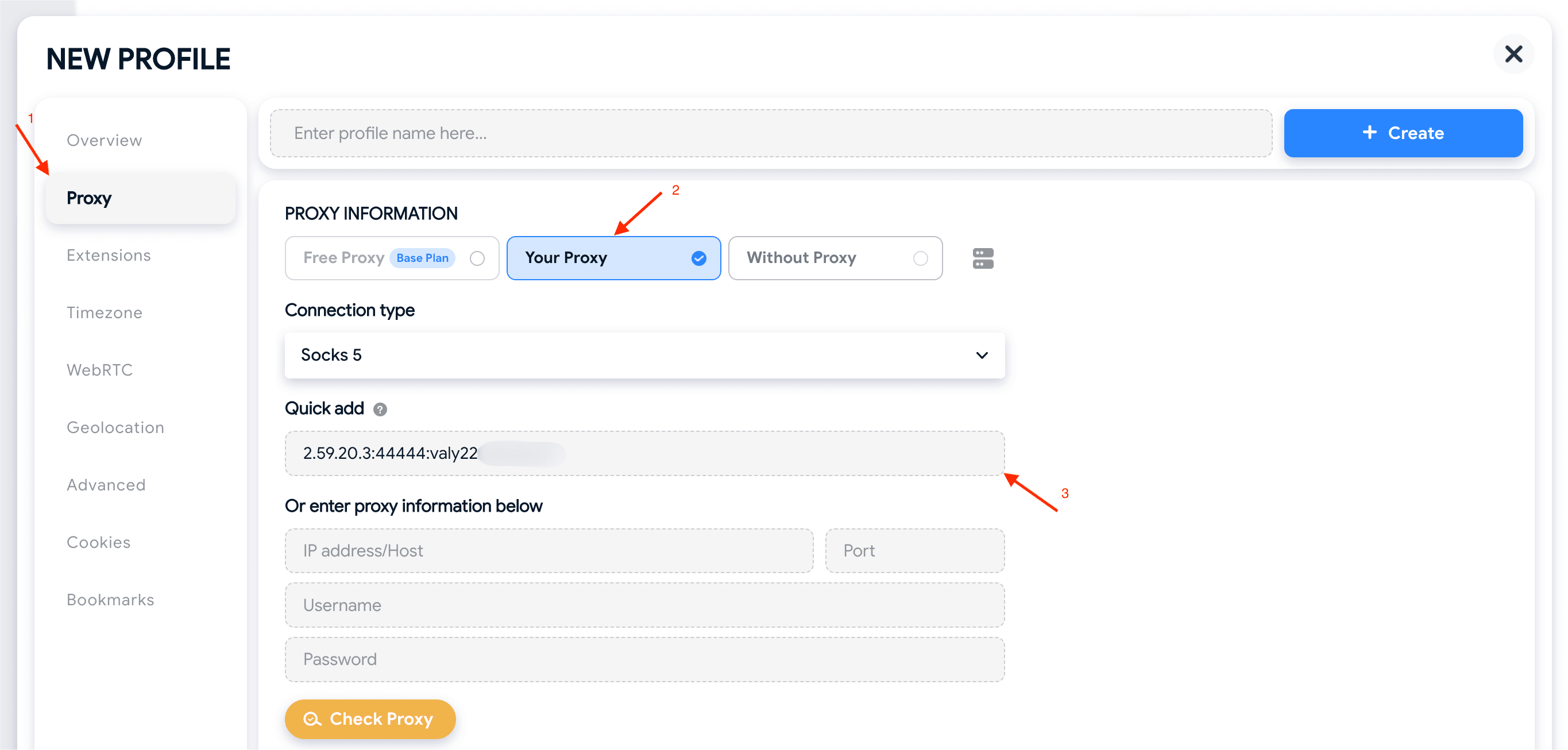
You'll be taken to the New Profile window. Here, be sure that you click on Proxy in the left-side menu, then, under Proxy Information, select Your Proxy. Now, simply add your proxy's details from Anonymous Proxies dashboard. You can either paste everything into Quick add using the format IP:PORT:USERNAME:PASSWORD like I did in our example, or type it into the fields below.
Step 4: Check the proxy
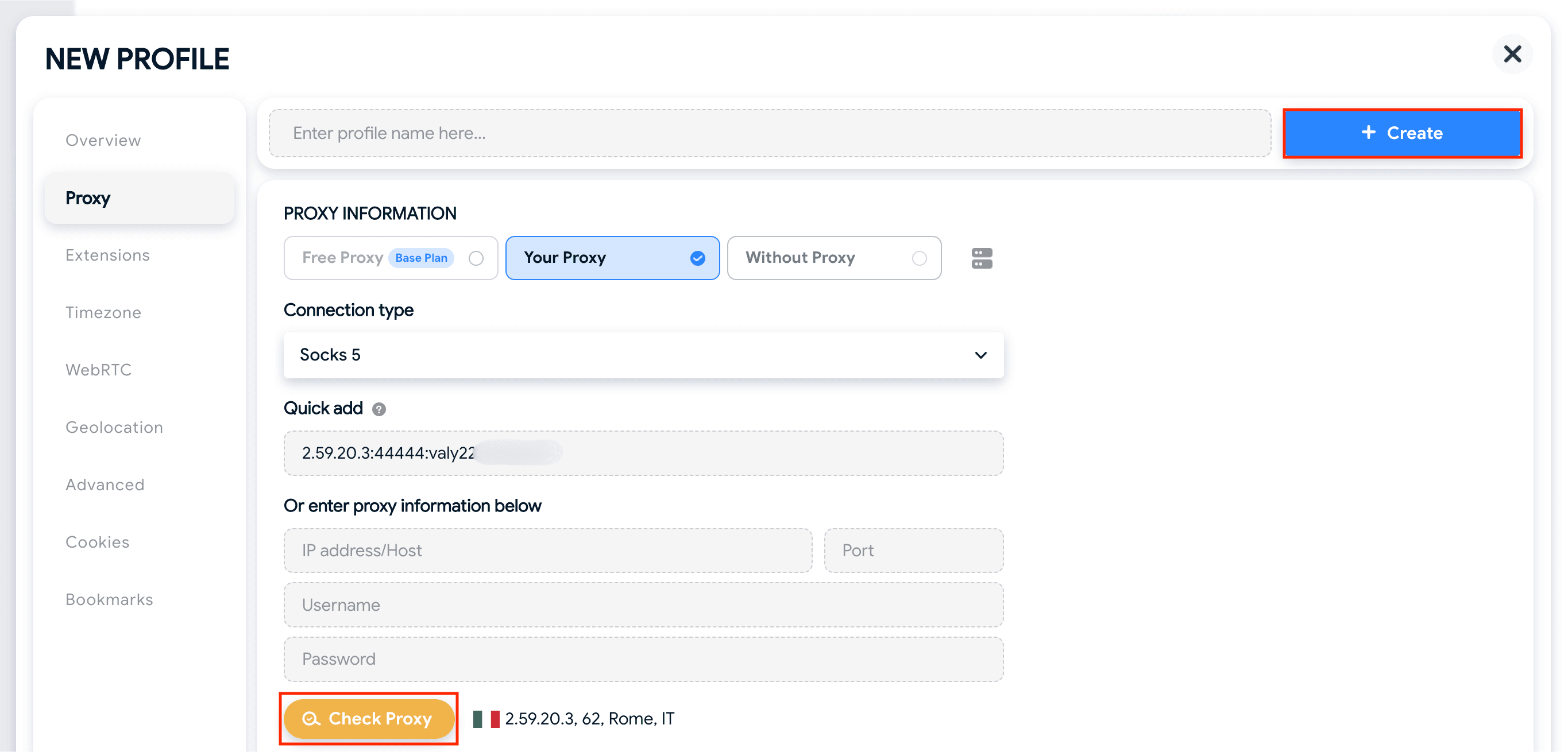
Once, you've entered all the necessary details, click on Check Proxy and you should see the proxy's IP and location next to this button if the connection works properly. Then, all what's left is to click on Create.
Step 5: Create and run the profile
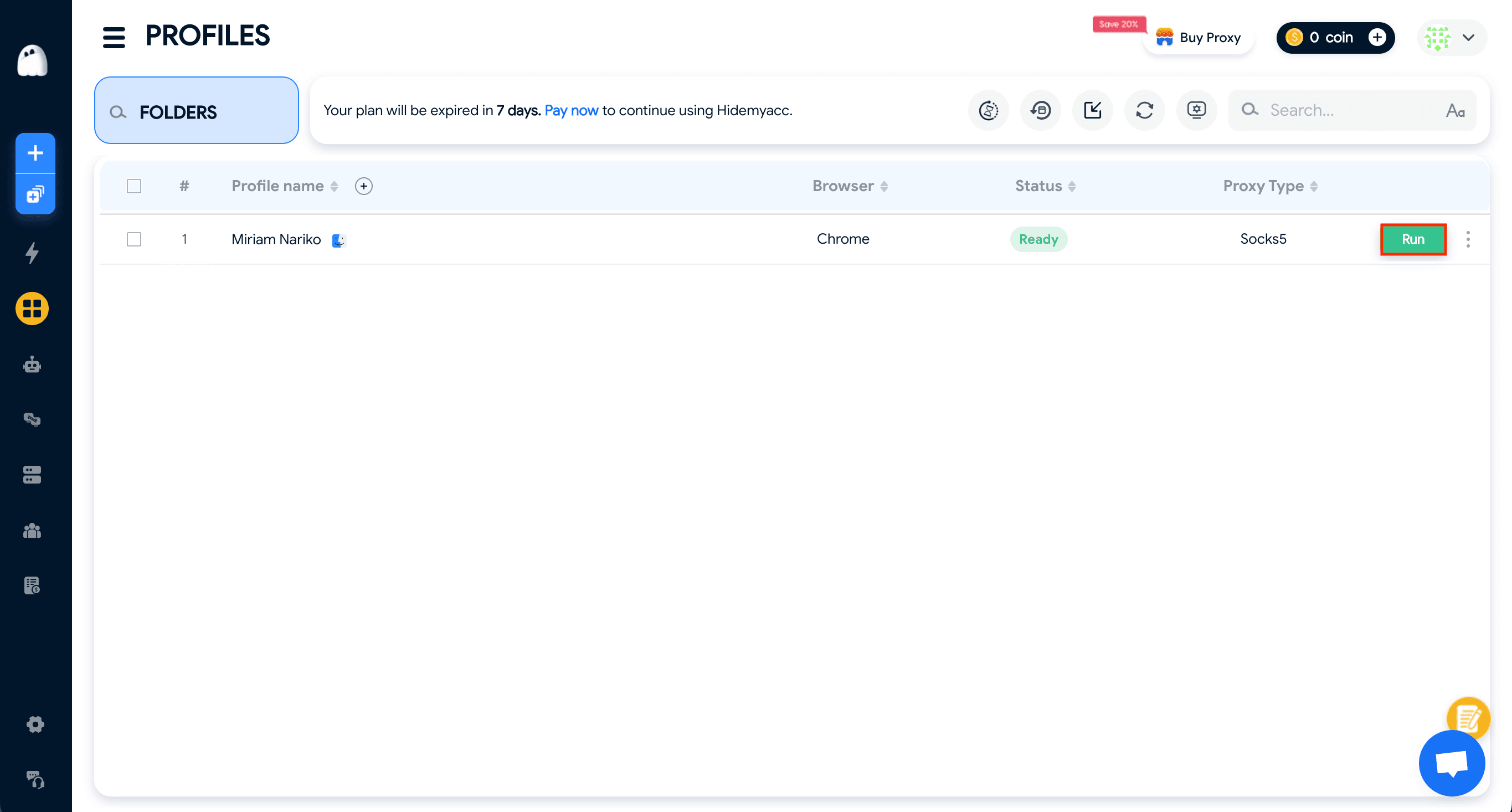
After you did this, you'll be back the profiles list, where you just need to click Run to launch your profile with your proxy applied.
Wrap Up
Hidemyacc is designed for running multiple identities smoothly, and when it's combined Anonymous Proxies' residential proxies, you'll forget about all the blocks you've received in the past.
If you have any question, please contact our support team which will assist you with any problem you've got. And if you want to see more tutorials with other antidetect-browsers, feel free to visit our integrations page.

Buy Backconnect Proxies
Rotating IPs on every request. Scale scraping and automation without manual IP management.
More antidetect-browser Proxy Integrations
See more antidetect-browser integrations that work seamlessly with Anonymous Proxies.

Proxy Integration With Kameleo
Learn how to set up Anonymous Proxies' residential proxies with Kameleo for automation, web scraping, and easier multi-account management.

Proxy Integration With Lalicat
Learn how to integrate Anonymous Proxies' residential proxies with Lalicat to manage multiple accounts with ease and browse in anonymous way.

Proxy Integration With ClonBrowser
Learn how to set up Anonymous Proxies’ residential proxies in ClonBrowser to manage multiple social media accounts smoothly and browse more privately.

Proxy Integration With Octo Browser
This integration tutorial will show you how to connect Anonymous Proxies in Octo Browser for safer multi-accounting and scraping in just a few minutes