How to Integrate Anonymous Proxies With Hidemyacc
Before beginning, please ensure that you are logged into Anonymous Proxy Dashboard and have your residential proxy information ready for use in Hidemyacc browser. Once everything's ready, follow this simple setup below.
Step 1: Download Hidemyacc
For the first step, go to Hidemyacc website and click on the Download button and select your version for your OS.

Step 2: Create a new profile
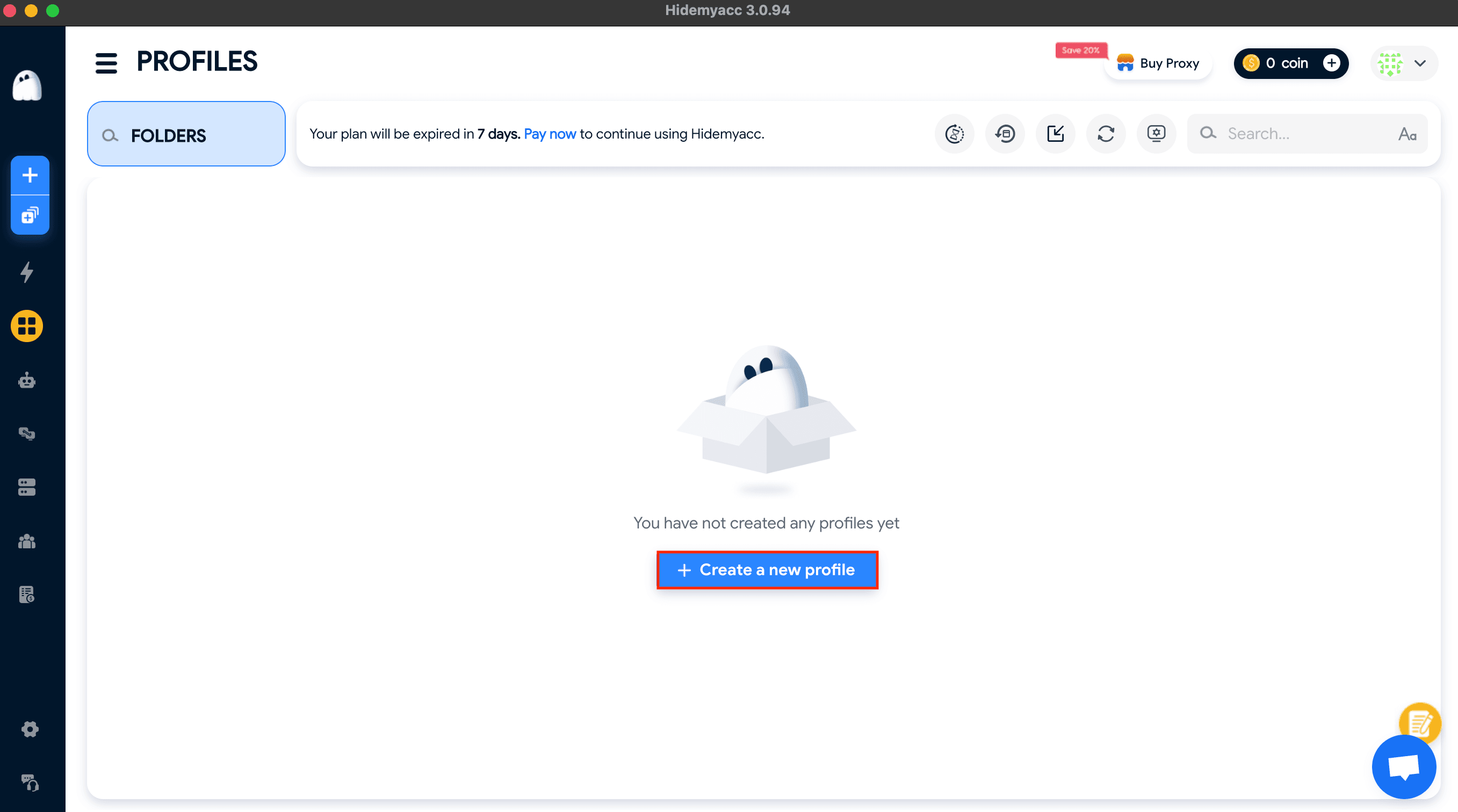
Once your download is finished, open Hidemyacc, click on Profiles, then click Create a new profile.
Step 3: Add proxy server
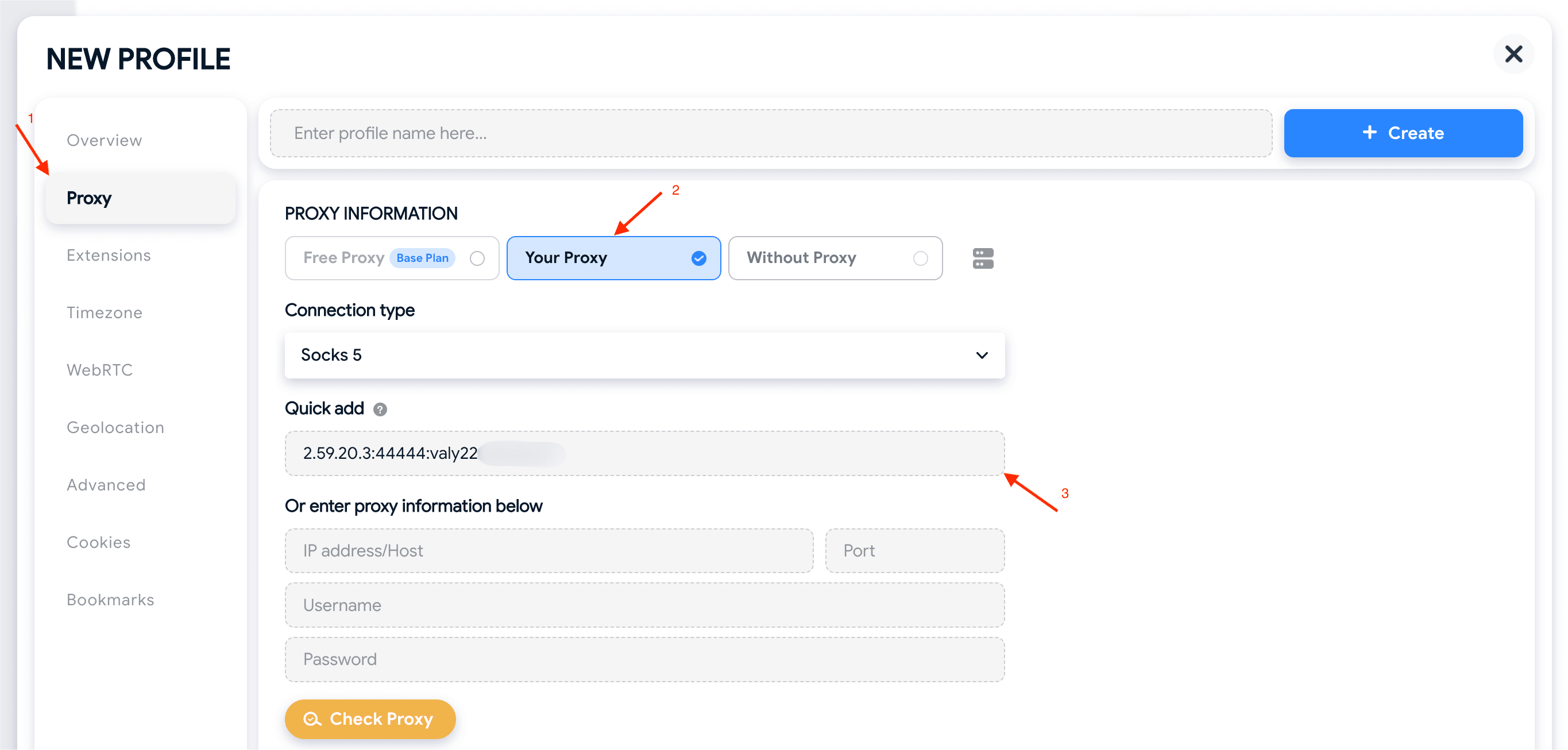
You'll be taken to the New Profile window. Here, be sure that you click on Proxy in the left-side menu, then, under Proxy Information, select Your Proxy. Now, simply add your proxy's details from Anonymous Proxies dashboard. You can either paste everything into Quick add using the format IP:PORT:USERNAME:PASSWORD like I did in our example, or type it into the fields below.
Step 4: Check the proxy
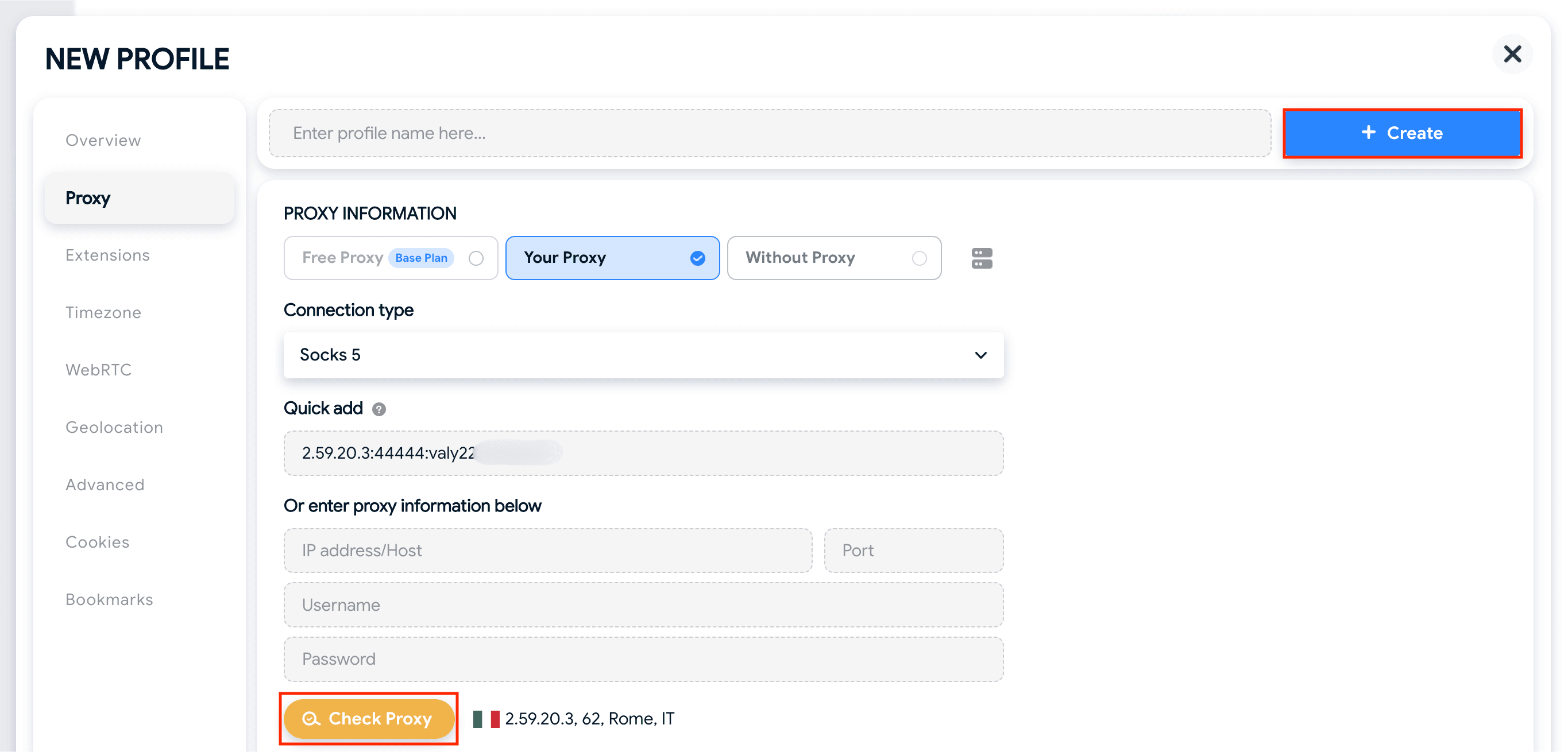
Once, you've entered all the necessary details, click on Check Proxy and you should see the proxy's IP and location next to this button if the connection works properly. Then, all what's left is to click on Create.
Step 5: Create and run the profile
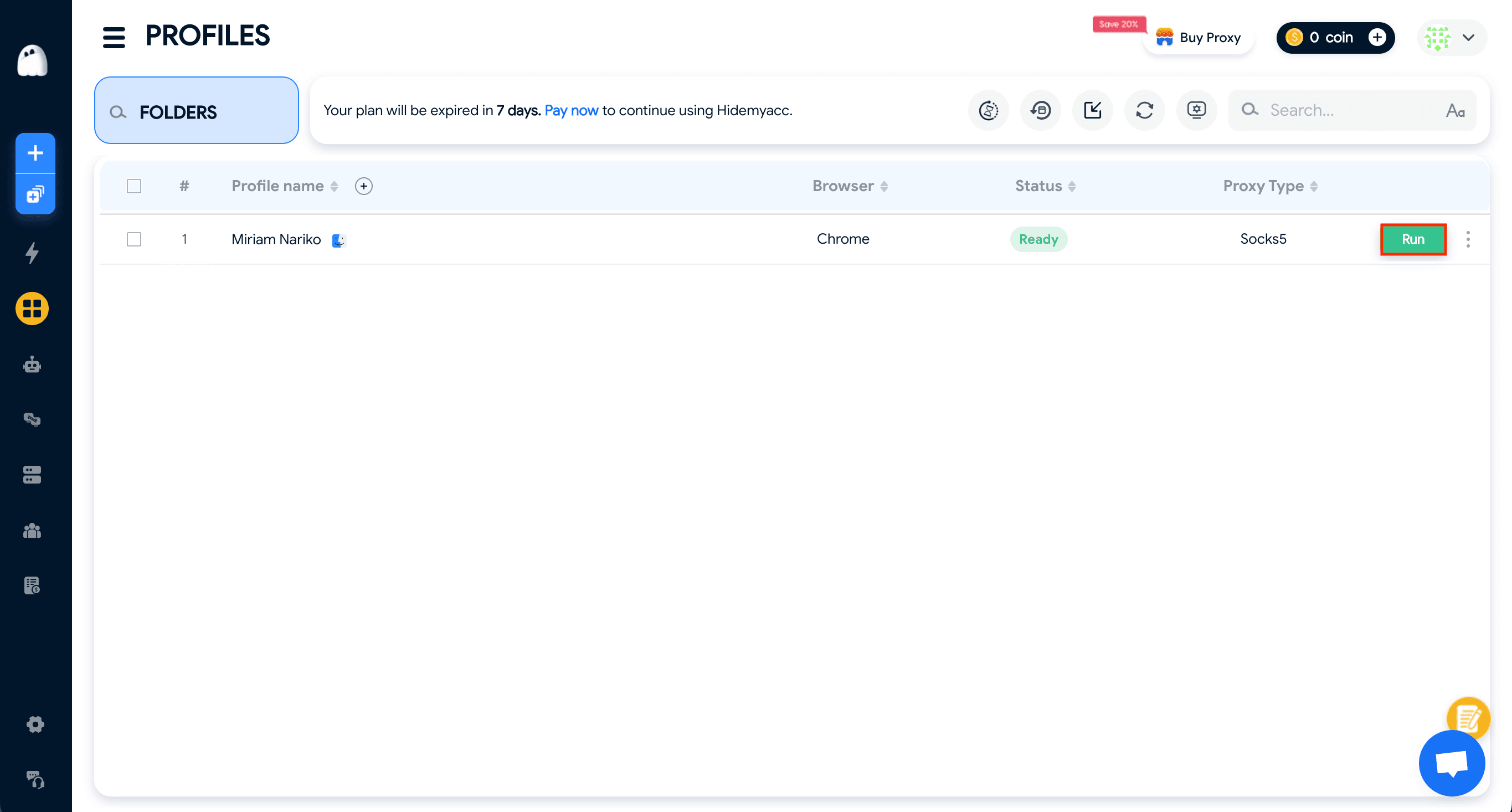
After you did this, you'll be back the profiles list, where you just need to click Run to launch your profile with your proxy applied.
Wrap Up
Hidemyacc is designed for running multiple identities smoothly, and when it's combined Anonymous Proxies' residential proxies, you'll forget about all the blocks you've received in the past.
If you have any question, please contact our support team which will assist you with any problem you've got. And if you want to see more tutorials with other antidetect-browsers, feel free to visit our integrations page.