

AdsPower Proxy Integration
This step-by-step guide will walk you through how to set up Anonymous Proxies with AdsPower in a very easy way.
What is AdsPower?
AdsPower is an anti-detect browser that can manage multiple online accounts in an efficient and secure way. It creates unique browser fingerprints that keep users away from being detected and greatly reduces the chance of account bans. With highly customizable browser environments, AdsPower makes it easy to manage accounts across platforms like Facebook, Amazon, TikTok, among many others.
AdsPower Features
- Unique Browser Profiles: Create various fingerprints to secure your accounts
- Flexible Browser Options: It is powered by both Chromium and Firefox-based engines
- Advanced Automation Tools: It also contains RPA and API integrations,so you can have your operations automated
- Top-notch Security: Protect your accounts with advanced encryption and smart features like failed login alerts and abnormal login detection.
While the free plan offered by AdsPower is good for getting started, it has session limits that can significantly affect your workflow. But, don't worry, because if you upgrade to a premium plan and pair it with our high-quality residential proxies, you are gonna unblock AdsPower full potential.

How To Set Up Anonymous Proxies with AdsPower
If you want to set up Anonymous Proxies with AdsPower, just follow these simple steps:
Step 1: Download AdsPower
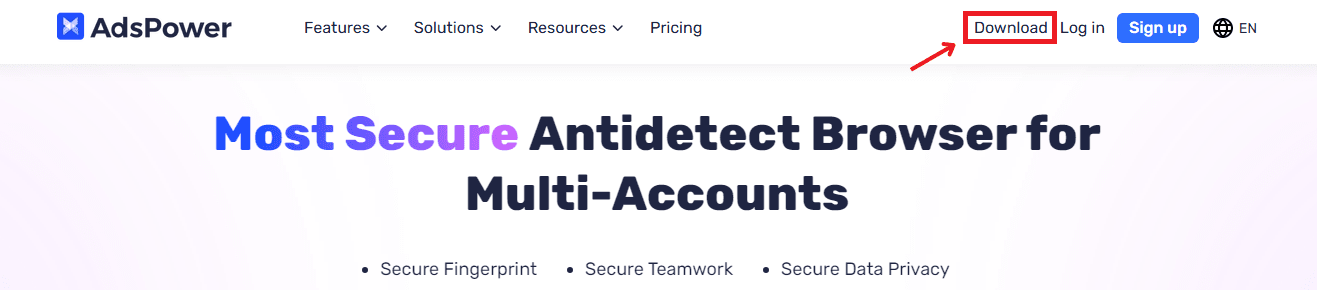
First of all, visit the official AdsPower website and click on the "Download" button located in the top-right corner. Now, you need select the version compatible with your operating system. For this guide, I'll use a Windows version.
Step 2: Log In to AdsPower
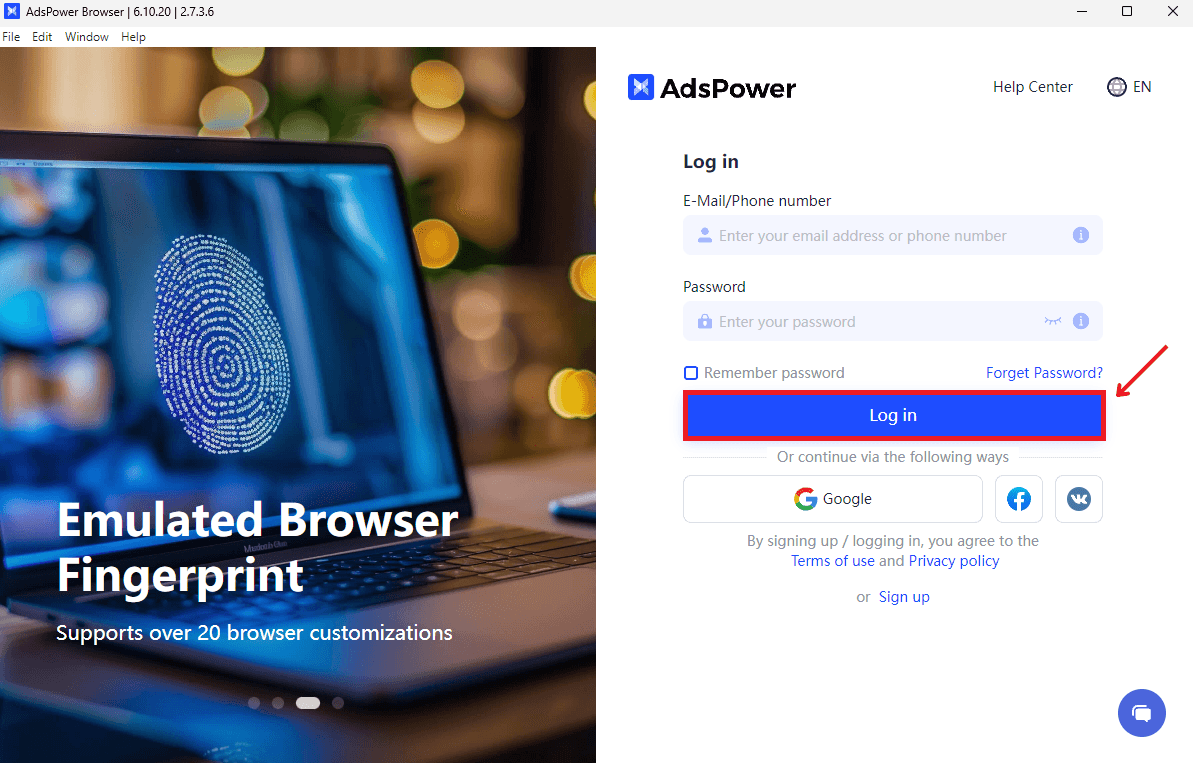
Now, you need to open AdsPower and you’ll see that a login screen window window will pop up. If you already have an AdsPower account, you just need to enter your account's credentials and then click the blue "Log In" button. If you don’t have an account yet, click on "Sign up" to create one. You can also log in with Google, Facebook, or VK.
Step 3: Create a New Profile
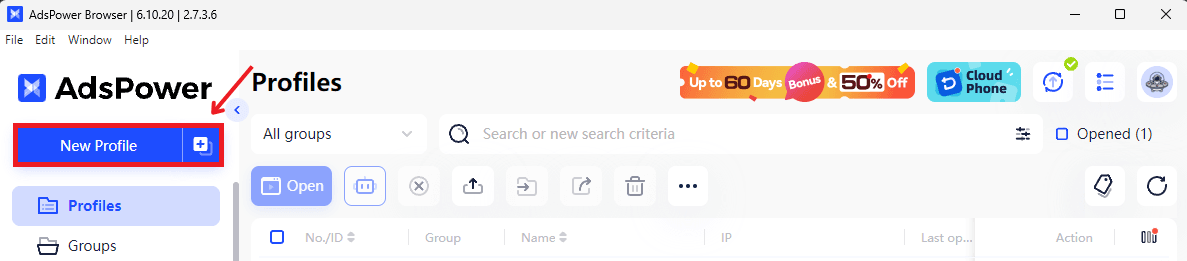
Once logged in, on the left sidebar, click on the "Profiles" tab. Here, just click on the New Profile button to create a new browser profile.
Step 4: Fill in the Profile Name
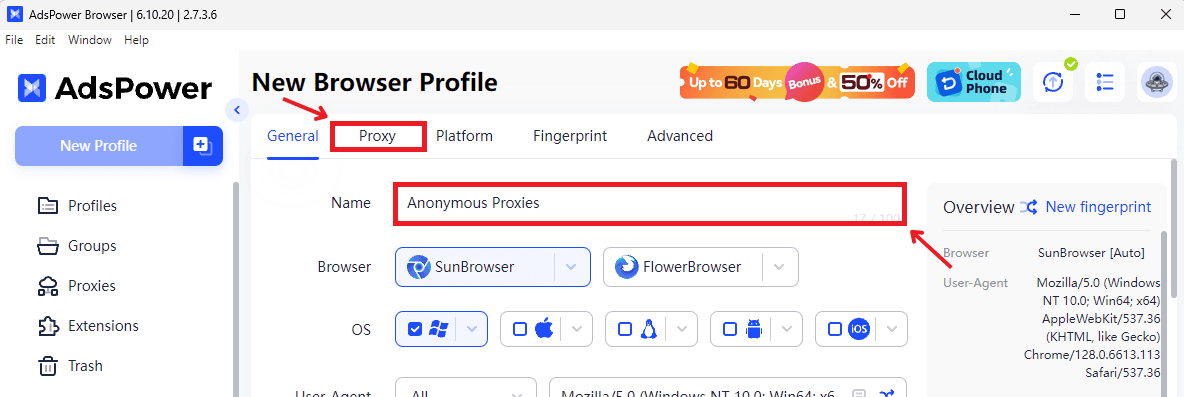
In the "General" section, fill in a unique name for your profile for better organization. Then select the type of browser you will use, either SunBrowser or FlowerBrowser, and select the OS to match your configuration. Once you've done this, move to the Proxy tab to set up your proxy configuration.
Step 5: Enter Proxy Details
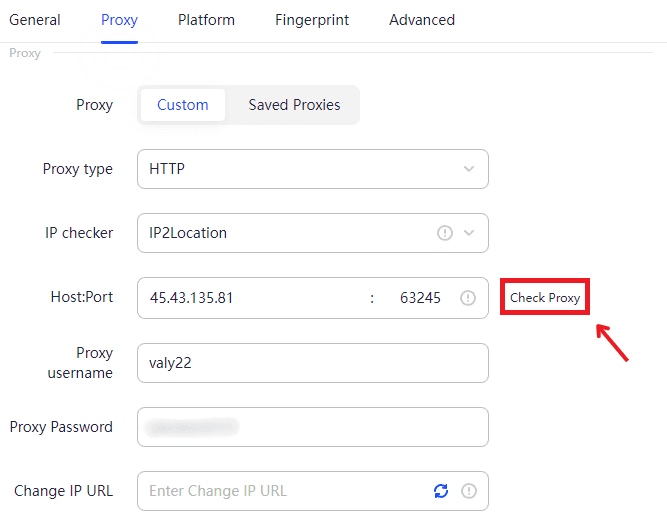
Now, on the proxy tab you'll need to configure your proxy. Here you need to enter the:
- Proxy Type: Select HTTP, HTTPS, or SOCKS5 based on your proxy type.
- Host:Port: Enter the proxy's IP address and port number.
- Username/Password: Fill in your proxy login credentials if you turned on authentication in Anonymous Proxies Dashboard. If you whitelisted your IP, then you don't need to enter your login credentials anymore.
After filling in your proxy's details click the Check Proxy button to check if the connection is OK.
Step 6: Save Proxy Configuration
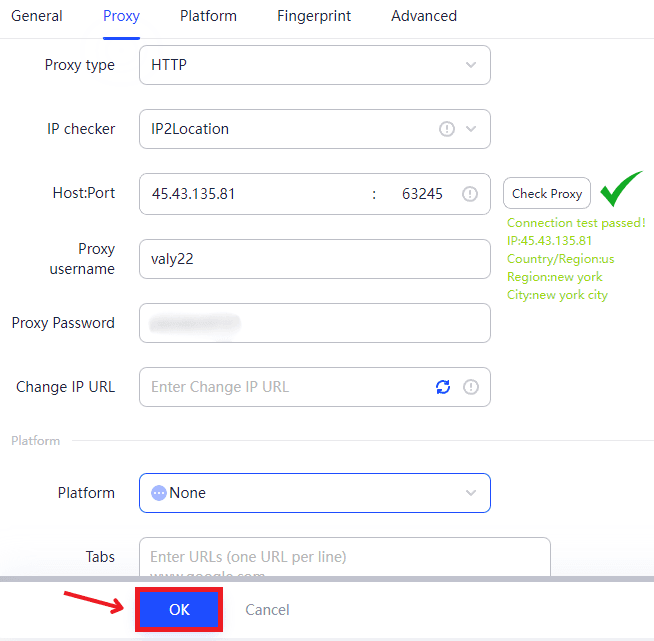
Once the proxy connection is verified, click the OK button at the bottom of the screen to save your profile.
Step 7: Open the Profile and Start Browsing
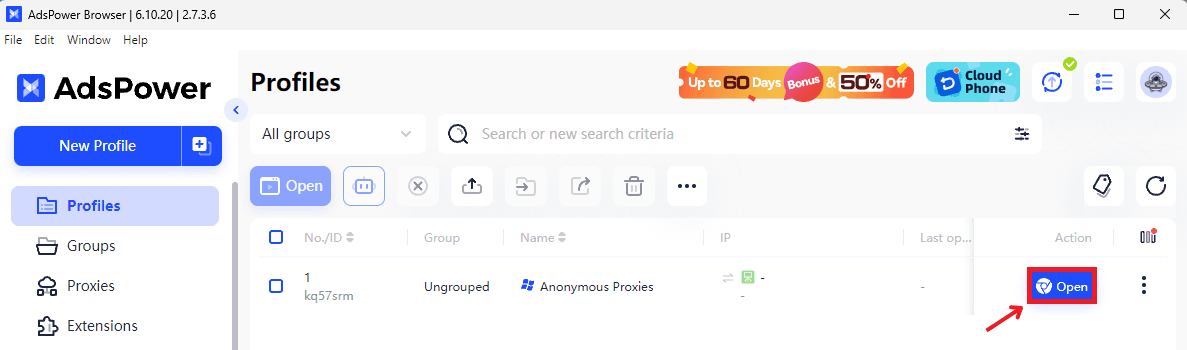
Now, you are gonna be returned to the "Profiles" list. Here, you should see your new profile. Once you see it, click "Open". This action will launch a browser session configured with your proxy.
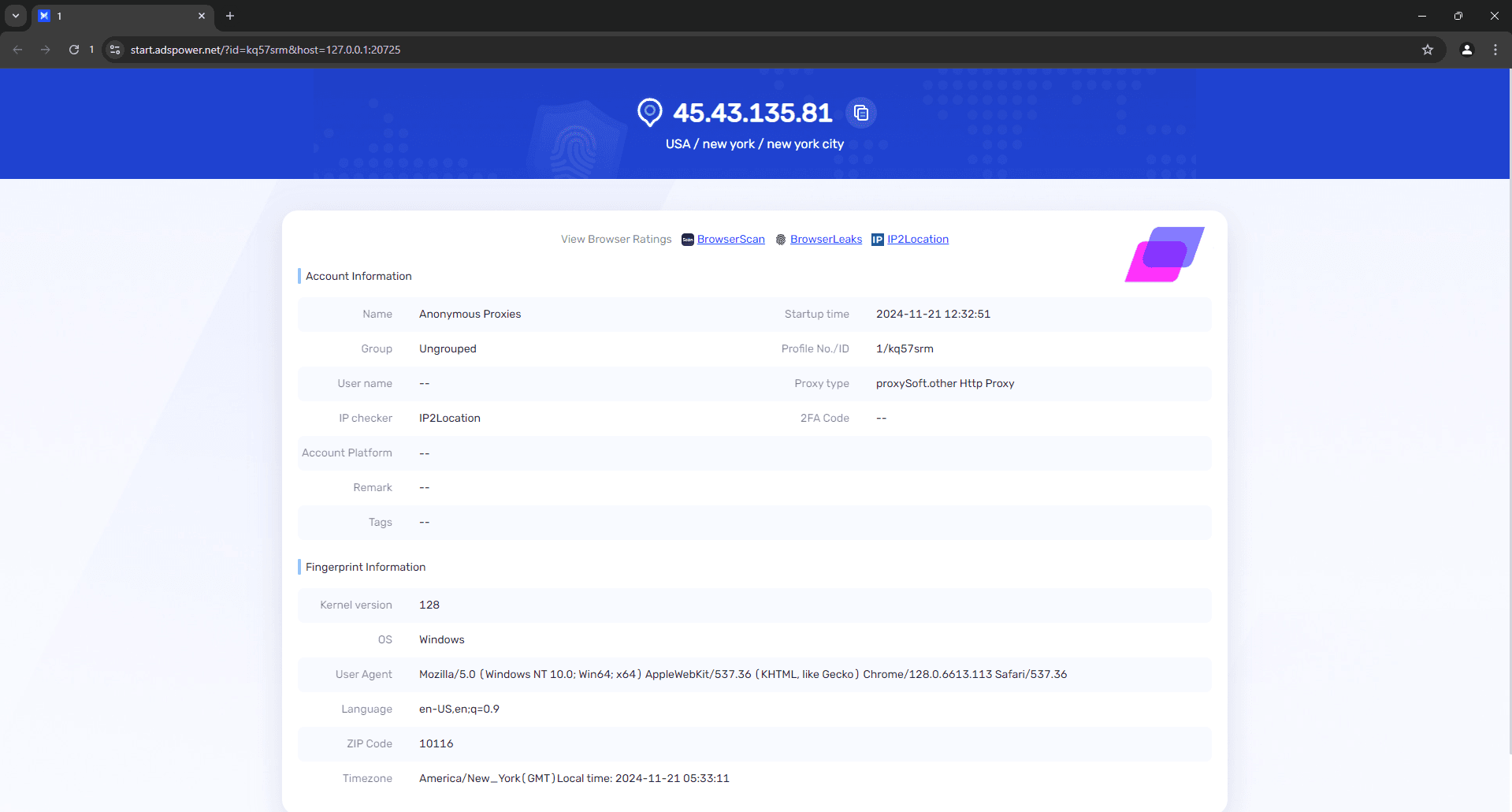
That's it! Now, You can browse securely and manage multiple accounts without being detected.
Wrap Up
AdsPower alone doesn’t include built-in proxies, and because of this, if you pair it with a reliable proxy, you are going to unlock its full potential. Our Residential Proxies and Datacenter Proxies are designed to help you manage multiple accounts while bypassing challenges like browser fingerprinting and account bans.
If you have any questions or need assistance setting up Anonymous Proxies with AdsPower, our team is here to help. For more integration tutorials, you can check out our integrations page.

Buy Backconnect Proxies
Rotating IPs on every request. Scale scraping and automation without manual IP management.
More antidetect-browser Proxy Integrations
See more antidetect-browser integrations that work seamlessly with Anonymous Proxies.

Proxy Integration With Kameleo
Learn how to set up Anonymous Proxies' residential proxies with Kameleo for automation, web scraping, and easier multi-account management.

Proxy Integration With Lalicat
Learn how to integrate Anonymous Proxies' residential proxies with Lalicat to manage multiple accounts with ease and browse in anonymous way.

Proxy Integration With ClonBrowser
Learn how to set up Anonymous Proxies’ residential proxies in ClonBrowser to manage multiple social media accounts smoothly and browse more privately.

Proxy Integration With Octo Browser
This integration tutorial will show you how to connect Anonymous Proxies in Octo Browser for safer multi-accounting and scraping in just a few minutes