

Proxy Integration With Lauth
This guide will show you how to integrate Anonymous Proxies with Lauth to make your online activities fully anonymous and secure.
What is Lauth?
Lauth is an antidetect browser designed to help users manage multiple accounts and each of these accounts will appear like it is being accessed from a unique device. It does this by masking and generating new fingerprint data for each profile, preventing platforms from linking accounts together. So, whether you are a digital marketer, an e-commerce professional, or you just need to manage several accounts without the risk of detection or bans, then Lauth is the best solution for you.
Remember, the first 7 days of Lauth are absolutely free, so you can try its powerful features risk-free and understand how it amplifies your online security. However, if you want to take the game to the next level, it's a must to pair Lauth with our high-quality residential proxies. With our residential proxies, be sure that each profile you will create will appear like it is a real, legitimate user and the chances to be banned are basically nonexistent.
How to Integrate Anonymous Proxies with Lauth
Before we go in detail into how you can integrate Anonymous Proxies with Lauth be sure that you created an account and downloaded the app for your operating system.
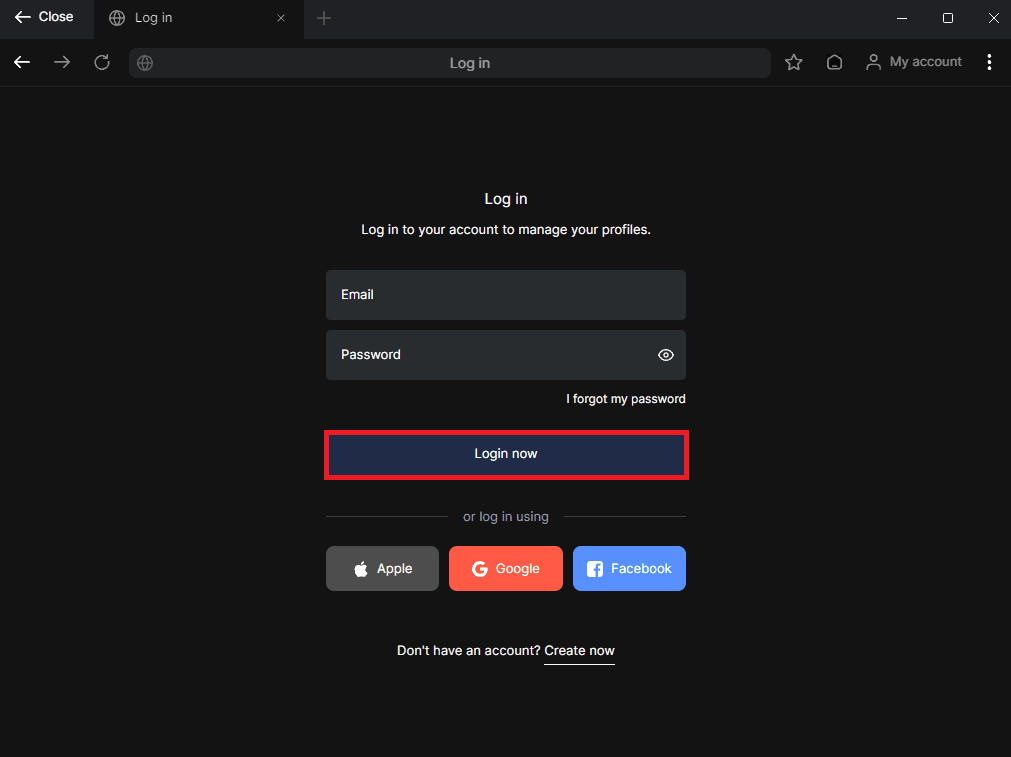
Step 1: Log in to Your Lauth Account
Once you created an account and downloaded the app, log in into your account.
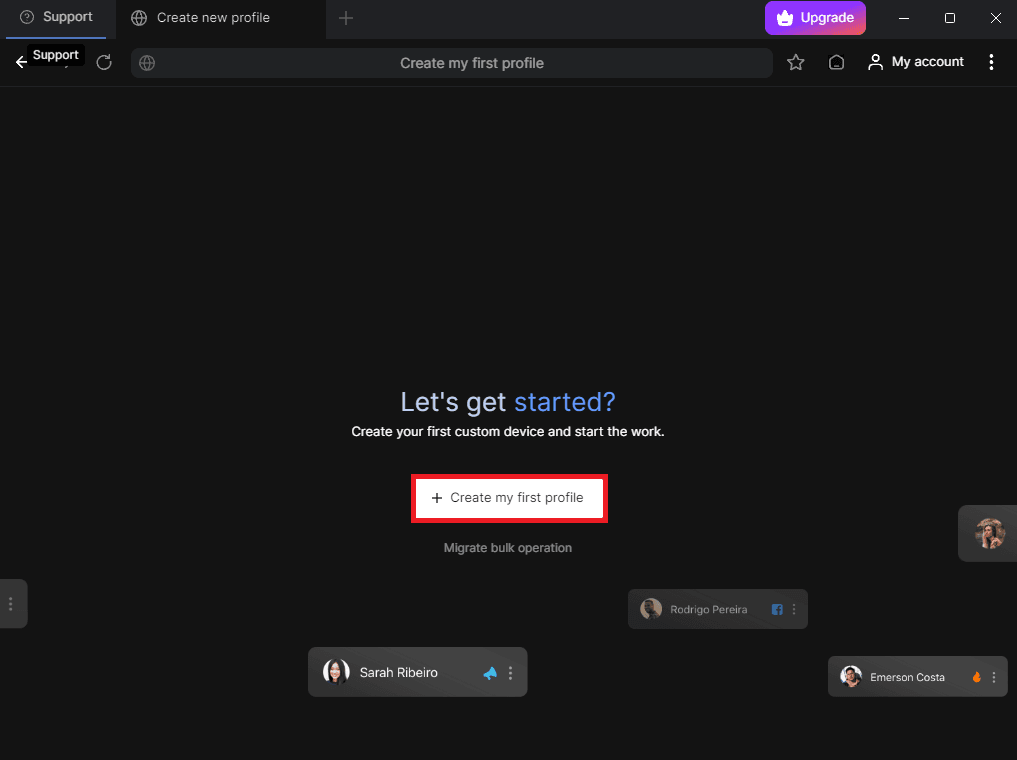
Step 2: Create Your First Profile
Once you're in the dashboard, you’ll see a welcoming message prompting you to create your first custom device. Click on "Create my first profile" to get started.
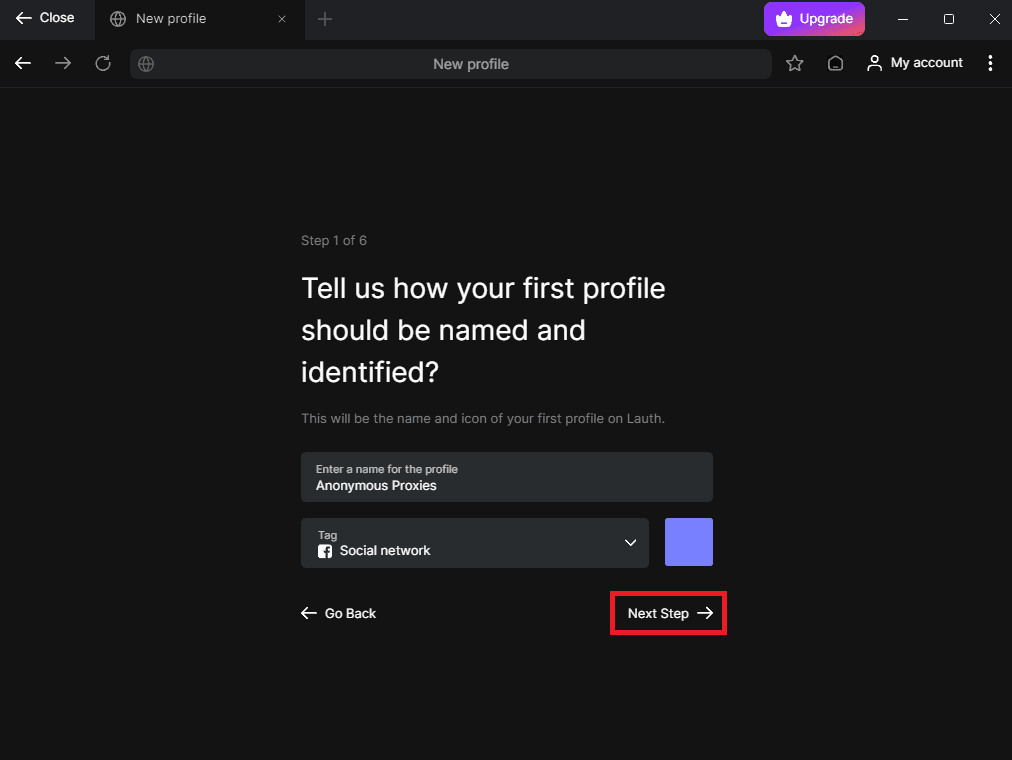
Step 3: Choose a Profile Name and Tag
There you will see that you need to input a name for your profile and a tag based on the activities you are willing to do.
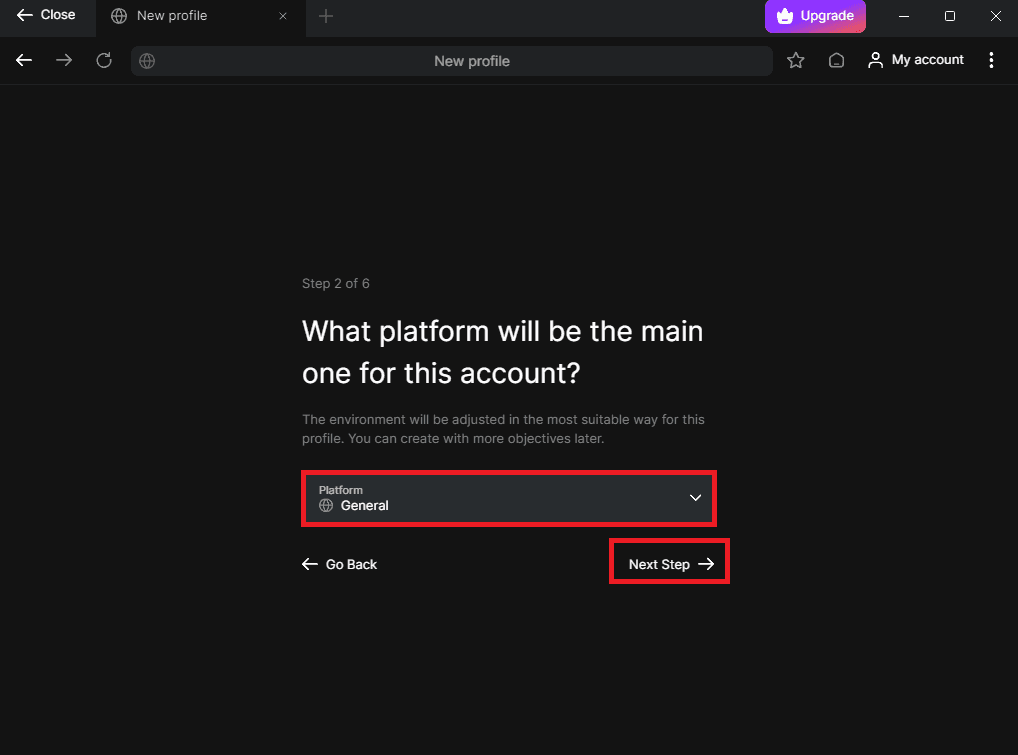
Step 4: Choose the Platform Type
Next, you'll be asked to say which platform you’ll primarily use with this profile. For this example, I'll go with the "General" one.
Step 5: Select a Project Group (Optional)
If you plan to manage multiple profiles for specific purposes, you can create a project group. However, if you don’t need this feature, simply click "Skip this step" and move forward.
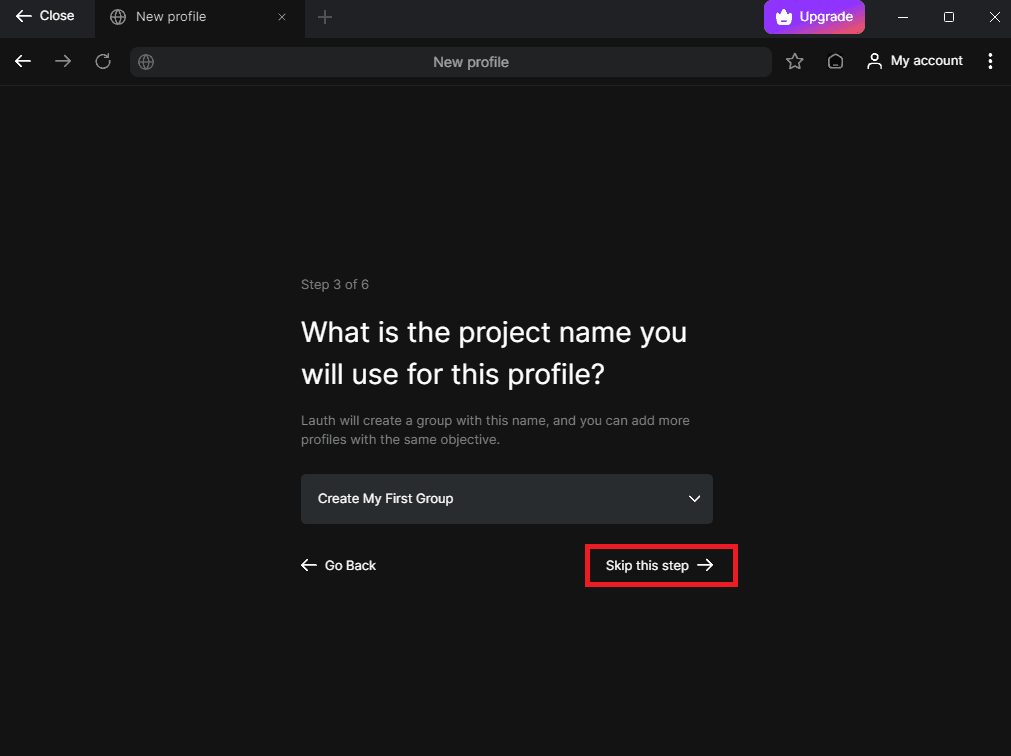
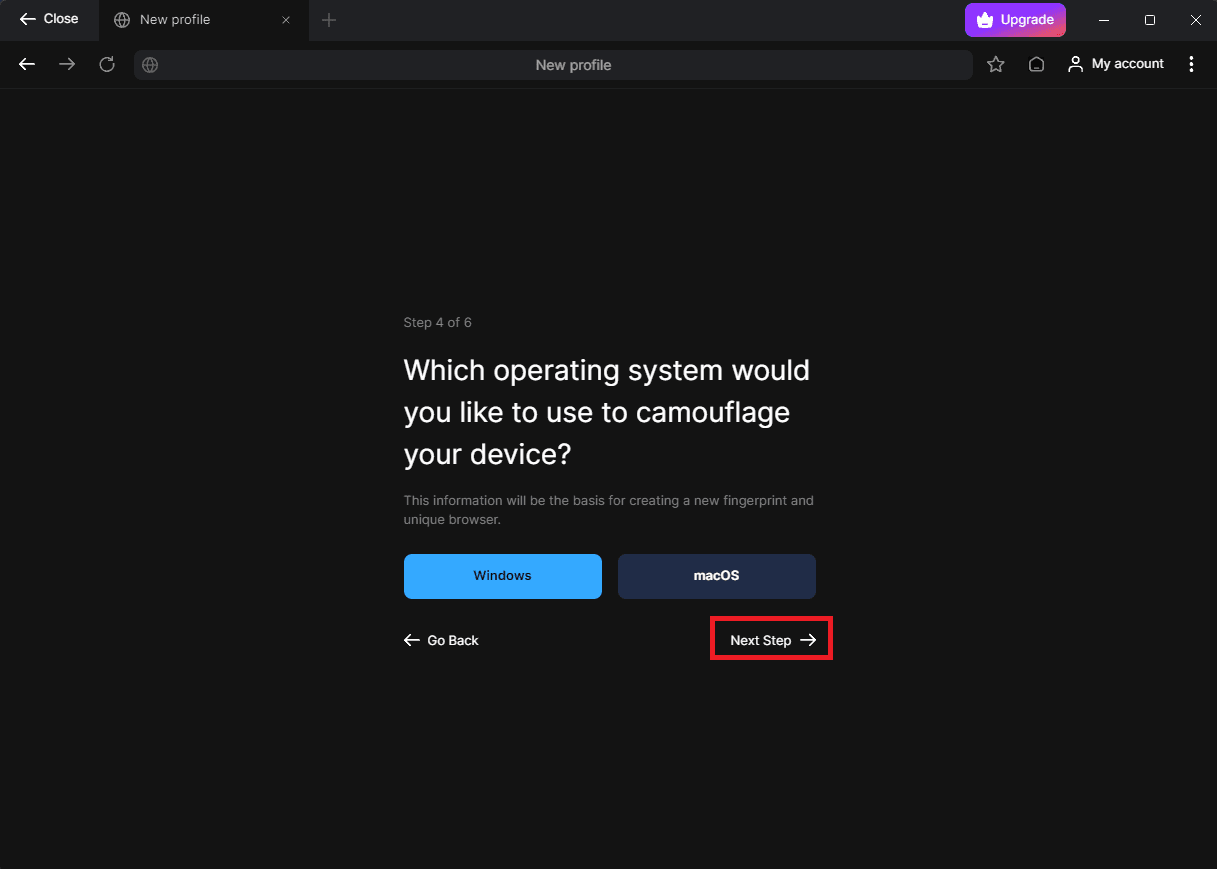
Step 6: Select Operating System
Now, Lauth will ask you to select which operating system you are using. Choose your option, then hit the "Next Step" button.
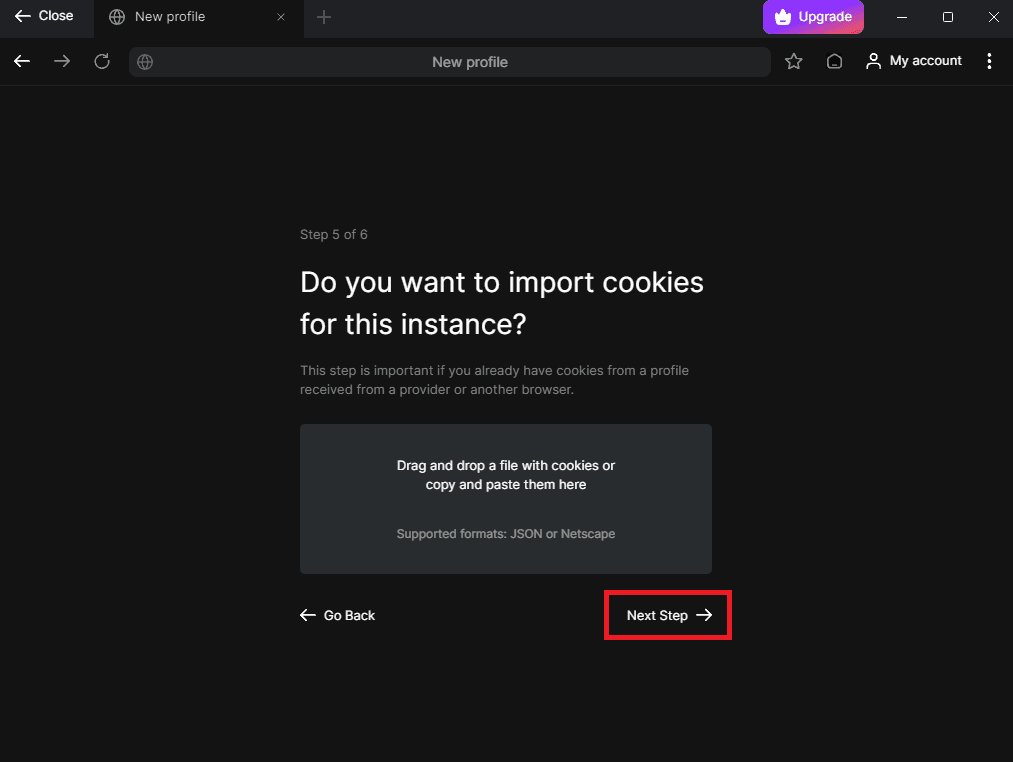
Step 7: Import Cookies (Optional)
If you have cookies from an existing browser session that you want to import, Lauth allows you to do this. If you don’t need this, just click "Next Step" to move forward.
Step 8: Configure Your Proxy Settings
Now, we've arrived at the most important part, proxies. Before we configure our proxies, be sure that you go to Anonymous Proxies Dashboard and get your proxy or proxies ready to be set up.
Firstly, you'll need to toggle the "Browse using proxy" switch and enter the details provided in the Anonymous Proxies dashboard. Then you just need to select the protocol you will use, input your IP address and port, and, of course, enable authentication if you enabled it in the dashboard. If you've whitelisted your IP, then feel free to skip this part, otherwise, just enter your proxy username and password, then click "Start My First Profile" to complete the setup.
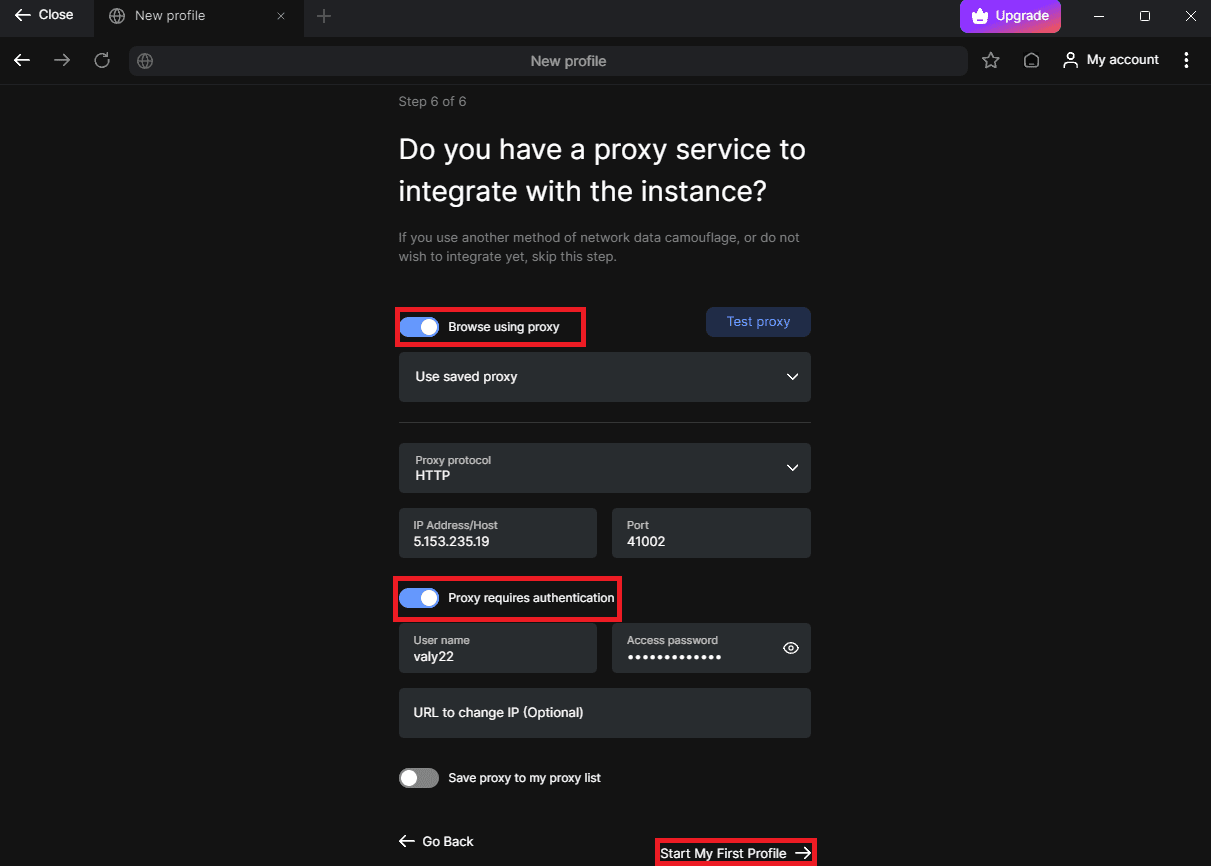
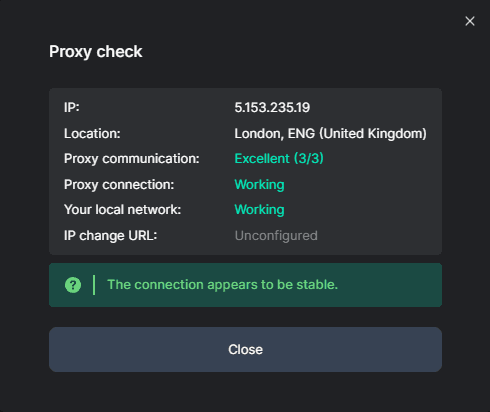
Now, if you want, before you save your setup you can test your proxy connection by clicking on "Test Proxy" button and if the connection is good, a prompt which say that your connection is stable should be opened like in the image below.
Step 9: Test Your Browser Fingerprint
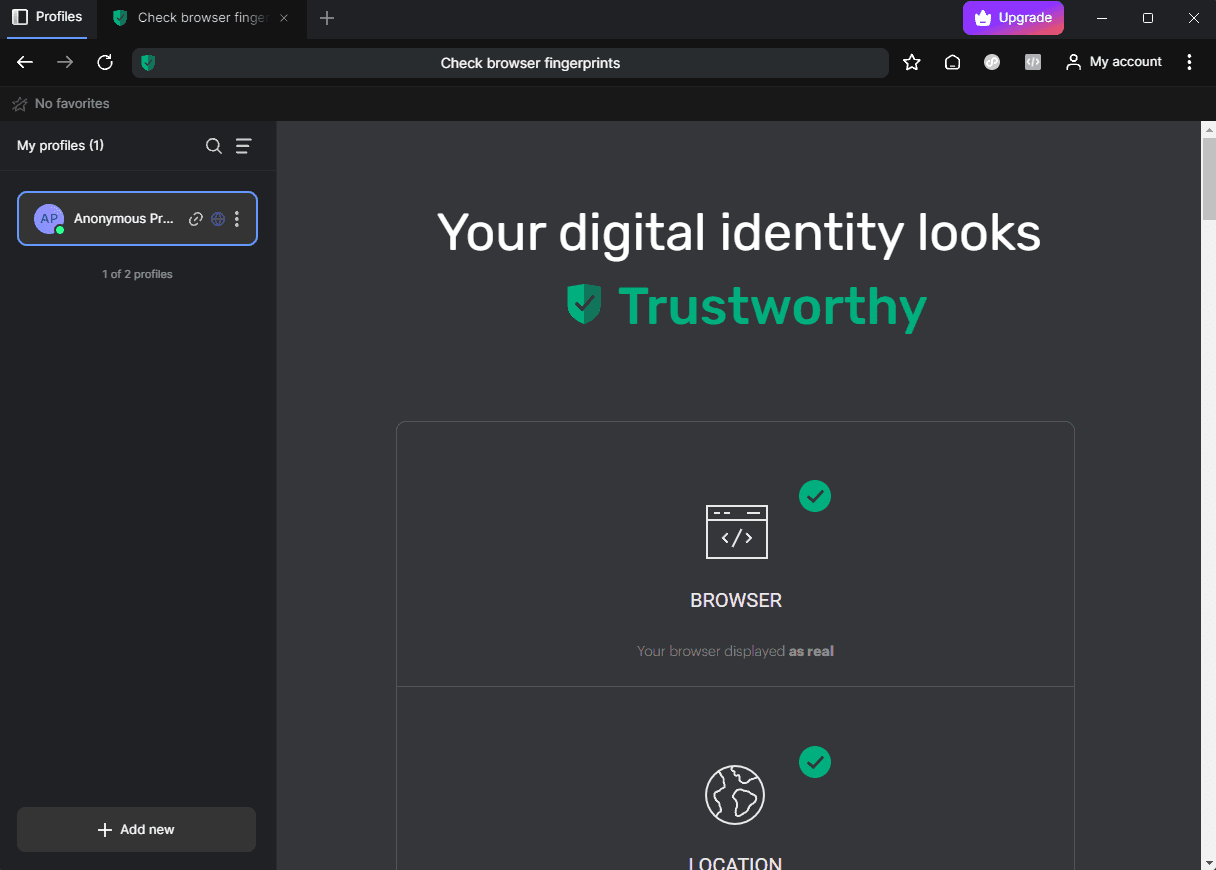
Once you saved your profile, the browser profile will be opened and from there you can check your browser fingerprint to see if you are truly hidden.
Congrats! Now you are ready to browse anonymously whenever you want and on whatever platform you want.
Wrap-Up
Congrats! Now you are ready to browse anonymously whenever you want and on whatever platform you want. We hope that this integration tutorial with Lauth was very easy to follow and you successfully integrated our proxies with it.
If you have any problems with the integration or any questions in general, don't hesitate to contact our support team and if you want to see more integration tutorials, be sure that you check our integration page.

Buy Backconnect Proxies
Rotating IPs on every request. Scale scraping and automation without manual IP management.
More mobile-antidetect Proxy Integrations
See more mobile-antidetect integrations that work seamlessly with Anonymous Proxies.

Proxy Integration With Vision
Learn how to integrate Anonymous Proxies datacenter and residential proxies with the Vision anti-detect browser to run multiple accounts safely.

Proxy Integration With Accovod
Learn how to integrate Anonymous Proxies datacenter and residential proxies with the Accovod anti-detect browser in just a few minutes.

Proxy Integration With DuoPlus
This integration tutorial will show you how to integrate Anonymous Proxies with DuoPlus to handle multiple social-media accounts with ease.

Proxy Integration With GeeLark
This integration tutorial will show you how to integrate Anonymous Proxies with GeeLark, the first antidetect phone solution, in a few simple steps.