

GeeLark Proxy Integration
This integration tutorial will show you how to integrate Anonymous Proxies with GeeLark, the first antidetect phone solution, in a few simple steps.
What Is Geelark?
GeeLark is the world’s first antidetect phone solution made for professionals who want to manage multiple accounts in mobile apps easily and safely. Unlike other antidetect tools, GeeLark provides users with fully functional cloud-based Android devices, giving them the freedom to operate apps just as they would on physical smartphones. Every virtual device comes with unique hardware and software parameters, making each account look totally different to others and hence less prone to detection or bans. Whether you are in affiliate marketing, managing social media accounts or any task that requires seamless multitasking, GeeLark offers a safe, scalable and user-friendly way to get ahead. Moreover, GeeLark also offers you a 15% promo code - ANONYMOUS.
GeeLark Features
- Create and manage multiple mobile accounts with the help of real phones, which can be rented and controlled from a PC
- Automate actions with synchronizer and AI-powered templates
- No PC resources required
- Collaborate in a team
How to Integrate Anonymous Proxies With Geelark
Before we begin, go to Anonymous Proxies Dashboard and take a look at what type of authentication you have. If your proxy uses authentication, then you will need to fill in the proxy username and password fields in the setup. However, if you whitelisted your proxy's IP, then you can leave those fields blank.
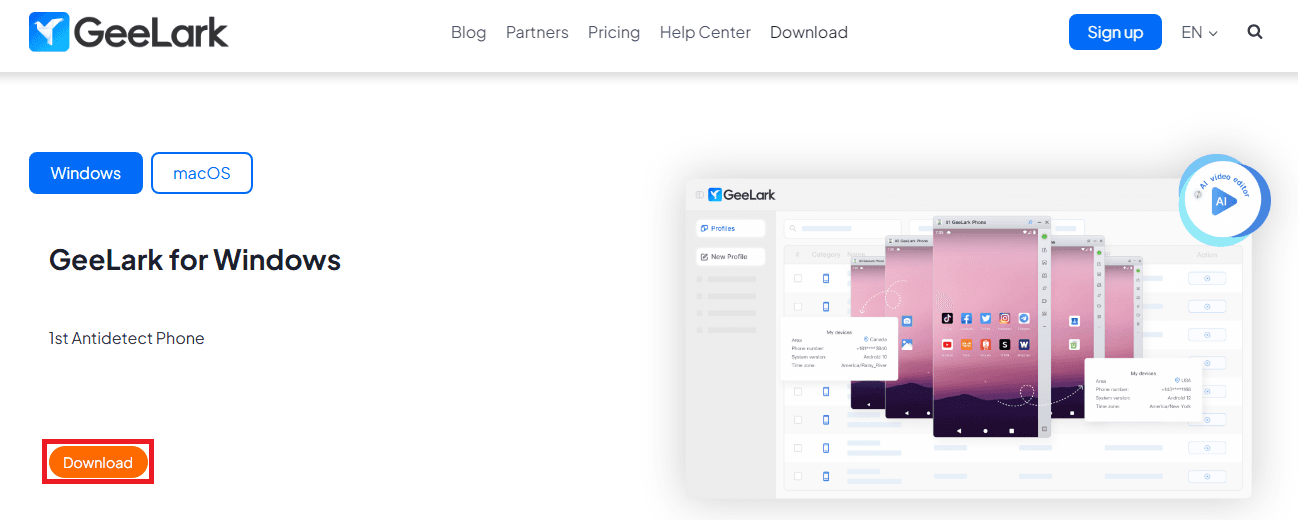
Step 1: Download GeeLark
Once you checked what type of authentication you have, you can go to GeeLark official website and download it.
Step 2: Log in to GeeLark
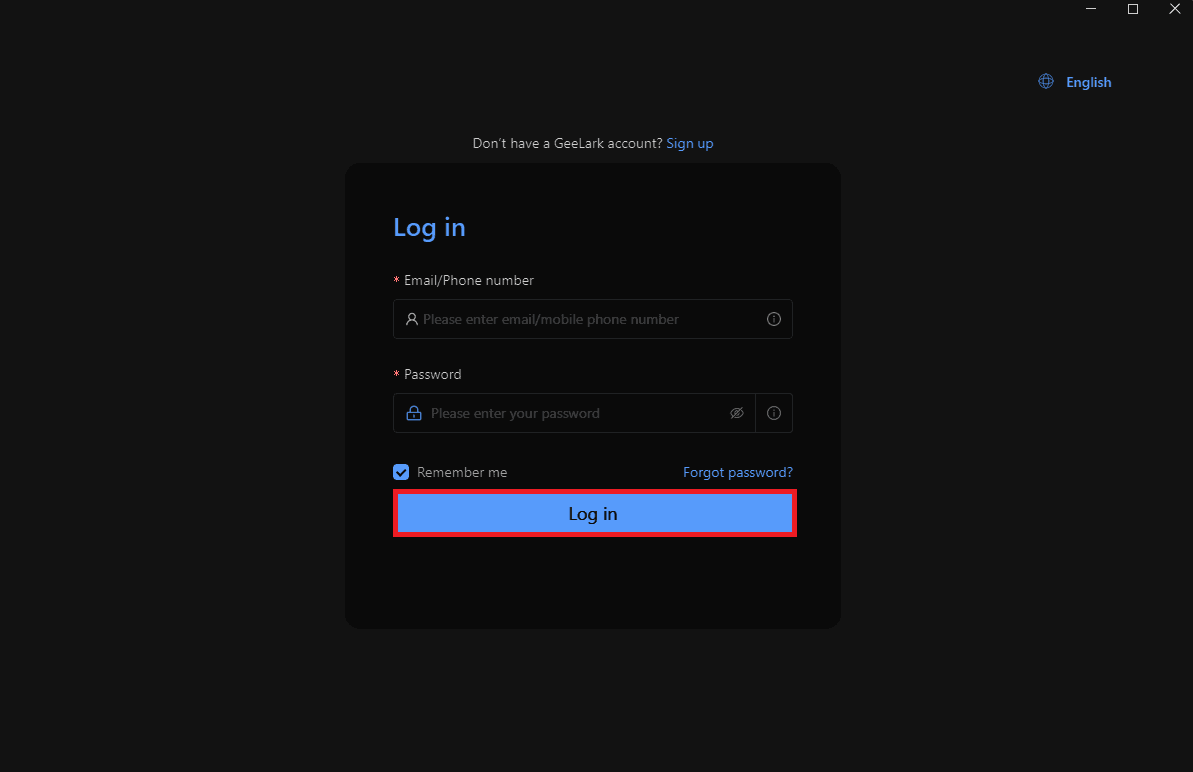
Now, open the app and log in into your account. If you don't have an account you can simply create a new one by clicking on "Sign Up".
Step 3: Create a New Profile
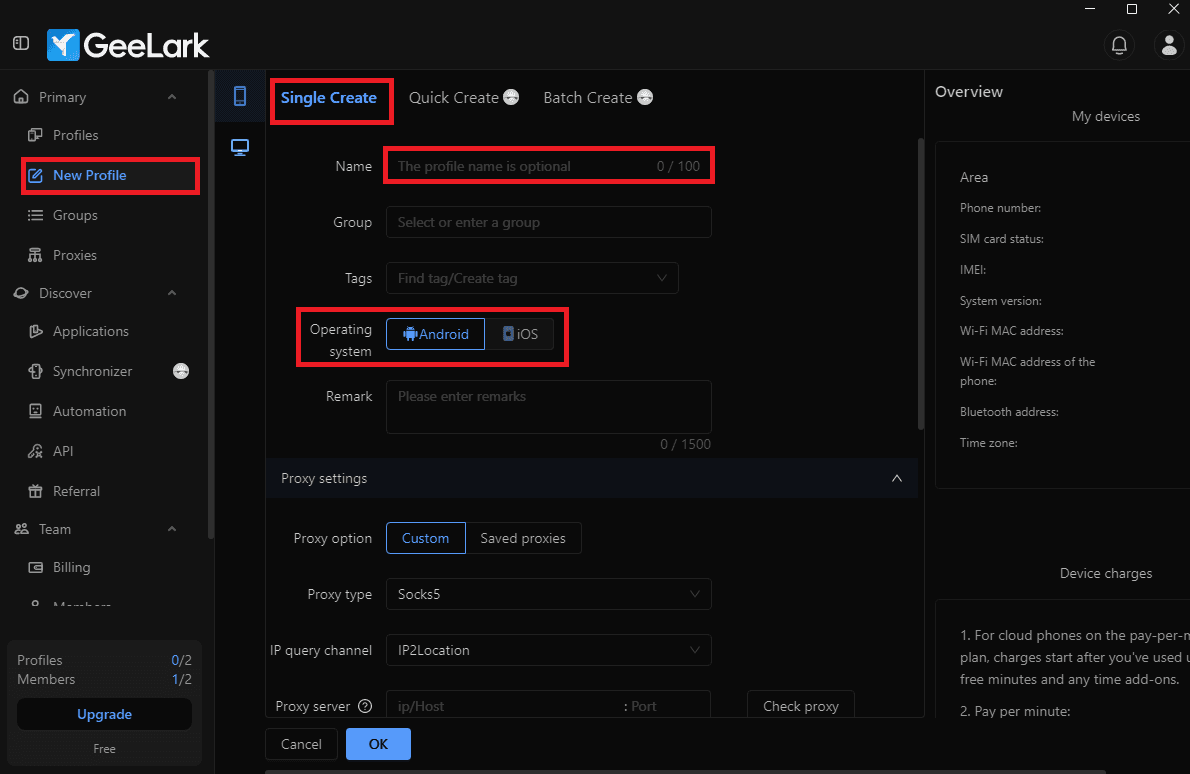
Once you are logged in the, you will see Geelark's dashboard. There, simply click on "New Profile" and input your "profile name" and choose your operating system. Optionally, you can group the profile or add tags to keep things more organized.
Step 4: Set Up Proxy Details
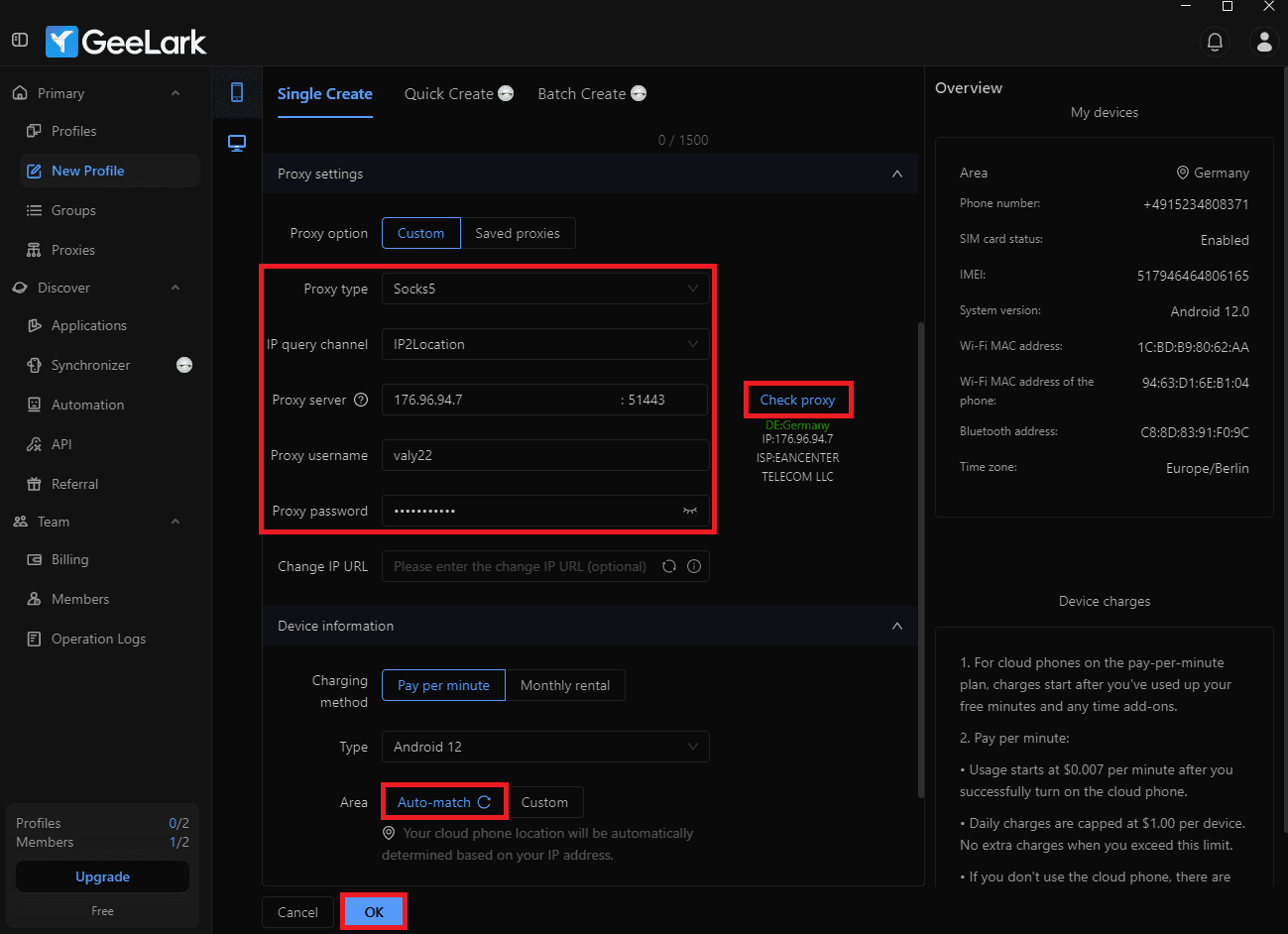
After you input profile name, scroll down to the "Proxy Settings" section and select the Custom proxy option.
Here you need to enter what type of proxy you will use and also the "proxy's IP" and "port".
Note: As mentioned before, if your proxy uses username/password authentication, input the "proxy username" and "password" from the Anonymous Proxies Dashboard and if your IP is already whitelisted, just skip this part. Now after, you input all credentials, click on "Check Proxy" to see if your proxy is working as expected, then click on "OK" button to save the profile.
Step 5: Start the Profile
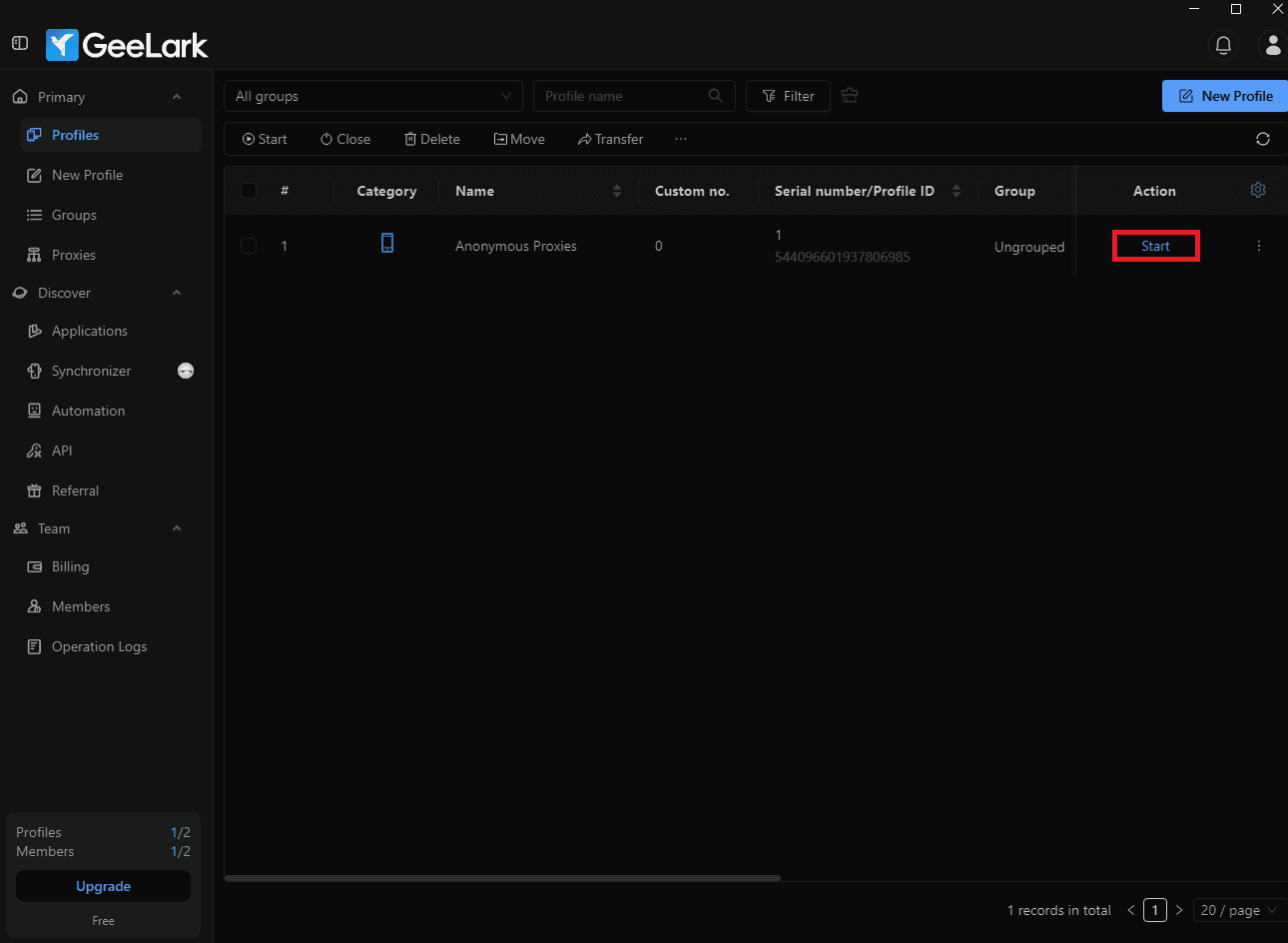
For the final step, you just need to click the "Start" from the profile you've just made.
Step 6: Test your Setup
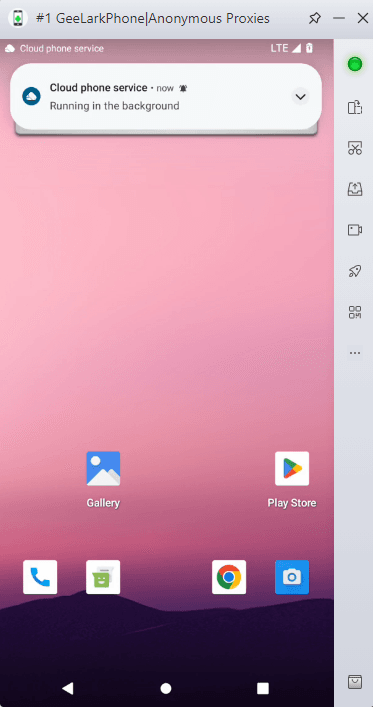
Now, you can play around with your antidetect phone and get around any restriction or ban.
Wrap Up
As you’ve seen, GeeLark is a game-changing antidetect phone solution that empowers professionals to securely and effortlessly manage multiple accounts in mobile apps, and combined with Anonymous Proxies, it becomes an even stronger tool.
If you have any questions or need further assistance, our support team is always ready to help. For more integration tutorials and tips, be sure that you check out our integration page.

Buy Backconnect Proxies
Rotating IPs on every request. Scale scraping and automation without manual IP management.
More mobile-antidetect Proxy Integrations
See more mobile-antidetect integrations that work seamlessly with Anonymous Proxies.

Proxy Integration With Vision
Learn how to integrate Anonymous Proxies datacenter and residential proxies with the Vision anti-detect browser to run multiple accounts safely.

Proxy Integration With Accovod
Learn how to integrate Anonymous Proxies datacenter and residential proxies with the Accovod anti-detect browser in just a few minutes.

Proxy Integration With DuoPlus
This integration tutorial will show you how to integrate Anonymous Proxies with DuoPlus to handle multiple social-media accounts with ease.

Proxy Integration With Lauth
This guide will show you how to integrate Anonymous Proxies with Lauth to make your online activities fully anonymous and secure.