

Proxy Integration With Kameleo
Learn how to set up Anonymous Proxies' residential proxies with Kameleo for automation, web scraping, and easier multi-account management.
What Is Kameleo?
Kameleo is an anti-detect browser built for multi-accounting, automation, and web scraping. Its core idea is simple: each browser profile acts like a separate device with its own fingerprint, cookies, storage, history and proxy settings. That makes it easier to run isolated sessions without blending one profile into another.
This profile-based setup is what makes proxies so important inside Kameleo. A profile does not just need a new IP. It needs an IP that fits the browser identity attached to it. Also, keep in mind that Kameleo’s own documentation recommends matching the profile language with the proxy country and leaving timezone, geolocation, and WebRTC on Automatic so those values align with the proxy IP.
Kameleo Features
- Separate browser profiles. Kameleo lets you create different browser profiles for different tasks. Each one stores its own data and settings, which makes it easier to keep sessions separate and avoid overlap between accounts or workflows.
- Built-in proxy manager. Kameleo includes a built-in proxy manager and supports standard proxy connection strings. Its help center states that it supports HTTP, SOCKS5, and SSH formats and can parse login details automatically when possible.
- Automation support. Kameleo also supports automation through Selenium, Playwright, and Puppeteer. Its developer docs stress that browser and network settings should be configured inside Kameleo before the profile starts, which is important if you plan to automate accounts or scraping workflows later.
Kameleo is solid on its own if you only need profile isolation and browser fingerprint control. But if you want to take the setup further, Anonymous Proxies gives you the network layer that makes those profiles more effective in real use. In simple terms, Kameleo handles the browser identity, while Anonymous Proxies helps you match it with the right IP.
How To Set Up Anonymous Proxies with Kameleo?
Before you begin, make sure you already have an active proxy from Anonymous Proxies dashboard and the connection details ready. For long-lived account sessions and sensitive targets, use residential IPs. For mobile-first environments or stricter trust systems, use mobile IPs. For fast testing, scraping, or large-volume automation on easier targets, datacenter IPs are usually the better tradeoff. For this example, we will use residential proxies, but the setup remains the same for all proxy types.
Step 1: Download and install Kameleo
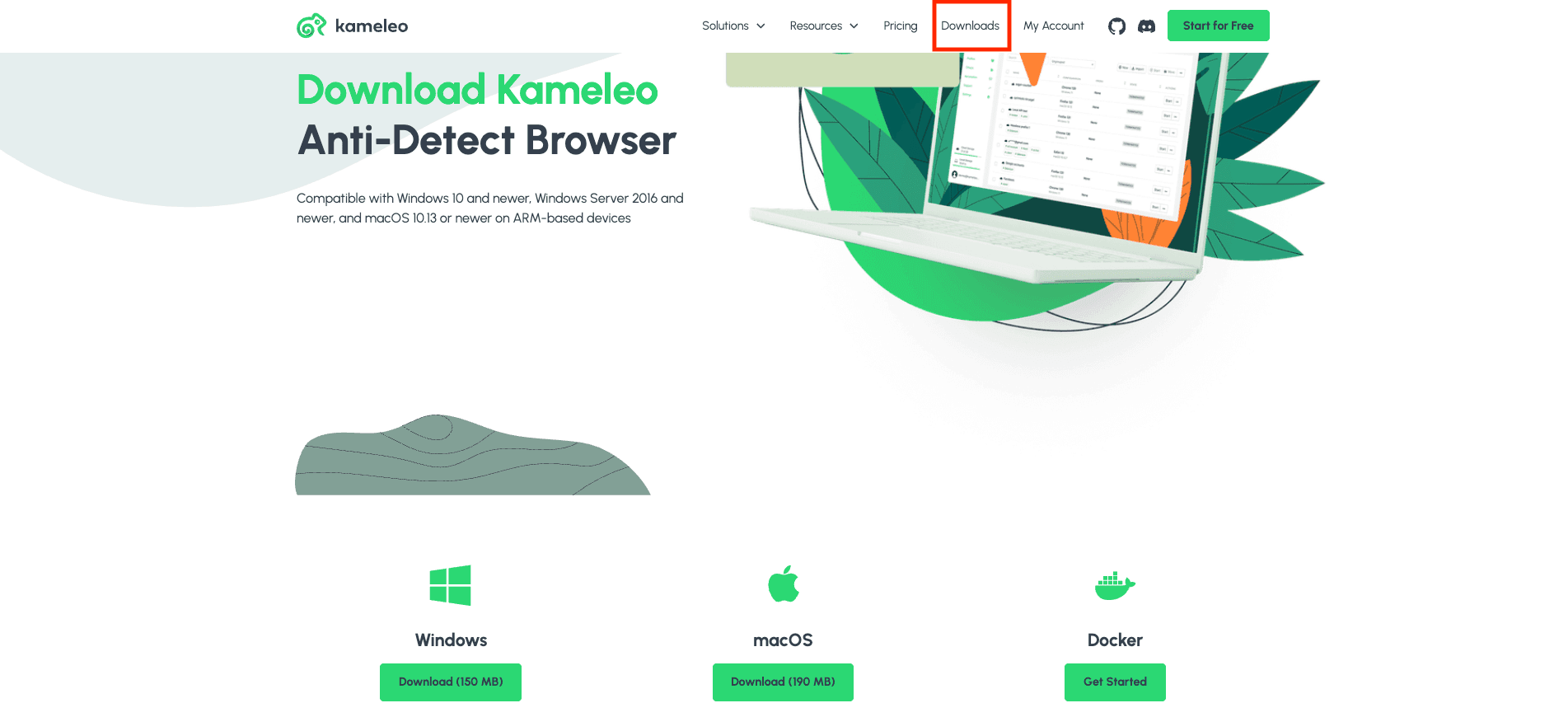
Now, for the first step, you'll need to go to the Kameleo website, open the Downloads page, and install the right version for your system.
Step 2: Create a new browser profile
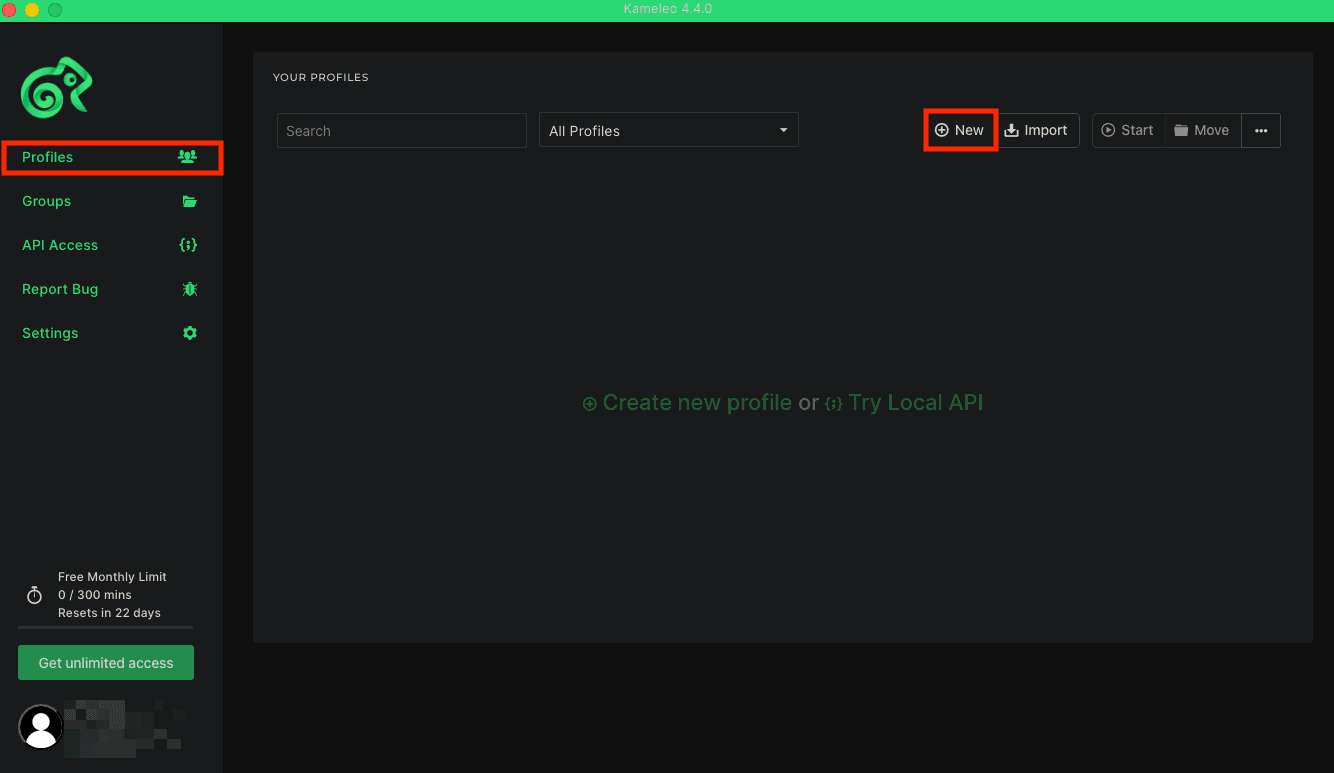
Once the app is installed, launch it and sign in to your account. When you are logged into the dashboard, look in the left sidebar, open Profiles and click New.
Step 3: Add proxy server
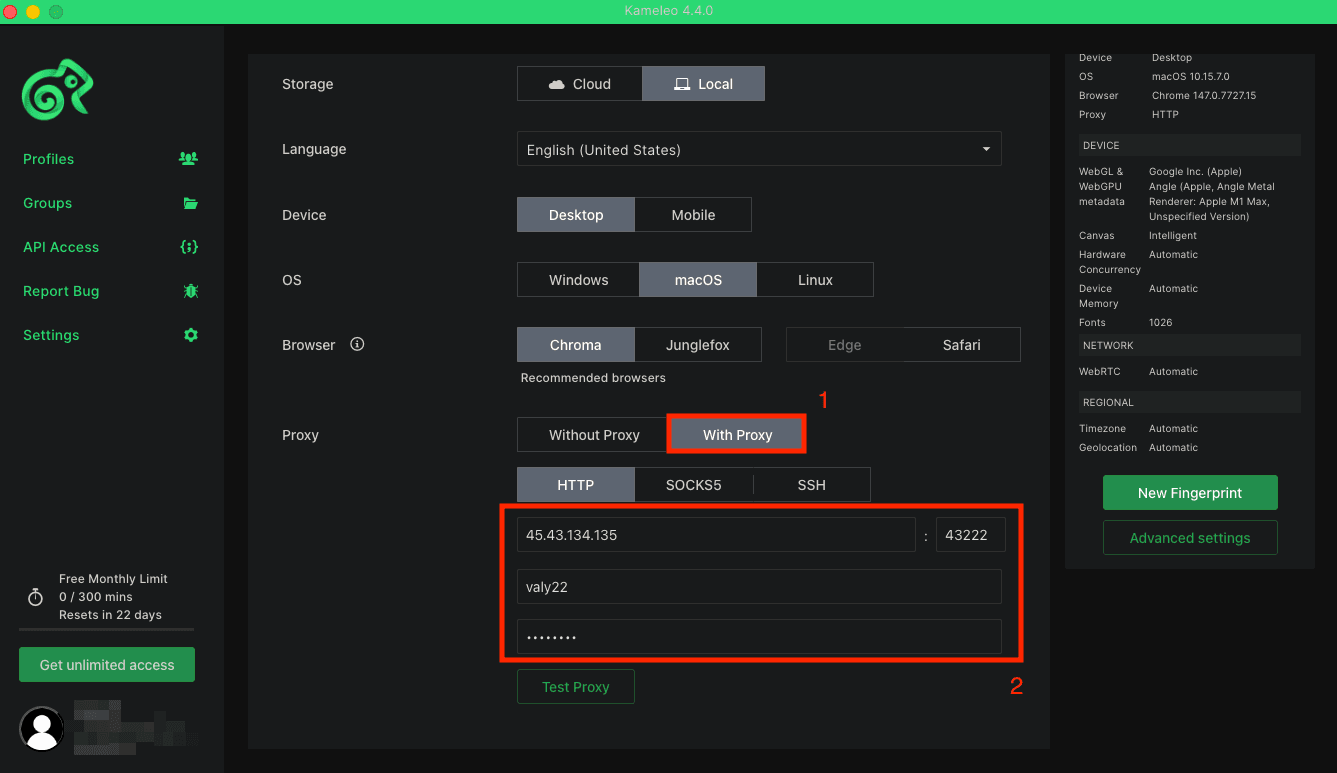
Now, it's time to name your profile, then set the profile language, device type, operating system, and browser. After you fill those in, scroll down to the Proxy section and switch from Without Proxy to With Proxy. Then, you'll need to choose the protocol you are going to use, then fill in the proxy fields with the credentials from Anonymous Proxies dashboard.
Step 4: Test the proxy and save the profile
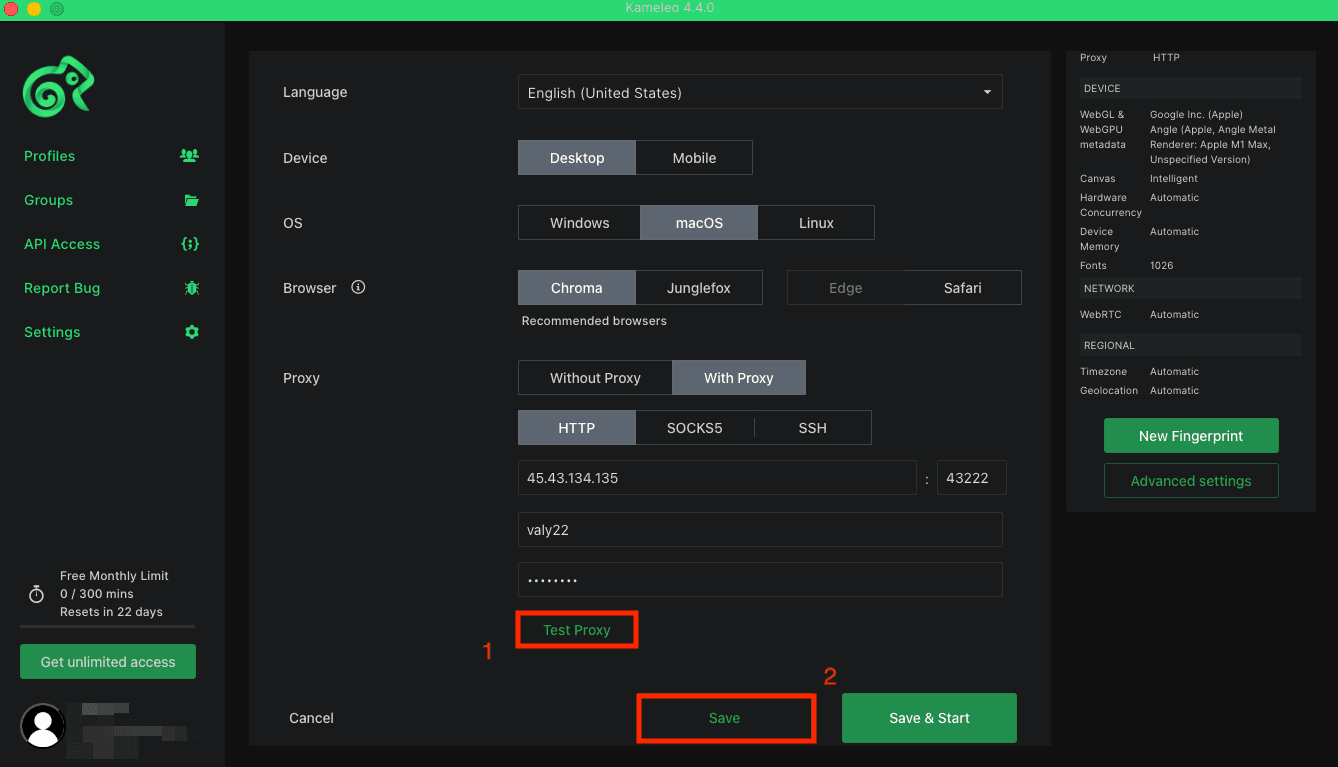
Once you filled all the required fields, click on Test Proxy first, then if the test passes, click Save.
Step 5: Start the profile
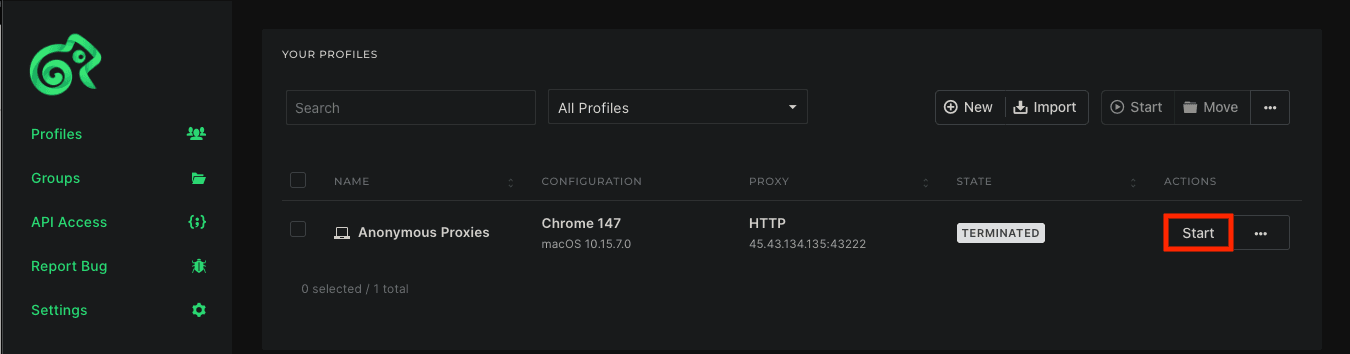
You'll be taken back to the Profiles page and here you'll need to press on Start to launch your profile.
Step 6: Check that your IP changed
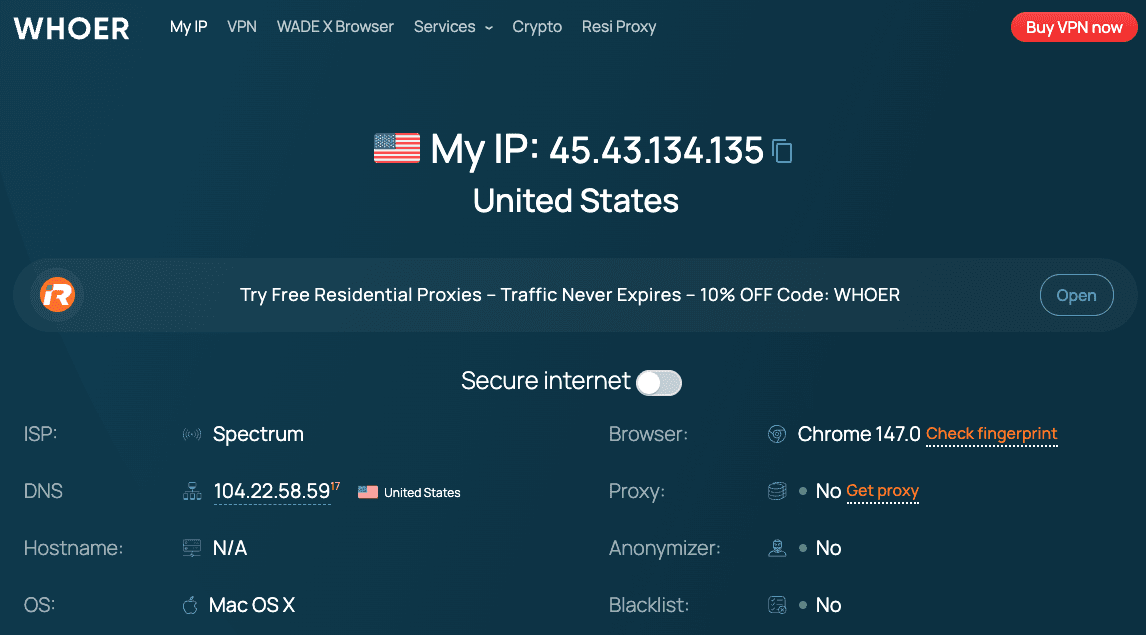
Once the profile is open, visit an IP-checking website and confirm that the visible IP matches the proxy you entered.
Wrap Up
Kameleo gives you a simple way to run separate browser profiles for automation, web scraping, and account management. That matters because anti-bot systems keep improving, and inconsistent setups are easier and easier to be detected. That's why when you add Anonymous Proxies you take the setup to the next level and give each profile the authenticity it needs.
If you need help during setup or have any questions about proxies, you can contact our support team and they will help you sort everything out. To see more tutorials like this one, you can also check our integrations page.
More antidetect-browser Proxy Integrations
See more antidetect-browser integrations that work seamlessly with Anonymous Proxies.

Proxy Integration With Kameleo
Learn how to set up Anonymous Proxies' residential proxies with Kameleo for automation, web scraping, and easier multi-account management.

Proxy Integration With ClonBrowser
Learn how to set up Anonymous Proxies’ residential proxies in ClonBrowser to manage multiple social media accounts smoothly and browse more privately.

Proxy Integration With Octo Browser
This integration tutorial will show you how to connect Anonymous Proxies in Octo Browser for safer multi-accounting and scraping in just a few minutes

Proxy Integration With Antik Browser
Learn how to connect Antik Browser with Anonymous Proxies in minutes for safer browsing, stable profiles, and clean IP separation.
Worldwide services
Millions of residential proxies across the globe and hundreds of datacenter locations. We're constantly expanding our network to bring you the best possible service.


