What Is Accovod?
Accovod is an anti-detect browser that gives you clean and isolated browsing profiles. These profiles are isolated from one another and each profile has its unique fingerprint, cookies, and proxy settings, so users are free to be logged into multiple accounts, all at the same time, with no data mixing between profiles.
Accovod Features
- Fingerprint Protection Per Profile. This reduces fingerprint overlaps and keeps each account cleanly separated.
- Separate Cookies And Storage. Each identity maintains its own cache and cookies, so sessions never mix.
- Cloud Profiles And Team Sharing. Collaborate across seats and keep profiles synced for your whole team.
- Automator Module. Automate repetitive on-page actions like clicks, form fills, and simple flows.
- Walker Tool. Visit a curated set of sites to build a natural cookie trail before you log in.
- Built-In Proxy Support. You can use what protocol you need with username and password authentication or IP whitelist.
- Only Active Loading Mode. Load just the profile you need; others spin up only when selected, saving lots of resources.
- Preview Of All Profiles. Monitor what’s happening across profiles in real time without constant switching.
How To Set Up Anonymous Proxies With Accovod
Use the step-by-step guide below to connect Anonymous Proxies' residential proxies to Accovod in just a few minutes.
Step 1: Open Your Anonymous Proxies Dashboard and Go to “My Dedicated Proxies”
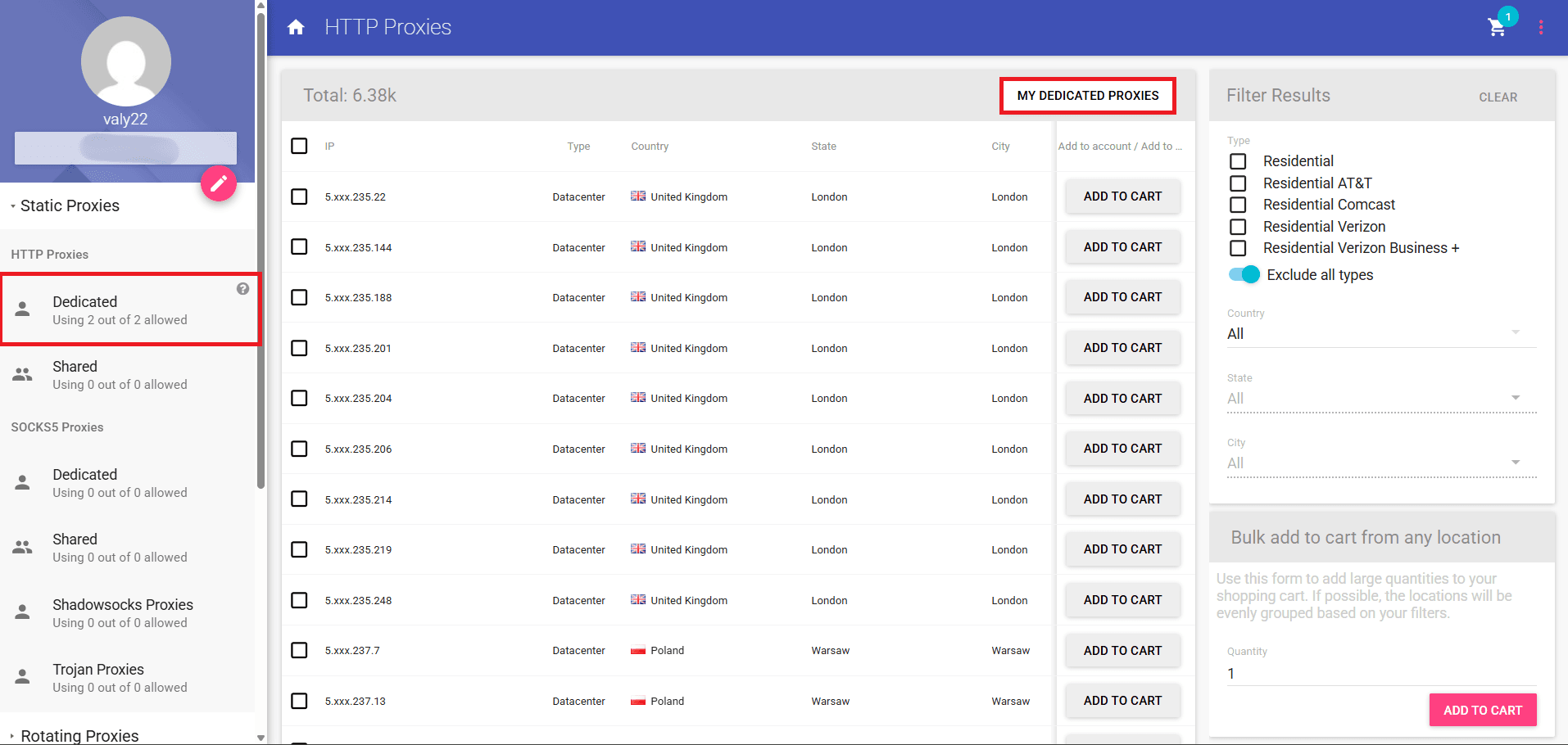
First, you'll need to log in to Anonymous Proxies Dashboard, and, from the left menu, click on HTTP Proxies, then on MY DEDICATED PROXIES, so you can see your purchased proxy details.
Step 2: Copy Your Proxy Details and Credentials
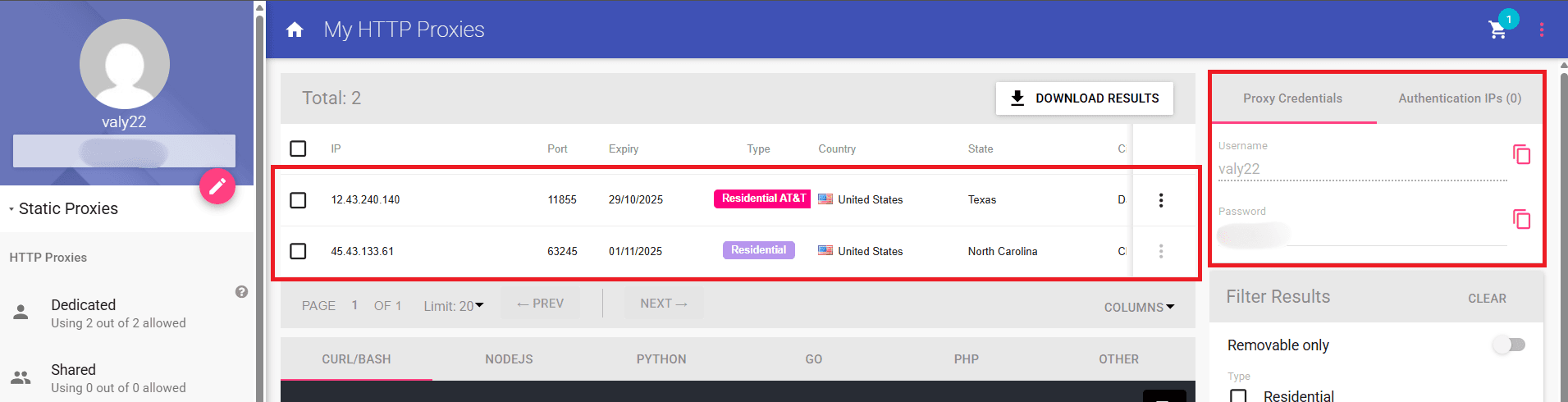
When you are the My HTTP Proxies window, you'll be able to see proxy's IP and Port, and also the credentials you'll need for authentication.
Step 3: Create a New Accovod Profile
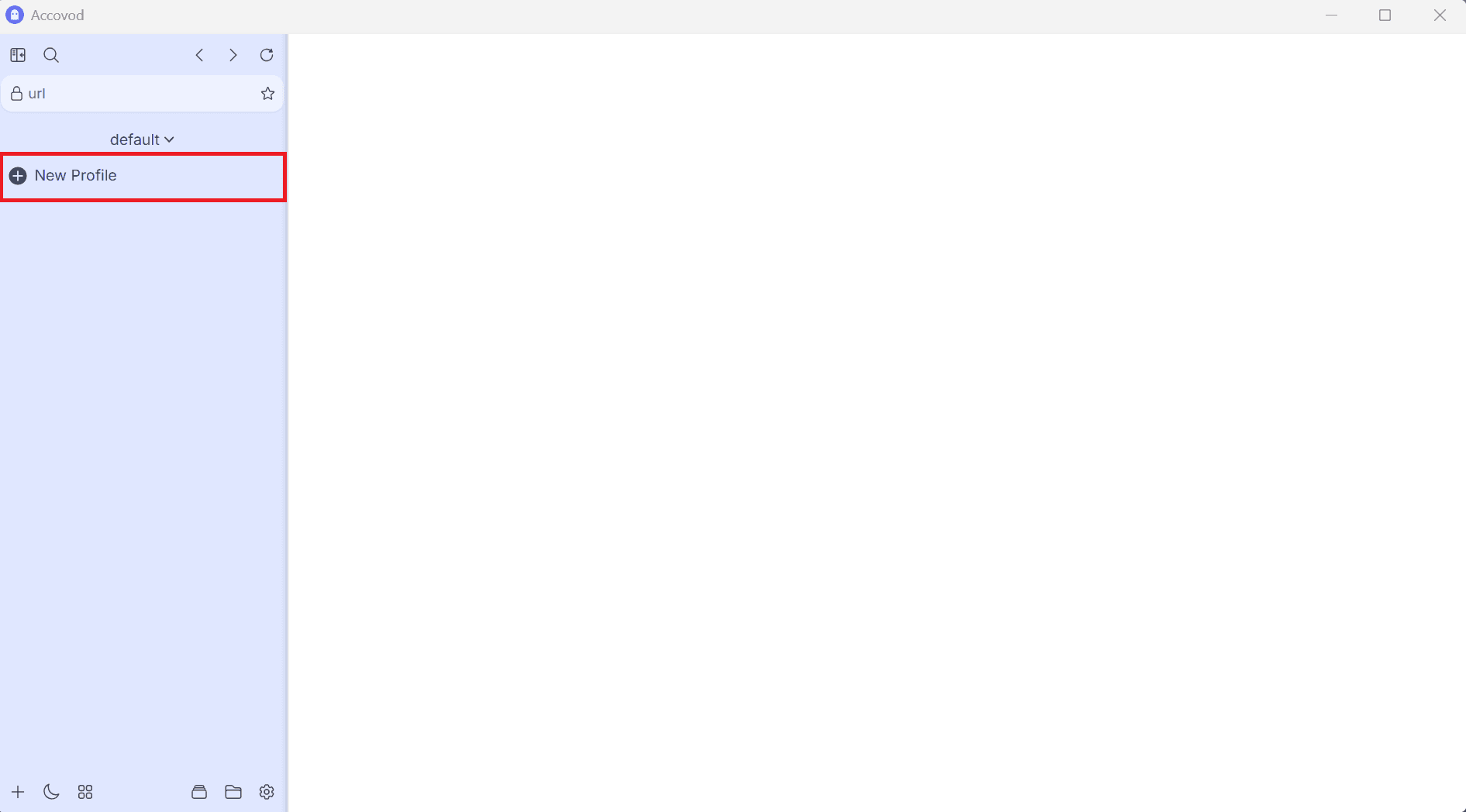
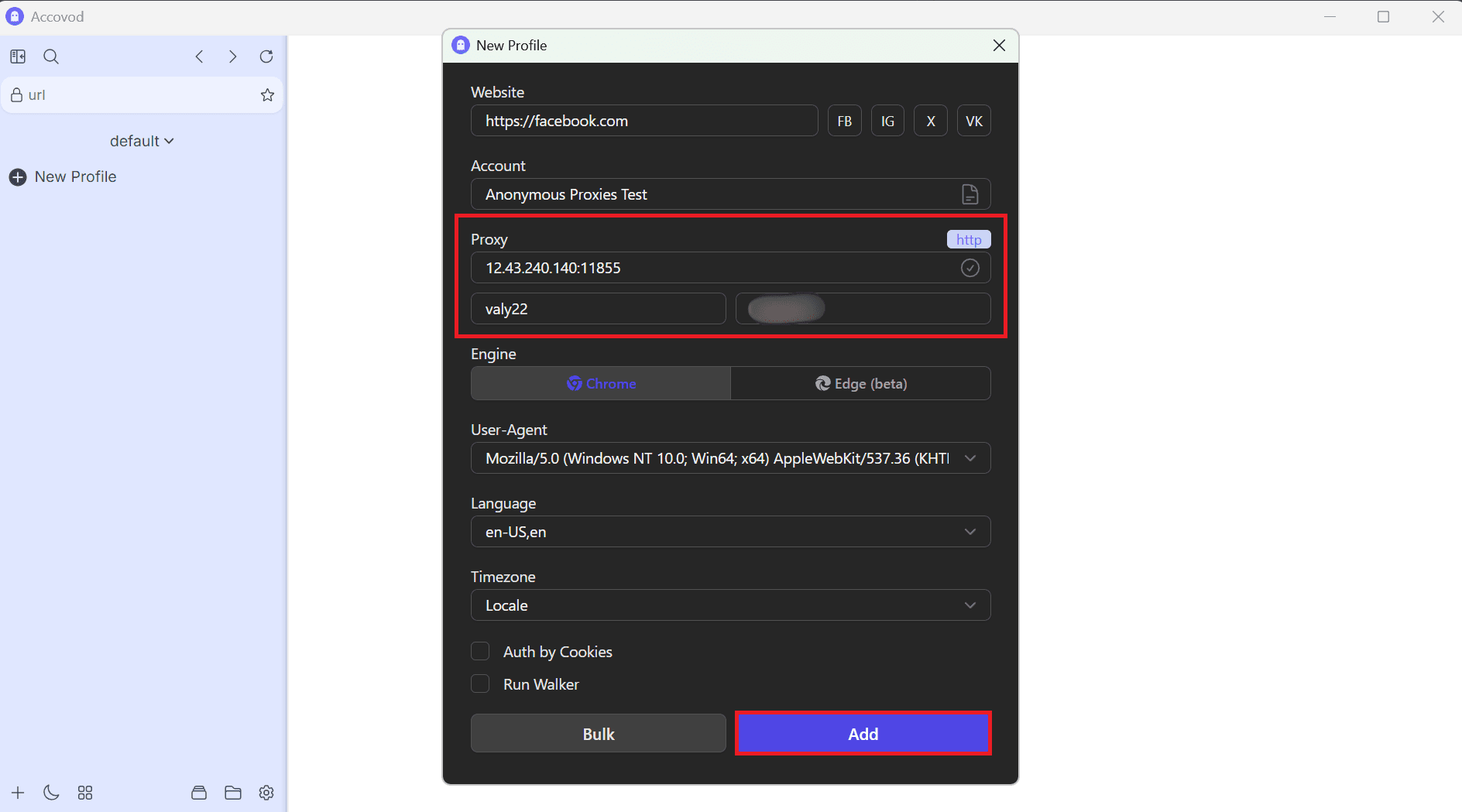
Once you have proxy's credentials ready, open Accovod and click New Profile in the left sidebar.
Step 4: Fill Required Fields
Name your profile, fill all the required fields, then click on Add.
Step 5: Start the Profile
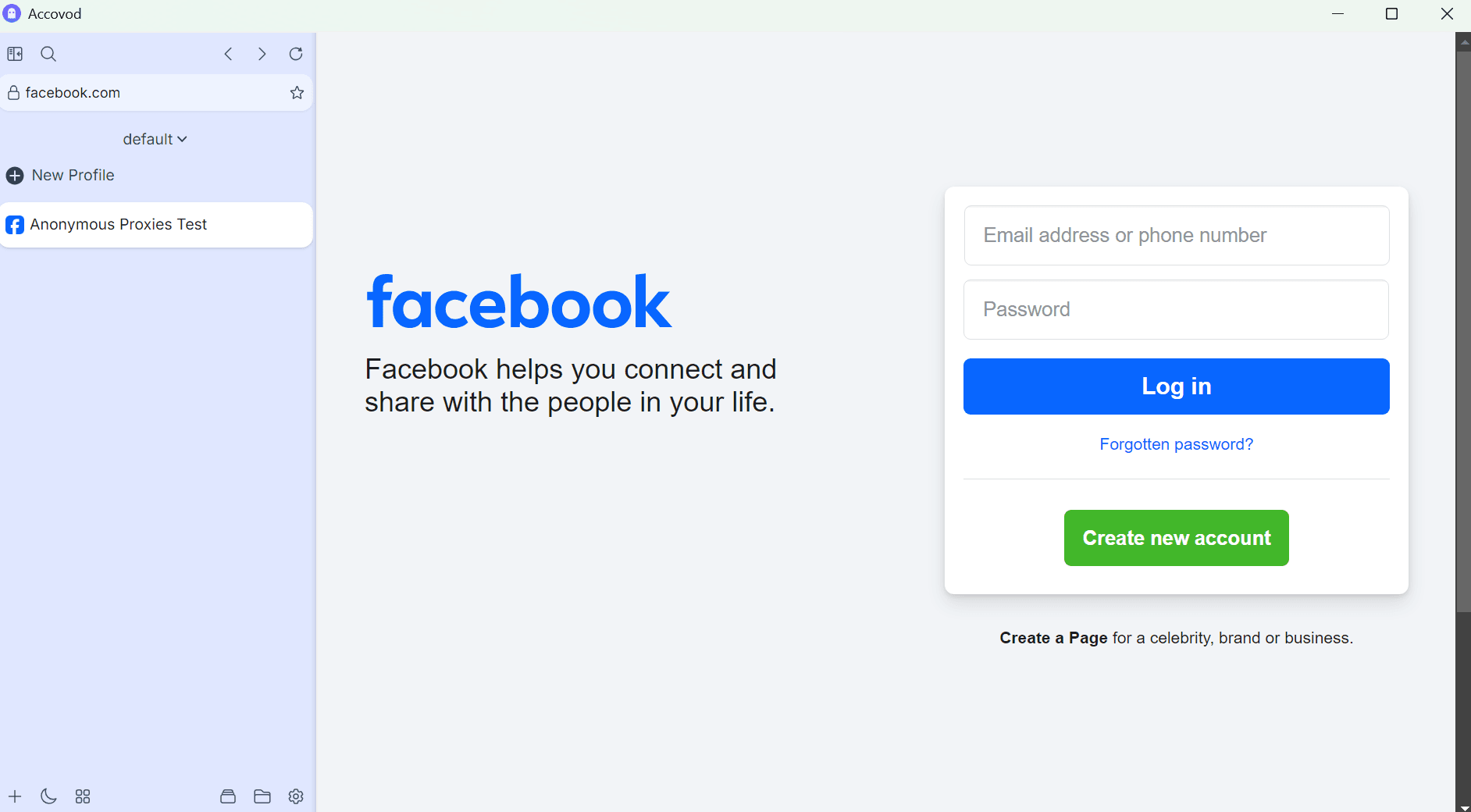
From the sidebar, select the new profile and go ahead and launch it. Accovod will launch a new independent browser which will have the traffic routed through your residential proxies.
Step 6: Check Proxy Connection
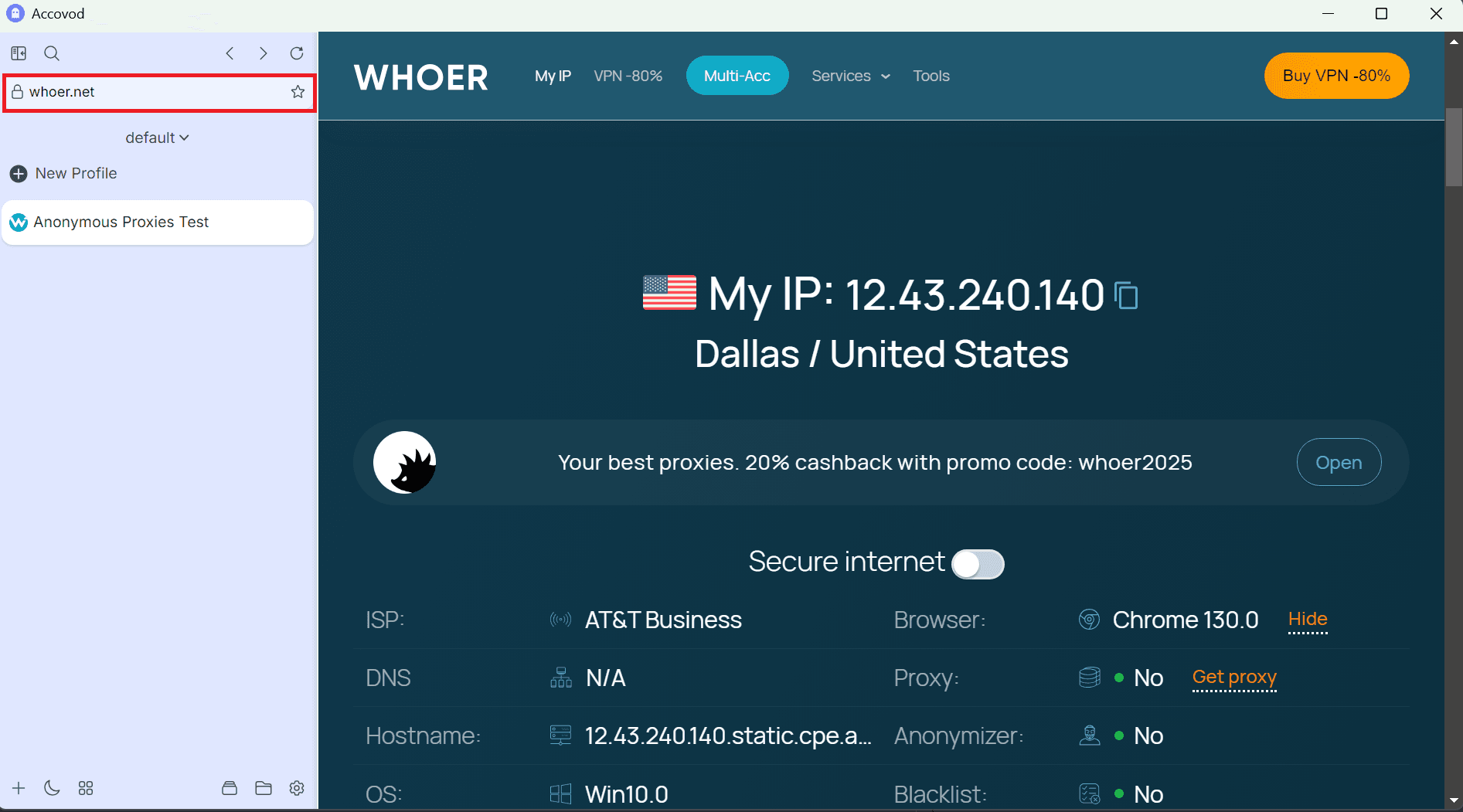
For the last step, feel free to go to an IP checker website such as whoer.net to verify your proxy connection. If everything looks right, you are ready to manage your multiple profiles with full anonymity in an easy way.