

Web Scraping at Scale with our proxies
Web scraping at scale requires distributing requests across many IP addresses so your data collection stays fast, stable, and within target sites' rate limits. The right proxy type depends on your target site, budget, and volume. Residential proxies deliver the highest IP trust for demanding sites. ISP proxies give you residential-level trust at datacenter speeds. Dedicated datacenter proxies keep costs low for high-volume work.
Why scraping without proxies fails fast
If you've tried scraping any serious website from a single IP address, you already know the outcome. A few hundred requests in and you're staring at a 403 error, a CAPTCHA wall, or an empty response. That's the site's anti-bot system doing exactly what it was designed to do.
Web scraping proxies solve this by distributing your requests across many IP addresses. Instead of hammering one server from one location, your scraper appears to be dozens (or thousands) of different users browsing normally. The target site never sees enough traffic from any single IP to trigger its defenses.
The question isn't whether you need proxies for web scraping. It's which type is better for YOUR specific job.
How to choose a proxy type for your scraping project
Different websites demand different proxy types. Picking the wrong one means burning money on blocks or overpaying for capacity you don't need.
Here's the decision framework we recommend to our customers:
Rotating Residential proxies - for the hardest targets
Rotating Residential proxies route your traffic through real consumer IP addresses assigned by ISPs to home users. When a target site checks your IP against databases like MaxMind or IP2Location, it sees a genuine residential address. No red flags.
When to use them:
- Scraping sites protected by Cloudflare Bot Management, DataDome, or PerimeterX
- Collecting public data from social media platforms (LinkedIn, Instagram, Facebook)
- Price monitoring on major e-commerce sites (Amazon, Walmart, Target)
- Any target where datacenter proxies get instantly blocked
What to expect: Our rotating residential proxies pull from a pool of IPs across multiple countries. Each request can come from a different address, or you can lock a session to one IP for multi-page flows like pagination or authenticated scraping.
The cost tradeoff: Residential proxies are priced per GB of bandwidth because the IP pool is maintained through real users. If you're running headless browsers (Playwright, Puppeteer, Selenium), that bandwidth adds up fast - every page load pulls CSS, JavaScript, images, fonts. For cost control, prefer HTTP-level scraping with tools like Python's requests or httpx wherever possible. A request that costs 2MB through Playwright might cost 15 KB with a direct HTTP call.
ISP proxies - the sweet spot most people overlook
ISP proxies sit between residential and datacenter. They're hosted in data centers but registered to internet service providers, so IP databases classify them as residential. You get datacenter speed and uptime with residential-level trust.
When to use them:
- Long-running scraping jobs where you need the same IP for hours or days
- Targets that block datacenters but don't use advanced fingerprinting
- Account management tasks that need consistent IP identity
- When residential bandwidth costs are too high for your data volume
Why we recommend them often: Most scraping projects don't actually need full residential proxies. If the target site just checks whether your IP belongs to a data center, ISP proxies pass that test at a fraction of the cost. We've seen customers cut their proxy spend by 40-60% switching from residential to ISP proxies for targets that don't use behavioral fingerprinting.
Dedicated datacenter proxies - the workhorse for friendly targets
Datacenter proxies are the most affordable option and the fastest. They run on servers in professional data centers, which means consistent latency and high throughput.
When to use them:
- Scraping sites with no anti-bot protection or only basic rate limiting
- Internal tools, APIs, and structured data sources
- High-volume jobs where cost per request matters most
- SERP scraping (Google, Bing) with proper rotation
The catch: Any serious IP database will identify these as datacenter addresses. Sites with modern anti-bot stacks will block them quickly. But plenty of scraping targets — government databases, real estate listings, job boards, product feeds — don't use those systems. For those targets, datacenter proxies are the smart play.
We sell dedicated datacenter proxies that are yours alone. No shared usage, no neighbor getting your IP banned.
Backconnect proxies - automatic IP cycling
Rotation is a strategy, not a proxy type. It can be applied on top of residential, ISP, or datacenter proxies. Each request (or each session, depending on your config) goes through a different IP address. This is what you want for large-scale scraping where you're making thousands or millions of requests.
Our rotating proxy infrastructure handles the rotation logic for you. You connect to a single gateway endpoint, and the system assigns a fresh IP per request or maintains a sticky session for a configurable time window.
How to achieve the lowest cost when scraping
Most people get this backwards. They start with residential proxies and headless browsers, then wonder why their bill is through the roof.
Start cheap. Scale up only when something breaks.
Start with cURL and shared proxies. Before writing any code, test your target:
If you get the HTML you need, you're done. Shared proxy, shell script, move on.
Upgrade your tools only when forced. The escalation path:
1. cURL / wget → for testing and one-off grabs
2. Python requests / httpx → when you need parsing and session management
3. Scrapy → when you need concurrency and crawl pipelines
4. Playwright / Puppeteer → only for JS-rendered content that doesn't exist in raw HTML
Each step up burns more CPU, memory, and proxy bandwidth. A Scrapy spider on a $5 VPS can pull a million pages a day. The same job through Playwright needs a $40 server and 10-30x more bandwidth.
Upgrade your proxy type only when the cheaper one fails:
1. Shared proxies → pennies, try first
2. Dedicated datacenter → your own IPs, still cheap
3. Rotating datacenter → more IPs in the cycle
4. ISP proxies → residential trust at datacenter speed
5. Rotating residential → heavy artillery, last resort
| Approach | ~Cost per 100K requests |
|---|---|
| 5 dedicated datacenter + rotation | $5-15/mo |
| Rotating ISP | $20-50/mo |
| Rotating residential (browser scraping) | $150-500+/mo |
The principle is simple: every upgrade should be a reaction to a real problem, not a precaution. Start at the bottom, stay there as long as it works.
Matching proxy types to scraping targets
Here's a cheat sheet based on what we've seen work across thousands of customer deployments:
| Scraping target | Recommended proxy type | Why |
|---|---|---|
| Amazon, Walmart, Target | Rotating residential | Heavy anti-bot; fingerprinting; geo-pricing |
| LinkedIn, Instagram, Facebook | Residential with sticky sessions | Account-based access; behavioral detection |
| Google SERP, Bing SERP | Rotating datacenter or ISP | High volume; moderate anti-bot |
| Real estate listings (Zillow, Realtor) | ISP or residential | Moderate protection; geo-targeting needed |
| Government databases, public records | Dedicated datacenter | Minimal protection; speed matters |
| Job boards (Indeed, LinkedIn Jobs) | ISP or residential | Moderate protection; session continuity |
| Price comparison (multiple retailers) | Rotating residential | Varied protection levels across sites |
| News sites and blogs | Shared or dedicated datacenter | Light protection; high volume |
| Airline and hotel pricing | Residential with geo-targeting | Geo-dependent pricing; aggressive anti-bot |
| API endpoints (REST, GraphQL) | Dedicated datacenter or SOCKS5 | Protocol flexibility; no browser needed |
Scaling from 1,000 to 10,000,000 requests
Scaling a scraping operation isn't just about buying more proxies. The failure modes change as you grow.
At 1,000 requests/day
Almost anything works. A few dedicated datacenter proxies with basic rotation will handle most targets. You don't need sophisticated tooling — a Python script with requests and a proxy list is enough.
At 100,000 requests/day
You'll start hitting rate limits even with rotation. This is where you need:
- Smart rotation that distributes requests across your IP pool evenly
- Backoff logic that detects soft blocks (CAPTCHA pages, redirects to bot-check pages) and retries with a different IP
- Session management for multi-step scraping flows
- Request spacing that mimics human browsing patterns
Our rotating proxy gateway handles the first two. You focus on your scraping logic; we handle IP distribution.
At 1,000,000+ requests/day
At this scale, proxy management becomes infrastructure engineering. You need:
- Multiple proxy types working in synergy (datacenter for easy targets, residential for hard ones)
- Geographic distribution matching your target's server locations
- Bandwidth optimization (HTTP-level scraping instead of headless browsers where possible)
- Monitoring to catch IP pool degradation before it tanks your success rate
- Concurrent connection management to avoid overwhelming any single proxy
We work with customers at this scale. Our infrastructure supports thousands of concurrent connections, and our team can help architect a proxy strategy for your specific targets.
Common scraping problems and how to fix them
"I'm getting blocked after a few hundred requests"
You're likely using the same IP too frequently. Switch to rotating proxies and add 2-5 second delays between requests. If the target uses Cloudflare, move from datacenter to residential or ISP proxies.
"Pages load but the content is empty"
The site renders content with JavaScript. You need a headless browser (Playwright or Puppeteer), not just an HTTP client. Connect it through our proxies the same way — see the setup guides above.
"My proxy works in the browser but not in my script"
Check your TLS fingerprint. Python's requests library has a different TLS fingerprint than Chrome. Tools like curl_cffi or tls-client can mimic browser TLS fingerprints while keeping the bandwidth advantage of HTTP-level scraping.
"Rotating proxies are slow"
Latency varies by proxy type. Residential proxies route through consumer connections, so expect 200-800ms per request. Datacenter proxies run at 50-150ms. ISP proxies sit around 100-300ms. If speed is critical and your target allows it, use datacenter.
"I need the same IP for multiple requests"
Use sticky sessions. Our rotating proxy gateway supports session duration from 1 minute to 30 minutes. Send a session ID with your request, and all traffic with that ID routes through the same IP.
Frequently asked questions
Frequently Asked Questions
What type of proxy is best for web scraping?
It depends on your target. Residential proxies work on the widest range of sites because they use real consumer IPs. ISP proxies are a good middle ground - cheaper than residential, more trusted than datacenter. Datacenter proxies are best for high-volume scraping of sites without aggressive anti-bot protection.
Are proxies for web scraping legal?
Proxies themselves are legal networking tools. The legality of web scraping depends on what you're scraping, how you use the data, and your jurisdiction. Scraping publicly available information for analysis is generally accepted. Scraping behind login walls, personal data, or copyrighted content raises legal questions. We recommend consulting legal counsel for your specific use case.
How many proxies do I need for web scraping?
For rotating proxies, you connect to one gateway endpoint and the system handles IP assignment from the pool. For dedicated proxies, a common starting point is 10-25 IPs for moderate scraping (under 100K requests/day). At higher volumes, you'll want 50-100+ dedicated IPs or a residential/ISP rotating pool.
Can I use SOCKS5 proxies for web scraping?
Yes. SOCKS5 proxies work with any TCP-based scraping tool. They're particularly useful when your tools don't natively support HTTP proxies, or when you need to avoid HTTP-level proxy detection. We offer dedicated SOCKS5 proxies that work with Python, Node.js, Go, and most other languages.
What's the difference between rotating and dedicated proxies?
Dedicated proxies give you one or more static IP addresses that are yours alone. Rotating proxies automatically cycle through a large pool of IPs, assigning a different one for each request or session. Dedicated proxies work well for smaller-scale scraping or when you need a consistent identity. Rotating proxies are better for large-scale operations where you need to distribute requests across many IPs.
How do I avoid getting blocked while scraping?
Use proxy rotation, add realistic delays between requests (2-10 seconds), rotate your User-Agent headers, handle cookies properly, and respect robots.txt where applicable. For tough targets, combine residential proxies with a headless browser and consider tools like curl_cffi for TLS fingerprint matching.
Do you offer a free trial?
Contact our team to discuss trial options for your specific scraping project. We want to make sure the proxy type we recommend actually works for your target sites before you commit to a plan.

Buy Rotating Residential Proxies
Real homeowner IPs that rotate on every request. Near-zero block rates for scraping and automation.
More search-engines related use cases
ISP Throttling Bypass
When your ISP slows down specific traffic types - streaming, gaming, torrents, VoIP - they do it by reading what you send. Encrypted proxy tunnels make your traffic unreadable, which stops the throttle.

WatchSoMuch Proxies
Unlock WatchSoMuch with clean, static residential IPs that look like real home connections. Experience less interruptions, smooth browsing, and reliable access from the locations you need. Get clean, undetectable residential IPs, worldwide coverage with city targeting, and a stable identity for sign ins and watchlists.

Snapchat Proxies
Tired of Snapchat blocks, one-account limits, or slow data pulls? With our Snapchat proxy, you can navigate any geo-restriction, manage unlimited marketing accounts, automate outreach, scrape Story analytics, and keep your real location hidden.
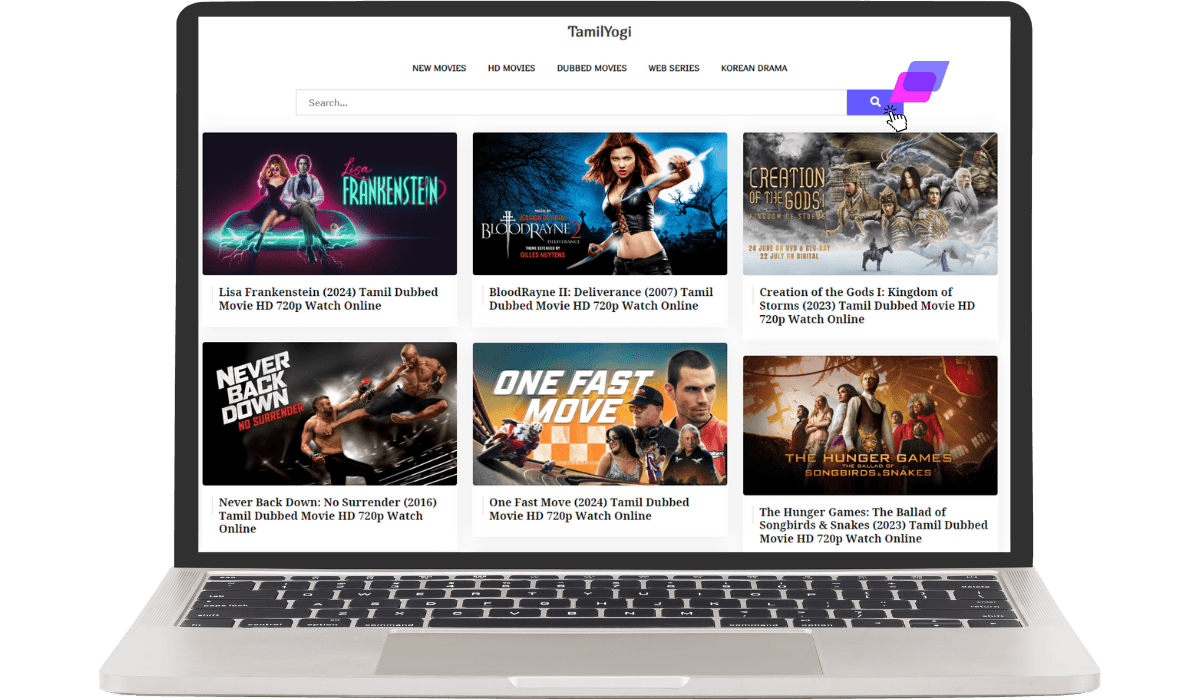
TamilYogi Proxies
Are you tired of frustrating TamilYogi blocks? With a reliable TamilYogi proxy from Anonymous Proxies, you can easily overcome any restriction and continue streaming your favorite Tamil movies and shows without interruption.

