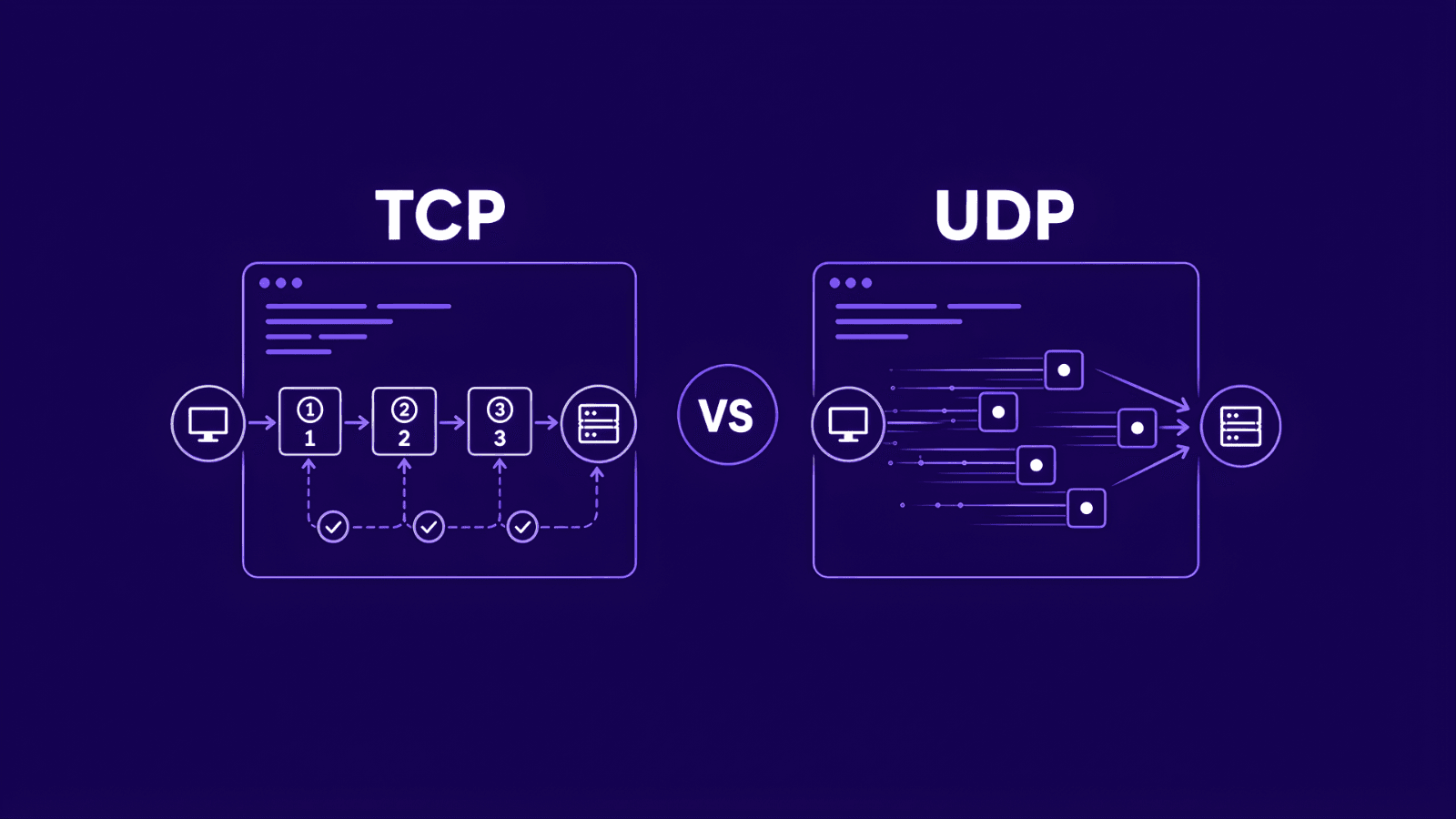
What Is Amnezia VPN? How It Works and How to Set It Up
This article will show you what Amnezia VPN is, why stealth over WireGuard helps on monitored networks, its most common use cases and how to set it up in a few minutes.
Valentin Ghita
Technical Writer, Marketing, Research
Mihalcea Romeo
Co-Founder, CTO
What Is Amnezia VPN?
Amnezia VPN is a stealthy, censorship-resistant take on a WireGuard VPN. Think of it as WireGuard’s speed and modern cryptography, wrapped in a smart disguise that makes your traffic look like ordinary HTTPS. That camouflage really matters on tightly monitored networks where “normal” VPNs get flagged or throttled.
How Does It Work?
Traditional WireGuard is lightweight, secure, and fast, but it’s also recognizable. In places with aggressive filtering, Deep Packet Inspection (DPI) can spot WireGuard’s handshake and block it. However, Amnezia VPN solves that by layering stealth on top of WireGuard without sacrificing the good stuff.
Here’s what’s going on under the hood:
- WireGuard at the core. Your tunnel still uses WireGuard keys, ciphers, and routing, so you keep the speed and reliability people love.
- Obfuscation on the outside. Amnezia adds a camouflage layer, often called "magic headers", small junk/cover packets, and gentle traffic shaping, so your packets resemble everyday HTTPS rather than a VPN protocol.
- Common ports and patterns. Connections use ports and timing that blend in with normal web browsing, making it harder for filters to build a signature.
- DPI evasion in practice. Because your session looks “normal,” censors, ISPs, and corporate firewalls have a tougher time identifying and blocking it. To them, your WireGuard VPN traffic just looks like you’re loading websites like a regular user.
We know other tunneling protocols exist for Amnezia VPN, but we intentionally stick with the WireGuard protocol since it’s fast, secure, lightweight, and simple to set up. And yes, we offer both dedicated datacenter IPs, or residential IPs for our Amnezia VPN.
Amnezia VPN Use Cases
First things first: Amnezia VPN is mainly picked to work in heavily censored environments, for example in Russia, Iran, and China, where DPI blocks standard VPNs. Recently, some UK users have also hit new forms of blocking around, so stealth matters more than ever. Below are other common use cases of Amnezia VPN.
- Safer connectivity on public or untrusted networks
Public Wi-Fi from hotels, cafés and airports all share a problem: you don’t control the network or who else is on it. Without protection, attackers can sniff traffic, hijack sessions, spoof DNS to fake banking pages, or run “evil-twin” hotspots that inject malware. However, if you use an Amnezia VPN you close those gaps because your traffic will be encrypted, so snoops can’t read or alter your data.
- Unlock regional prices when shopping online
Retailers and platforms often show different prices, promos, or shipping options by country. For this, you can use our WireGuard Amnezia VPN to compare real regional offers side-by-side. Go with a datacenter IP if you just want to take a quick check, or choose a residential IP if you want a more “real user” profile.
How to Set Up Amnezia VPN - Step-by-Step
Before we dive deeper, log in to the Anonymous Proxies Dashboard. Once you’re in, follow these simple steps and get your VPN up in a few minutes.
Step 1: Add Your Amnezia VPN to Cart
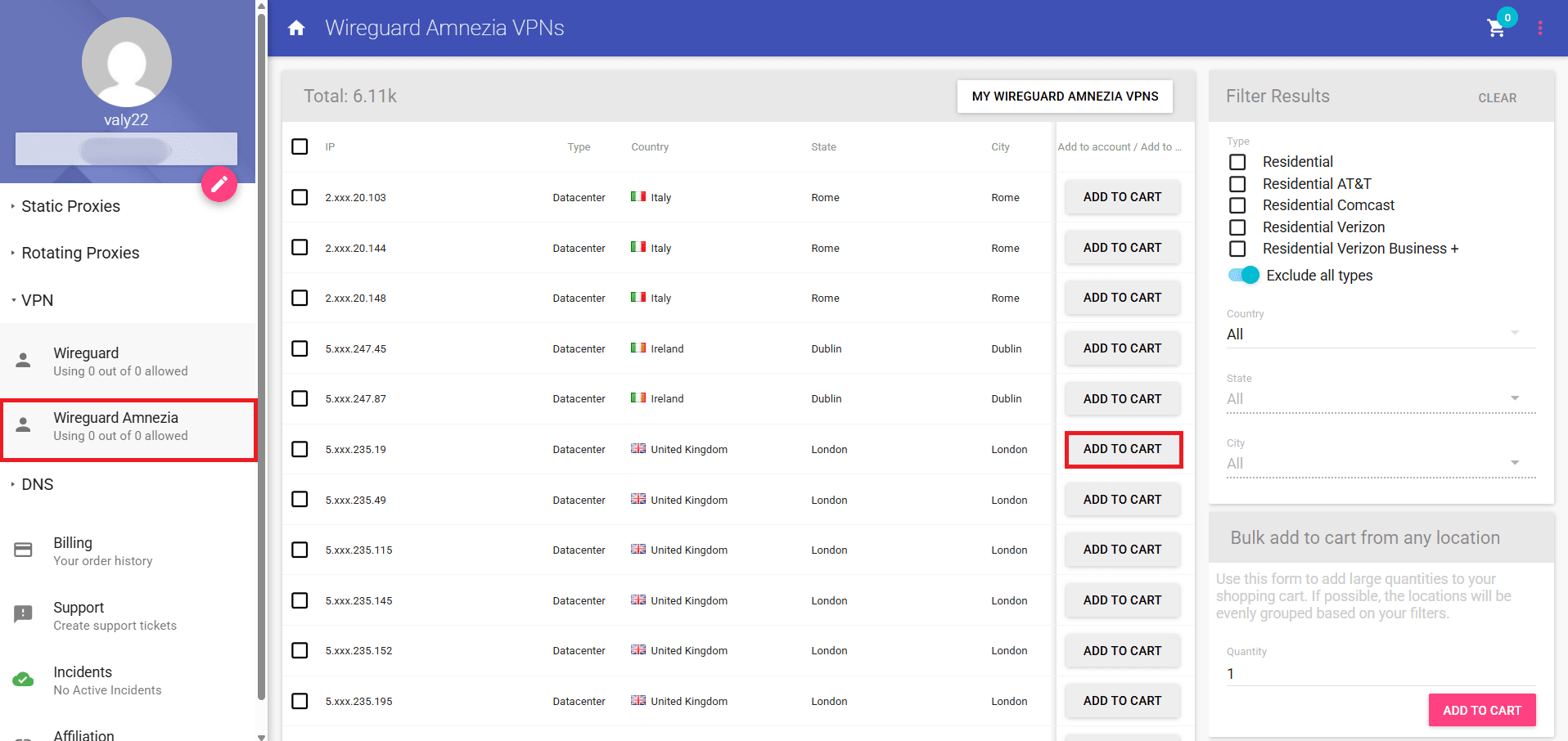
Open the WireGuard Amnezia VPN tab from the left menu. If you want a desired location, you can filter by location, city or even state, and if you need a specific type, you can pick either datacenter Amnezia VPN or ISP. Once you know what IP you need, click Add to Cart.
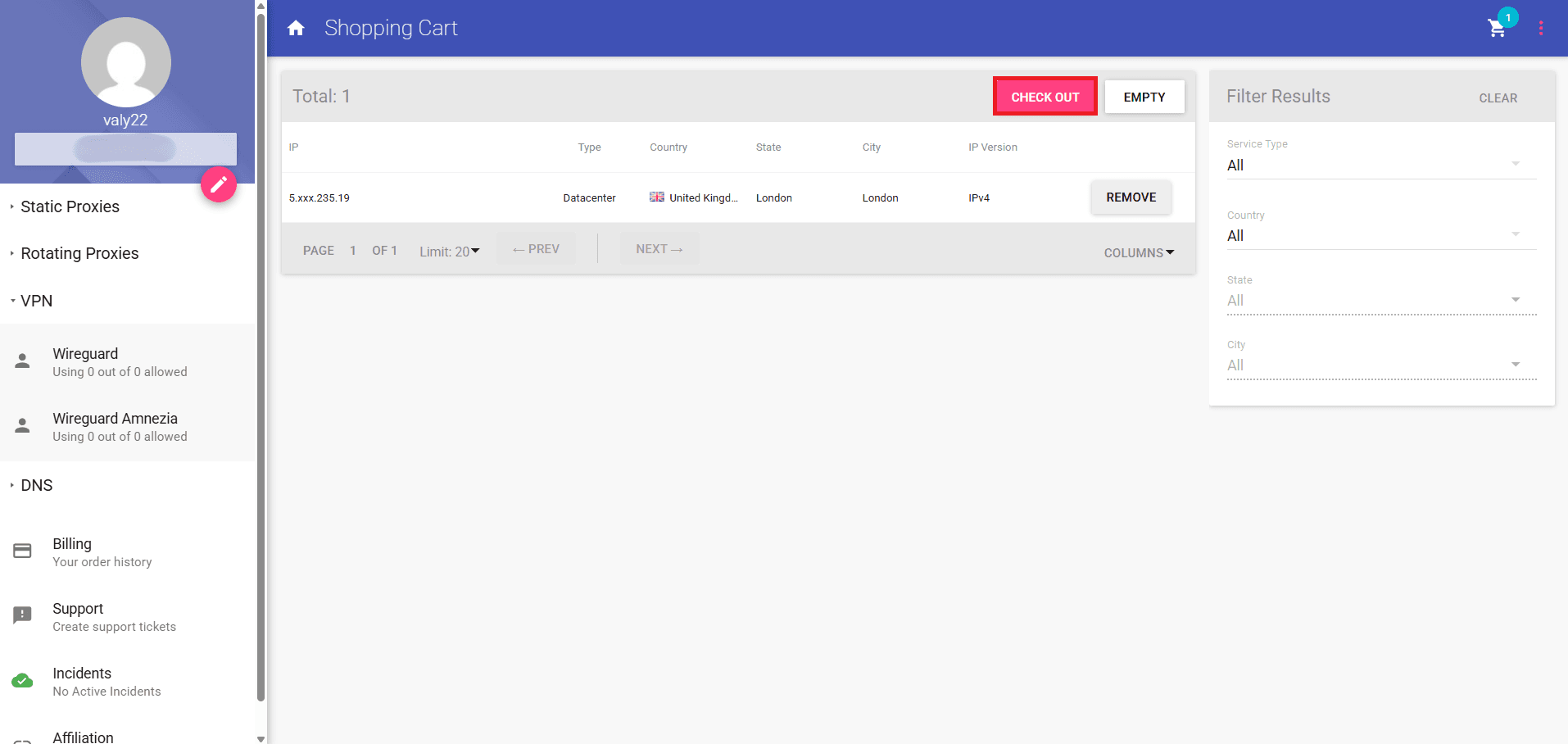
Step 2: Open the Cart and Check Out
If the IPs you took look right, just click on Check Out and complete the payment.
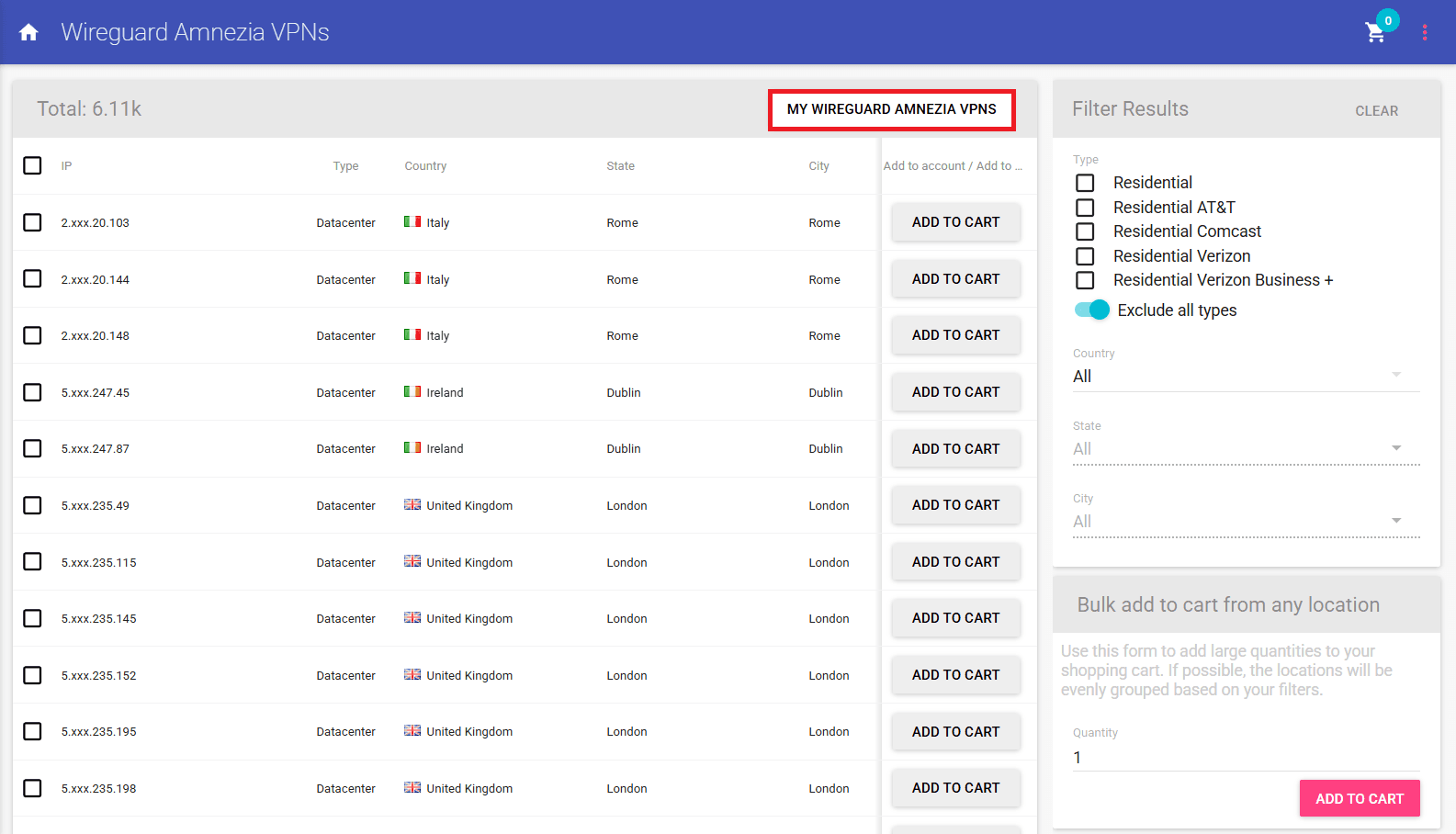
Step 3: Go to “My WireGuard Amnezia VPNs”
Once the purchase is complete, go back to WireGuard Amnezia VPN tab and open My WireGuard Amnezia VPNs.
Step 4: Copy or Download Your WireGuard Amnezia Config
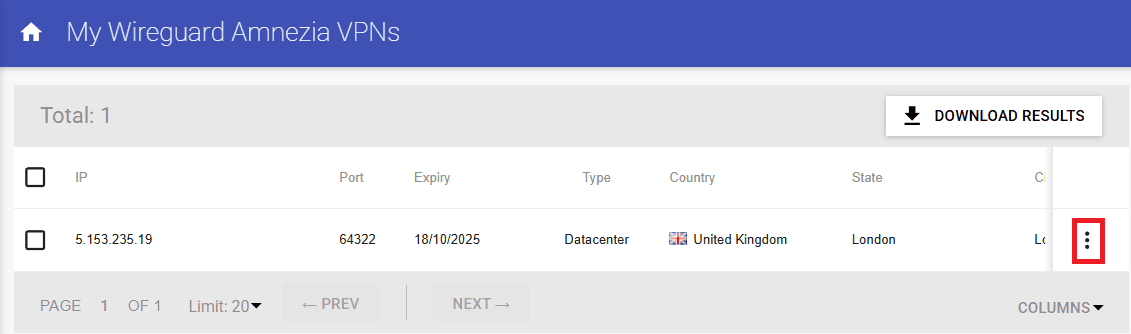
Once the My WireGuard Amnezia VPNs windows opens, click on the three dots and then on Config button to be able to copy or download your configuration.
Step 5: Install WireSock and Import Profile
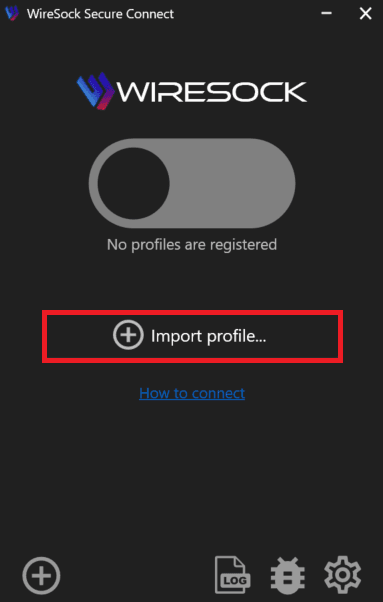
Now, after your config is ready, be sure that you download WireSock from their official website. Open the app when the installation is ready and click on Import Profile. You can either select your downloaded config or just paste the config you saved from the Anonymous Proxies Dashboard. A profile (often with “-amnezia”) will appear.
Step 6: Start the VPN with the Amnezia Profile
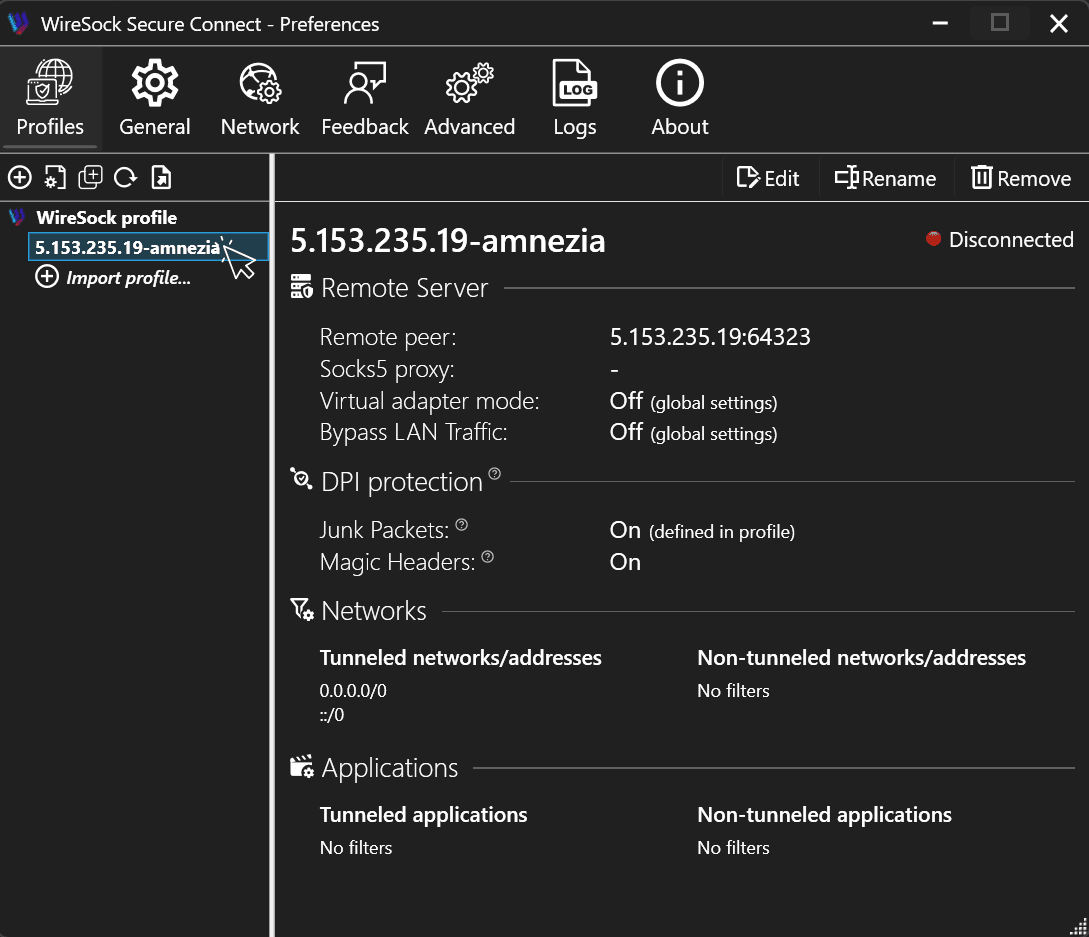
Once you see that profile in WireSock, double-click on it to start the VPN connection.
Step 7: Confirm the Connection
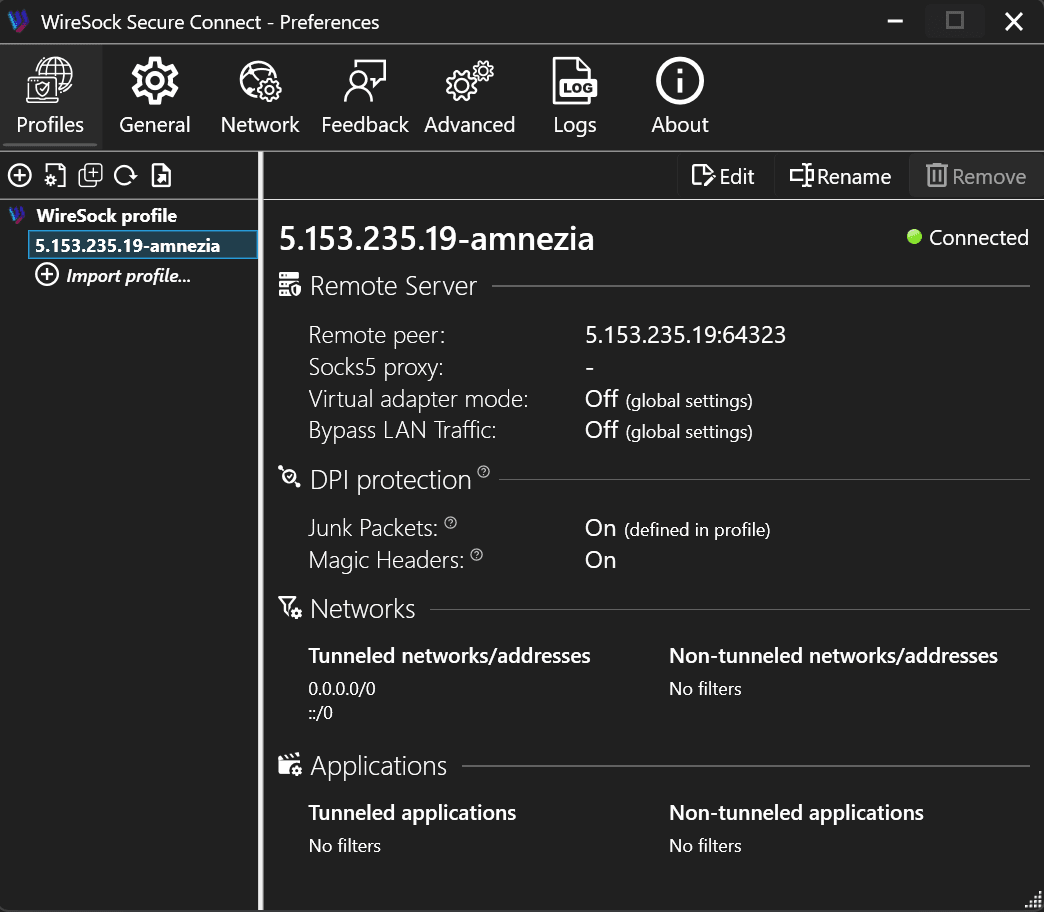
You should now see a green circle with Connected status. Now, you can browse in privacy and, if you want or need, you can enable per-app rules for split-tunneling.
Wrap Up
Now, you’ve learned what Amnezia VPN is, why it helps on monitored or unreliable networks, its most use cases, and exactly how to set it up through the Anonymous Proxies Dashboard with WireSock.
If you encounter any problems when you set it up or have any question related to our VPNs or proxies, don't hesitate to contact our support team which is always ready to help you.

Buy AmneziaVPN
Dedicated VPN that defeats DPI and censorship. Looks like normal traffic to any firewall.