Fake IP Address: What It Is and Why It’s Risky to Rely On?
Before you mask your location, take a minute to see what that mask really hides and what it reveals. In this article, you will learn what a fake IP is, how free proxies and spoofing tools put data at risk, where legal issues arise, and which privacy options actually work.
Valentin Ghita
Technical Writer, Marketing, Research
Mihalcea Romeo
Co-Founder, CTO
What Is an IP Address?
An IP address is a unique number that your device uses to be located on the internet. Think of it as a phone number for your connection. When you load a website or open an app, this number tells the service where to send the data so it is presented on your screen.
Your internet service provider gives this number to you whenever you connect to the internet, and it will typically provide a clue to your general geographic location, such as your city or region.
How Does It Work?
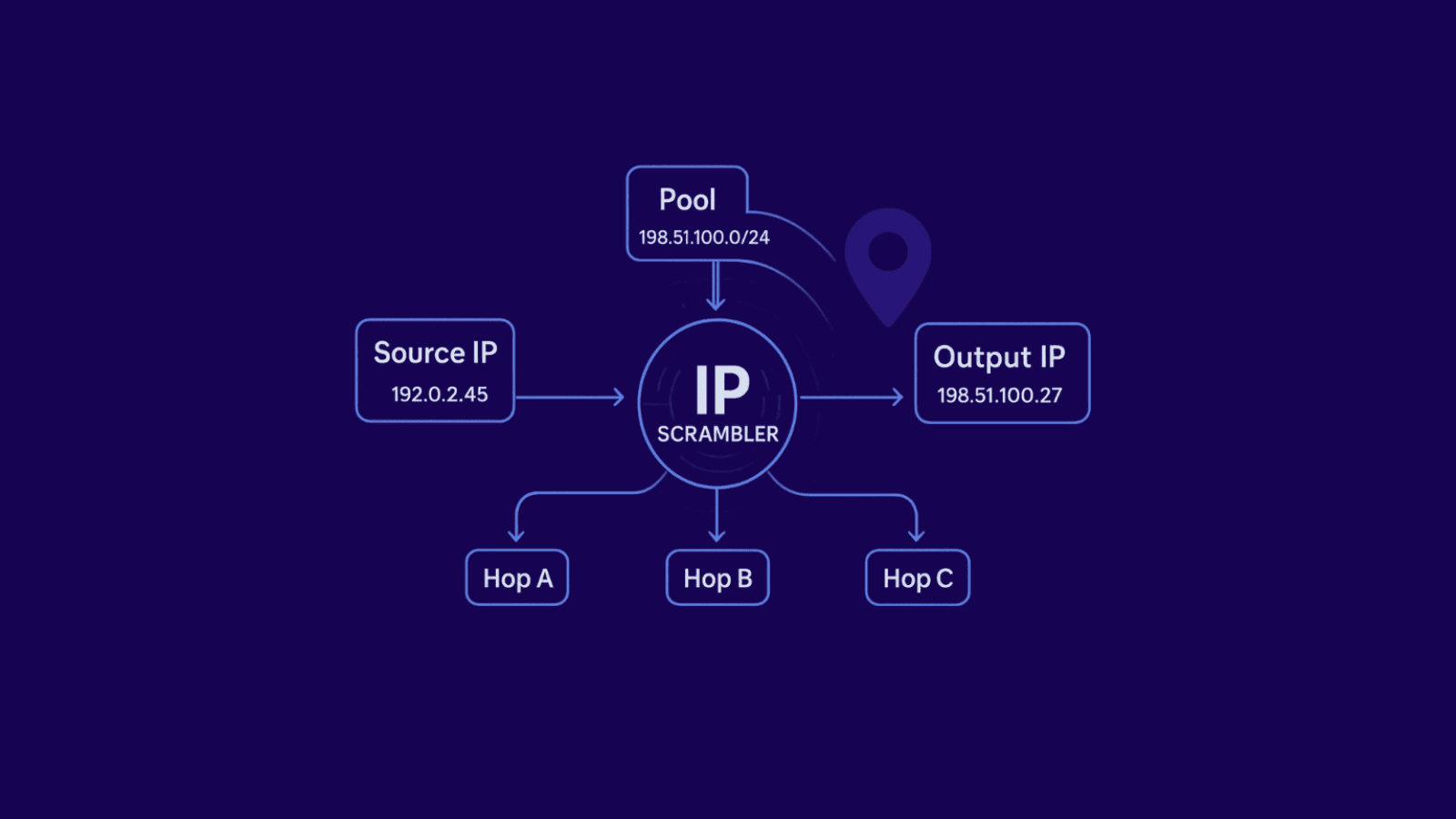
When you enter a web address your device makes a request to the Domain Name System to convert that name to a numeric IP. The request then proceeds across the network within small packets. Each packet contains two important numbers: the destination IP for the URL you want to visit, and the source IP for your device. Routers read those numbers and push the packets through the best available path until they reach the website. Then, the server will send a response back to you, your router hands the response back to your device, and your browser rebuilds the page.
What Your IP Says About You?
Your IP does not reveal your name by itself, but it can say quite a lot about your connection.
- Approximate location. The address often maps to a city or region based on provider records. It is not pinpoint accurate, yet it is enough for local content and ads.
- Internet provider and network type. From the IP, sites can infer the autonomous system and whether the range belongs to a consumer ISP, a mobile carrier, or a hosting company.
- Signs of Risk and Reputation. There are certain IP ranges that are notoriously associated with spam or automation. If your traffic appears to be coming from one of those blacklisted ranges, that would trigger CAPTCHAs or rate limits.
- Mismatches between Time Zone and Locale. If the location of your IP address does not match the language or clock on your device, there is a good chance that sites will flag you.
Who Can See Your IP Address and When?
- Ad and analytics partners: Tracking pixels and tags collect IPs to estimate location, measure campaigns, and fight fraud. Their use is covered by contracts with the site and by the site’s privacy disclosures.
- Law enforcement: Investigators can request subscriber info linked to a specific IP and time if they have the proper legal process. What they can get, and how long data is kept, depends on the country.
- Attackers: Hackers can learn your IP through malicious links, exposed services, peer to peer apps, public game servers, or open ports. With it, they can scan for weak spots, map your network, or aim scams at you.
Why It’s Risky to Use a Fake IP?
Though using a “fake IP” may sound like a fast fix for privacy, it often brings even greater problems.
Malware and Data Theft
Numerous free proxies and “fake IP” applications generate revenue through harvesting data. They bundle trackers, inject ads, or log your browsing and passwords. Instead of privacy, you hand over sensitive info to an unknown operator who can resell it or use it for fraud.
Account Bans and CAPTCHAs
Public and overused proxy ranges are on blocklists. Using them triggers login challenges, payment reviews, and sudden account locks. You waste time solving CAPTCHAs and risk losing access because those IPs are tied to spam or abuse.
No Transparency and Support
Unknown providers often do not conduct audits or create clear logging policies that show who sees your data.
Which Proxy Actually Changes Your IP: Residential, Mobile, and Datacenter
Now that you have seen why a random “fake IP” has its cons, let’s talk about why you must use a reliable proxy provider to change your IP address and what type of IP you should choose.
Residential Proxies
Residential proxies use IP addresses supplied by consumer ISPs to real households, so they look like normal users in the wild. That natural footprint means fewer blocks on retail, social, and ticketing sites and smoother logins. We offer both static residential proxies, which keep the same IP for stable sessions, and rotating residential proxies, which automatically change IPs at set intervals or per request. Pick static when you need consistency for account work, and rotating when you want broader coverage and lower detection.
Mobile Proxies
Mobile proxies operate by sending your traffic through mobile networks typically used by phones and tablets. They succeed in breaking through strict filters implemented by a variety of platforms because cellular carriers frequently rotate IP addresses and many services and websites treat IPs as trusted when they are from a mobile range. Speeds can vary with network conditions, and costs are typically higher than other types, but they are a must when reputation matters most.
Datacenter Proxies
Datacenter proxies live on hosting infrastructure. They are fast, scalable, and cost effective, which makes them ideal for high volume tasks and tolerant targets. The tradeoff is detectability. Many sites recognize popular hosting ranges and respond with extra challenges, CAPTCHAs, or outright bans, so results depend on the site’s defenses and your configuration.
Why You Should Stay Away from Free Proxies?
Free sounds tempting, but it often hides real costs.
- Logging and resale. If you are not paying, your data or bandwidth might be the product.
- Weak security. Many free endpoints lack basic encryption or use outdated setups. That opens the door to man in the middle attacks, credential theft, or malware injection.
- Weak performance. Public proxies are continually bombarded with bots. Expect unexpected disconnections and inconsistent speeds, with IPs that have a bad reputation and are blocked or banned.
Conclusion
As you've learned in this article, you'll save a few bucks initially using free IPs or fake IPs, but your security and privacy often outweigh any benefits you might gain in financial savings. If you need a different public face on the internet, just make sure to use the right kind of proxy from a reliable provider that is known for a solid infrastructure and will provide human support when needed.
If you have any questions, don't hesitate to contact our support team which is there to help you anytime with whatever problem you've got.

Buy Backconnect Proxies
Rotating IPs on every request. Scale scraping and automation without manual IP management.