GenLogin Browser Test 2025: Features, Drawbacks, and Real User Insights
GenLogin is a Vietnamese antidetect browser that has gained popularity for its promise of seamless multi-account management and privacy-focused functionalities. While it offers basic functionalities like fingerprint protection, browser automation, and profile management, a finding reveals some usability as well as trust concerns. The tool lacks tangible onboarding, relies on a narrow base of browser cores, and is questionable in terms of data security.
Valentin Ghita
Technical Writer, Marketing, Research
Mihalcea Romeo
Co-Founder, CTO
GenLogin Overview: What It Claims to Offer
GenLogin is a Vietnamese antidetect browser built for managing multiple accounts with features like fingerprint spoofing, basic automation, and access to a built-in script marketplace. It promotes ease of use and security through a clean desktop interface. Despite these claims, the platform remains opaque, specifically with regards to managing data and support. Since it’s growing locally in use, GenLogin still lingers behind global expectations in usability and trust.
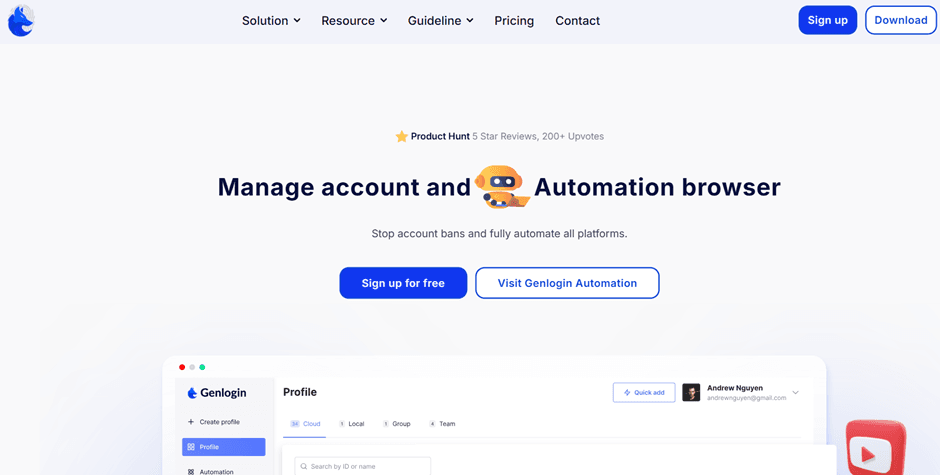
Registration, Onboarding & Platform Access
- Data-driven sign-up: Sign-up to GenLogin consists of full name, phone number, and social media profile — a unique request from a privacy-first tool.
- No web access: Users are sent to download a desktop app after registration. No web version of the platform exists.
- Limited OS support: The app is supported on Windows and macOS but not on Linux or mobile platforms.
- Local payment flow: Payment for subscriptions is processed by Vietnamese systems, which may be inconvenient or inaccessible for foreign users.
First Launch: Browser Profile Setup & UX
The GenLogin desktop app has a clean, simple interface, but lacks onboarding guides or templates. Users must manually configure each browser profile—adjusting screen resolution, CPU, OS, and other settings. This makes the setup process difficult for those unfamiliar with fingerprinting.
Proxy Integration & Connectivity Options
There are three proxy settings offered by GenLogin: default free residential proxy (based in Vietnam), manual proxy entry, or none at all. The default mode doesn’t perform as anticipated in most cases, refusing to connect or load web pages. Manual entry functions but assumes that users understand proxy types and settings, something that may not be the case for new users.
Automation Features & GenMarket Scripts
GenLogin has a built-in automation panel where users are able to craft scripts for controlling repetitive tasks like account creation, listing products, and basic browsing flows. The system markets itself as no-code, but realistically, most people still need to have some minimal scripting experience to make things happen. On top of automation software, GenLogin has GenMarket — a pre-existing script marketplace. They vary from free scripts to paid ones in the price range of several hundred coins (1 coin ≈ 4 US cents). Most scripts are farming, multi-accounting, or e-commerce workflows. Though flexibility is introduced by the marketplace, the entire experience is limiting because of language barriers and the lack of quality control among available scripts.
Performance & System Resource Usage
GenLogin runs relatively light on system resources during basic tasks, making it a decent option for lower-end machines. Profile launches are smooth once configured, though the initial download of browser cores (Titan or Nightly) can take a few minutes depending on the connection.
Conclusion: Is GenLogin Worth Using in 2025?
GenLogin has the usual features that one would want from an antidetect browser — fingerprint masking, profile management, and simple automation. GenLogin performs adequately in testing against fingerprint verifiers and could be suitable for local customers who require a cheap, simple solution.

Buy Backconnect Proxies
Rotating IPs on every request. Scale scraping and automation without manual IP management.