

Proxy Integration With ZennoPoster
Learn how to use Anonymous Proxies' residential proxies in ZennoPoster to automate SERP checks and price tracking, bypass geo-blocks and stay private.
What is ZennoPoster?
ZennoPoster is a desktop automation platform from ZennoLab built to repeat what you can do manually in a browser. You create projects in a visual designer, record actions on real websites, then refine those steps with logic and conditions. When your template is ready, ZennoPoster can run it as a bot across multiple threads, and you can schedule launches so tasks start automatically.
It is big in SEO and digital marketing, but it really shines anywhere you are tired of doing the same browser steps over and over. You can use it to automate sign ups and logins, handle routine form submissions, publish or update content, scrape data for reports, and keep multi account work organized, and with browser emulation plus built in proxy and CAPTCHA support, your automation tends to look more like real users and run more smoothly as you scale.
Why Use Anonymous Proxies With ZennoPoster?
Anonymous Proxies pairs really well with ZennoPoster because it helps your automation scale without repeating the same network footprint. With our premium rotating residential proxies, you can handle high-volume scraping, distributed crawling, and large-scale data collection while keeping your runs smoother and harder to pattern-match. Since rotation happens automatically in the background, you can focus on building strong automation logic instead of babysitting constant IP changes. Because of our clean residential IPs, your traffic will also look more organic, and this can reduce detection and help you get past common anti-bot defenses.
Now, if you need consistency in a project from start to finish, static residential proxies are often the better choice. Since you need to keep the same IP across multiple steps, they are especially helpful for logins, account management, and other session-sensitive flows where a sudden change can cause issues. And because we support both HTTP and SOCKS5, you can simply pick the protocol that works best for your specific ZennoPoster setup and target sites.
How to Set Up a Proxy With ZennoPoster?
Before you begin, sign in to Anonymous Proxies dashboard and have your proxy details ready to copy. For this example, we will use residential proxies because they will act more like a real home connection, making our ZennoPoster sessions look more natural and allowing you to encounter fewer blocks.
Step 1: Download ZennoPoster
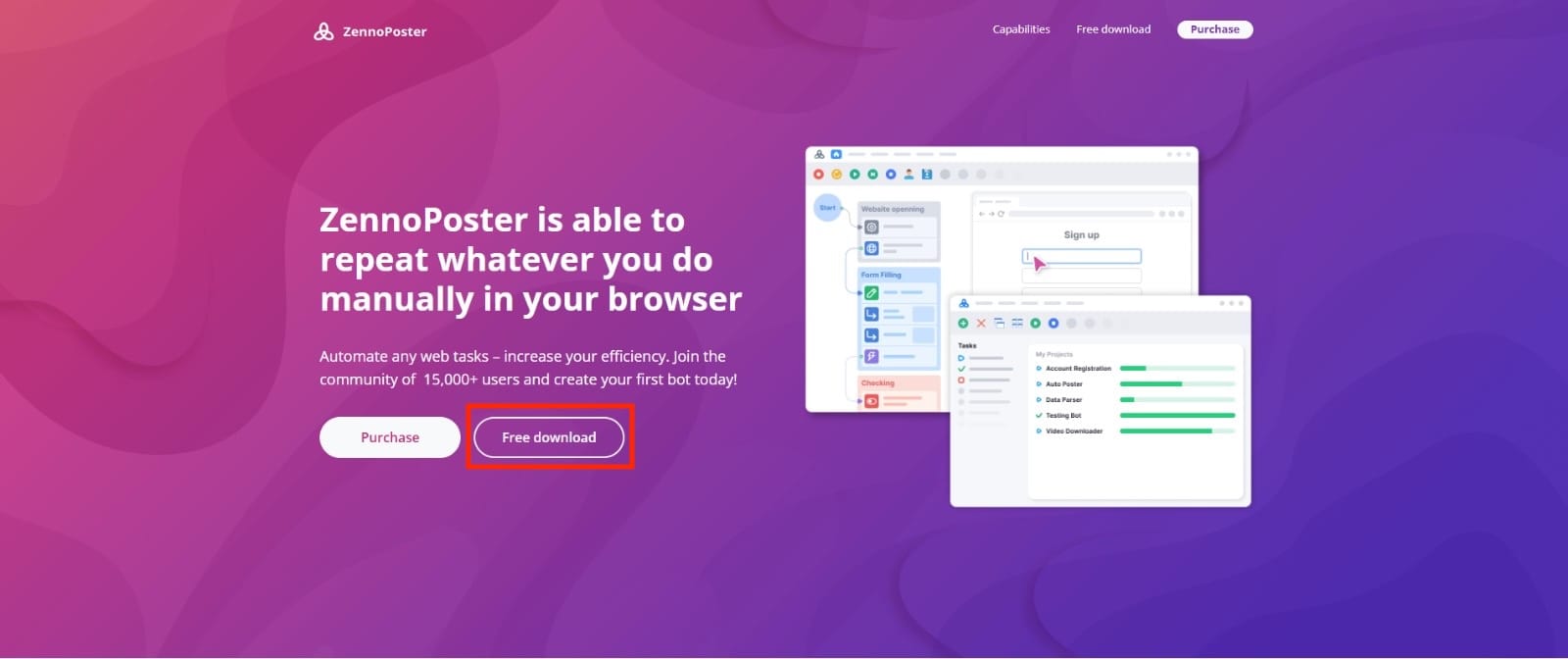
The first thing we need to do in order to begin the setup process, is to go to the official ZennoPoster website and click on the Free download button.
Step 2: Create a new project
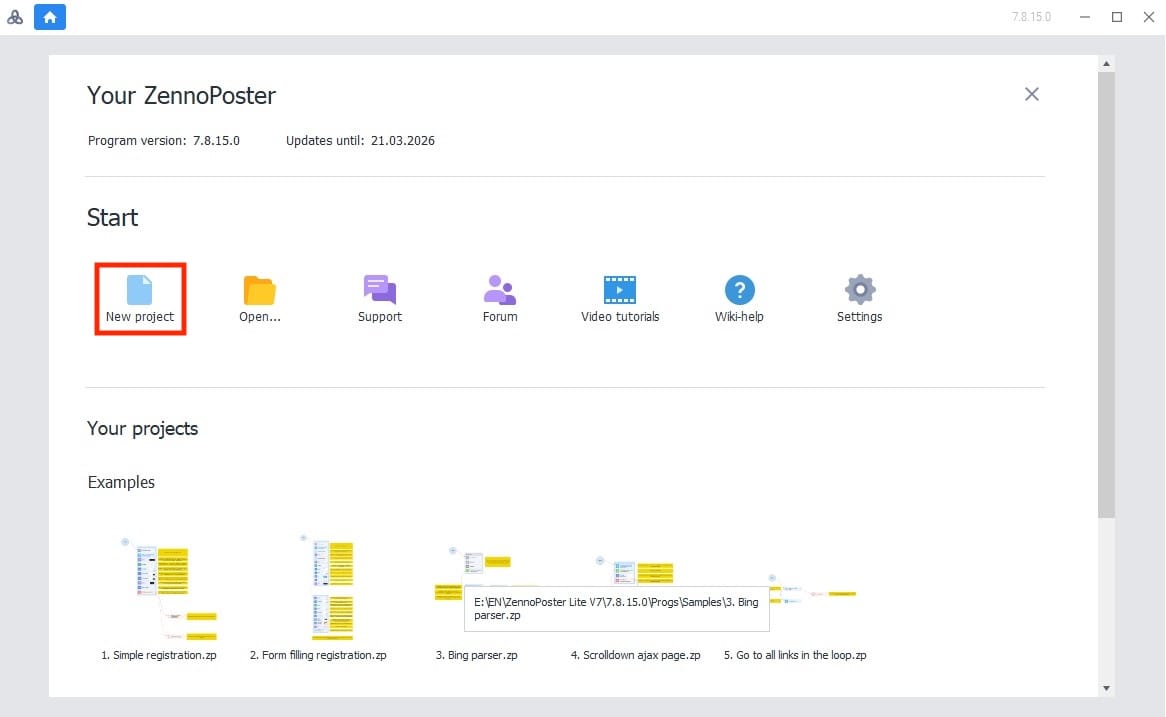
Once you installed it, open it and then click on New project.
Step 3: Add action
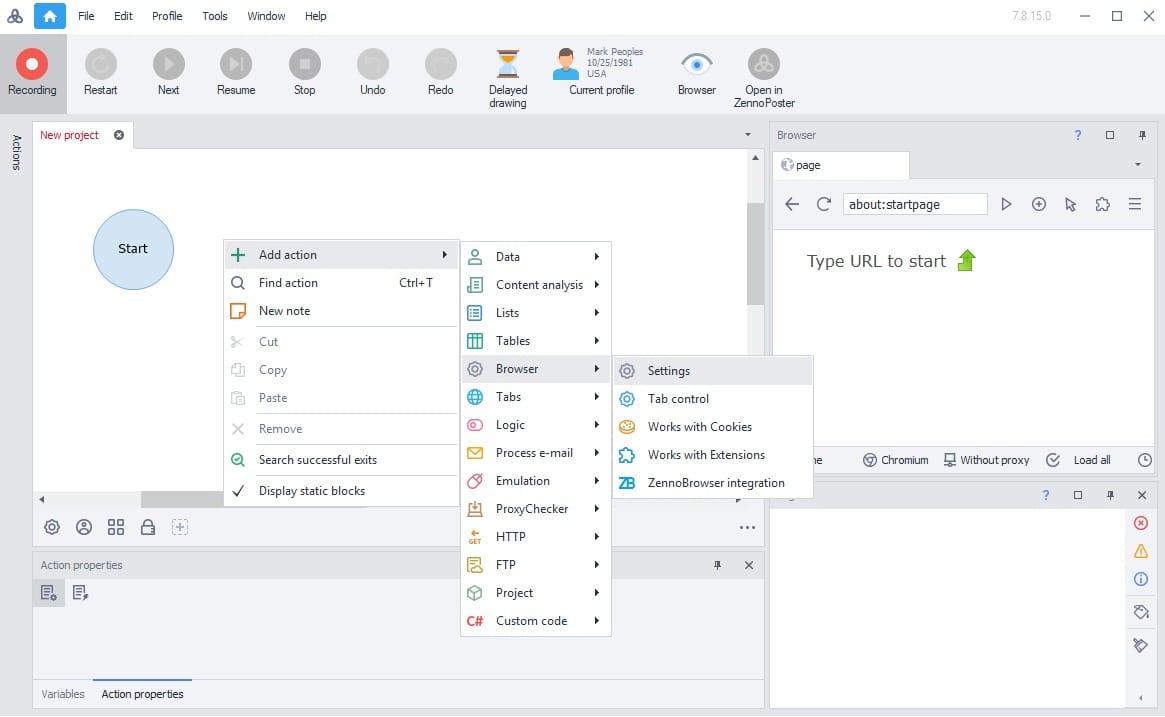
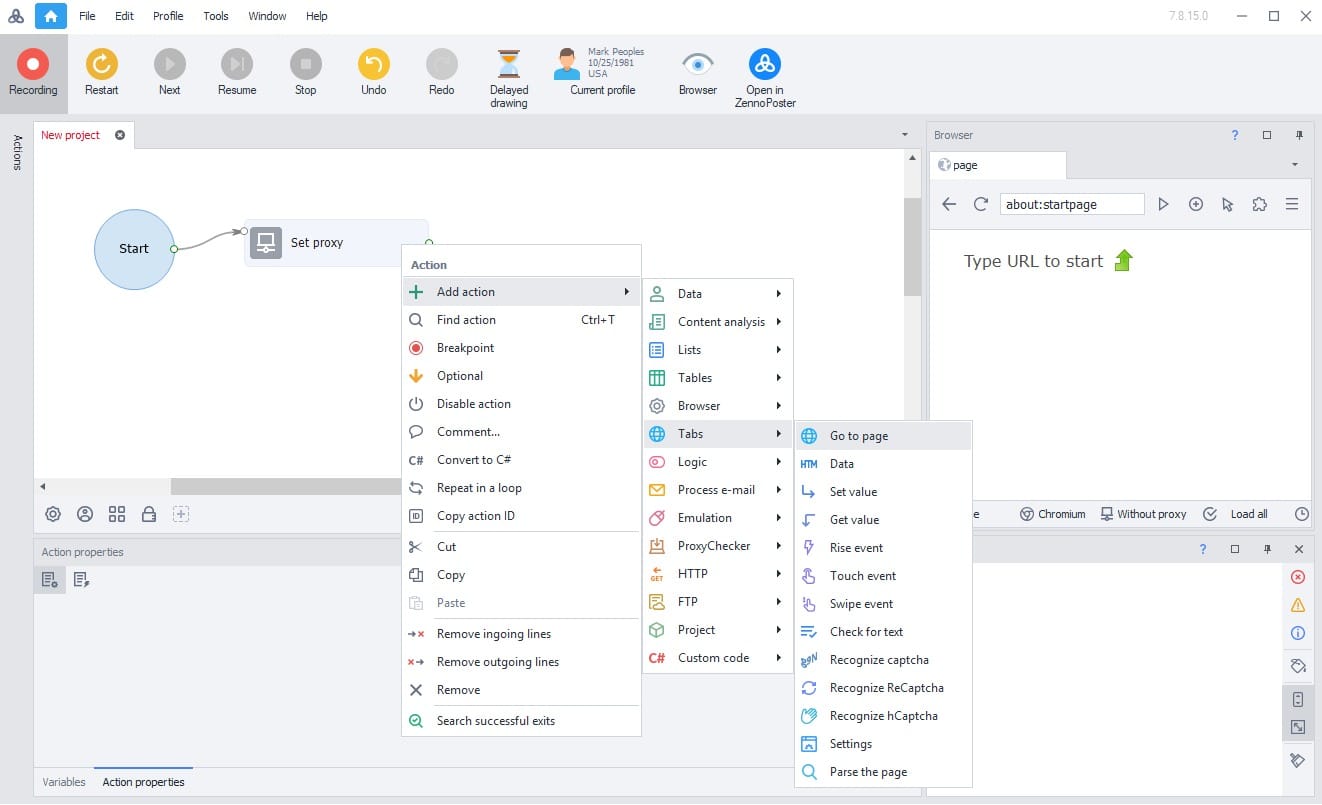
Now, you'll need to right click on the empty white area near the Start block, choose Add action, then go to Browser and select Settings.
Step 4: Choose the Set proxy
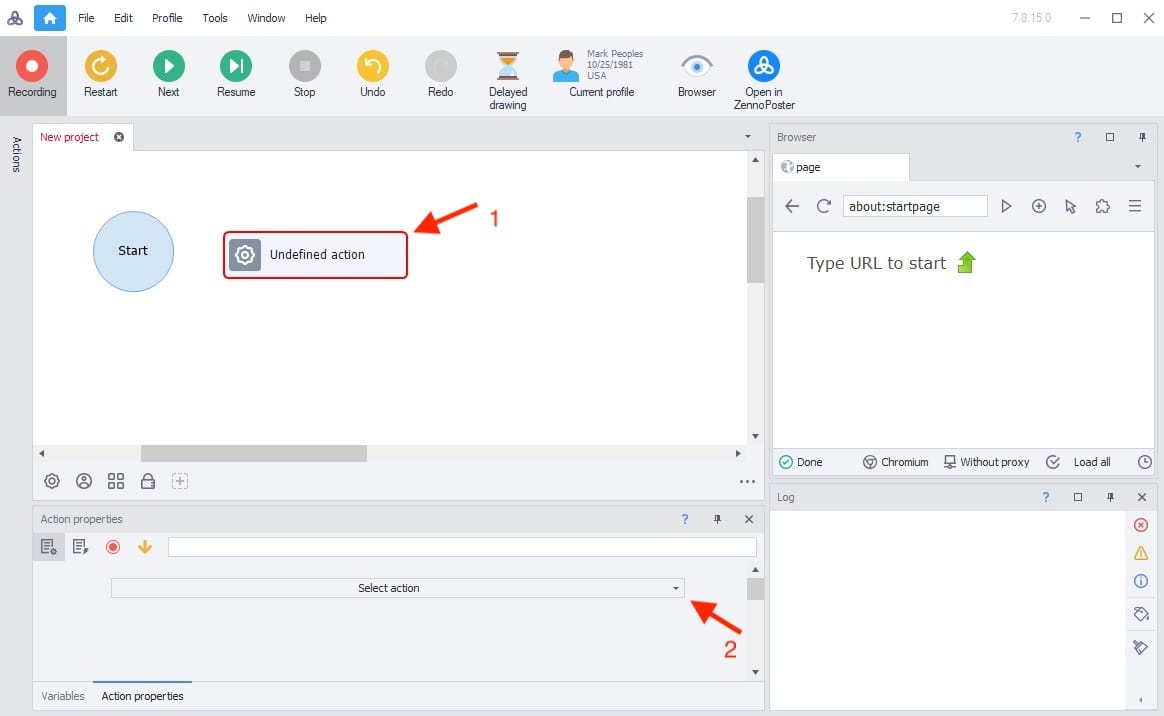
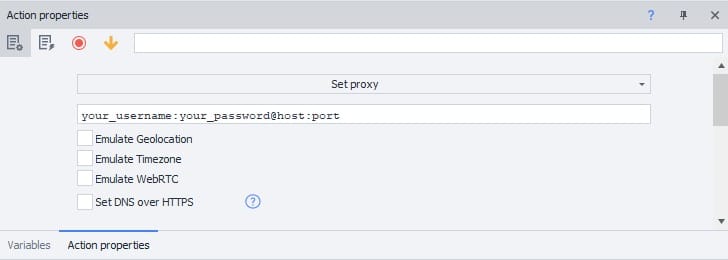
A new block should show up as undefined at first. Click that block, then in Action properties open Select action and choose Set proxy.
Step 5: Add proxy
Once you selected Set proxy, fill in the field with the proxy details from Anonymous Proxies dashboard in the format username:password@host:port.
Step 6: Add a website
Now, to verify the proxy connection, we'll need to add another action, go to Tabs, then choose Go to page, and enter an IP checker website.
Step 7: Restart
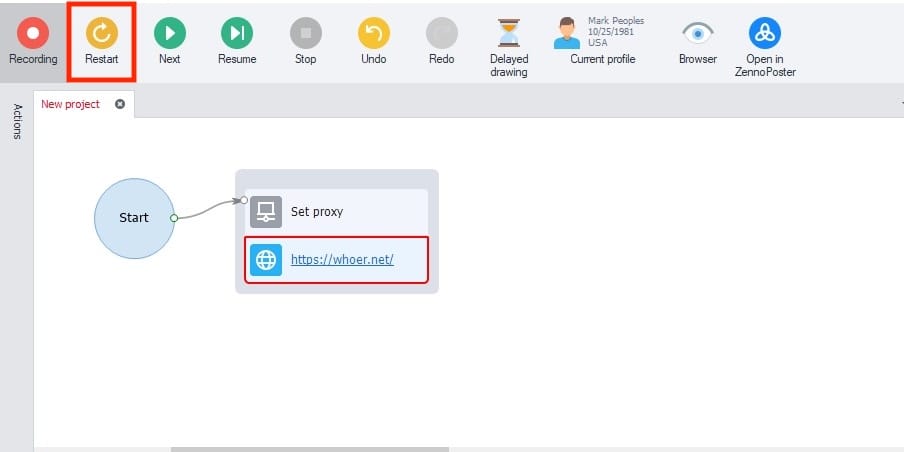
To save the proxy setup, click Restart at the top and select Yes, step by step.
Step 8: Test proxy
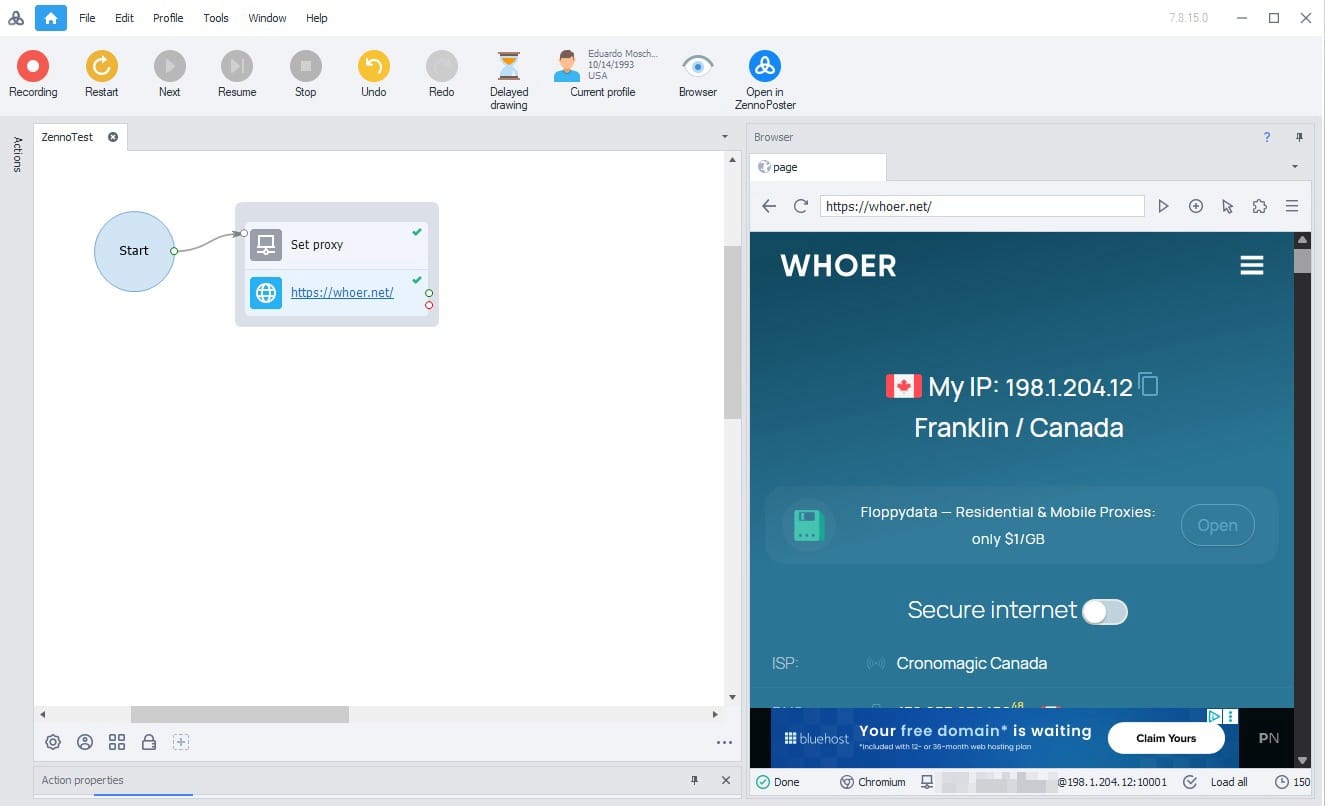
For the final step, when the IP checker website will open, you should see the proxy's details if everything is set right.
Wrap Up
If anything feels confusing during setup, or you are not quite sure how to plug our residential IPs into your ZennoPoster workflow, just message our support team and they will walk you through it and get you up and running. And if you want to see what else you can connect with Anonymous Proxies, our integrations page has more guides that you can explore.

Buy Backconnect Proxies
Rotating IPs on every request. Scale scraping and automation without manual IP management.
More web-automation-tool Proxy Integrations
See more web-automation-tool integrations that work seamlessly with Anonymous Proxies.

Proxy Integration With Python Requests
Learn how to add Anonymous Proxies' residential proxies to Python Requests for scraping, automation, rate limit bypass, and geo targeting.

Proxy Integration With Axios
This guide will show you how to add Anonymous Proxies' residential proxies to Axios in Node.js for smoother scraping, geo testing, and fewer blocks.

Proxy Integration With Wade
Learn how to pair Anonymous Proxies with Wade Browser to manage multiple accounts, browse anonymously, and scrape without blocks.

Proxy Integration With TexAU
Lean how to set up TexAu with Anonymous Proxies’ residential proxies to run safer automations, avoid bans, and scale your data workflows smoothly.