

Proxy Integration With Wade
Learn how to pair Anonymous Proxies with Wade Browser to manage multiple accounts, browse anonymously, and scrape without blocks.
What is Wade Browser?
Wade (WADE X) is an anti-detect browser built for multi-account work. It helps you keep accounts separated on sites that track fingerprints and try to link sessions. Instead of using one browser identity for everything, you create different profiles. Each profile has its own fingerprint, cookies, and settings, so your activity stays cleaner and less connected.
Wade is based on Chromium, so it looks and feels like a normal modern browser, just with extra tools for managing profiles and working at scale.
Wade Browser Benefits
- Separate profiles with unique fingerprints to avoid account linking
- Workspaces and tags to keep everything organized
- Bulk actions to manage lots of profiles quickly
- Automation support (Selenium, Playwright, Puppeteer)
- Team access controls for shared setups
- Free plan to test before scaling
Wade keeps your profiles separate, but the IP matters too. If you add our premium residential proxy to each profile, every session gets its own real home-style IP and you'll forget about those annoying CAPTCHAs and blocks. This way, you'll focus on your tasks that really matters.
How to Integrate Anonymous Proxies With Wade Browser
Before we get into the setup, open your Anonymous Proxies dashboard and grab your proxy details (IP/host, port, username, and password). Keep them handy, you’ll paste them into Wade in a minute.
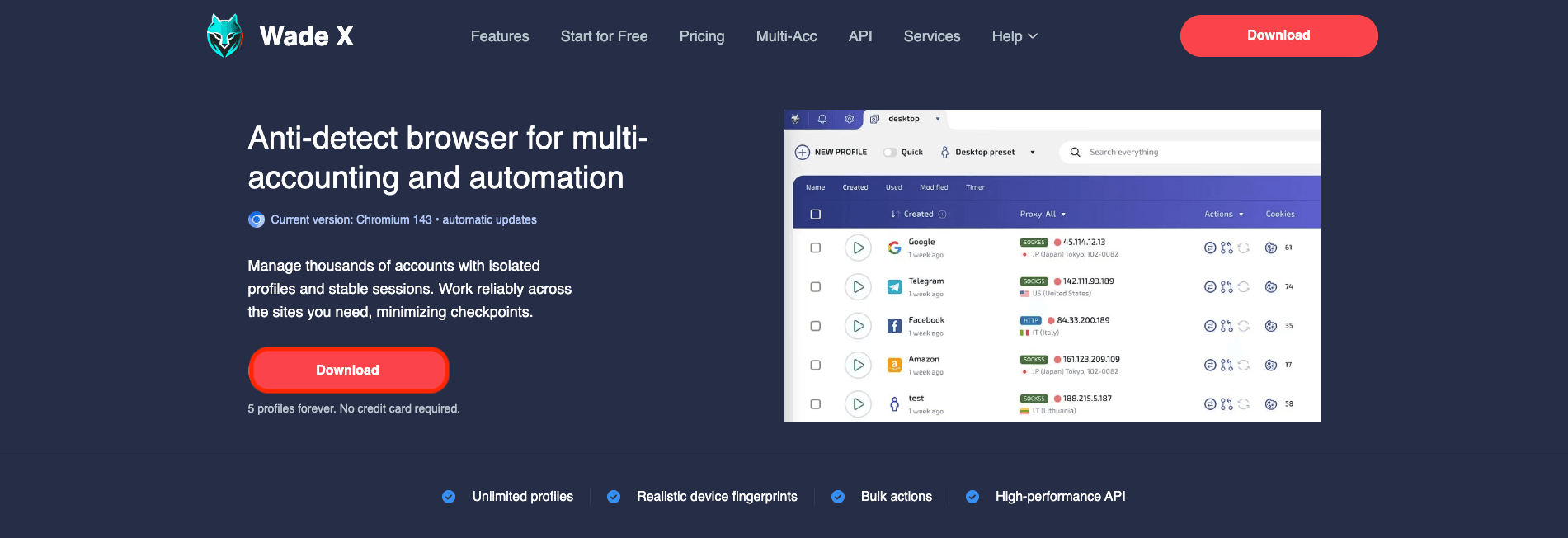
Step 1: Download Wade
First, we'll need to go to Wade official browser and hit Download and choose the right version for your OS.
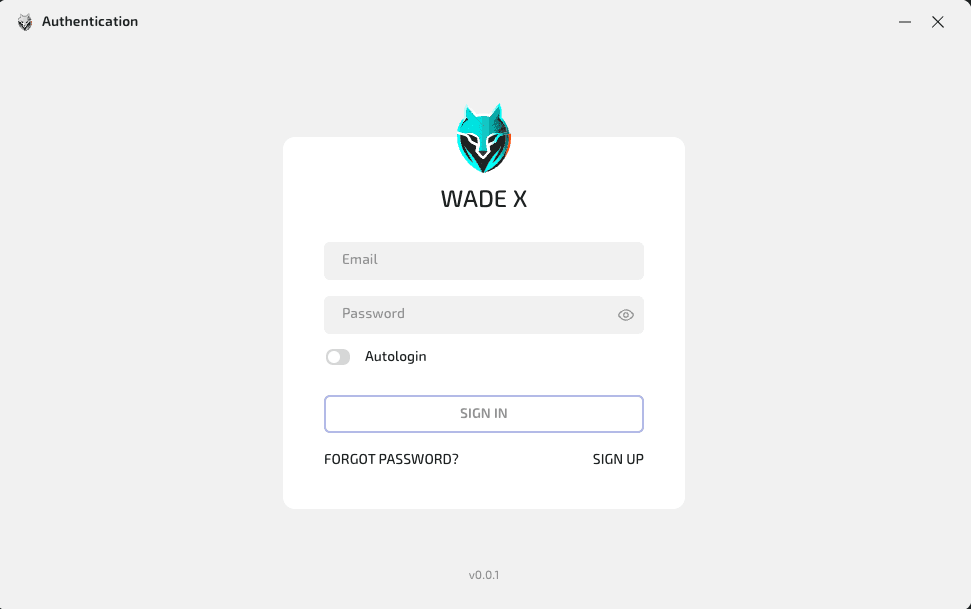
Step 2: Sign in
Once downloaded, open Wade X and log in to your account. If you don't have one, click on Sign Up to create one in just a few minutes.
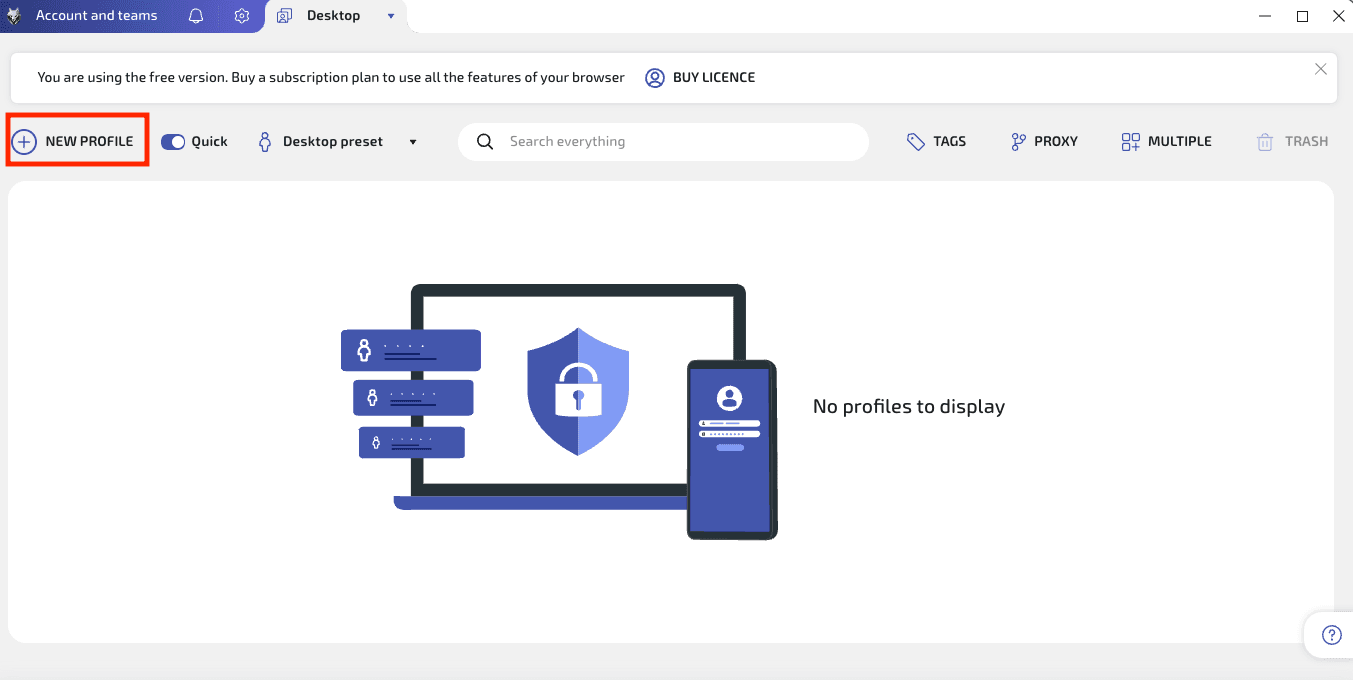
Step 3: Create a profile
After you log in, you'll be able to the main dashboard where you'll need to click on New Profile.
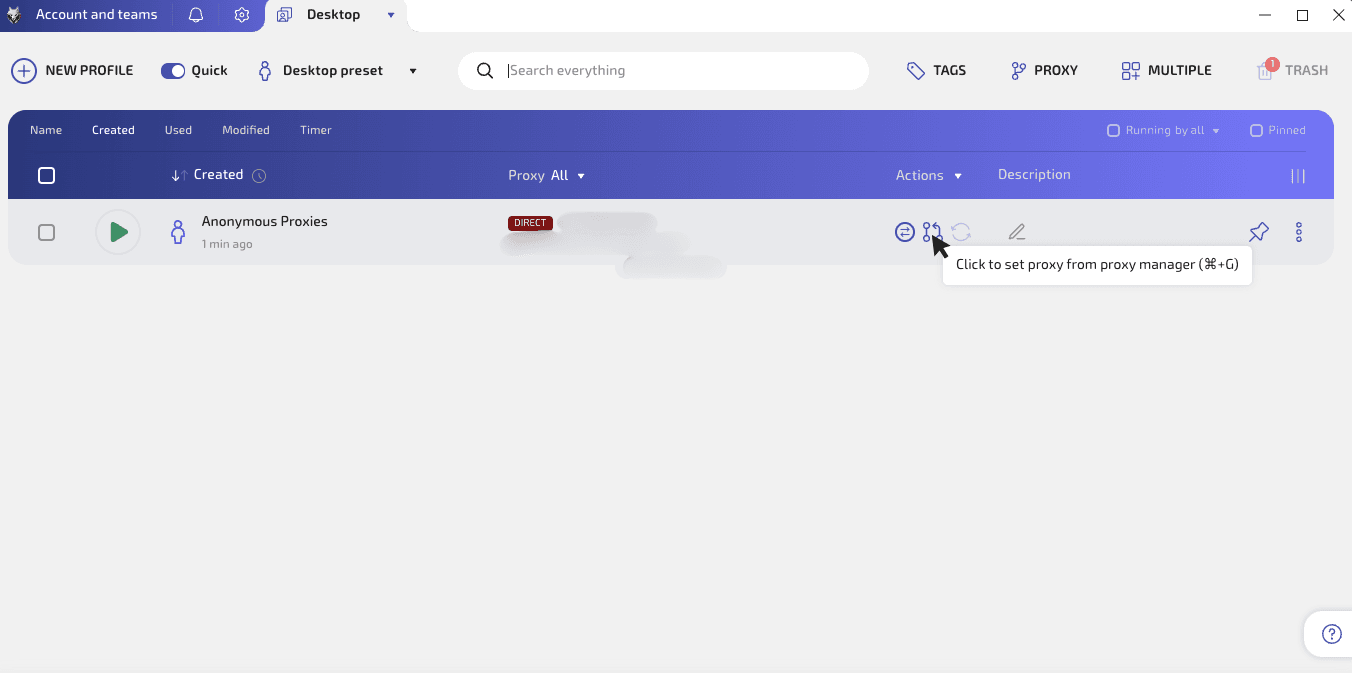
Step 4: Open the proxy setup for that profile
A new profile will be created. Name it if you want to know for what tasks it will be, then hover the small proxy icon until you see the tooltip “Click to set proxy from proxy manager”, then click it.
Step 5: Add your proxy server
When you are in the proxy window, click New Proxy. Paste your proxy details from Anonymous Proxies in the format IP:PORT:USER:PASSWORD, then click the green check to save it.
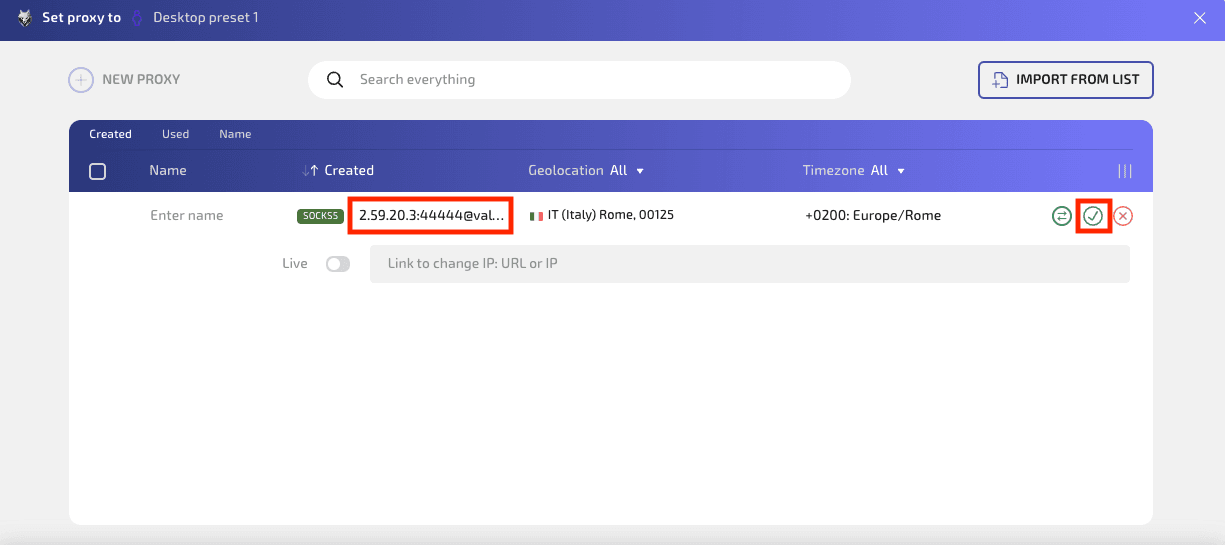
Step 6: Check and set the proxy
Once you saved it, select it, click Check Proxy to confirm it works, then click Set to apply it to your profile.
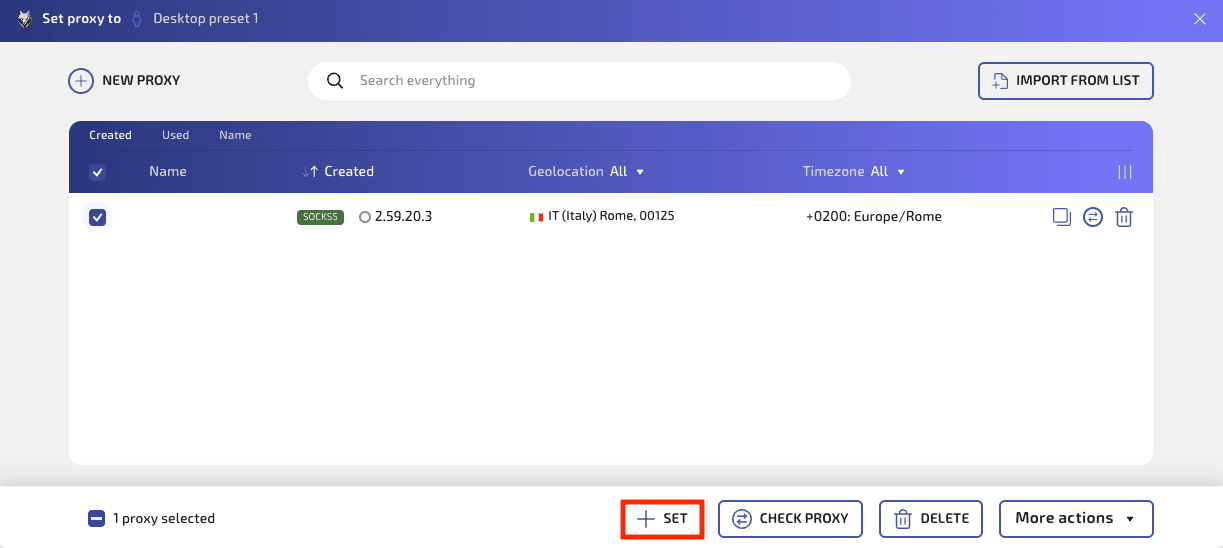
Step 7: Run the profile
You'll be taken in the profile list, and here you should now see your proxy type and IP next to the profile. Now, all what's left is to click the Play button to launch it.
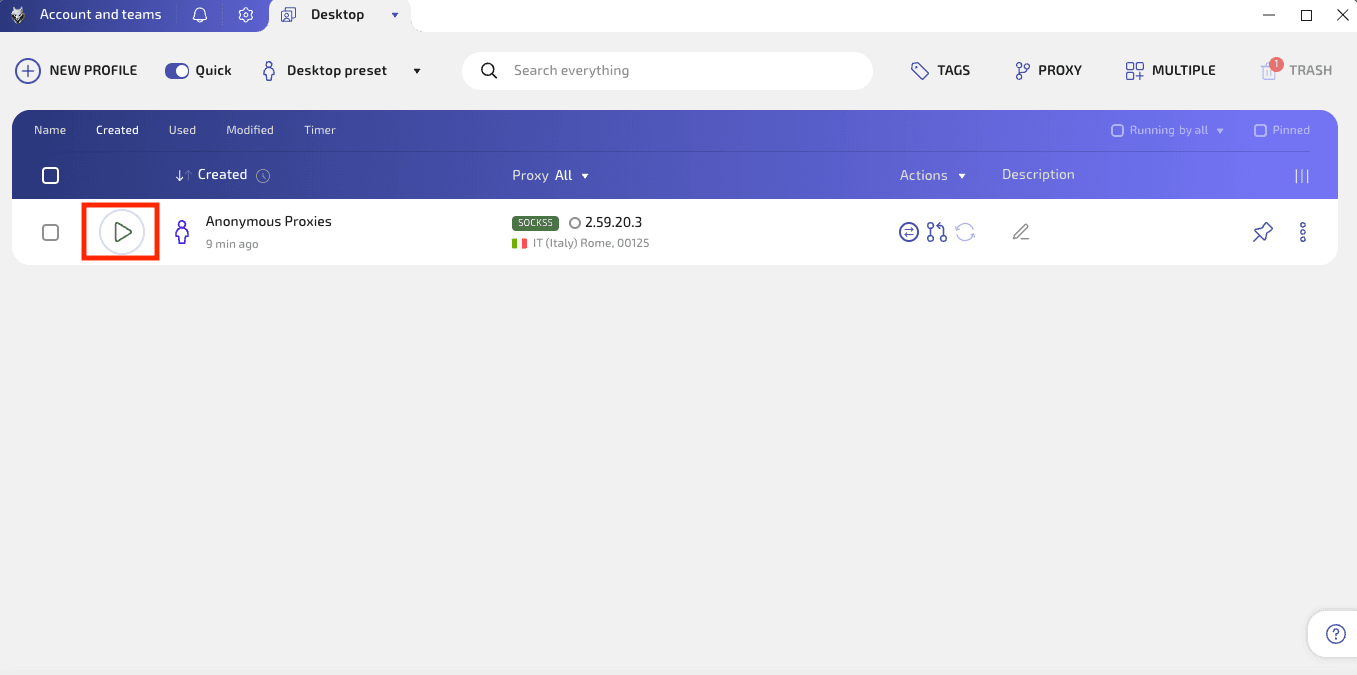
Step 8: Confirm that proxy is working properly
Inside the launched profile, try to open an IP checker (like Whoer) to confirm that your proxy works properly.
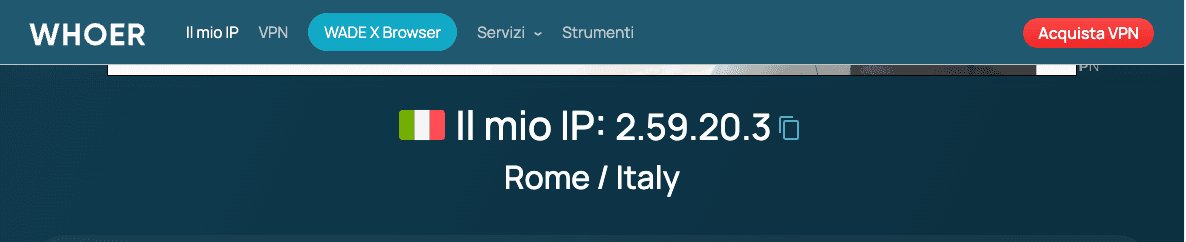
Wrap Up
Wade browser will now run through your Anonymous Proxies' residential proxy, so each profile will use its own clean IP, and you won't face again those annoying blocks.
If you run into any issues during setup, just contact our support team and we’ll help you sort it out. For more integration guides, you can visit our integrations page.

Buy Backconnect Proxies
Rotating IPs on every request. Scale scraping and automation without manual IP management.
More web-automation-tool Proxy Integrations
See more web-automation-tool integrations that work seamlessly with Anonymous Proxies.

Proxy Integration With Python Requests
Learn how to add Anonymous Proxies' residential proxies to Python Requests for scraping, automation, rate limit bypass, and geo targeting.

Proxy Integration With Axios
This guide will show you how to add Anonymous Proxies' residential proxies to Axios in Node.js for smoother scraping, geo testing, and fewer blocks.

Proxy Integration With ZennoPoster
Learn how to use Anonymous Proxies' residential proxies in ZennoPoster to automate SERP checks and price tracking, bypass geo-blocks and stay private.

Proxy Integration With TexAU
Lean how to set up TexAu with Anonymous Proxies’ residential proxies to run safer automations, avoid bans, and scale your data workflows smoothly.