

How to Set Up a Proxy Server on Screaming Frog in 2025
This integration tutorial will show you how to set up a proxy server in Screaming Frog SEO spider tool for better SEO analysis.
What is Screaming Frog?
Screaming Frog is a desktop-based web crawler that works on Windows, Mac and Linux. It crawls a site as a search engine would and then exports the pages into a usable report of organized information. You simply enter the URL you want to crawl, and then just run it.
Screaming Frog is built to easily identify broken links, missing or duplicate metadata, faulty internal links, poorly working redirects and changes made from the last crawl. Also, with the free version, you can crawl up to 500 URLs, while with a license, you remove this limit and have advanced features.
Why Use Proxies with Screaming Frog?
Screaming Frog can trigger throttling, CAPTCHAs, or blocks when many requests come from one IP. However, if you use a proxy, it will route crawl traffic through other addresses so audits keep moving and data stays reliable.
A rotating residential proxy uses real household IPs that blend in with normal visitors and bypass tighter defenses. It also lets you target specific cities or countries, compare regional versions, and keep sessions stable when you need stability. Usually, these are a must when you want to crawl web pages.
Besides those, datacenter proxies should also be fine for pages that don't use strict anti-bot measures or for casual browsing, and they also offer speed at lower costs.
How to integrate Anonymous Proxies in Screaming Frog?
Before we begin, be sure that you have your residential proxies credential ready, by logging into your Anonymous Proxies dashboard account. Now, just follow the steps below to have your integration ready in just a few minutes.
Step 1: Download Screaming Frog
Firtly, we'll need to download Screaming Frog from their official website.

Step 2: Enter your licence (optional)
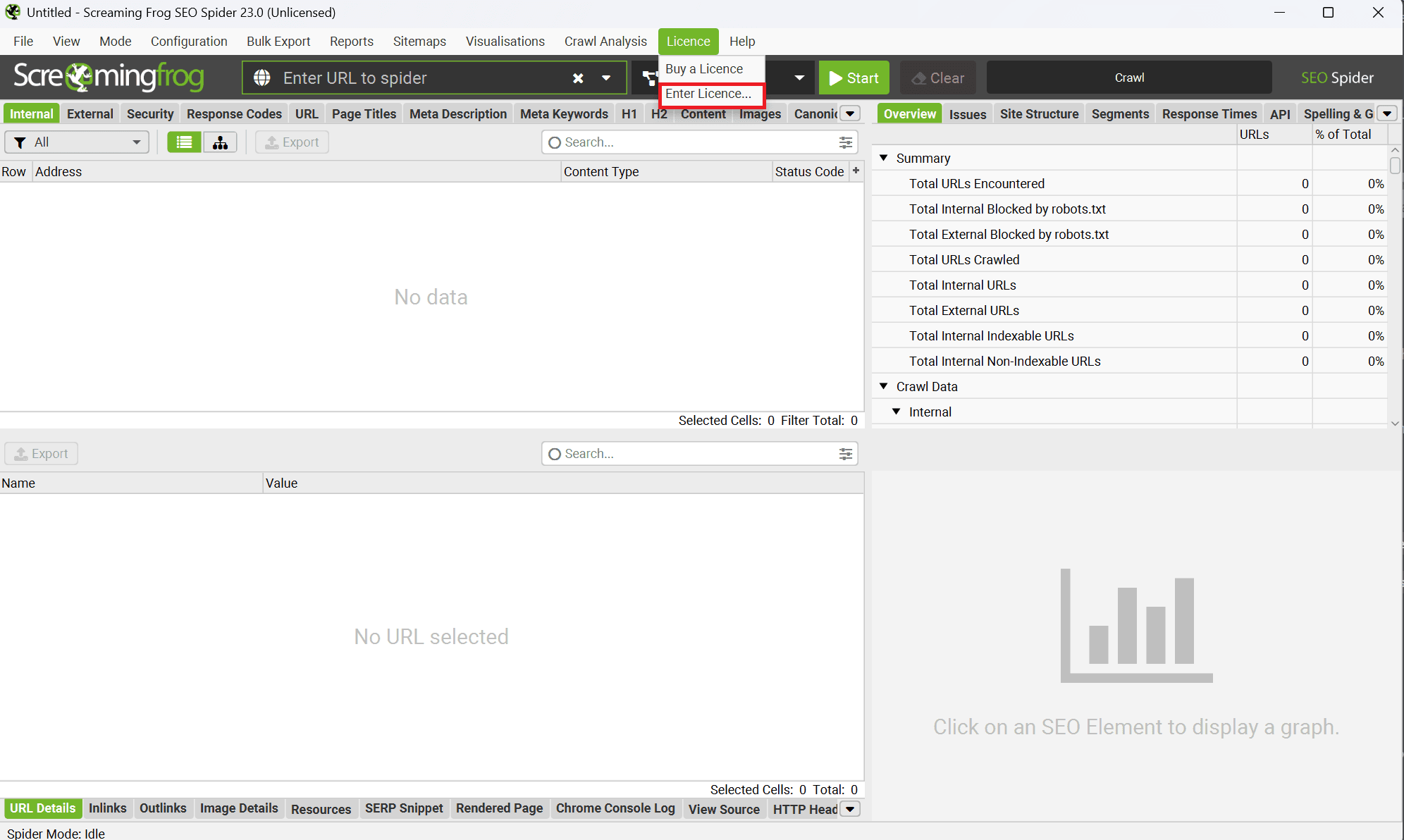
Once the download is complete, open Screaming Frog, and if you have a paid subscription, be sure that in the top menu, you click on Licence, then on Enter Licence.
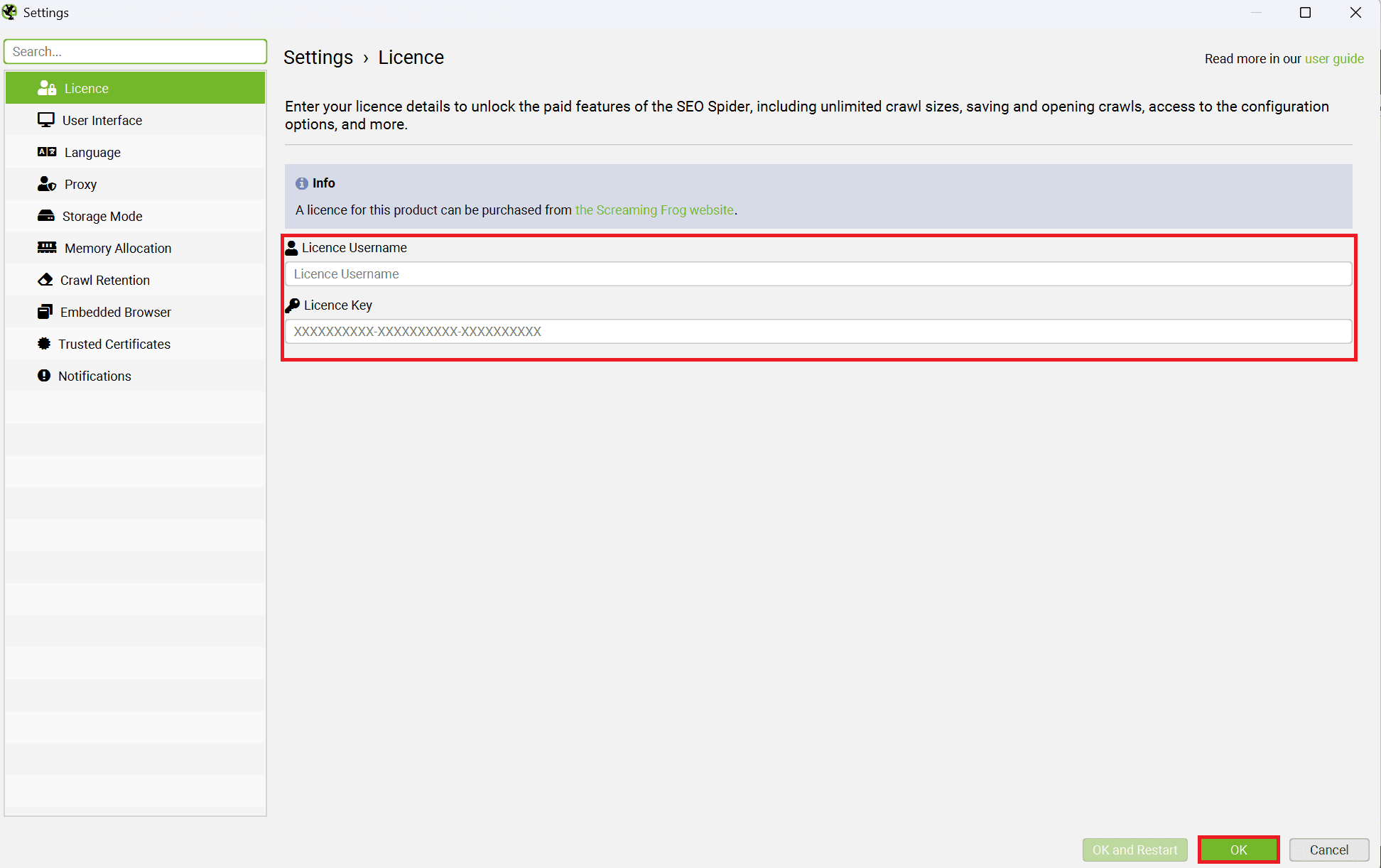
A window to enter your license username and key will appear, enter them, then click on OK. You can also run the free edition which crawls up to 500 URLs.
Step 3: Open the Proxy panel
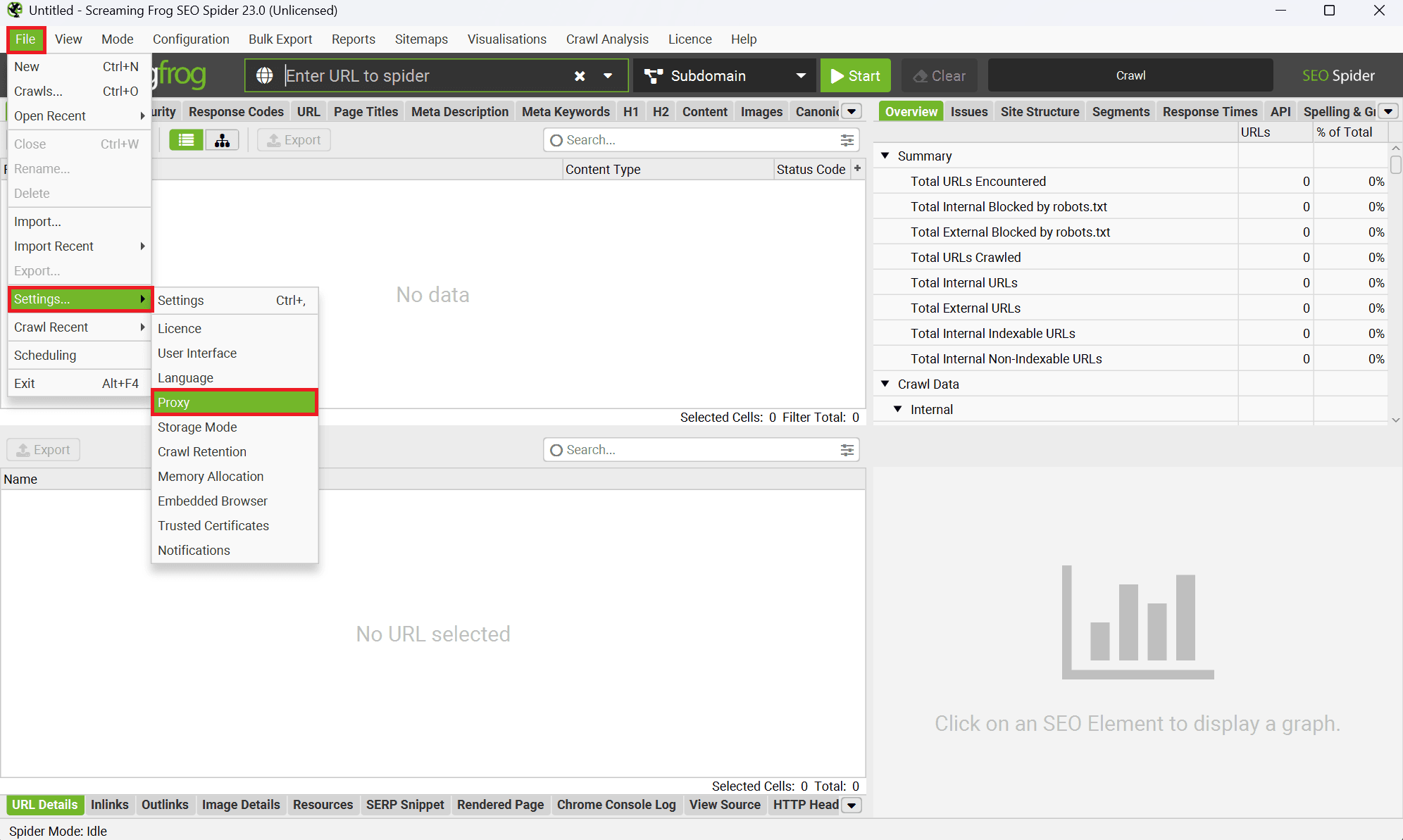
Now, it's time to add our residential proxy server. In the main dashboard, click on File, go to Settings, then click on Proxy.
Step 4: Add your Anonymous Proxies details
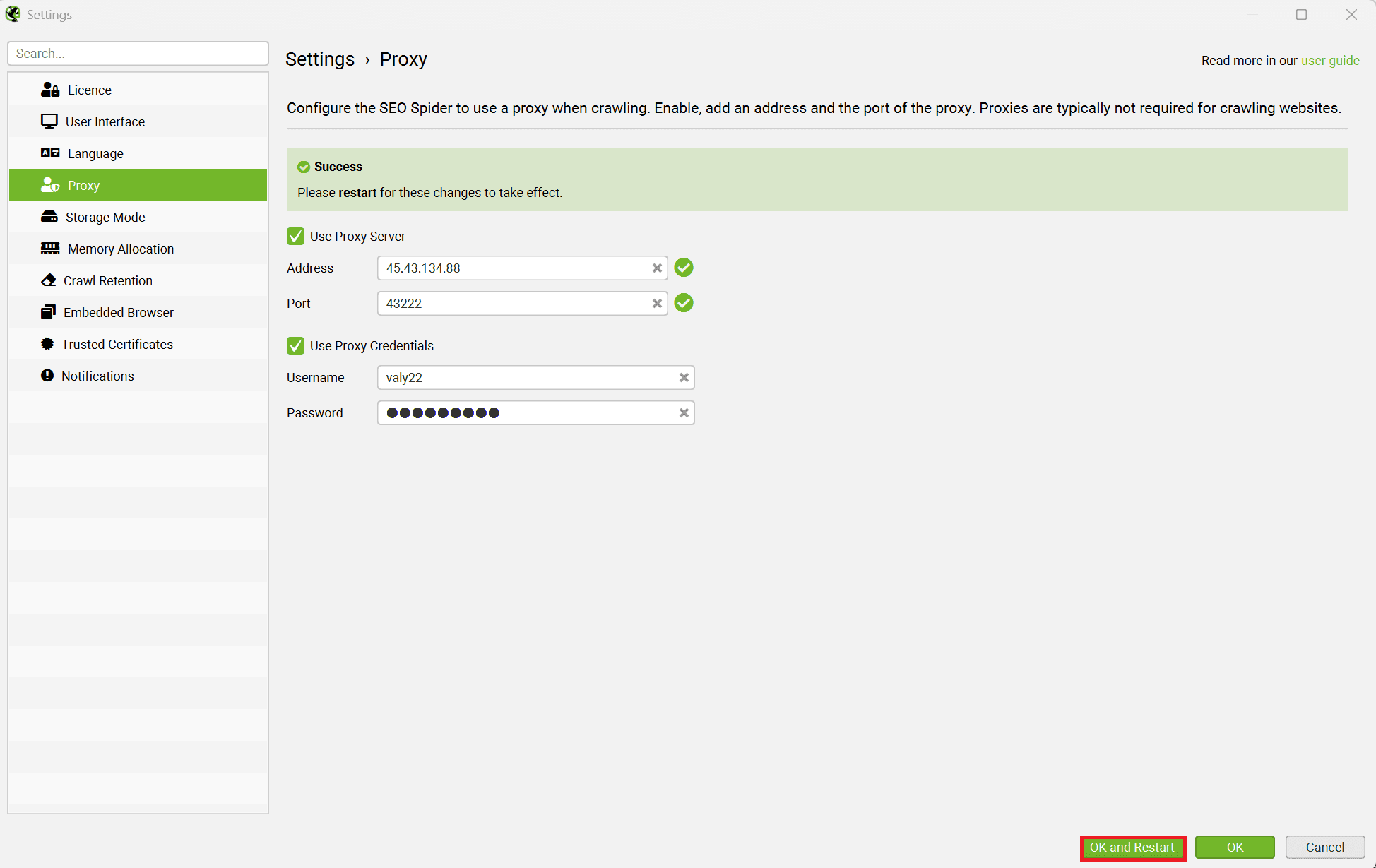
Once you clicked on Proxy, a window to enter your proxy details will be opened. First, we'll need to tick Use Proxy Server and enter the proxy IP and port from the Anonymous Proxies dashboard. Then, tick Use Proxy Credentials, and enter your Username and Password. After you entered your proxy details, just click on OK and Restart.
Step 5: Run a quick test crawl
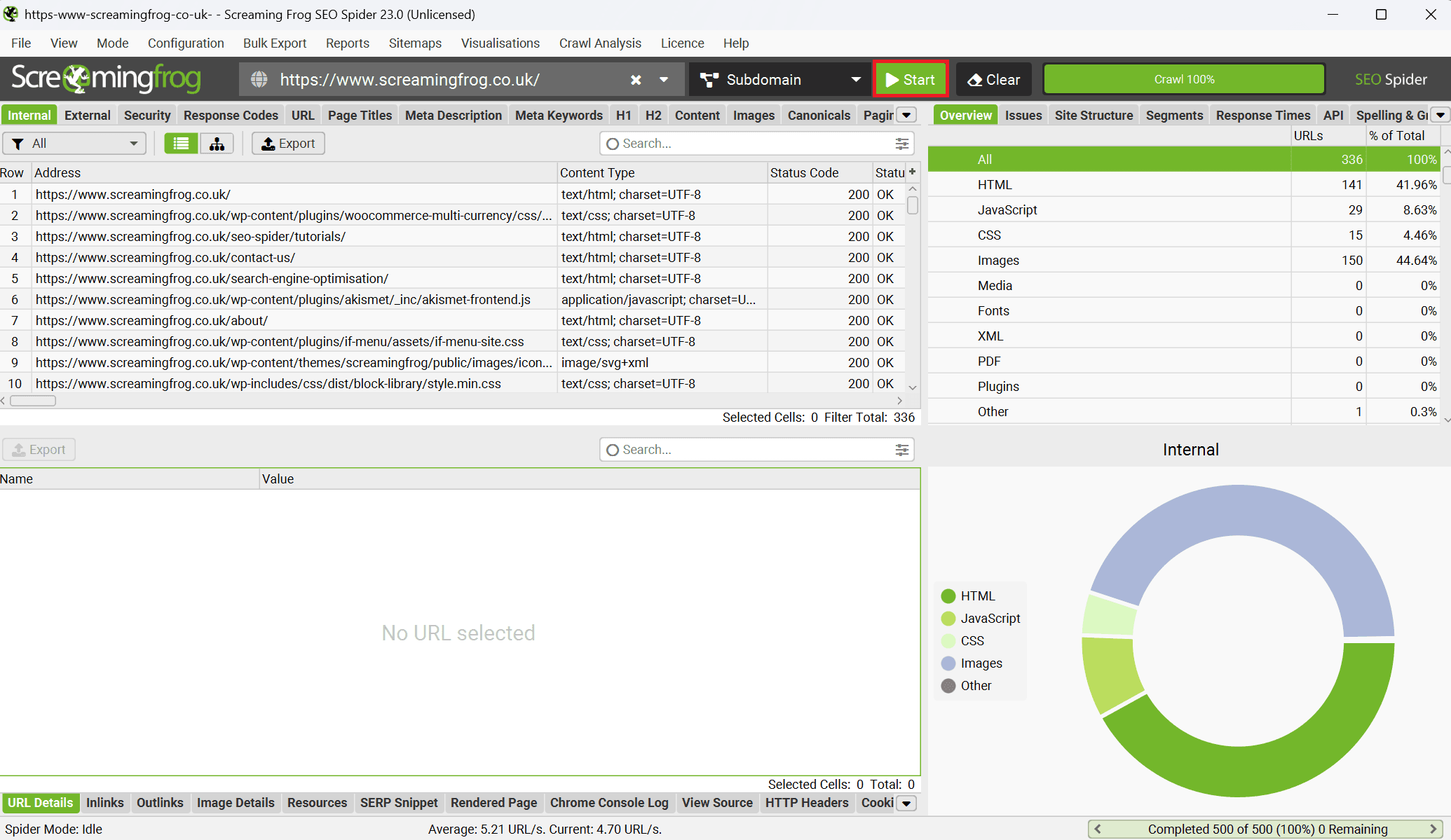
To test if your proxies are working, you can paste a test URL into the address and click on the Start button.
Conclusion
As you've seen in this guide, if you combine Screaming Frog with Anonymous Proxies' residential proxies, everyday crawls will turn into reliable, real time data collection. The setup is very simple and is ready in just a few minutes.
If you have any questions about setting up our proxies with Screaming Frog SEO Spider tool, please don't hesitate to contact our support team, and if you want to see more integration guide, be sure that you check our integrations page.

Buy Backconnect Proxies
Rotating IPs on every request. Scale scraping and automation without manual IP management.
More seo-tool Proxy Integrations
See more seo-tool integrations that work seamlessly with Anonymous Proxies.

Proxy Integration With Incogniton
This guide will show you how to integrate Anonymous Proxies with Incogniton for smoother multi-account management, safer browsing, and fewer bans.

Proxy Integration With IPFighter
Learn how to set up Anonymous Proxies' rotating residential proxies in IPFighter Proxy Manager and check your IP, trust score, and leak status.

Proxy Integration With Potatso
Learn how to set up Anonymous Proxies' SOCKS5 proxies in Potatso for geo-targeted browsing, account separation, and private traffic.

Proxy Integration With OpenBullet
This integration integration tutorial will help you set up Anonymous Proxies' residential proxies in OpenBullet to enhance your automation workflows.