

Proxy Integration With Potatso
Learn how to set up Anonymous Proxies' SOCKS5 proxies in Potatso for geo-targeted browsing, account separation, and private traffic.
What is Potatso?
Potatso is a free iOS app for running proxies on iPhone and iPad. It exists because Apple's built-in proxy settings only work with IP whitelisting, which means credential-based proxies have no way to connect through iOS on their own. Potatso closes that gap and pushes your traffic through whatever proxy you've configured, on both Wi-Fi and cellular. It's the go-to for anyone who wants real say over how their iPhone reaches the internet. Geo-targeted testing, keeping separate accounts on separate IPs, browsing through a private connection, all of that.
Potatso Features
- Protocol support. SOCKS5, HTTP, HTTPS, Shadowsocks, and ShadowsocksR. Whatever a provider hands you, it'll most likely fit one of these.
- Username and password authentication. Connects to credential-based proxies that native iOS settings refuse to deal with.
- Smart routing. Local traffic skips the proxy automatically. Everyday browsing stays quick and you don't waste bandwidth on metered plans.
- Custom DNS. Set your own DNS servers per profile. Helps prevent leaks and gets you to services that block the default resolvers.
- Live traffic monitoring. Shows connection speed and data use while the proxy is running, so problems don't slip past you.
Why use Anonymous Proxies with Potatso?
Potatso handles the connection layer on iOS, but how private and stable that connection actually is comes down to the proxy behind it. Anonymous Proxies gives you authenticated SOCKS5 endpoints that drop straight into Potatso's manual setup without workarounds.
You can pick the IP type that suits the job. Residential and ISP proxies hold up well for account work and anything where trust signals carry weight. Mobile proxies are a better fit when you need to look like a real cellular user, which is often the situation on iPhone. Datacenter proxies are the cheapest and fastest, good for testing or high-volume jobs on easier targets. Static or rotating is up to you.
SOCKS5 is the protocol you want here. It handles any kind of traffic, not just HTTP, and authenticates with a username and password right inside Potatso. No IP whitelisting, no dropped connections when your network shifts, no limits on what you can route through your iPhone.
How to integrate Anonymous Proxies in Potatso
Before you start, grab an active proxy from the Anonymous Proxies dashboard and keep your connection details within reach. Assure that you also went to App Store and downloaded Potatso. Besides these, we will use SOCKS5 proxies for this guide, but the steps are the same for any proxy type.
Step 1: Add servers
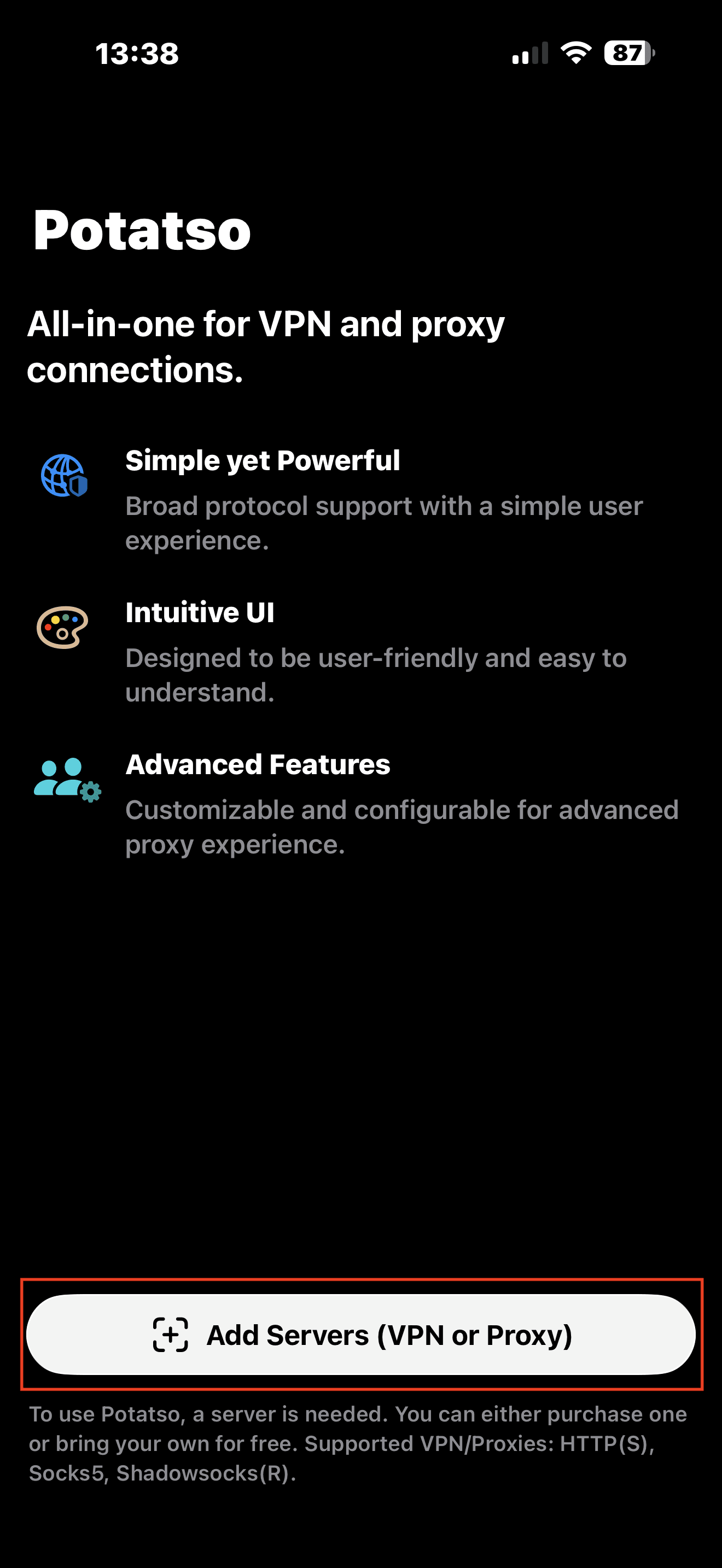
Open Potatso and tap the Add Servers (VPN or Proxy) button.
Step 2: Choose Manual Input
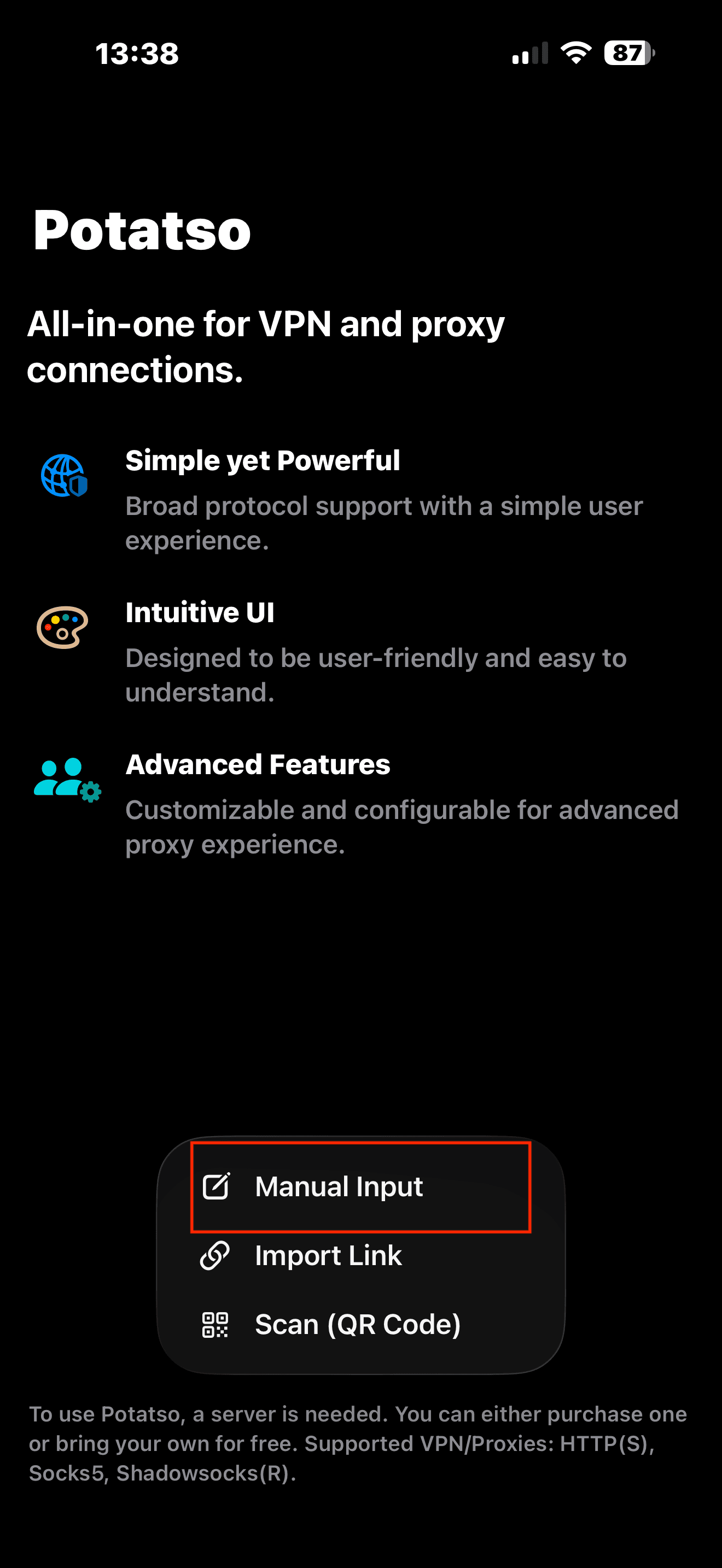
A small menu appears with three options. Pick Manual Input.
Step 3: Fill in your proxy details
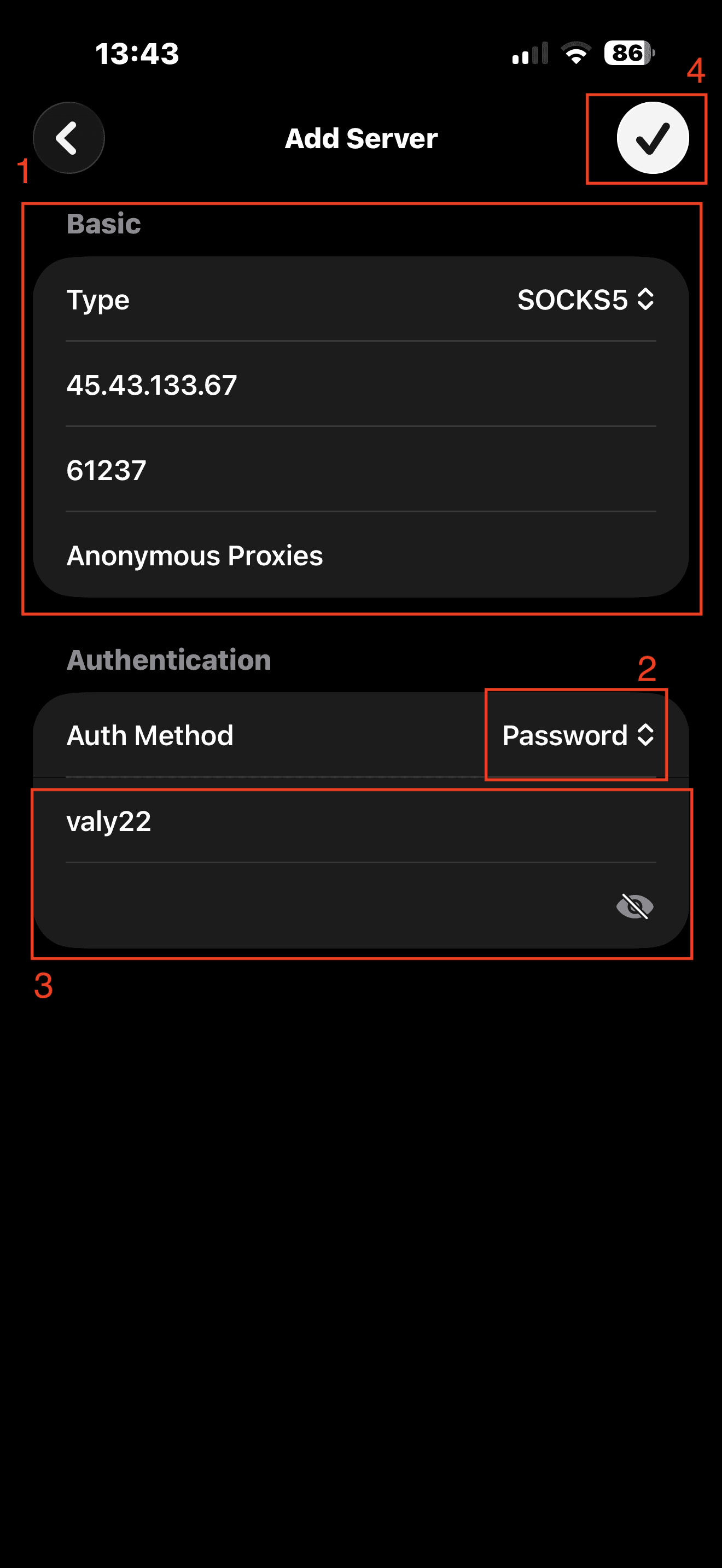
You'll land on the Add Server screen. Set Type to SOCKS5, then drop in your host (IP or hostname) and port in the fields below. Name the profile if you want one you can spot quickly later. Under Authentication, set Auth Method to Password and paste in the credentials from your dashboard. With everything filled in, tap the checkmark in the top-right corner to save.
Step 4: Hit Connect
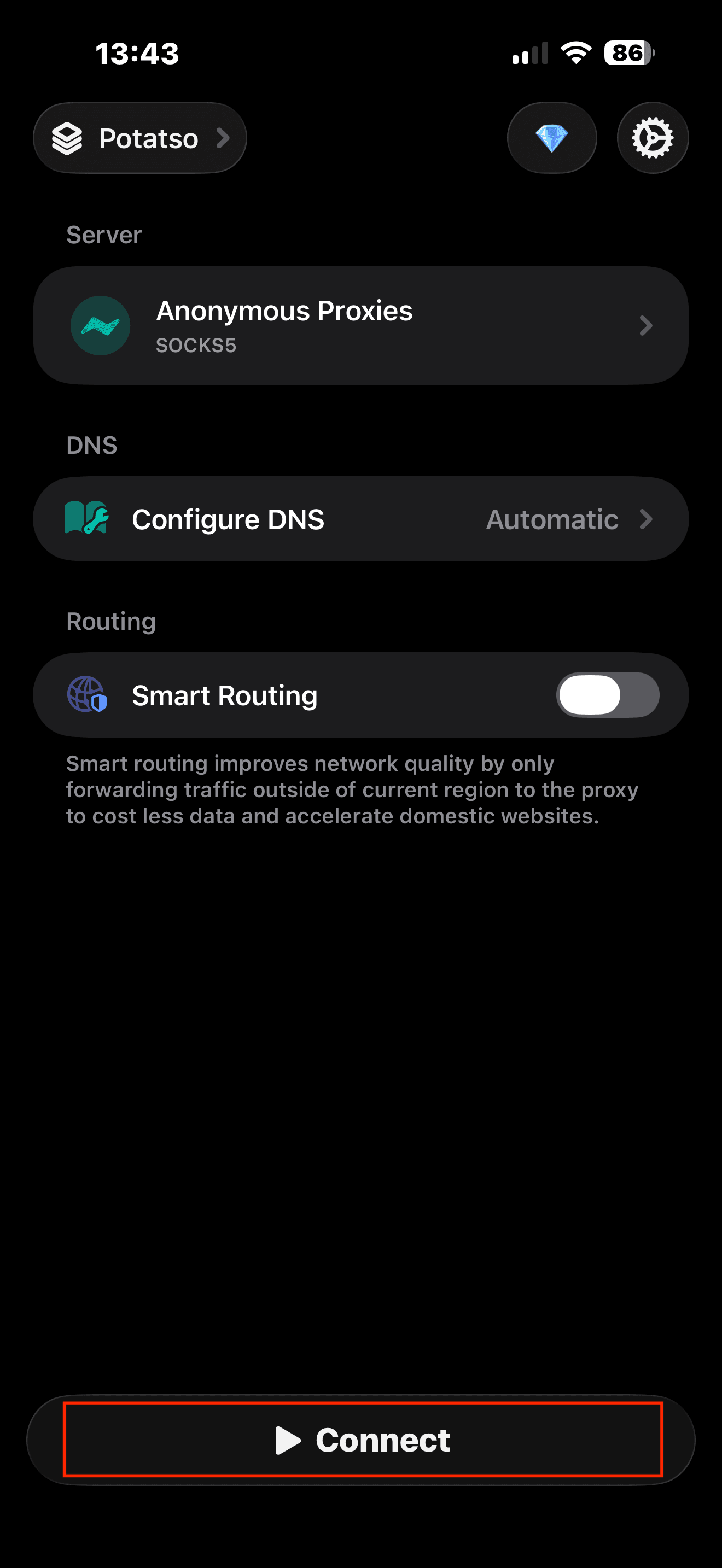
The new server now shows up under Server on the main screen. Tap Connect at the bottom to fire up the proxy.
Step 5: Allow the VPN configuration
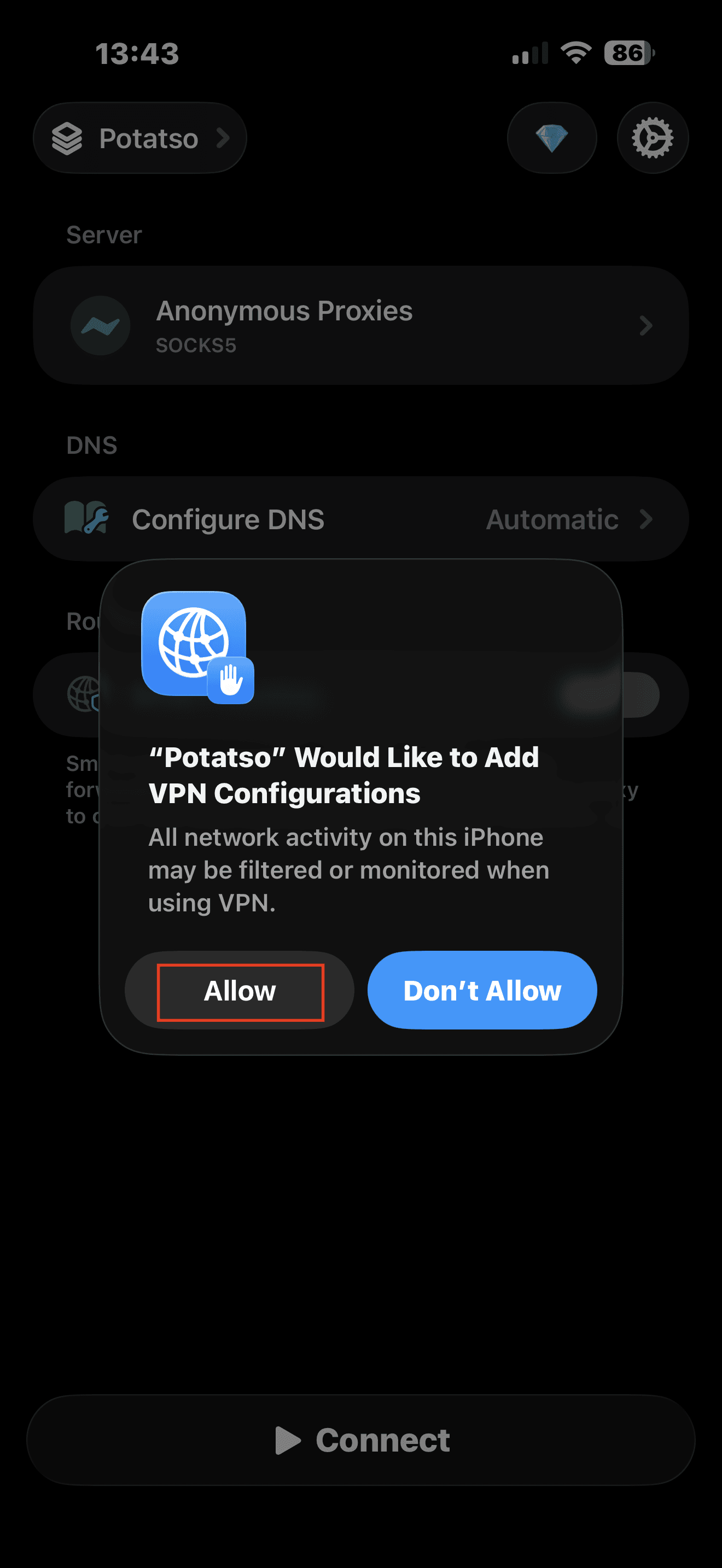
The first time you connect, iOS pops up a permission prompt asking Potatso to add a VPN configuration. When you see it, tap on Allow, then the proxy should activate instantly.
Step 6: Check your IP
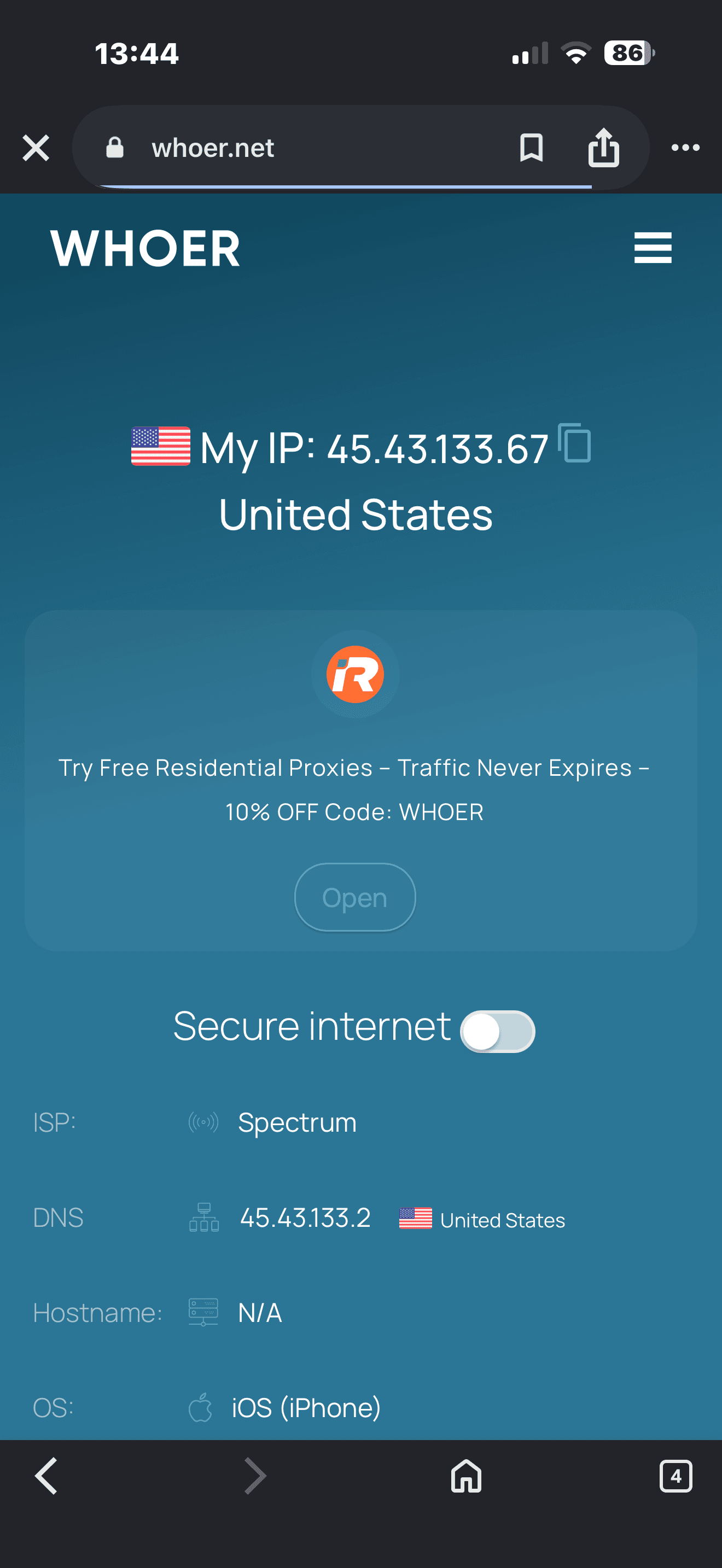
Open a browser and head to any IP checker site. The IP, country, and ISP should match your proxy, not your real network. If you're still seeing your own connection, head back into Potatso, double-check the credentials, and reconnect.
Conclusion
Potatso fills a real gap on iOS. Authenticated proxies just don't work through Apple's native settings, and Potatso handles them cleanly while throwing in a few useful extra features along the way.
If you run into any problems during setup, please contact our support team and they will help you out For more guides like this one or with other third-party tools, take a look at our integrations page.

Buy SOCKS5 Proxies
Dedicated IPs, any TCP traffic, unlimited bandwidth. Works with every app that supports SOCKS5.
More proxy-manager Proxy Integrations
See more proxy-manager integrations that work seamlessly with Anonymous Proxies.

Proxy Integration With IPFighter
Learn how to set up Anonymous Proxies' rotating residential proxies in IPFighter Proxy Manager and check your IP, trust score, and leak status.

Proxy Integration With Proxifier
Proxifier allows network applications that do not support working through proxy servers to operate through a SOCKS or HTTPS proxy and chains.