What Is Cloaking.House and Why High-Quality Proxies Matter?
Digital ads can feel like you are paying for real people, but a chunk of that traffic is often bots, scanners, and automated reviewers that never buy anything. Cloaking, when used for traffic quality control, helps you sort the good clicks from the noise so real users reach your offer while suspicious visits get routed to a safe page.
In this guide, you’ll get a clear, no-fluff breakdown of what cloaking is, how to set it up step by step in Cloaking.House, and why high-quality proxies are the missing piece.
Valentin Ghita
Technical Writer, Marketing, Research
Mihalcea Romeo
Co-Founder, CTO
What Is Cloaking?
Cloaking is a way to control where your traffic goes by “reading” each visit and deciding what that person should see. If the visitor looks like a real user, they land on your offer page. If the visit looks like a bot, an ad reviewer, a competitor’s spy tool or a crawler, it gets redirected to a neutral safe page instead.
That matters because ad platforms and third-party scanners do not behave like normal customers. They can trigger rejections, expose your funnel to competitors, and burn budget on clicks that were never going to convert.
Now, if you're looking for a tool that does cloaking right without turning setting it up into a technical setup, Cloaking.House is a great choice. It’s a cloud-based tool, which means you have everything you need to manage your cloaking setup in one place.
Cloaking.House Advantages
- Cloud-based setup: No server headaches, no tech chores. You can launch your cloaking flow fast and spend your time where it matters, on testing creatives, scaling winners, and pushing ROI.
- AI white page generator: If you need a clean, safe page and are in a hurry, there's no need to worry about that because you can build one directly inside the platform.
- Advanced traffic filtering: You can apply rules based on location, devices, OS, referrer and IP reputation to ensure real users hit your offer and suspicious traffic is automatically routed.
- Real-time analytics: You can take a look at which visits are approved or filtered (and why), then tweak your rules with confidence instead of guessing.
- Works with major traffic sources: This traffic filter fits into the traffic sources that media buyers actually use, like Facebook, Google, TikTok, native, email, push, and much more.
- AI-driven detection: The system learns from large volumes of traffic patterns, so it gets better over time at spotting bots, crawlers, and other unwanted visits.
- Free 7-day trial: You can test the full workflow first and decide if it matches your needs before spending anything.
How to Set Up Cloaking in Cloaking.House
Step 1: Set up your white page
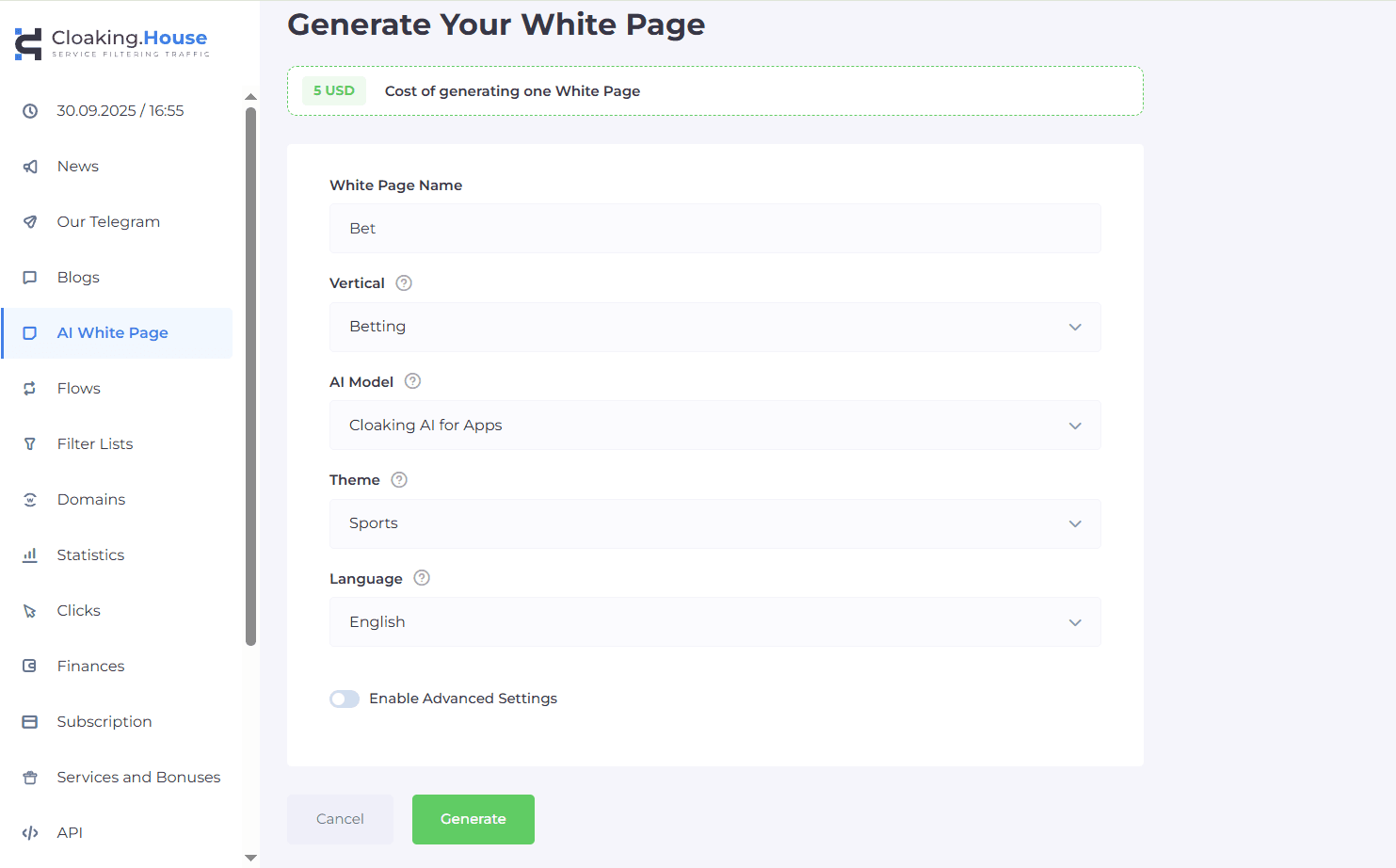
First, you’ll need to create a white page, which is just a clean, safe version of your site that can be shown to bots, reviewers, or anyone you do not want landing on the main offer. You just need to generate this page using Cloaking.House's built in AI tools and once it’s ready, you can host it on your own domain just like any other page.
Step 2: Create your traffic flows
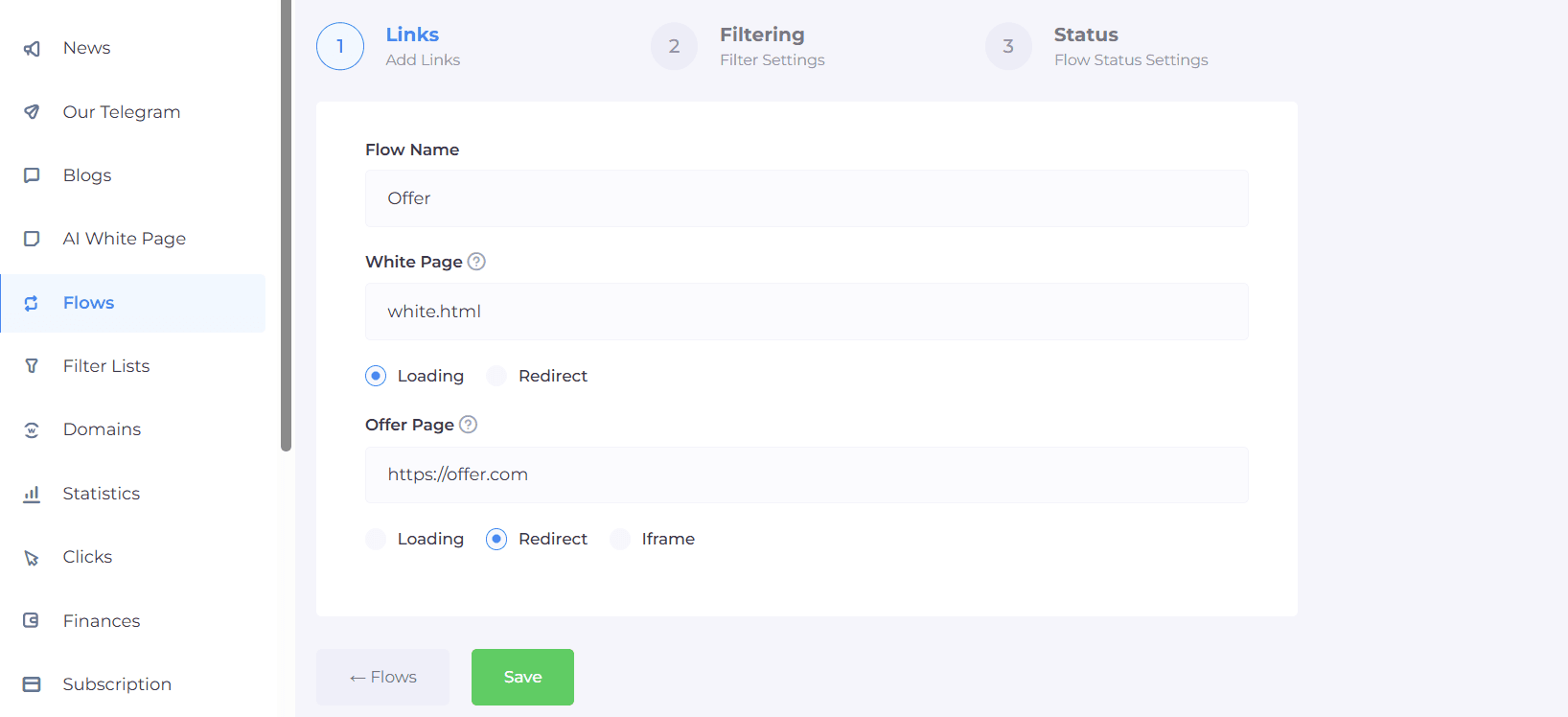
Then, go to the Flows part of your dashboard and link the two destinations together. In the White Page field, enter the name of your white page, such as white.html, and select the Load method. Next, in the Offer Page field, enter your main target URL and select the Redirect method.
Step 3: Configure your traffic filters
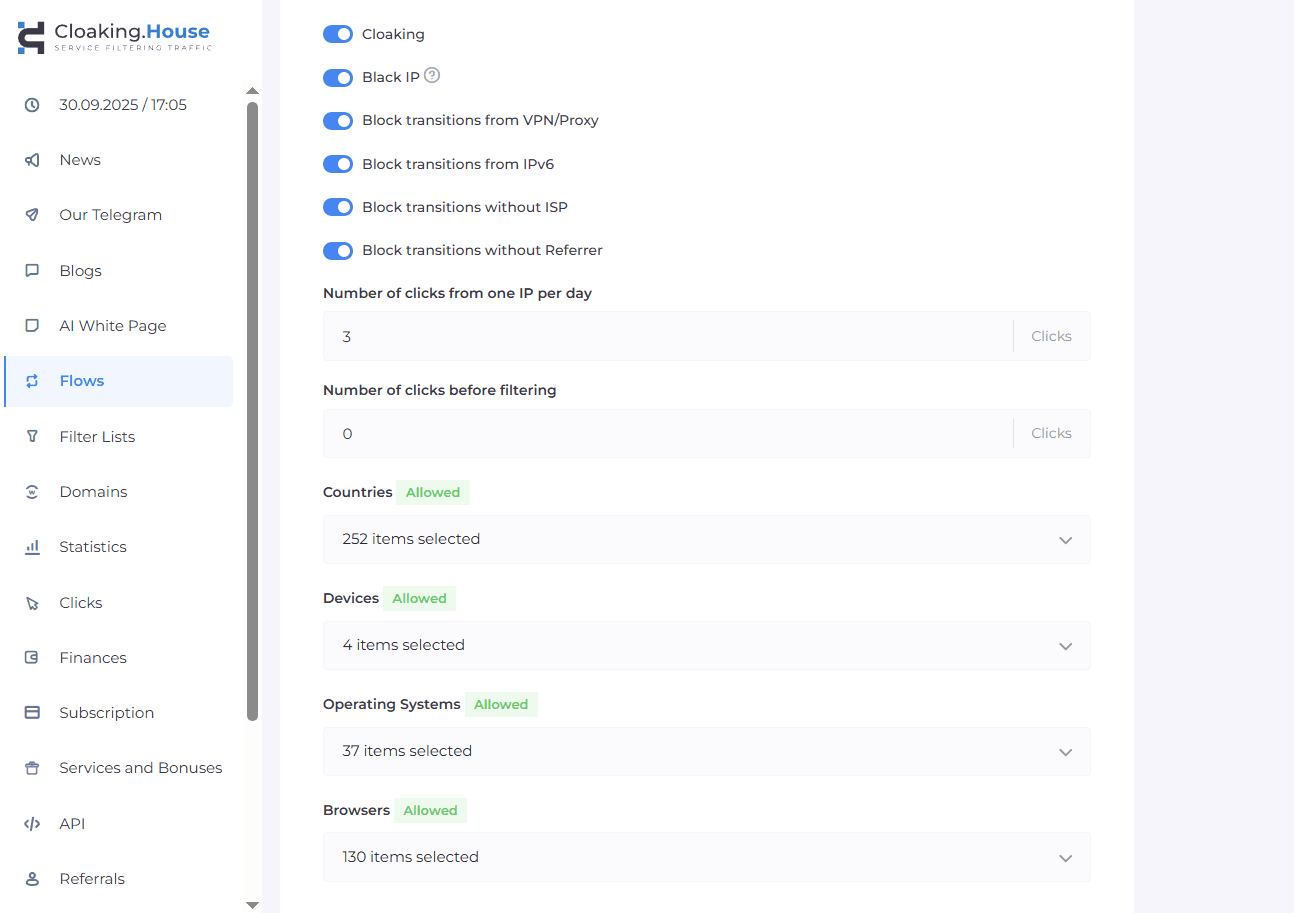
Once you created your traffic flows, it's time to add your filters. Here, you can choose who gets through, like which countries you want, what devices or operating systems to allow, and extra checks like ISP, referrer, or browser signals to keep the traffic clean. Also, if you’re dealing with suspicious traffic, you can also turn on VPN or datacenter proxy detection.
Step 4: Integrate script
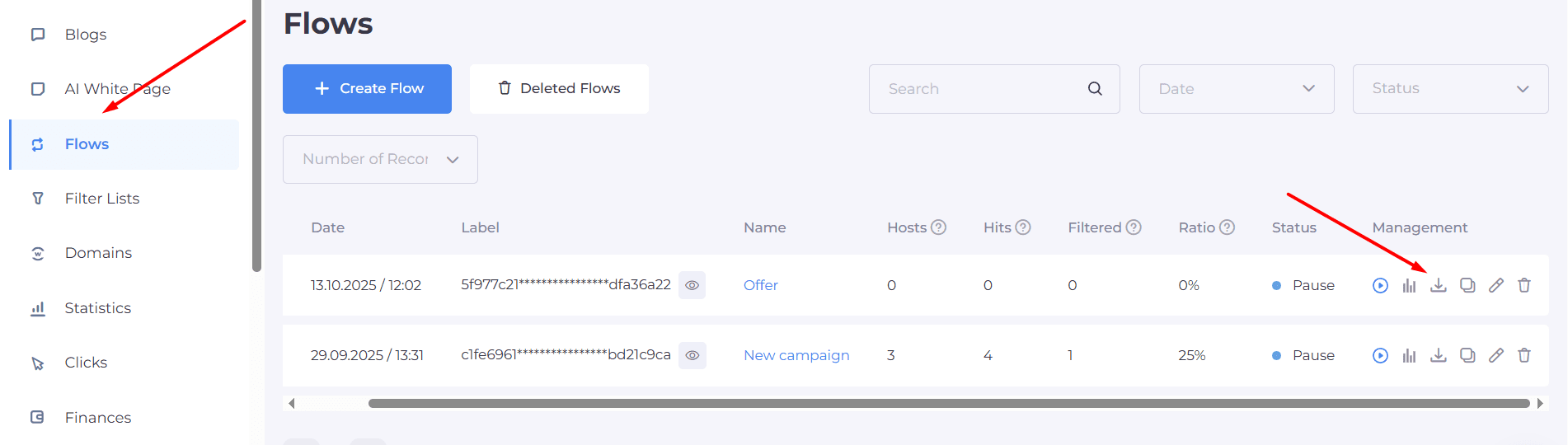
Now it is time to download the script and put it in the root directory of your white page domain to integrate your cloaking logic into your traffic flow and to enable filtering.
Step 5: Monitor traffic
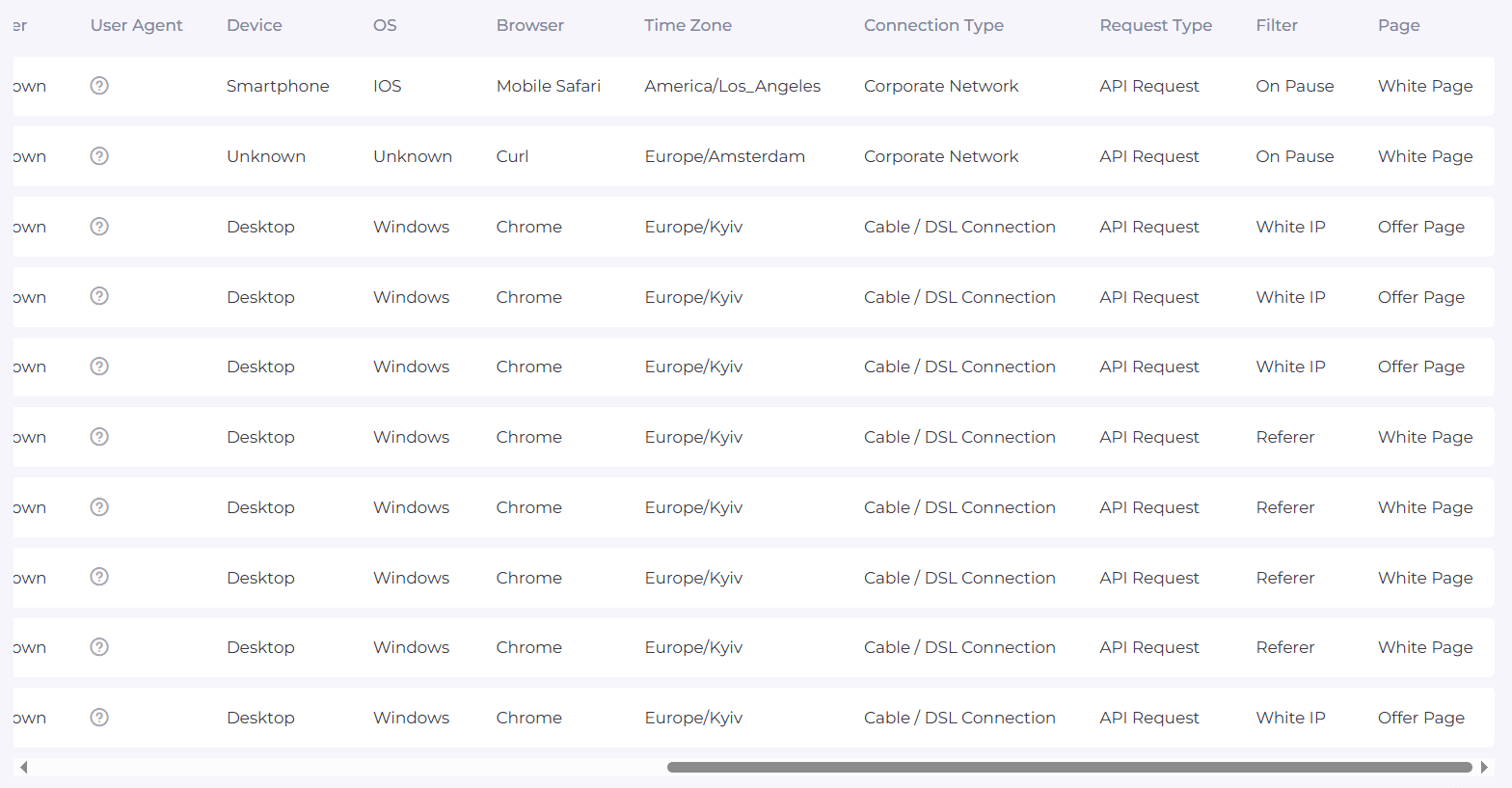
For the final step, once you went live you'll just need to check your dashboard regularly. Based on total clicks, what gets filtered, what reaches the offer and if something looks off, just adjust your filters a bit and keep an eye on the results.
Why High-Quality Proxies Are a Must
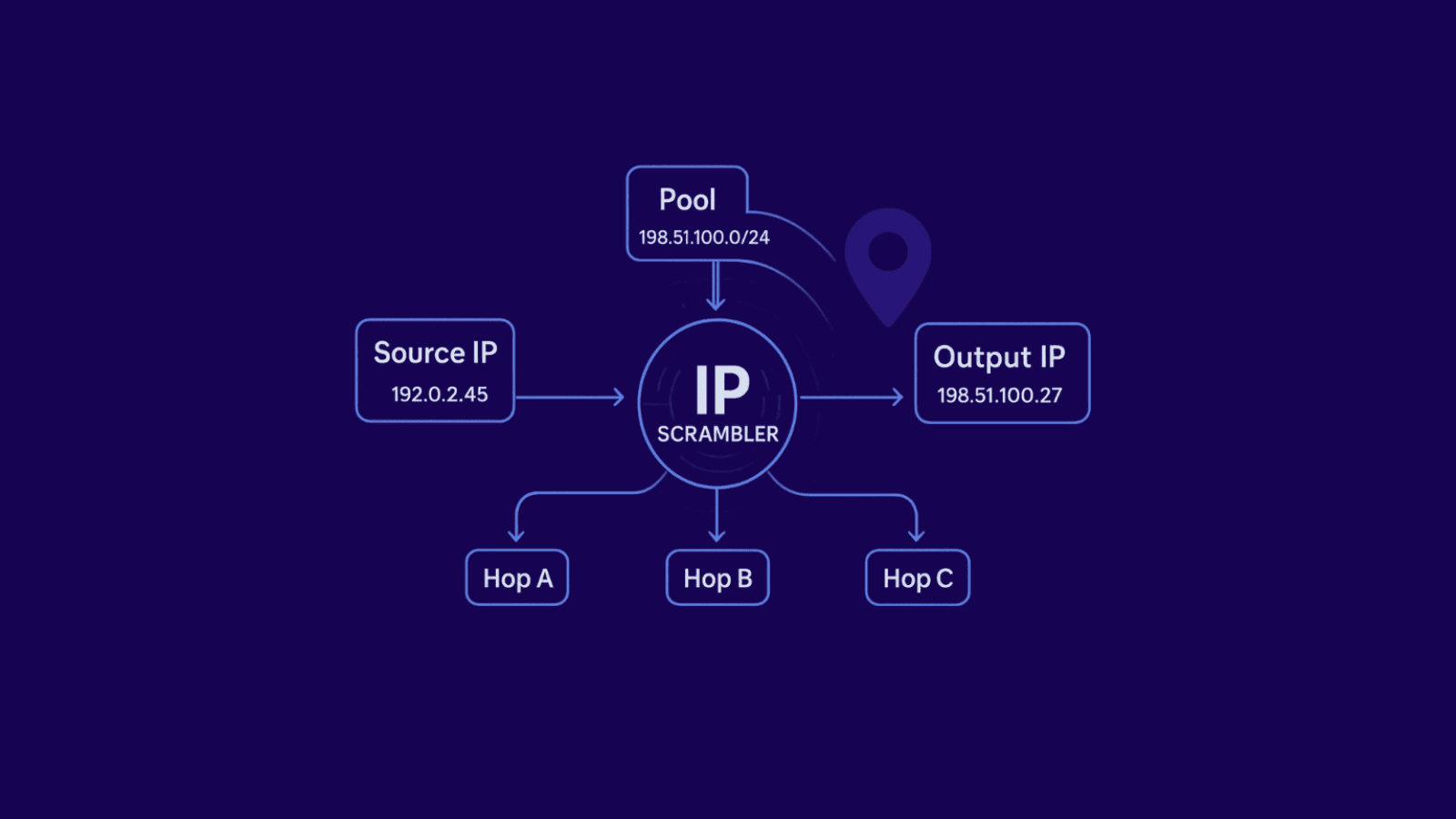
Ad platforms pay close attention to traffic patterns and IP quality. If your clicks come from obvious datacenter IPs or “noisy” ranges that get flagged often, you can get detected before anyone even looks at your page. That’s why high-quality proxies matter. With residential proxies, the IPs come from real devices, so they look natural and are much harder for platforms to label as proxy traffic.
Another big advantage is reach and flexibility. Strong proxy providers give you large global IP pools, so you can match the exact location you’re targeting and keep your traffic consistent. And because residential IPs usually aren’t packed into the same subnet, you get real diversity. If one IP gets blocked, it doesn’t take the rest of your setup down with it.
That’s why pairing Cloaking.House with Anonymous-Proxies's ISP proxies works so well. Cloaking.House handles the filtering and routing, while residential proxies keep your IP profile clean and realistic.
Final Thoughts
From what you’ve seen above, strong traffic filtering is no longer a nice to have. It’s one of the simplest ways to protect your campaigns from bots, fake clicks, scrapers, and other low quality traffic that quietly drains budget and skews your data. With a cloud platform like Cloaking.House, you get smart filtering rules, automated detection, clear analytics, and a setup that’s straightforward, without having to build or maintain your own infrastructure.
And when you pair that setup with our premium residential proxies, you can keep your workflows more consistent for things like ad verification, web research, and multi account management. You can also use the promo code ANONYMOUS30 to get 30% off Cloaking.House.

Buy ISP Proxies
Dedicated IPs from real ISPs. Residential trust, datacenter speed, unlimited bandwidth.