Mobile Proxy vs Residential Proxy: Which One Is Better?
Most people end up comparing a mobile proxy and a residential proxy after something goes wrong. A scraper starts failing, a tool gets hit with endless CAPTCHAs, or an account action suddenly triggers a verification step. At that point, you are not looking for theory. You want a setup that works, keeps your access stable, and does not fall apart the moment you scale.
This guide walks you through how mobile proxies and residential proxies actually differ in real use, so you can choose the option that fits your task, your budget, and the level of authenticity you need.
Valentin Ghita
Technical Writer, Marketing, Research
Mihalcea Romeo
Co-Founder, CTO
What is a mobile proxy?
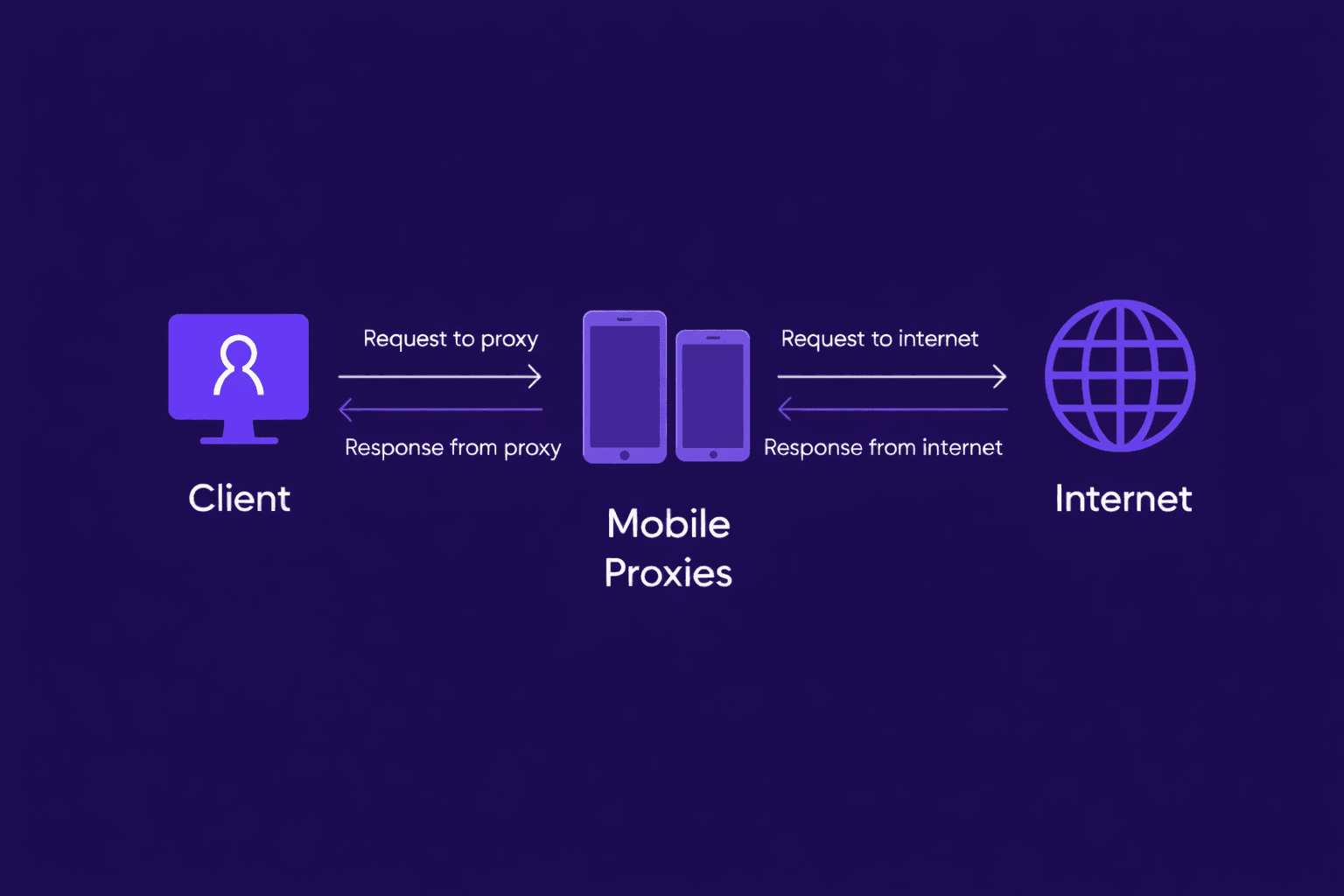
A mobile proxy routes your traffic through IP addresses owned by cellular carriers (3G, 4G, 5G). To a website, your requests resemble traffic from real phones on carrier networks, which often carries a high level of trust. Many carriers also place large numbers of subscribers behind shared public IPs (often via carrier grade NAT), so platforms are usually cautious about banning mobile ranges too aggressively. Mobile proxies typically support fast rotation and can be a strong option when you keep hitting hard blocks, checkpoints, or repeated CAPTCHAs, especially on platforms that pay close attention to where logins come from.
What is a residential proxy?
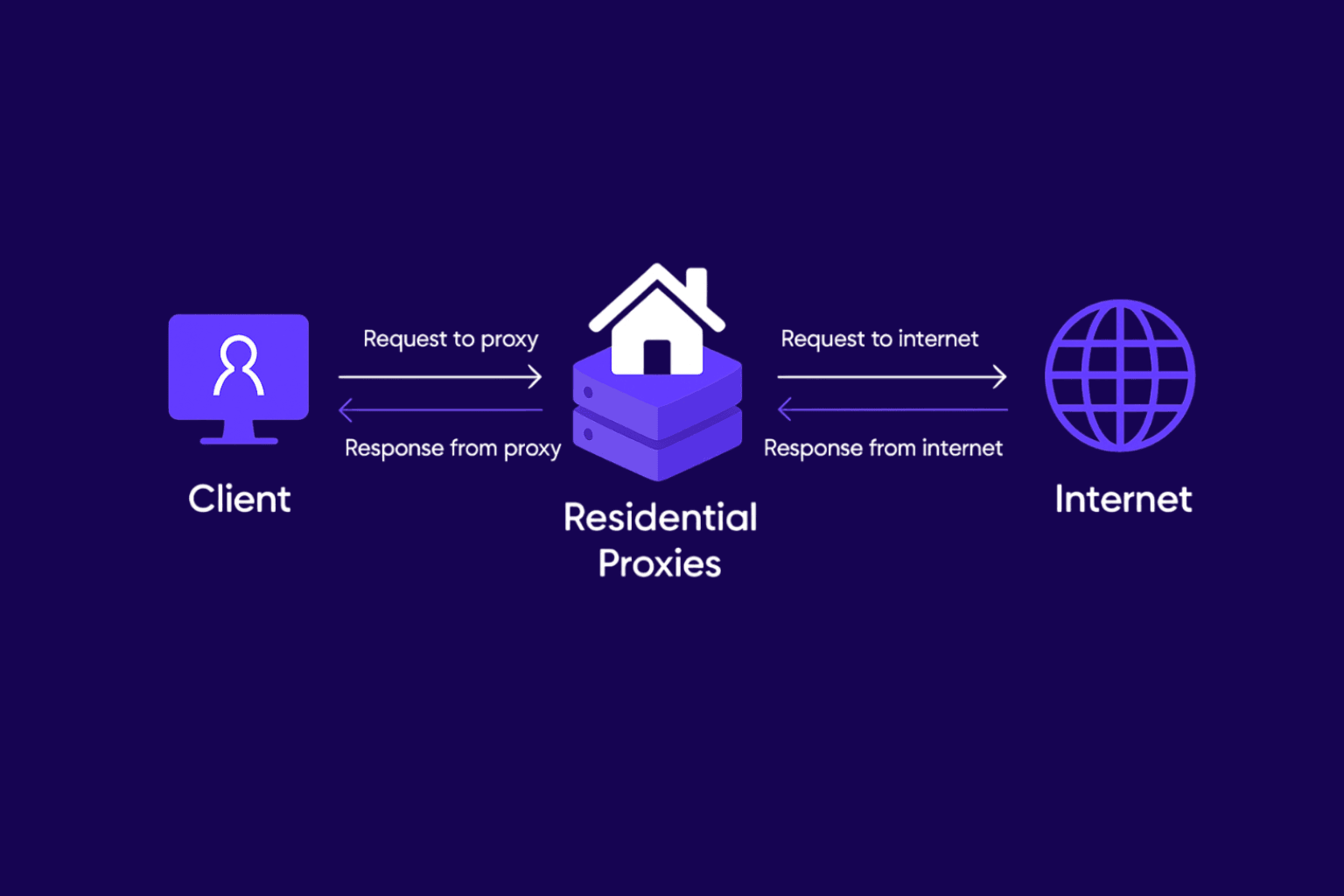
A residential proxy routes your traffic through IPs assigned by home ISPs. To the target, you look like a normal household connection rather than a server. Residential proxies are popular because they are both authentic and practical: big IP pools, broad country coverage, and flexible session modes. Most providers let you use rotating IPs for scale or sticky sessions when you need continuity for logins, carts, or multi step actions. Residential proxies are also a common choice for location sensitive work because home IPs tend to map cleanly to local ISP regions.
Mobile proxy vs residential proxy: key differences
Reputation and block resistance
Mobile proxies often win on the toughest targets because carrier traffic is “expensive to ban” at scale. When one public IP can represent many real users, blanket bans create collateral damage. Residential proxies are also trusted, but individual home IPs can be isolated and restricted more easily if your patterns look automated.
Rotation and session stability
Mobile proxies are commonly used with frequent rotation, which helps avoid building a single trackable identity. The downside is that heavy rotation can break workflows that need consistency. Residential proxies usually give smoother control over sticky sessions, making them easier for long running tasks, repeat checks, and anything that depends on staying logged in without triggering security flags.
Geo targeting and coverage
Residential networks usually provide broader, more reliable country coverage and more granular options (often region or city). Mobile proxy locations can be excellent in major markets, but inventory depends on carrier supply, so some locations may be limited or less consistent. If you need hundreds of city specific checks every day, residential is often easier to plan and budget.
Speed and consistency
Residential proxies usually feel steadier day to day because they ride on typical home broadband connections. That often translates into more predictable load times and fewer random slowdowns when you are running longer tasks. Mobile proxies can absolutely be quick too, but cellular networks are naturally more “up and down.” If a carrier tower is busy or the signal quality changes, you might notice spikes in latency or short drops in performance.
Pricing
Residential proxies are usually priced per GB, so the more efficient your setup is, the more you save (fewer retries, lighter pages, and blocking unnecessary resources all add up). Mobile proxies tend to cost more because carrier based IPs are harder to source and maintain, and they are often sold as access plans with generous or even “unlimited” bandwidth. So, most of the time, the choice comes down to budget and how “real” you need your traffic to look. If you need the highest trust on strict platforms and can afford the premium, mobile proxies are the way to go. If you want wider coverage, steadier pricing and an easy way to scale, then residential proxies are usually the better starting point.
Which one is better for your use case?
Residential proxies are usually better when you need to scale, cover lots of locations, and keep costs predictable. They are ideal for SEO rank tracking, SERP monitoring, price and travel fare checks, local content testing, and large market research scraping because you can rotate through big IP pools, switch on sticky sessions when continuity matters, and map your coverage across multiple regions without overcomplicating the setup.
Mobile proxies make more sense when the platform is strict and mobile carrier traffic gets treated as more trustworthy, or when residential IPs keep triggering CAPTCHAs and verification loops even with careful settings. They are often used for social media workflows, mobile ad verification, and mobile app endpoints, especially in situations where bans or checkpoints happen fast and recovering accounts or sessions is expensive.
To make the decision easier, the table below shows when a mobile proxy is the better option and when a residential proxy is the smarter choice.
| Use case | Best default | Why it usually wins | Switch when |
|---|---|---|---|
| Web scraping at scale | Residential proxy | Large pools and cost control (per GB) | Persistent blocks on strict targets |
| SEO and SERP tracking | Residential proxy | Location precision and repeatable sessions | Heavy CAPTCHAs or throttling |
| Price monitoring and travel | Residential proxy | Strong geo coverage and steady throughput | Fast rate limits despite clean behavior |
| Social media management | Mobile proxy | Carrier trust can reduce checkpoints | You need more locations or lower cost |
| Mobile ad verification | Mobile proxy | Closest match to real mobile users | You only need desktop style checks |
| Account creation and warm up | Mobile proxy | Often smoother on strict platforms | The platform is moderate and sticky sessions are enough |
| Geo restricted content testing | Residential proxy | Broader location availability | The experience differs specifically on carrier networks |
| Long running sessions | Residential proxy | Sticky sessions and consistent bandwidth | Residential logins get repeatedly challenged |
Conclusion
So, as you’ve seen above, the mobile proxy vs residential proxy choice really depends on what you need to get done. If your priority is maximum trust and fewer blocks on strict platforms, a mobile proxy can be the better fit. If you need wider location coverage, easier scaling, and more predictable costs, a residential proxy is often the smarter starting point. Either way, matching the proxy type to your specific workflow is what delivers the best results.
If you have any questions about these proxies or you are not sure which option to pick, reach out to our support team and they will help you choose the right setup for your use case and budget.