

IP Blocking: What It Is, Why It Happens, and Fixes
A page loads on your phone but refuses to open on your laptop. A login works from a coffee shop and fails the moment you get home. A streaming service greets you one day and shuts the door the next. Most of the time, these disruptions trace back to the same quiet cause. An IP address has been blocked somewhere along the path, whether by a single server, a firewall, a content network, or an entire country.
In this article, you will learn what IP blocking is, how it works, why it happens, how it differs from a ban, and what to do when it affects you.
Valentin Ghita
Technical Writer, Marketing, Research
Mihalcea Romeo
Co-Founder, CTO
What IP Blocking Is
IP blocking is a filtering process which blocks all traffic coming from a particular IP address or an entire network of addresses from reaching their final destination. Each computer or mobile phone connected to the internet has a unique IP address which helps the service recognize who is using it.
The time taken by a block can differ greatly, whereby some may take just minutes, whereas others may take several years. The blocks can also vary from being highly selective or very general. Some blocks can be a mere login page, whereas others will involve an entire site. However, there is one thing that binds all blocks together, and that is an IP address which is untrustworthy.
How IP Blocking Works
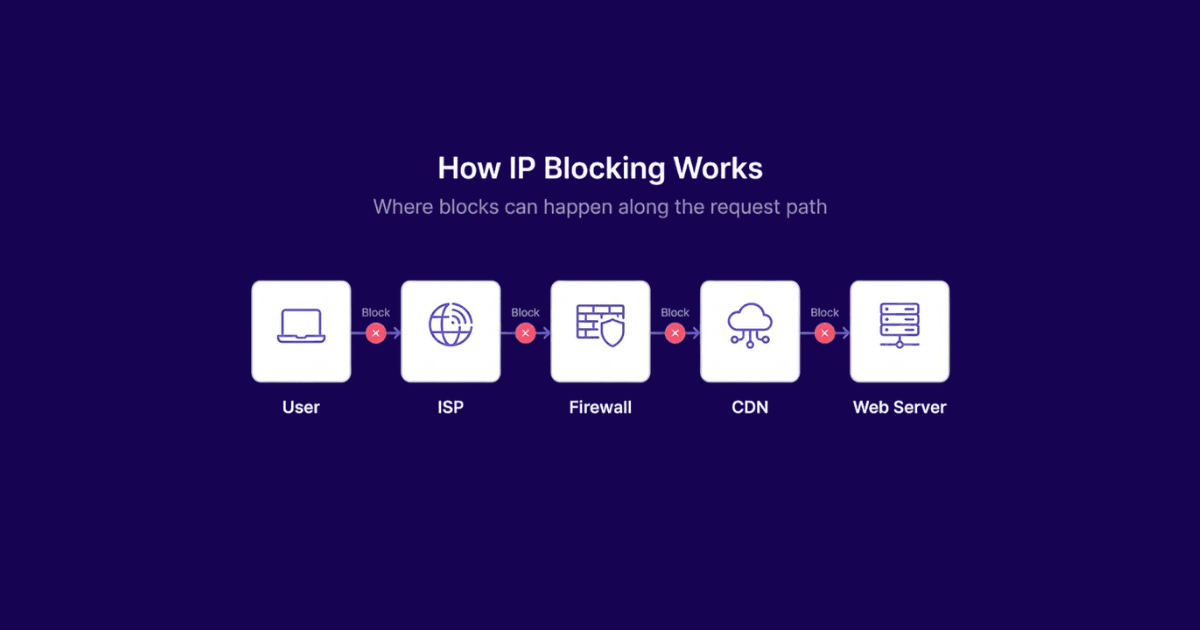
Every single time that you make an attempt to connect to a web server, your public IP will always be used. The server will then verify the IP address based on its own policy and take the appropriate actions. If your address is flagged or blocked, the request might get denied right away, ignored completely, or sent to a challenge page. The result you see depends on where that filtering happens.
Web Server Blocks
Sometimes the ban may be placed on the web server itself or by the use of a security add-on installed on the website. Web servers such as Apache and Nginx have the capability to ban an IP address even before a webpage is served. When that happens, you will usually see a 403 Forbidden error.
Firewall Blocks
In other cases, it occurs right at the firewall level, where your request never gets to the web page at all. The firewall is placed in the middle of the Internet and the web server, and acts as a filtering mechanism from the very beginning. On your side, you won't receive any errors and instead, it will usually just look like a simple request that hangs for a while and then times out.
CDN and Edge Blocks
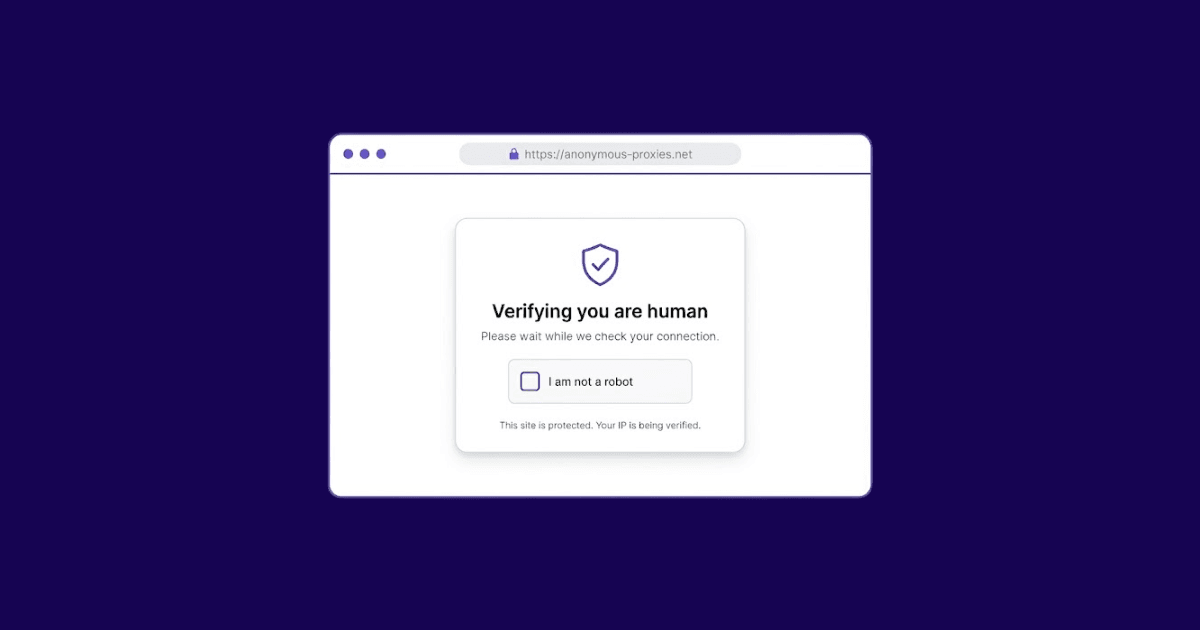
Content delivery networks like Cloudflare and Akamai filter traffic globally, at the edge of the network, long before anything reaches the origin server. These blocks usually show up as CAPTCHA walls, "checking your browser" screens, or generic access-denied pages. Because CDNs protect millions of sites, one edge block can affect your access across a surprising number of unrelated services.
Reputation Block Lists
Another common layer is reputation block lists, usually called RBLs or DNSBLs. These are shared databases that monitors the behavior of IPs involved in spamming, malware, or any type of abuse. Some examples of reputable reputation block lists include Spamhaus and SORBS. When an IP address is found on such a list, traffic is automatically blocked.
ISP and Infrastructure Blocks
At the deepest layer, ISPs, mobile carriers, and governments enforce blocks across entire regions or customer bases. Typically, they represent the most difficult types to decipher since they affect all individuals going through the affected route and rarely come with any kind of useful messages.
Why IPs Get Blocked
Blocking is cheap, fast, and effective, so systems reach for it constantly. Most blocks fall into one of six categories.
- Abuse control. Spam, credential stuffing, scraping, and brute-force logins trigger automated blocks.
- Security. Known malicious hosts, botnets, and compromised machines get filtered on sight.
- Rate limiting. Too many requests too fast earns a temporary block, usually measured in minutes.
- Geographic restrictions. Streaming catalogs, news outlets, and software vendors enforce licensing and regulatory rules by country.
- Policy enforcement. Platforms block addresses tied to terms-of-service violations, repeat offenses, or attempts to dodge moderation.
- Corporate and school networks. Administrators block entire categories of sites judged unrelated to work or study.
The important thing to remember is that a single IP can be shut out by one service and left alone by every other service it touches.
IP Blocking vs. IP Bans
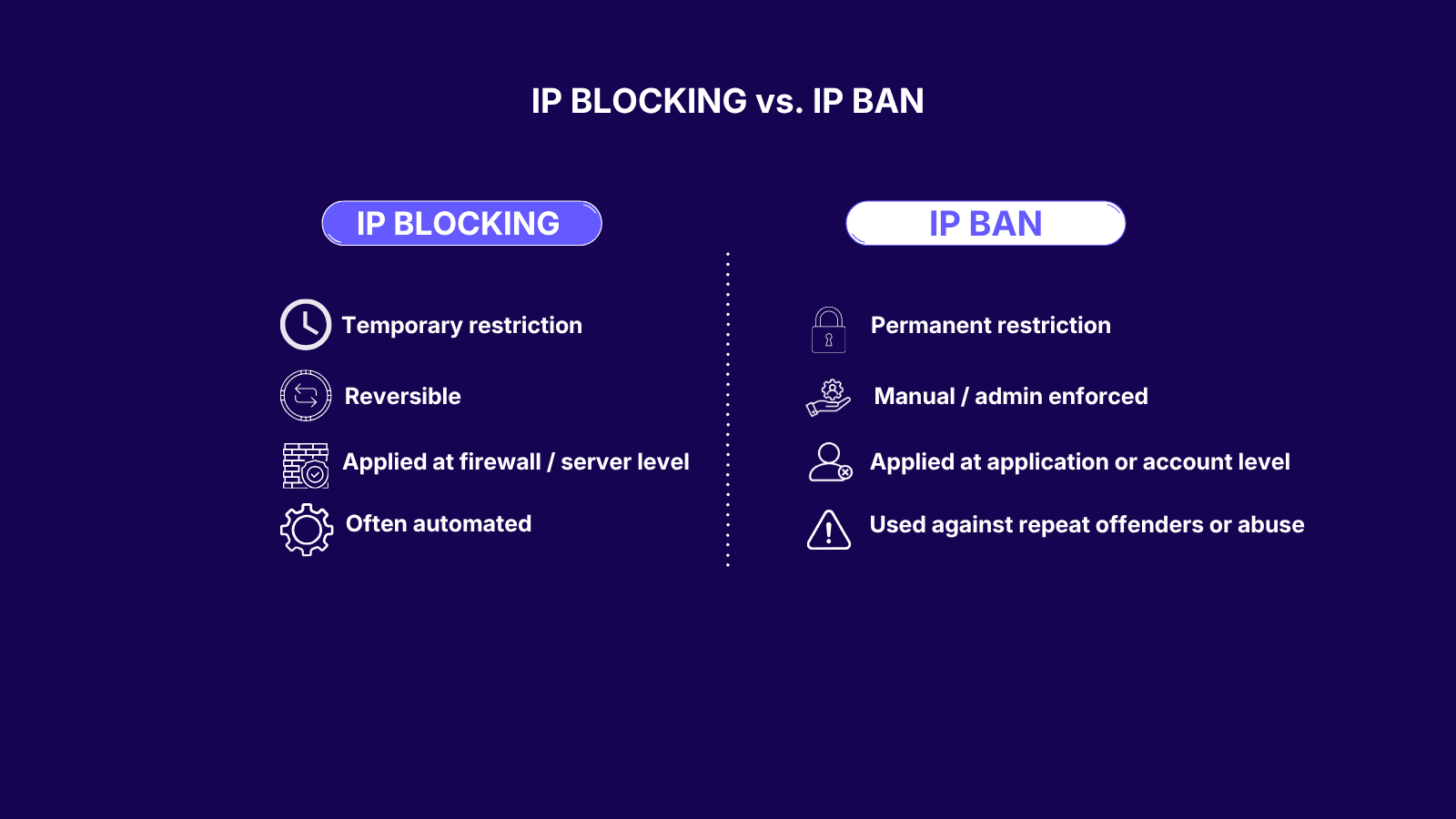
The two terms overlap, but they describe different actions.
An IP block is a filter. It can be automatic, short-lived, and reversible. A rate limiter that expires after ten minutes is still a block.
An IP ban is a deliberate decision, usually tied to an account or a history of violations. Bans tend to be longer, harder to reverse, and require human review to lift. Every ban includes a block. Not every block is a ban.
The distinction changes the right response. Technical blocks often clear on their own. Bans need a different strategy, and this guide to bypassing IP bans covers those cases in more detail.
Common Signs Your IP Has Been Blocked
A block rarely comes with a polite explanation. Typical symptoms:
- A site loads on mobile data but not on home Wi-Fi, or the other way around.
- You see "403 Forbidden," "Access Denied," or a CAPTCHA wall that never clears.
- One service times out while everything else loads normally.
- Logins fail silently even with the correct password.
- An app shows "too many requests" or "service not available in your region."
- Outbound email bounces with a message about the sending IP being listed.
If the problem disappears the moment you switch networks, the address is the issue, not your account or device.
Why Legitimate Users Sometimes Get Blocked
Collateral damage is common. Several everyday conditions put ordinary users on the wrong side of a rule.
Shared and Reassigned IPs
Most home connections use dynamic addresses that the ISP recycles among customers. When a previous holder of your current address triggered a block, that history can follow the address for days or weeks after it rotates to you. You inherit the reputation without ever doing anything wrong.
Carrier-Grade NAT
Mobile networks and many ISPs route thousands of customers through a single public IP, a setup known as CGNAT. One abusive user on that shared address can trigger a block that hits everyone else using it. This is why a site sometimes works on Wi-Fi but fails on mobile data, or the reverse.
Data-Center Ranges
Security systems often block entire ranges of commercial IPs associated with cloud providers, hosting companies, and VPN services. The goal is to stop bots and automated traffic, but the rule catches legitimate users routing through the same infrastructure. Business VPNs and privacy-focused VPNs are common casualties.
Aggressive Automation
Anti-bot systems flag patterns that look automated even when a real person is behind them. Rapid navigation, frequent page refreshes, uncommon browser user agents or too many searches in a short window can all trigger a block. The stricter the system, the more false positives it produces.
Geographic Mismatch
Traveling abroad trips blocks on banking portals, government services, and streaming platforms that expect a home-country address. The block is working exactly as designed, even though the user is legitimate and simply on vacation or working remotely.
What Users Can Do After an IP Block
The right response depends on the cause. Work through these steps in order and stop as soon as one of them brings the service back.
- Wait. A lot of blocks are time-based and lift on their own. Ten or fifteen minutes is often all it takes.
- Restart the router. A reboot usually forces your ISP to hand out a fresh dynamic IP, which bypasses most address-specific blocks.
- Switch networks. Flip between Wi-Fi and mobile data. If the site works on one and fails on the other, the IP is the trigger, not your account.
- Clear cookies and local storage. Some services combine IP rules with browser fingerprinting, and a clean slate in the browser is enough to get past the softer ones.
- Check public blocklists. Tools like Spamhaus and MXToolbox tell you whether your address has been flagged for abuse, which points you toward the real cause.
- Contact the service. If the block is tied to your account, support can review the case and lift it. This is the only path forward when the issue is not technical.
- Route through a different IP. When nothing above works, changing the address you show to the outside world is the last option left.
When a Proxy or VPN Is the Right Fix
Swapping your public IP only solves one kind of problem. The address itself has to be the reason you cannot connect. Geographic restrictions, shared IPs flagged for someone else's behavior, and connections stuck behind carrier-grade NAT all fit that description.
Not every proxy or VPN works in every situation. For services that are strict about data-center traffic, addresses from an ISP-based proxy network behave like ordinary home connections and slip past filters that reject commercial ranges. For general privacy and encrypted routing on untrusted Wi-Fi, a modern WireGuard VPN is faster and more stable than older protocols, without the battery drain that came with the last generation.
Proxies and VPNs stop being useful the moment the block follows your account instead of your IP. They also do not help when the service explicitly forbids circumvention, or when the behavior that caused the block was the real problem in the first place. In those cases, a new IP only buys you a few minutes before the same rule catches up again.
Conclusion
IP blocking sits underneath most of the access problems people run into online. It is automated, layered, and usually indifferent to the person behind the address. That is why there is no single fix. Waiting, resetting the router, contacting support, and routing through a different IP each solve a different kind of block. Figure out which one you are dealing with first, and the right tool becomes obvious.
If any of this feels like too many moving parts, you do not have to sort it out alone. Message our support team and they will help you with any problem you've got.

Buy ISP Proxies
Dedicated IPs from real ISPs. Residential trust, datacenter speed, unlimited bandwidth.

