Worldwide services
Millions of residential proxies across the globe and hundreds of datacenter locations. We're constantly expanding our network to bring you the best possible service.
This tutorial will show you how to use Python’s AIOHTTP and asyncio with Anonymous Proxies’ HTTP and SOCKS5 proxies, then move on to simple proxy rotation examples for larger scraping runs.
AIOHTTP is a popular, open-source Python framework for working with HTTP asynchronously, built on top of asyncio. Think of it as a toolkit that speaks “web” fluently in both directions. You can use it to build a server that receives requests, adds middleware, and keeps routes tidy and easy to manage. You can also use it as a client to make HTTP requests without freezing your code while the network does its thing. And when you need real-time updates, AIOHTTP includes WebSocket support, so two way communication feels like a natural part of the same workflow.
Before you start, make sure you have these ready:
Install aiohttp with pip.
On macOS or Linux:
On Windows, or whenever you want to be 100% sure you are using the right Python interpreter:
If you plan to use SOCKS5 proxies, install the SOCKS connector package as well:
asyncio comes bundled with Python, so you do not need to install it separately.
Once installed, import what you need in your Python file:
A static HTTP proxy setup is the quickest way to confirm your Anonymous Proxies endpoint is working. Every request goes through the same proxy, so if something fails you can troubleshoot without any extra moving parts like rotation or pooling.
In the script below, we do two small checks:
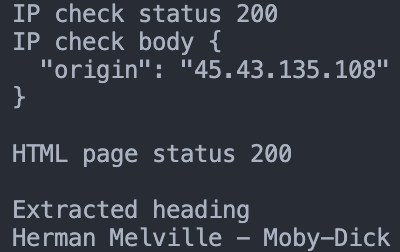
You should see 200 responses, your proxy exit IP, and the extracted result printed.

With SOCKS5, the clean approach is to route traffic through a connector. That way, your session is born “proxy-aware” and your request calls stay simple.
This script follows the same two-check flow as the HTTP example, but uses a SOCKS connector instead.
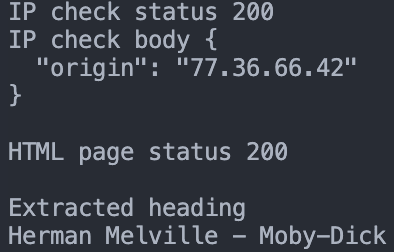
You should see 200 responses, your SOCKS5 exit IP, and the extracted result printed.

If you enabled authentication in your Anonymous Proxies dashboard, you must fill in the YOUR_USERNAME and YOUR_PASSWORD fields (and use the correct proxy host and port) exactly as shown in your dashboard credentials.
If you are using IP whitelisting, you can skip username and password entirely. In that case, keep only the proxy host and port for HTTP proxies, and use a SOCKS URL without credentials for SOCKS5.
If you plan to scale your scraper, rotating your proxies is one of the simplest ways to keep it stable. Instead of sending every request from one IP, you cycle through a small pool. That helps reduce slowdowns and lowers the chance of getting blocked when you scrape more pages or run jobs more often.
Now, for scraping, residential proxies are usually a must because many sites flag and block datacenter IPs quickly. Residential IPs blend in more naturally with real user traffic, which often means fewer captchas and fewer surprise bans. Datacenter proxies can still work well for lighter targets, public APIs, or speed-focused tasks, but if you are dealing with stricter websites, a residential pool plus rotation is typically the more reliable setup.
Here’s a quick script that rotates your HTTP proxies as it runs, so each page goes out through a different proxy from your list.
Once you run it, you will see each page number printed with the proxy endpoint used, followed by a few quotes pulled from that page.

Here’s the SOCKS5 version, which cycles through multiple SOCKS5 proxies by rotating sessions, so each page is requested through a different proxy IP.
After you run it, you will see each page printed with the proxy IP used and a few quotes from the page.

If your Anonymous Proxies plan uses authentication, fill in YOUR_USERNAME and YOUR_PASSWORD using the dashboard details. If you use IP whitelisting, skip credentials entirely and use only the proxy host and port.
AIOHTTP and proxies are a great combination when you need to scrape data on a large scale. AIOHTTP ensures that you are always fast and responsive, with concurrent requests, while proxies help you bypass the common issues of scraping, such as IP blocking, rate limiting, and geo-restrictions. In this tutorial, you have learned how to integrate Anonymous Proxies with AIOHTTP, from a simple one-proxy configuration to rotating proxy lists for a more stable and scalable process.
If you get stuck with the setup, you can contact our support team and they will be happy to help you. And if you want to see more setups like this for other 3rd party tools, you can take a look at our integrations page.
See more browser-automation integrations that work seamlessly with Anonymous Proxies.

This step-by-step guide will show you how to integrate Anonymous Proxies' proxies in Puppeteer, whether you're using static proxies, rotating proxies, or proxy lists.

This guide explains how to integrate Anonymous Proxies with Selenium for efficient web scraping and testing in Python, Java, Node.js and .NET.

This step-by-step guide is going to show you how to set up Anonymous proxies with Playwright using Node.js and Python.