Step 1: Set up the ZeroOmega extension
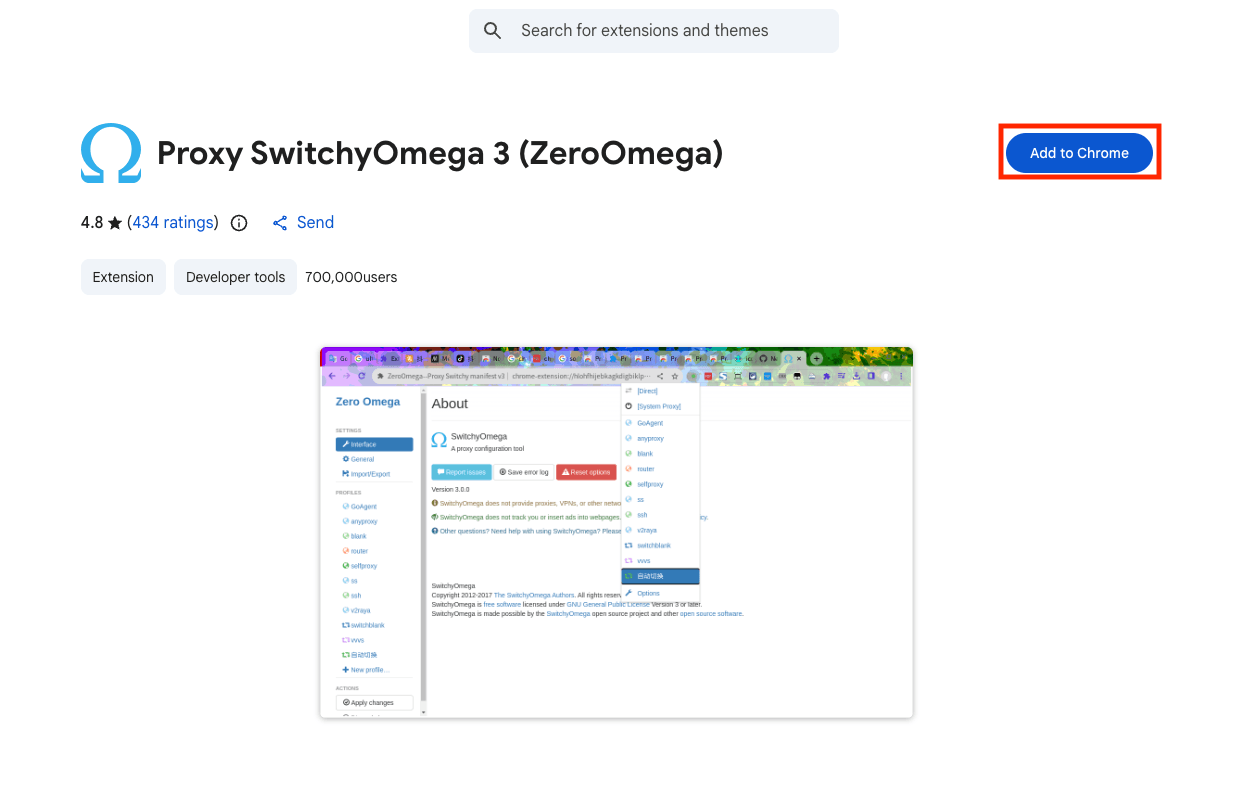
For the first step, we'll need to install the official ZeroOmega extension from the Chrome Web Store or Firefox Add-ons.
Step 2: Open ZeroOmega Options
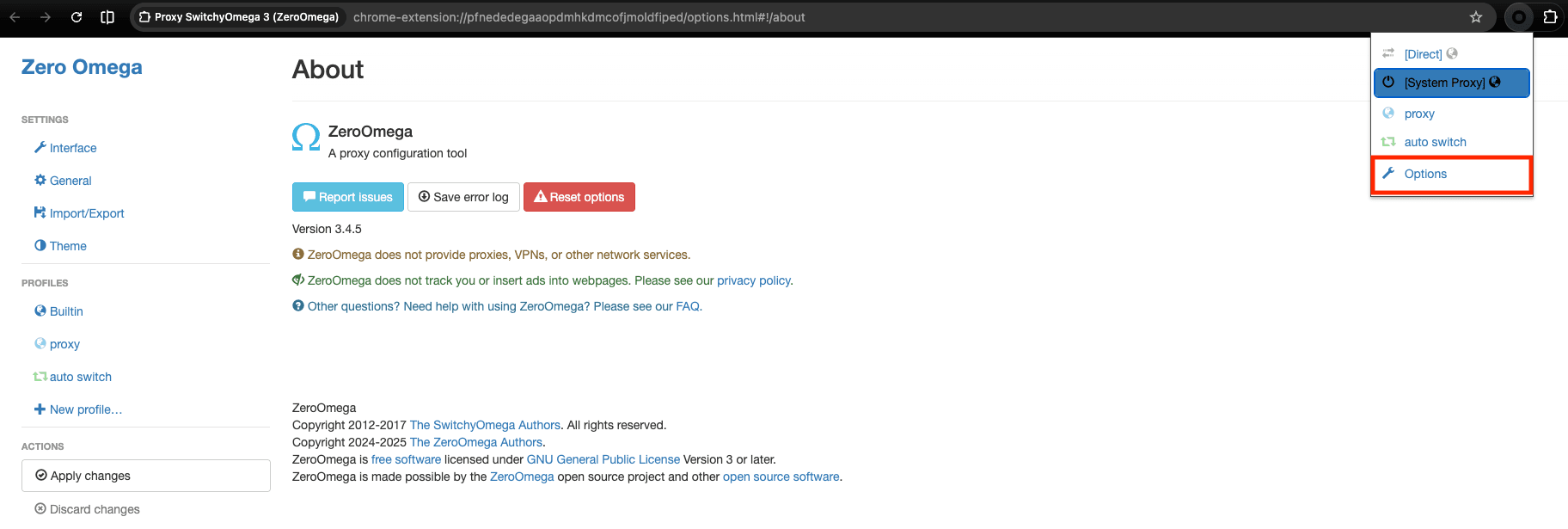
Once it is installed, pin it to your toolbar so you can access it quickly, then click the ZeroOmega icon in your browser toolbar and then click on Options.
Step 3: Create a new proxy profile
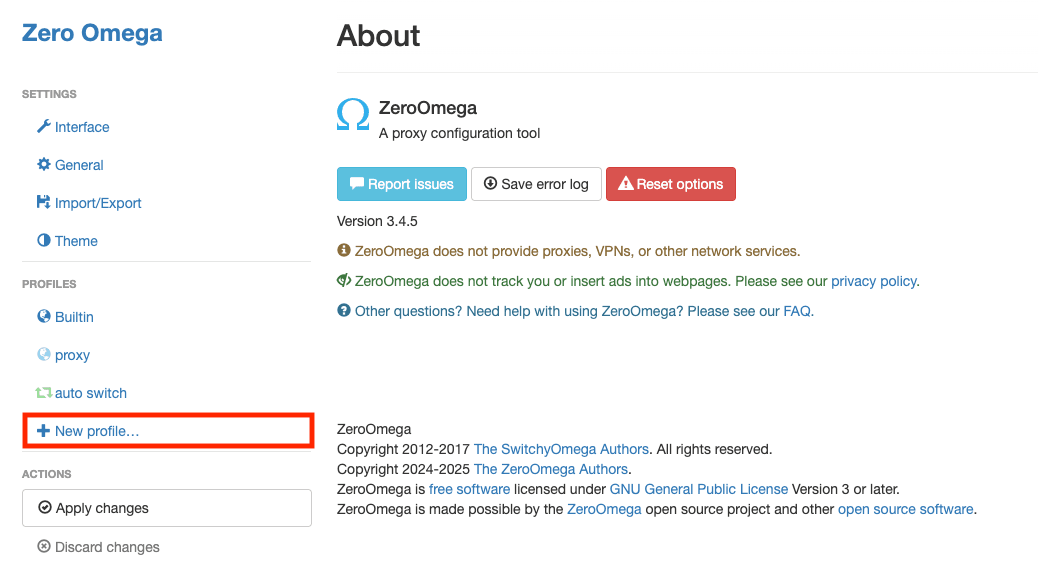
After you clicked on Options, ZeroOmega dasboard will open, and once it opens, in the left sidebar, click on New profile.
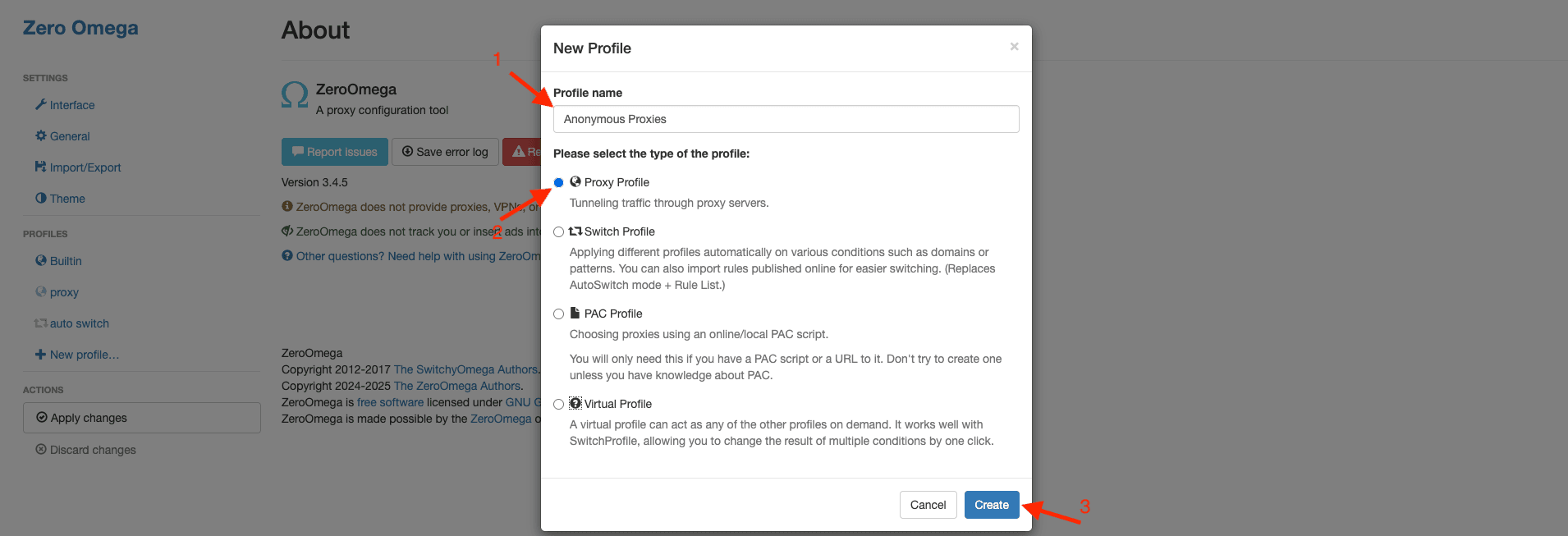
A pop-up will appear where you will need to enter a name for your profile, select Proxy Profile, and then click on Create.
Step 4: Enter your proxy server details
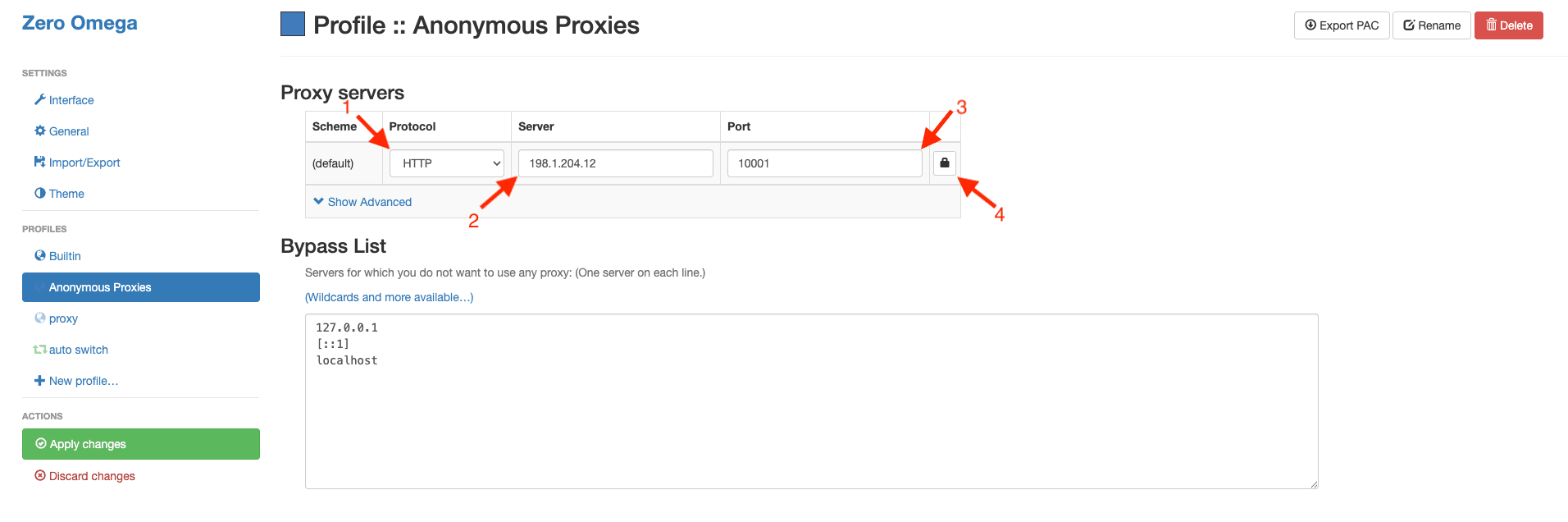
Then, once you are inside your new profile, you'll need to select the correct protocol you are going to use from the dropdown, then paste the proxy server address into the Server field and the proxy port into the Port field using the proxy details from Anonymous Proxies dashboard. Once you filled all these fields, click the small lock icon next to the port.
Step 5: Enter proxy credentials
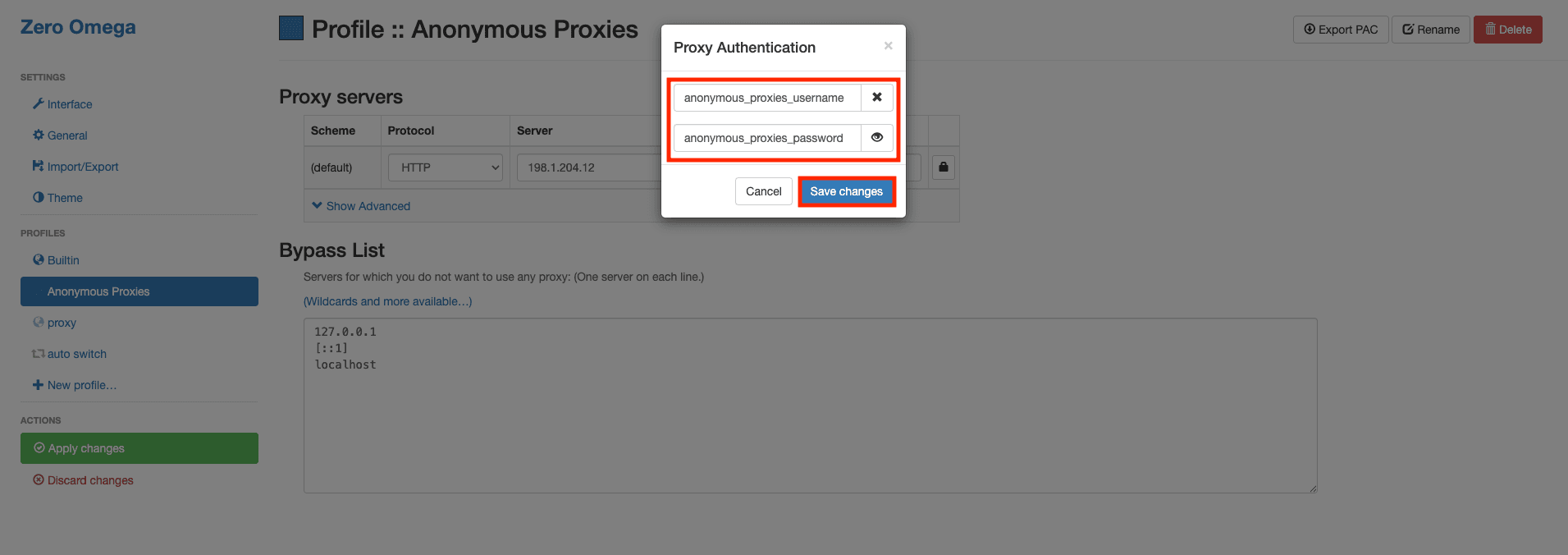
Once you clicked the lock icon, you'll see the authentication window. Here, be sure that you enter your user credentials that you can find in Anonymous Proxies dashboard, then save the changes.
Step 6: Apply changes
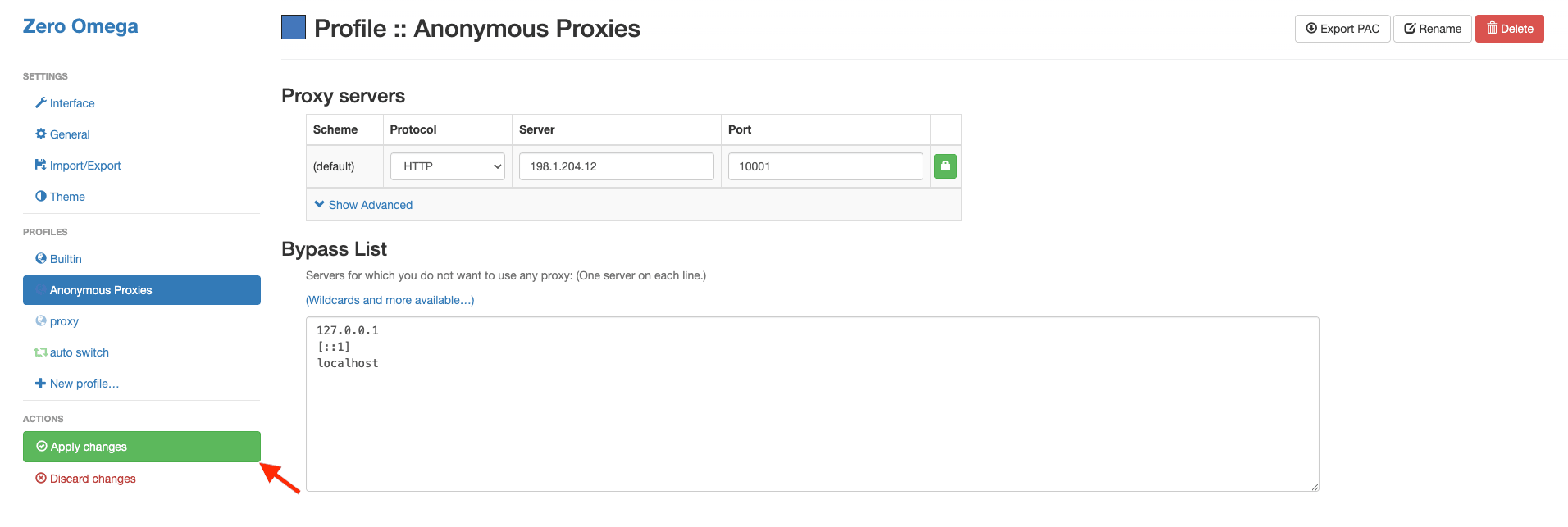
Once you filled all the required fields, on the left side, click on Apply changes.
Step 7: Activate the proxy profile
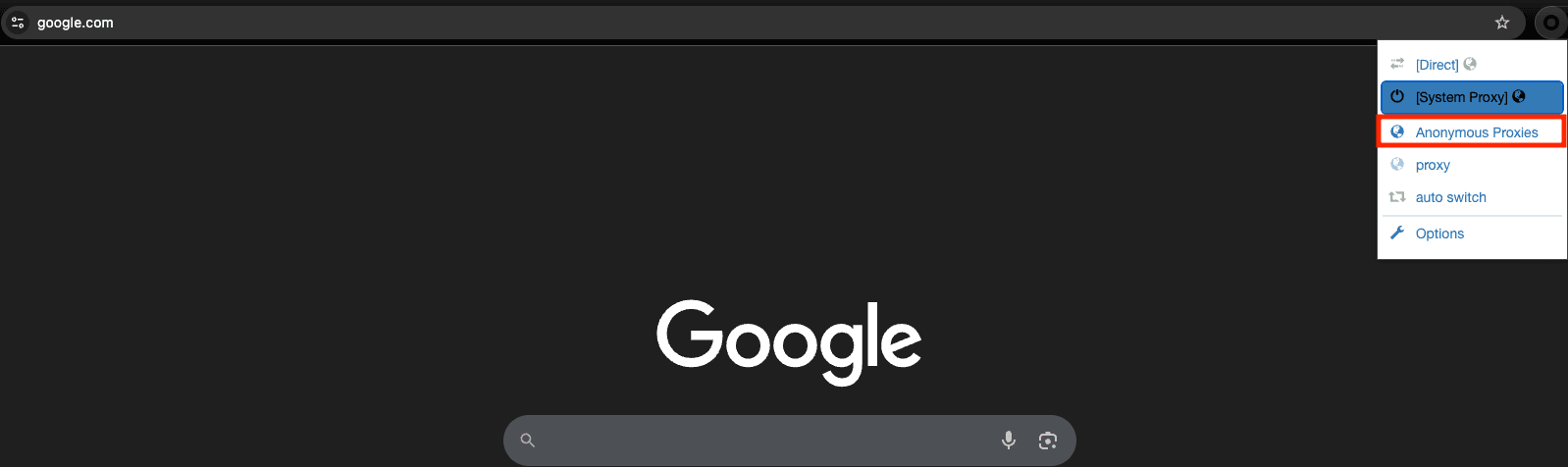
Now, it's time to choose our new profile by clicking the ZeroOmega icon again and select the profile we've just created.
Step 8: Test proxy
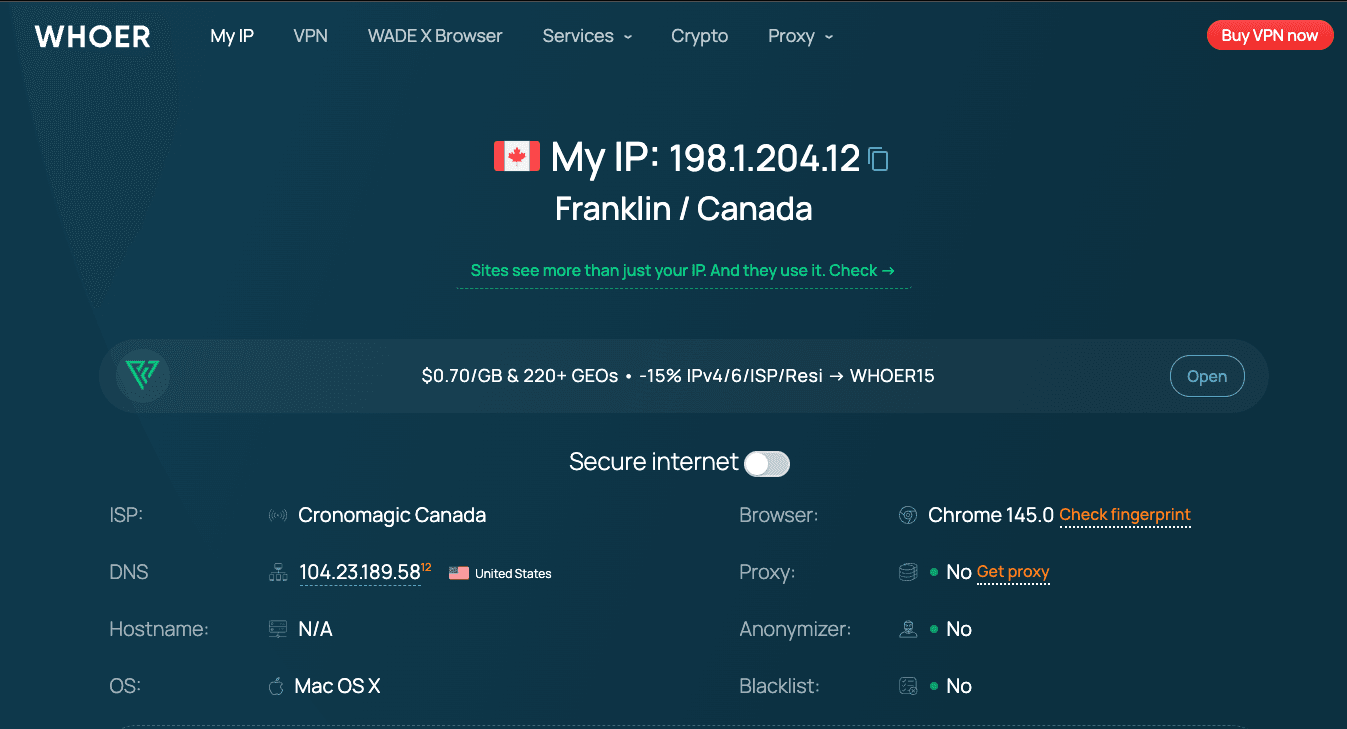
Once you select the profile you've created, you can go to an IP checking website to confirm that your public IP has changed.
Wrap Up
ZeroOmega, previously known as SwitchyOmega, is an easy and reliable way to manage proxy profiles in Firefox and Chromium-based browsers. Once you have your profiles saved, you can swap locations or setups in seconds, without touching your system network settings, which is perfect for geo based checks, everyday research, and automation work.
If you run into issues during setup or you are unsure which proxy type makes the most sense for your use case, our support team is available 24/7 to help you out. And if you want more practical tutorials for other third party tools, visit our integrations page for additional step by step guides.